Best Event Marketing Tools and Software in 2026 (By Use Case)
Hosting events is one of the best strategies businesses use to grow their brand and reach potential clients. It’s an indirect yet powerful way to promote themselves without being too "salesy”.
According to Bizzabo, 85% of leadership believes in-person events are critical to their company's success, making event marketing tools essential infrastructure for modern marketing teams.
Event marketing tools are software platforms that help businesses plan, promote, and manage events. They simplify creating and managing events, even for those who don’t have much experience.
The best tools for 2026 include all-in-one platforms like Splash and Bizzabo for enterprise events, Eventbrite for public ticketing, and free options like Canva and Mailchimp for small business event promotion.
And if you’re in the same position and don’t know where to start, we’ve got you. We’ve rounded up the best 21 event marketing tools that are sure to make your event planning a breeze.
Let’s dive in!
TL;DR
- Riverside
- Eventbrite
- Mailchimp
- Luma
- Meetup
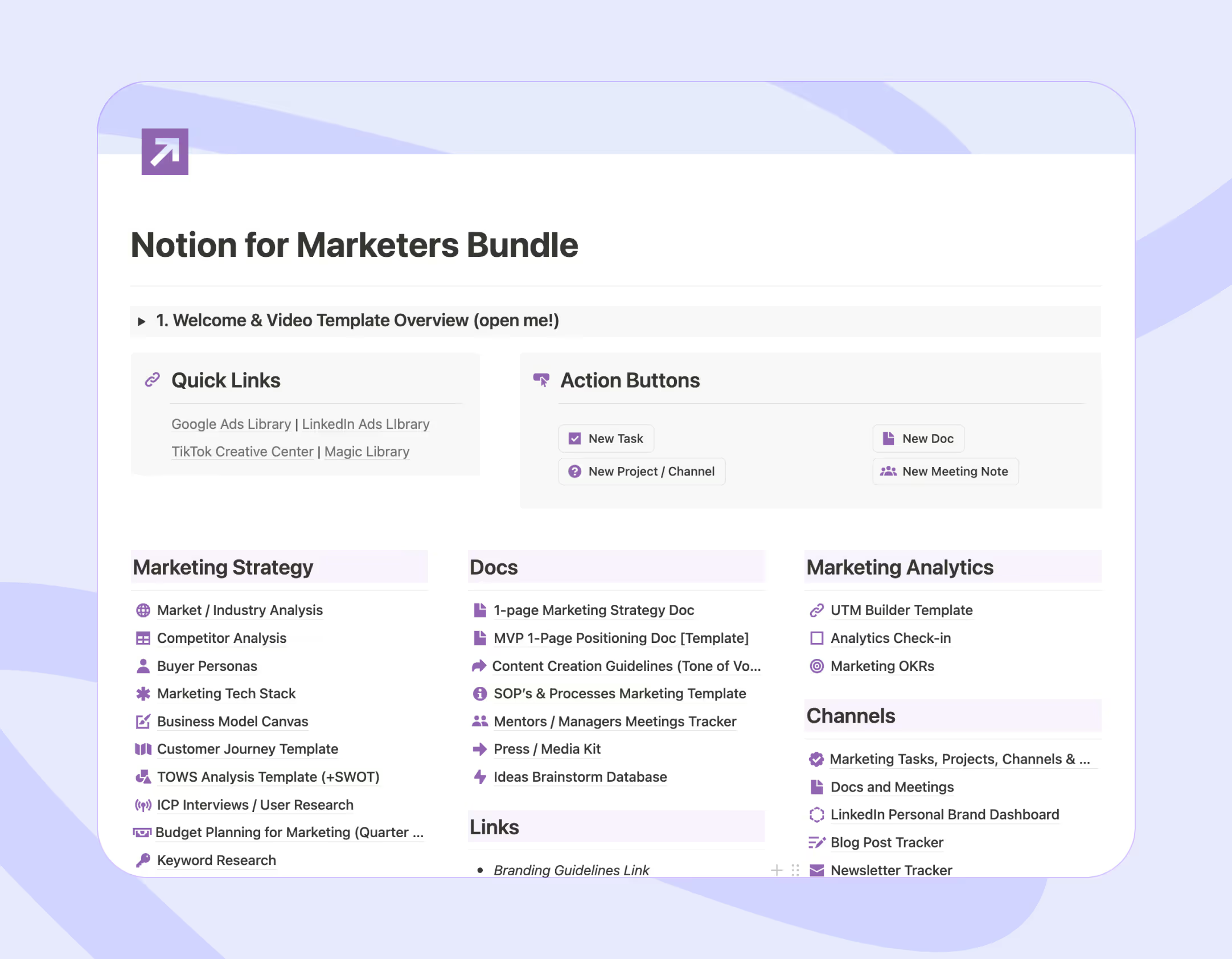
- Notion
- HubSpot
- 10Times
- Canva
- Cvent
- BigMarker
- PosterMyWall
- vFairs
- Salesforce
- Hopin
- TryBooking
- Sprout Social
- Zoho CRM
- Splash
- Bizzabo
- Whova
{{freebie}}
Quick Comparison: The Best Event Marketing Tools
| Tool | Best for | Pricing | G2 rating |
|---|---|---|---|
| Riverside | High-quality virtual and hybrid event recording with live streaming | Free plan available; paid from $24/month | 4.8/5.0 |
| Eventbrite | Public event ticketing and reaching large audiences | Free for free events; 3.7% + $1.79 per ticket for paid | 4.3/5.0 |
| Mailchimp | Email marketing for event invites, reminders, and follow-ups | Free for 500 contacts; paid from $10/month | 4.3/5.0 |
| Luma | Community events, workshops, and meetups with clean event pages | Free plan; 5% fee on paid events; Plus at $59/month | N/A |
| Meetup | Local, in-person community events and group building | Free; Meetup+ at $9.99/month | 4.0/5.0 |
| Notion | Internal event planning, task management, and team collaboration | Free plan; Plus at $10/seat/month | 4.7/5.0 |
| HubSpot | CRM-integrated event marketing, automation, and post-event lead nurturing | Free plan available; Starter from $15/seat/month; Pro from $890/month | 4.4/5.0 |
| 10Times | Global event promotion and lead generation | Free plan; Pro at $100/month; Gold at $800/month | N/A |
| Canva | Designing event flyers, social media graphics, and promotional materials | Free plan; Pro at $120/year | 4.7/5.0 |
| Cvent | Large-scale conferences and corporate event management | Custom pricing (request a quote) | 4.3/5.0 |
| BigMarker | Interactive webinars, conferences, and hybrid events | Custom pricing (request a quote) | 4.7/5.0 |
| PosterMyWall | Small businesses creating event pages, calendars, and promotional content | Free plan; Premium at $9.95/month; Plus at $29.95/month | 4.8/5.0 |
| vFairs | Virtual trade shows, conferences, and product launches | Custom pricing (request a demo) | 4.7/5.0 |
| Salesforce | CRM-integrated event tracking and attendee management | From $25/user/month | 4.4/5.0 |
| Hopin | Large-scale virtual conferences with networking and live streaming | Free plan available; custom pricing for advanced features | 4.4/5.0 |
| TryBooking | Simple event ticketing and online booking management | Free for free events; 2.5% processing fee + $0.15-$0.50 per ticket | N/A |
| Sprout Social | Social media management and event promotion across platforms | From $199/seat/month | 4.4/5.0 |
| Zoho CRM | Small businesses managing event contacts and marketing automation | From $14/user/month | 4.1/5.0 |
| Splash | B2B marketing teams running branded events for pipeline generation | Custom pricing (contact sales) | 4.4/5.0 |
| Bizzabo | Mid-size to enterprise hybrid conferences and multi-track events | Custom pricing (request a demo) | 4.4/5.0 |
| Whova | Associations and organizations focused on attendee networking and engagement | Custom pricing; more accessible than enterprise competitors | 4.8/5.0 |
Why Are Event Marketing Tools Important?
Event marketing tools are platforms and software that make a marketer’s life easier. They help them organize, promote, and manage events more efficiently.
But that’s not all. They are also great to:
- Create event landing pages
- Manage registrations
- Send invitations and reminders
- Integrate with other tools
- Track attendee engagement
Since these tools handle most of the heavy lifting, event organizers can shift their focus to preparing for the event, so they create the best experience for attendees.
{{cta}}
17 Event Marketing Tools We Recommend
1. Riverside
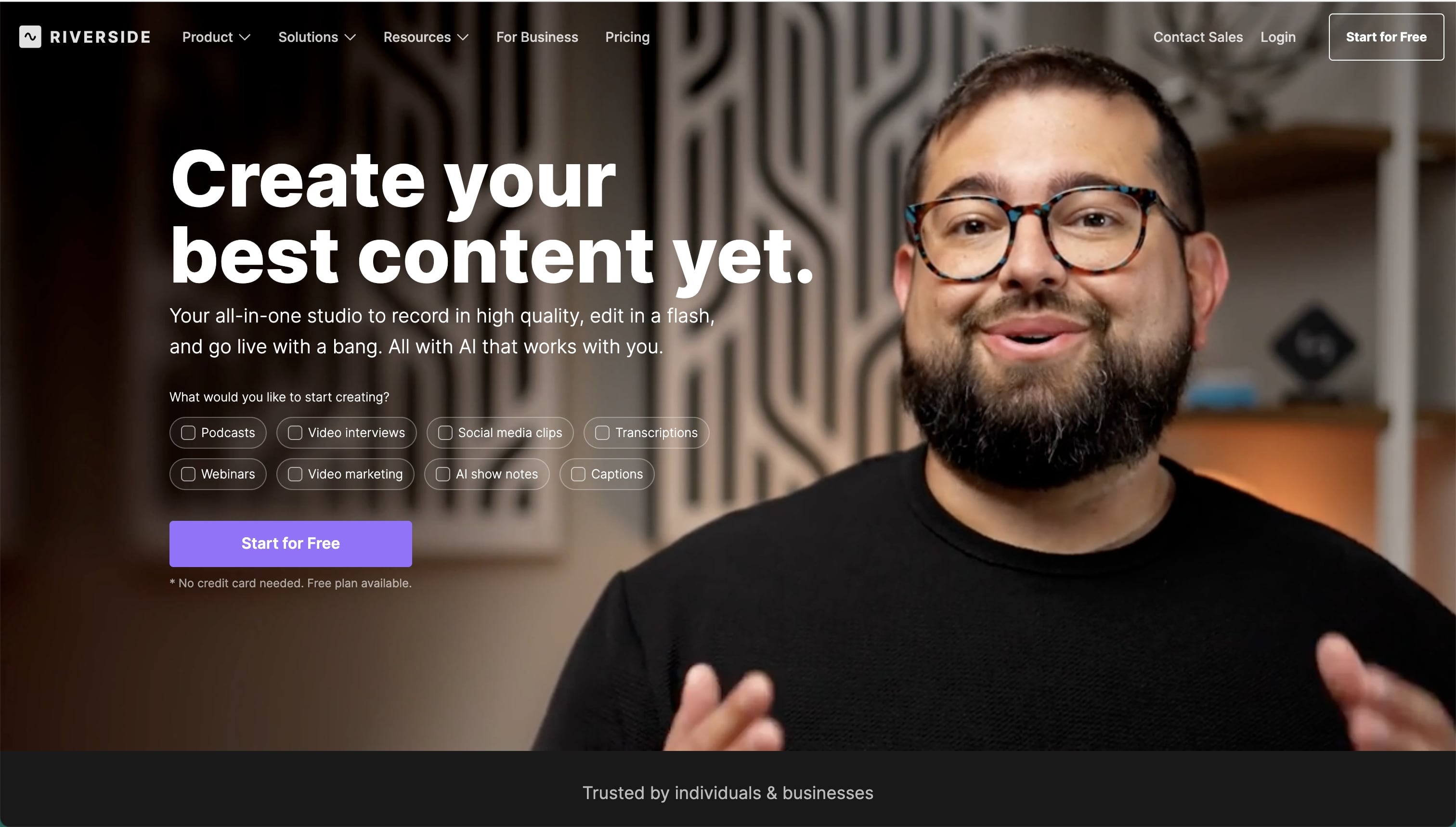
Riverside is a browser-based platform for hosting and recording live, virtual, and hybrid events with high-quality audio and video. It’s well suited for webinars, panels, interviews, and branded events where production quality and reliability are important.
Riverside records each participant locally (up to 4K), ensuring clean recordings even with unstable internet connections. It also supports live streaming to platforms like YouTube, LinkedIn, and Facebook, making it easy to run live events and repurpose the recordings for post-event marketing.
Features
- Host live virtual and hybrid events
- Local audio and video recording (up to 4K)
- Live streaming to multiple platforms
- Screen sharing and remote guest participation
- High-quality recordings for post-event content
Pricing
Riverside offers a free plan with limited features. Paid plans (starting from $24/ month) unlock higher recording quality, longer sessions, and advanced production tools.
Ratings
Trustpilot: 4.3/ 5
G2: 4.8/ 5
2. Eventbrite

Eventbrite is a top event management tool with great marketing capabilities. Through this platform, you can create, manage, and promote events. Because it has a lot of users, you chances of getting new attendees is higher compared to promoting it in lesser-known sites.
Eventbrite is particularly useful for reaching large audiences, especially for in-person events. It has built-in email marketing and automated reminders to keep attendees engaged and interested.
Features
- Create and manage events.
- Use email marketing to send invites and reminders.
- Automate workflows for ticketing and confirmations.
- Track ticket sales and attendance with real-time analytics.
- Promote your event on their platform.
Pricing
Eventbrite offers a free plan for free events. For paid events, they charge a 3.7% + $1.79 service fee per ticket and a 2.9% payment processing fee per order. These fees are typically paid by ticket buyers, but organizers can choose to cover them.
Ratings
Trustpilot: 1.1/5.0
G2: 4.3/5.0
3. Mailchimp

Mailchimp is an easy-to-use tool for email marketing. It’s perfect to keep-in touch with attendees before, during, and after events. Through this platform you can send reminders, thank-you notes, or updates. You can also segment the audience to make sure the message you send reaches the right people.
Mailchimp also integrates with other platforms like Eventbrite, to simplify your event management and increase attendance. It’s a useful tool for engagement and building long-term relationship with your audience.
Features
- Build email campaigns with easy templates.
- Automate event reminders and follow-ups.
- Segment your audience for personalized emails.
- Integrate with platforms like Eventbrite.
Pricing
Mailchimp’s price plan depends on the number of contacts you need. For 500 contacts, the price starts at $10/month for the first 12 months and then increases to $20/month.
Ratings
Trustpilot: 1.3/5.0
G2: 4.3/5.0
4. Luma

Luma is a great platform where you can create your own events, or discover events around the world. Every week they share features events from cities like New York and London that you can check to stay updated.
Luma has a user-friendly and intuitive interface. This makes it simple to build engaging event pages and connect with participants through personalized email invites.
It also integrates with platforms like Zoom Meetings or Webinars, so you can host large events with over 10k participants, depending on your pricing plans.
Features
- Host your own event.
- Discover events around the world.
- Events featured every week.
- Send automated email invitations and reminders to your audience.
- Build communities around your events.
- Integrate with Zoom and Webinars.
Pricing
Luma offers a Free Plan, which is a 5% platform fee on paid events. The Luma Plus Plan costs $59/month (billed annually) and has advanced features. Enterprise Plans are available upon request.
5. Meetup

Meetup is a tool that helps you create events and attract local groups around you. Since it focuses on building engaging communities, it’s a great platform to make your brand “popular” among other users.
As an organizer, you can easily create events, promote them and connect with like-minded people through this platform. Just add the neighborhood or city where the event will take place and it will show up to those looking for activities around the area.
This platform is best for in-person and local events. It brings people together in real time and creates real-life communities.
Features
- Create and manage groups for local or virtual events.
- Set up events.
- Discover events based on interests and/or location.
- Promote your events through Meetup’s community.
Pricing
Meetup is free to use, but if you’re looking for extra features and benefits, you can try Meetup+ . It starts with a 7-day free trial, and after that, it costs $9.99/month.
Ratings
Trustpilot: 1.2/5.0
G2: 4.0/5.0
6. Notion

Notion is one of the best task organizing tools there is, but did you know it’s also great for event planning?
Yes, that’s correct! With Notion, you can easily create plans, set up timelines, and even tag attendees by mentioning them directly. And since everything is kept in one place, it’s very simple to collaborate without having to send links or create dedicated events.
In Notion you’ll find so many templates you can use for free and customize to fit your event’s theme and aesthetic.
You can also use Notion’s calendar feature to schedule important dates and deadlines. I love how this tools keeps everything neat and color-coordinated, and makes managing events so simple!
Features
- Create custom event planning templates.
- Manage tasks and tag people directly.
- Use Notion Calendar to schedule important dates.
- Integrate with other tools like Google Calendar.
Pricing
Notion offers four pricing plans. The Free plan costs $0 and includes basic features. The Plus plan is $10 per seat/month and the Business plan is $15 per seat/month. For larger needs, the Enterprise plan comes with custom pricing.
Ratings
Trustpilot: 2.6/5.0
G2: 4.7/5.0
7. HubSpot
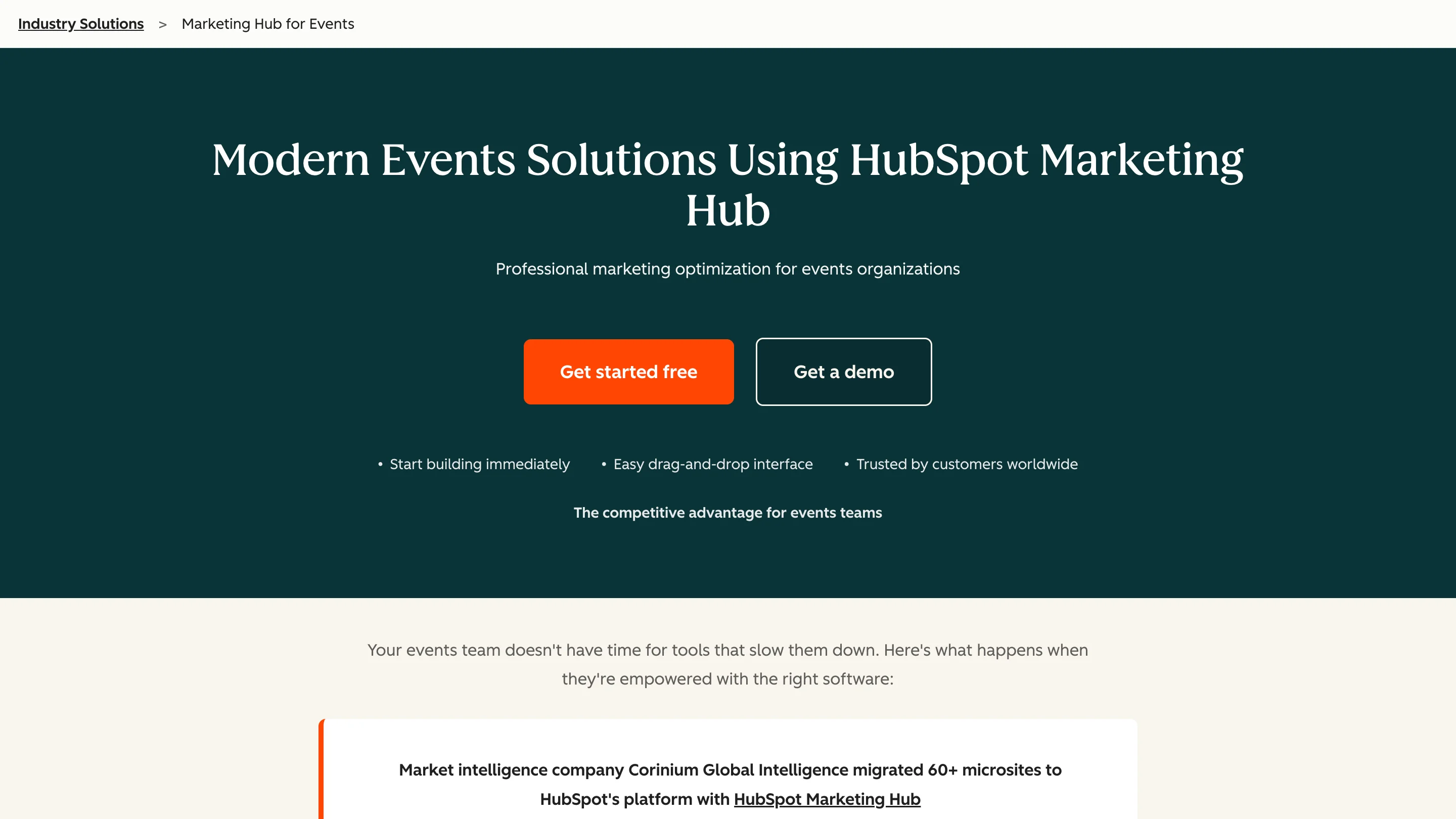
HubSpot is not a dedicated event platform, but its Marketing Hub has a strong set of features that make it very useful for event marketing specifically. If you're already using HubSpot as your CRM, this is where it really shines: you can manage event registration, automate pre- and post-event email sequences, track attendee engagement, and tie all of it back to actual revenue attribution without needing a separate tool.
Where HubSpot stands out compared to dedicated event tools is in what happens after the event. It automatically captures attendee interactions, tracks engagement levels, and lets your sales team follow up with leads based on which sessions they attended or how they interacted with your content. It also integrates with platforms like Eventbrite, Zoom, and GoToWebinar, so you can sync attendee data directly into the CRM.
That said, HubSpot is not an event creation or ticketing platform. You won't use it to sell tickets or set up event pages from scratch. It works best as the marketing and CRM layer on top of your event stack.
Features
- Automated registration workflows and email sequences
- Pre-event and post-event campaign automation
- Attendee engagement tracking and lead scoring
- Revenue attribution and ROI reporting for events
- Integrations with Eventbrite, Zoom, GoToWebinar, and more
Pricing
HubSpot offers a free plan with basic CRM and email marketing features. The Starter plan starts at $15/seat/month (annual) or $20/seat/month (monthly). The Professional plan, which includes automation and advanced reporting, starts at $890/month with a mandatory $3,000 onboarding fee in the first year.
Ratings
G2: 4.4/5.0
8. 10Times

As one of the top event marketing tools, 10Times helps marketers connect with millions of people all over the world. You can promote events, generate leads, and manage potential attendees through a single dashboard. You can also categorize events by city and country for better visibility.
And if you need some inspiration, the platform showcases featured events, allowing you to see what's trending and what other businesses are doing right.
Features
- List your event to reach a global audience of professionals.
- Generate leads and manage attendee inquiries.
- Send automated notifications and updates via email or SMS.
- View detailed reports on event performance.
- Promote your event across multiple digital channels.
Pricing
10Times offers Utility Plans and Marketing Plans. The Free plan is $0, while the Pro plan is $100/month. For more advanced promotion, the Gold plan costs $800/month, and the Platinum plan is $1600/month.
9. Canva

Canva is the ultimate all-in-one tool for all design purposes. While you cannot create events on this platform, you can, in fact, design event materials such as flyers, invitations, and social media graphics.
And you don’t have to be a designer to do so! The drag-and-drop interface and numerous templates make it simple for users of all skill levels.
Canva also offers AI-powered tools to enhance your designs quickly.
Features
- Drag-and-drop design interface.
- Pre-designed templates.
- Access to a huge library of images, icons, and fonts.
- Create social media graphics, event flyers, and email headers.
- Collaborate with team members on designs in real-time.
- Use AI-powered tools to simplify your work.
Pricing
You can either use the free plan, or Canva Pro, which starts at $120 annually.
Ratings
Trustpilot: 2.6/5.0
G2: 4.7/5.0
10. Cvent

Cvent is one of the most efficient event marketing tools that supports every stage of the event lifecycle. It’s an 2 in 1 tool that coves both event planning and marketing at the same time.
Its user-friendly platform is suitable for large, complex events, think conferencers or corporate meetings. The platform also provides real-time analytics so you can check how the event goes and improve future events.
Features
- Event planning and marketing.
- Registration with custom forms.
- Venue sourcing made easy.
- Custom event mobile apps for attendee engagement.
- Real-time reporting on event attendance and feedback.
- Email marketing tools for promoting your event and engaging attendees.
Pricing
For pricing information, you can request a quote via their "Get Pricing" option.
Ratings
Trustpilot: 4.0/5.0
G2: 4.3/5.0
11. BigMarker

BigMarker is a top choice for hosting interactive webinars, conferences, and hybrid events. You can create live or pre-recorded events with features like live chat, Q&A, and polls. This makes the experience interactive and interesting for the audience who’ll join.
BigMarker doesn’t just offer solutions for hosting events, it also provides helpful products like mobile apps and marketing tools to keep your audience engaged.
It’s a comprehensive platform that covers all your needs.
Features
- Customize webinars and hybrid events.
- Engage attendees with live chat, polls, and Q&A sessions.
- Hybrid event support for managing both in-person and virtual attendees.
Pricing
To find out the pricing for each plan, you can request a quote via their "Request a Quote" option.
Ratings
Trustpilot: 3.9/5.0
G2: 4.7/5.0
12. PosterMyWall
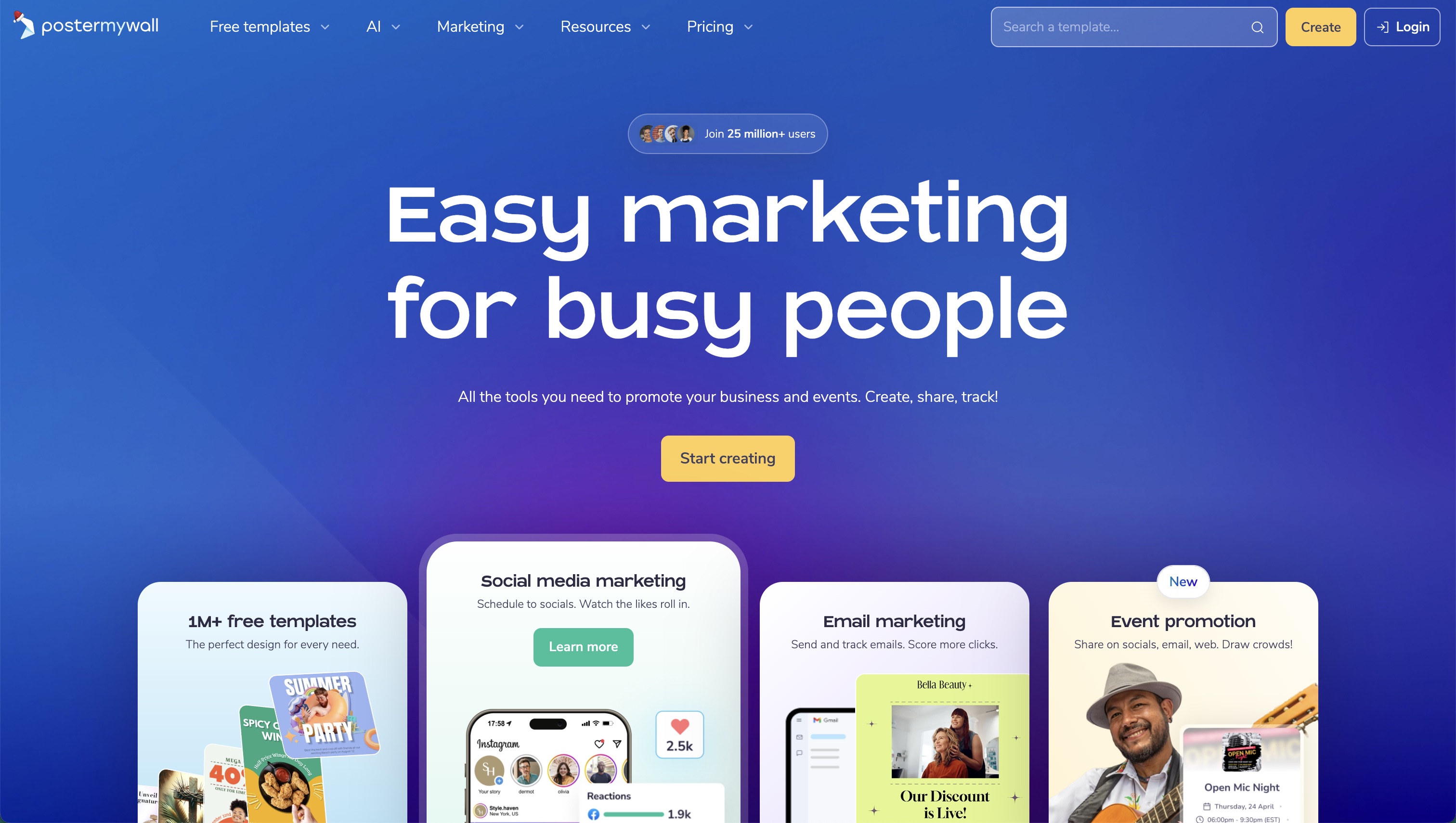
PosterMyWall is an all-in-one AI marketing platform for small businesses. You can easily create and publish event pages, calendars, social posts, emails, and more, all from one place.
PosterMyWall Events lets you create personalized event pages in minutes with details, location, and visuals that reflect your brand. Each page can easily link to your ticketing or RSVP form. Perfect for easily promoting multiple events. The embeddable calendar feature showcases all upcoming events right on your website; no coding needed.
Share event pages instantly across Facebook, Instagram, and send as email campaigns directly from the platform. You can even set up automatic email reminders to keep guests engaged and boost attendance. Do everything under one roof instead of using multiple tools.
Features
- Create a no-code event page that looks great on any device.
- Track RSVPs and keep guests engaged with automated reminders.
- Promote everywhere; share your event across social media and email with one click.
- Showcase all your upcoming events on a simple, shareable calendar.
Pricing
PosterMyWall offers a free plan to get you started, while Premium ($9.95) and Premium Plus ($29.95) plans unlock advanced features like unlimited event pages, automated reminders, and performance tracking.
Ratings
G2: 4.8/5.0
Capterra: 4.8/5.0
13. vFairs

vFairs is designed to organize virtual, in-person, and hybrid events like trade shows, conferences, and product launches.
With fairs, you can set up virtual booths, host live webinars, and engage attendees with features like chat, Q&A, and polls. The platform is customizable; you can add your own branding and style to make the event unique.
vFairs also offers tools for networking, allowing attendees to connect with each other easily. Plus, it provides detailed analytics to help you measure the success of your event and improve future ones.
Features
- Customize virtual booths and branded event spaces.
- Host live webinars and presentations.
- Offer networking tools like chat, video calls, and virtual lounges.
- Engage attendees with live polls, Q&A, and interactive chat sessions.
Pricing
To view the pricing plans, you’ll need to request a demo.
Ratings
Trustpilot: 3.2/5.0
G2: 4.7/5.0
14. Salesforce

Salesforce is a top-tier CRM platform that helps you manage customer relationships while promoting your events. With Salesforce, you can track interactions, manage attendee data, and analyze event performance through comprehensive reports.
Plus, it integrates with other tools, simplifying the entire process from event promotion to follow-up.
Features
- Manage attendees and interactions.
- Track event metrics with detailed reports.
- Integration with other marketing tools for seamless workflows.
Pricing
The pricing depends on the type of product you need, with a starter suite at $25 USD/user/month.
Rating
Trustpilot: 1.3/5.0
G2: 4.4/5.0
15. Hopin

Hopin is a virtual and hybrid event platform that allows users to create engaging online events. It has tools for live streaming, audience interaction through chat, polls, and Q&A, as well as networking features like 1:1 video meetings and virtual booths.
Hopin is ideal for conferences, webinars, and large-scale digital gatherings. It makes it easy to connect and engage with your audience.
Features
- Live streaming and audience interaction.
- Networking tools like virtual booths and 1:1 meetings.
- Integration with popular CRM and marketing tools.
Pricing
Free plan available, and custom pricing based on event requirements for advanced features.
Ratings
Truspilot: 2.3/5.0
G2: 4.4/5.0
16. TryBooking

TryBooking is an excellent tool for selling tickets and managing online event bookings. It integrates with websites and social media channels to make ticket purchasing easier for your attendees.
Features
- Event ticketing and booking system.
- Integration with websites and social media for ticket sales.
- Multiple payment options for attendees.
Pricing
Free events have no fees. A 2.5% processing fee on transactions is typically paid by the event organizer but can be passed on to ticket buyers. The ticket fee is 15¢ for tickets priced at $5 or less, and 50¢ for tickets priced over $5.
Rating
Trustpilot: 4.3/5.0
17. Sprout Social

Sprout Social is a powerful tool for managing your social media presence, and it’s particularly useful for promoting events. As an event marketer, you can plan and post content across platforms like Facebook, Instagram, and LinkedIn.
You can track engagement, set up social media ads, and monitor conversations about your event, ensuring that you can respond quickly to attendees’ questions or feedback.
Its reporting tools are very helpful. You can evaluate how your social media campaigns are going, and improve the event marketing strategy accordingly. It’s especially a great choice if you’re managing multiple social media accounts.
Features
- Schedule and post across multiple platforms.
- Track engagement.
- Detailed reports to measure the success of your campaigns.
- Multi-platform integration.
Pricing
Standard pricing plan comes at $199 - $249 per seat/month. Professional is priced at $299 - $399. Advanced is available at $399 - $499 per seat/month, and for or larger operations, Enterprise offers a custom-built plan with pricing available upon request.
Ratings
Trustpilot: 2.0/5.0
G2: 4.4/5.0
18. Zoho CRM

Zoho CRM integrates customer relationship management with event marketing. You can check attendee interactions, manage contacts, and analyze event performance.
Zoho CRM is best for small businesses looking to find the solution to manage event processes. It gives you the tools to keep everything organized and improve your event results.
Features
- Track client interactions.
- Check interactions and manage contacts.
- Marketing automation.
Pricing
Zoho offers four pricing plans billed annually. The Standard plan is €14/user/month, the Professional plan is €23/user/month, the Enterprise plan is €40/user/month, and the Ultimate plan is €52/user/month.
Ratings
Trustpilot: 4.2/5.0
G2: 4.1/5.0
19. Splash
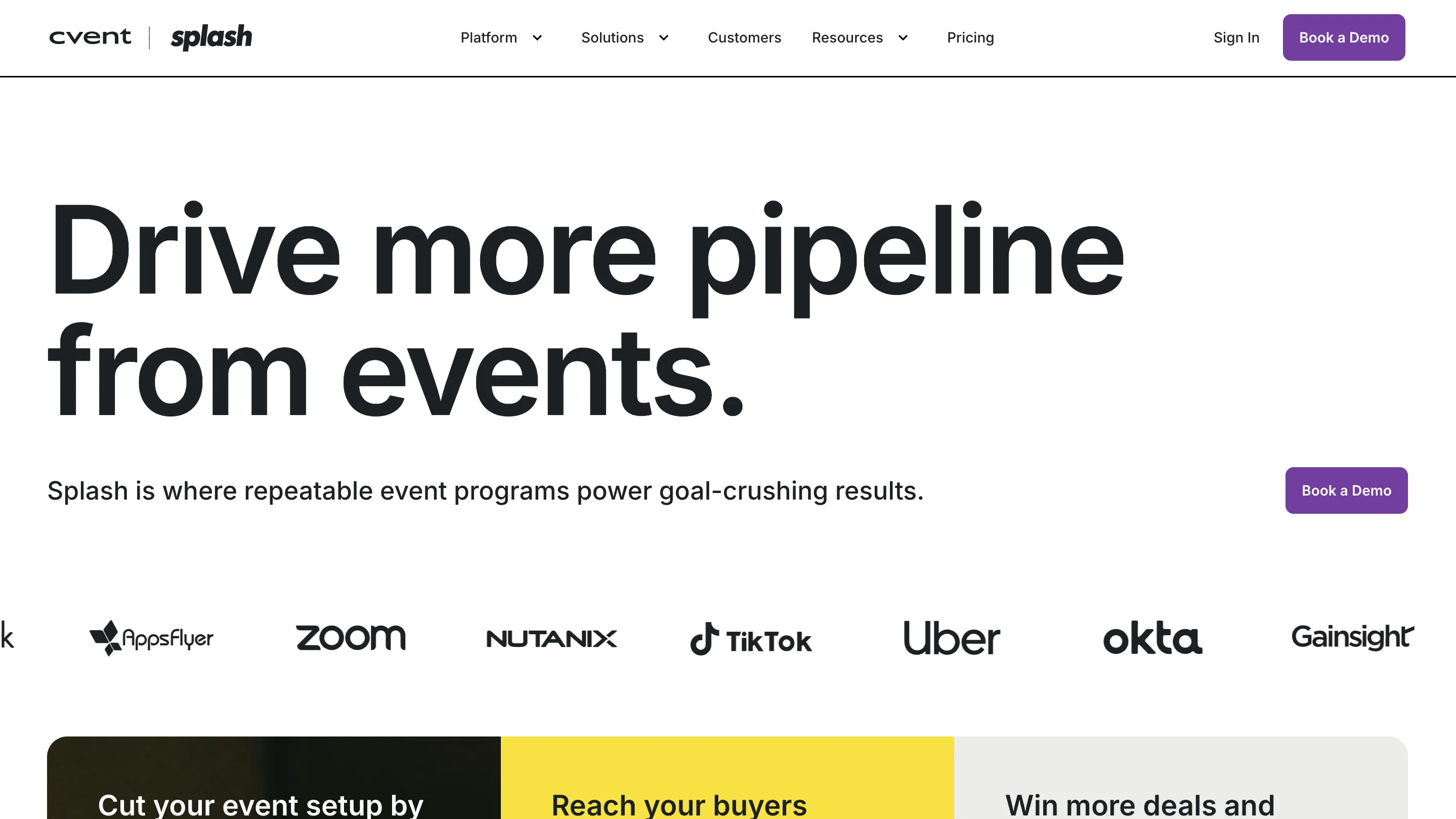
Splash is an event marketing platform designed for brand-focused, high-growth companies. It combines event page creation, registration management, email marketing, and analytics in one platform, with a particular emphasis on design customization and brand consistency.
What sets Splash apart is its focus on pipeline generation and lead capture. The platform integrates directly with Salesforce and other CRMs, making it easy to track how events contribute to revenue. Marketing teams at companies like Coca-Cola, Uber, and Shopify use Splash to manage their event programs.
The platform excels at creating visually impressive event pages without needing a designer. You can build custom-branded landing pages, registration forms, and email sequences that match your company's visual identity.
Features
- Drag-and-drop event page builder with brand templates
- Registration management with custom fields
- Built-in email marketing for event promotion
- Salesforce and HubSpot integrations for lead tracking
- Real-time attendance tracking and check-in apps
- Post-event analytics and ROI reporting
Pricing
Custom pricing based on event volume and features. Contact sales for a quote.
Ratings
G2: 4.4/5.0
20. Bizzabo
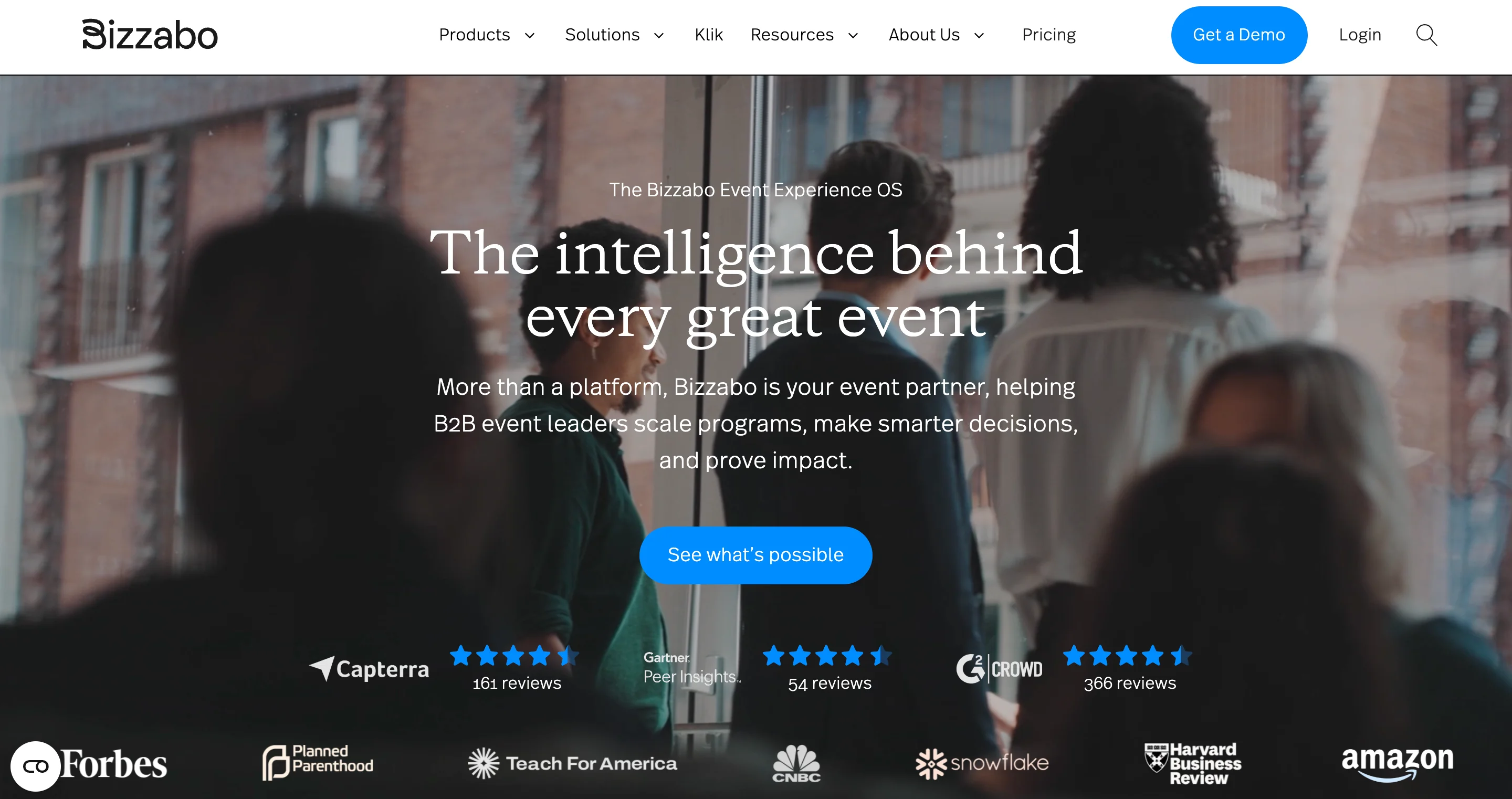
Bizzabo is an all-in-one event management platform built for hybrid and in-person events. It's particularly strong for organizations running complex event programs with multiple sessions, speakers, and networking components.
The platform stands out for its attendee engagement features. Bizzabo offers networking tools that match attendees based on interests, interactive session features like live polling and Q&A, and a mobile event app that keeps participants connected throughout the event.
Bizzabo also provides robust analytics, letting you track everything from registration conversion rates to session attendance and engagement scores. This makes it easier to demonstrate event ROI to stakeholders.
Features
- Event website and registration builder
- Networking and matchmaking tools for attendees
- Mobile event app with agenda, maps, and messaging
- Live streaming and hybrid event support
- Advanced analytics and engagement tracking
- Integrations with marketing automation and CRM tools
Pricing
Custom pricing. Request a demo for details.
Ratings
G2: 4.4/5.0
21. Whova
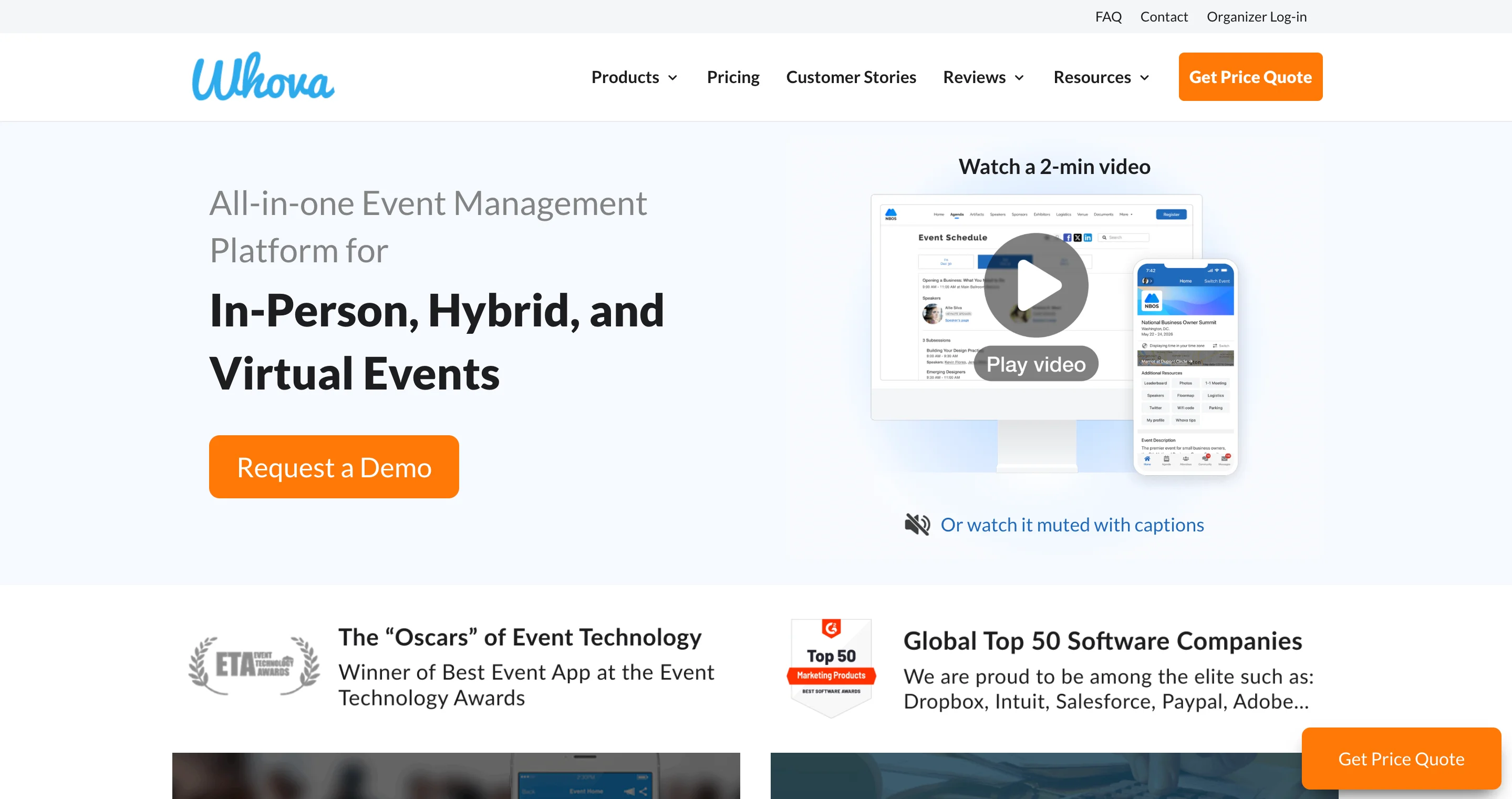
Whova is an event management platform that's particularly well-regarded for its mobile event app and attendee networking features. It consistently ranks among the top-rated event apps on both iOS and Android.
The platform helps attendees get more value from events through features like AI-powered networking recommendations, community discussion boards, and interactive session tools. For organizers, Whova handles registration, check-in, speaker management, and post-event surveys.
Whova is popular with associations, universities, and professional organizations running conferences and annual meetings. Its pricing is generally more accessible than enterprise platforms like Cvent.
Features
- Award-winning mobile event app
- AI-powered attendee networking and matchmaking
- Virtual booth and sponsor showcase features
- Live polling, Q&A, and session feedback
- Registration and badge printing
- Engagement analytics and reporting
Pricing
Custom pricing based on event size. More accessible than enterprise competitors.
Ratings
G2: 4.8/5.0
Trustpilot: 4.8/5.0
When it comes to event marketing, a key best practice is to run ads beforehand for maximum registrations. If you've been running ads on LinkedIn and need some inspiration for design, this article is for you.
Which Event Marketing Tool is the Best One for You?
| Category | Best for | Tools |
|---|---|---|
| All-in-one event marketing platforms | Teams running multiple events per year who want to consolidate event creation, registration, email marketing, and analytics in one place | Splash, Bizzabo, Cvent, Eventbrite |
| Virtual and hybrid events | Digital and mixed-format events that need live streaming, virtual booths, breakout rooms, and online networking tools | vFairs, Hopin, BigMarker, Riverside |
| Email and marketing automation | Building invitation sequences, sending reminders, and following up with attendees before and after events | Mailchimp, HubSpot, Zoho CRM |
| Event promotion and social media | Creating event graphics, scheduling social posts, and tracking engagement to get the word out | Canva, Buffer, Sprout Social, PosterMyWall |
| Registration and ticketing | Teams whose primary need is simple sign-up management and attendee data tracking | Eventbrite, TryBooking, Luma, AddEvent |
| Attendee networking | Events where meaningful connections are a priority, using AI and smart matching to connect attendees | Whova, Brella |
Best Event Marketing Tools for Small Businesses
Small businesses and startups need event marketing tools that are affordable, easy to use, and don't require a dedicated events team. Here are the best options for teams with limited budgets.
Luma is ideal for small businesses running community events, workshops, or meetups. The platform is free for free events and charges just 5% on paid tickets. The interface is clean and modern, making it easy to create professional-looking event pages without design skills.
Eventbrite remains one of the most accessible options for small businesses. Free events cost nothing to list, and the platform's built-in discovery features can help you reach new attendees. Paid events incur fees of 3.7% + $1.79 per ticket.
Canva handles all your event promotional materials for free. You can create social media graphics, email headers, flyers, and even video content using their templates. Canva Pro ($120/year) adds brand kit features and more templates.
Mailchimp offers a free tier for up to 500 contacts, which is enough for most small business events. You can create invitation emails, automated reminder sequences, and post-event follow-ups.
AddEvent makes it easy to add "Add to Calendar" buttons to your event pages and emails. The free plan covers basic functionality, and paid plans start at $16/month for additional features.
For small businesses running fewer than 10 events per year, a combination of Luma (registration), Canva (graphics), and Mailchimp (email) can handle most needs without significant cost.
If you need a team to run these events for you, check out this growth marketing agency list.
What is an Event Marketing Software?
Event marketing software is a category of tools that help businesses plan, promote, and manage events. These platforms handle tasks like creating event landing pages, managing registrations, sending email invitations, tracking attendee engagement, and measuring event ROI. The best event marketing tools integrate with CRM systems and marketing automation platforms to connect event data with your broader marketing strategy.
Most event marketers use a combination of tools: an all-in-one platform like Splash or Bizzabo for core event management, plus specialized tools like Mailchimp for email promotion or Canva for event graphics.
In Summary
Now, you have an idea of what to look for in event marketing tools. And you know how much they can simply every aspect of event planning, while keeping your attendees engaged at the same time.
All you have to do is figure out which one works best for your strategies. Choosing the right tools for your marketing purpose will help you promote your business effectively and attract your ideal audience.
FAQs
What are event marketing tools?
Event marketing tools help you plan, promote, and manage events all from one single platform.
How do event marketing tools increase event attendance?
With features like email campaigns, reminders, and social media integration they help you reach a wider audience and boost attendance.
Are there free event marketing tools available?
Yes, many tools offer free plans with basic features. Premium plans unlock more advanced capabilities like analytics and custom branding.
FAQ
The best way to measure event ROI is to connect your event platform with your CRM. Splash, Bizzabo, and Cvent all offer Salesforce integrations that track which pipeline and revenue came from event attendees. For smaller teams, HubSpot's event tracking shows which contacts engaged with events before converting. Key metrics to track include cost per attendee, leads generated, pipeline influenced, and post-event engagement rates.
Field marketing teams running roadshows, trade shows, and regional events need tools that handle logistics across multiple locations. Cvent is the industry standard for field marketing because it includes venue sourcing, vendor management, and multi-event program tracking. Splash is another strong option for field marketing teams focused on lead generation, since it tracks pipeline contribution across events.
Canva is the most versatile free tool since it handles event graphics, social media content, and promotional materials. For registration, Luma and Eventbrite both offer free tiers. Mailchimp's free plan covers email marketing for up to 500 contacts. AddEvent provides free "Add to Calendar" functionality. Using these four tools together gives you a complete free event marketing stack.
The best approach combines event platforms with content tools. Use Riverside or BigMarker to record sessions, then repurpose that content using Canva for graphics and Buffer or Sprout Social for distribution. HubSpot and Mailchimp both excel at turning event content into email nurture sequences. For webinar-style content events, BigMarker and Hopin both offer built-in recording and content library features.
For team collaboration during event planning, Notion works well as a central hub for timelines, tasks, and documentation. Among dedicated event platforms, Bizzabo and Cvent both offer team collaboration features with role-based permissions. HubSpot is particularly strong for collaboration between marketing and sales teams since event data connects directly to the CRM.
There's no single best tool because different events have different needs. For B2B companies running branded events to generate leads, Splash is a strong choice because of its CRM integrations and pipeline tracking. For hybrid conferences with complex networking needs, Bizzabo offers the most complete feature set. For simple public events with ticketing, Eventbrite remains the most accessible option.


%202%20(1).webp)

.avif)