Framer vs Webflow in 2026: Which No-Code Web Builder is Best for You?
Framer and Webflow are the two leading no-code website builders for designers and marketers in 2026. Framer is best for fast, visually impressive landing pages and portfolios. Webflow is best for complex, content-heavy sites that need strong SEO and CMS capabilities.
A quick disclaimer: if you're completely new to website building, neither Framer nor Webflow is your best starting point (sorry!)
But if you're a marketer or founder making strategic moves for your company, or a designer wanting to create websites that actually look good without writing code all day, this guide is for you.
These two platforms have become the go-to options for pros who need powerful web design tools that don't require a computer science degree. So, let’s walk you through what actually matters when choosing Framer or Webflow in 2025 (and if either of them are right for you).
"In the past, website builders — especially visual ones — were considered bad because no professional would really use them. It was assumed they created bad code, which would hurt SEO and rankings. But in 2025, a visual website builder actually empowers you to create stunning websites way faster than hard coding everything. Plus, they make it super easy because you don’t have to worry about security or backend maintenance — that’s all taken care of."

TLDR Comparison
If all you’re looking for is a quick comparison at a glance, we’ve got you:
What is Framer?
Framer is a no-code website builder that uses a canvas-based design interface similar to Figma. It runs on React under the hood, which means sites are rendered as single-page applications with client-side hydration. Framer is best for designers who want to build visually impressive landing pages, portfolios, and marketing sites without writing code. As of 2026, Framer powers over 500,000 active websites.
What is Webflow?
Webflow is a visual web development platform that generates clean, semantic HTML, CSS, and JavaScript. Unlike Framer, Webflow uses a DOM-first approach that mirrors how traditional web development works. Webflow is best for teams building content-heavy websites, complex CMS-driven sites, or projects requiring advanced SEO control. Webflow currently serves over 3.5 million users with more than 720,000 live websites.
{{freebie}}
Who Should Use Framer?
Framer has grown dramatically from its early prototyping days to the full-fledged no-code website builder it is today. It comes with sleek aesthetics and intuitive interface, so it’s no surprise design and marketing teams are big fans.
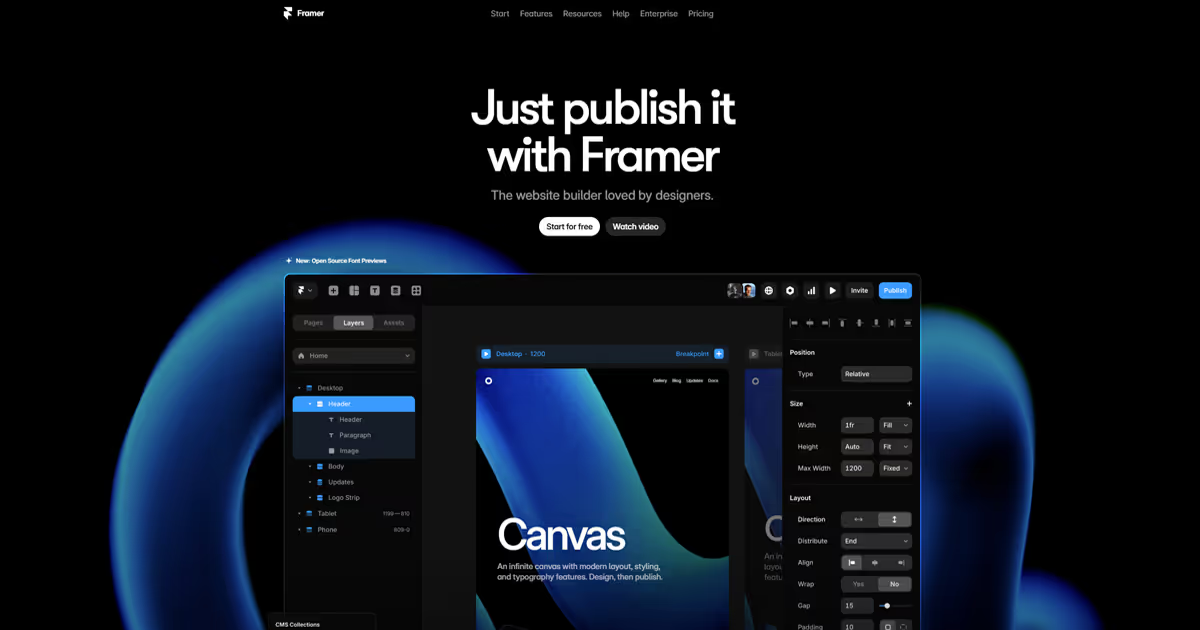
With the tagline "Where designing and building become one," Framer positions itself as the type of tool that lets anyone create professional websites without the usual headache of switching between design tools and code editors. You can easily design and build in the same environment.
You don't even need to learn coding languages to use it, and if you're already familiar with Figma, you'll feel right at home with Framer's interface.
Profile of Ideal Framer Users
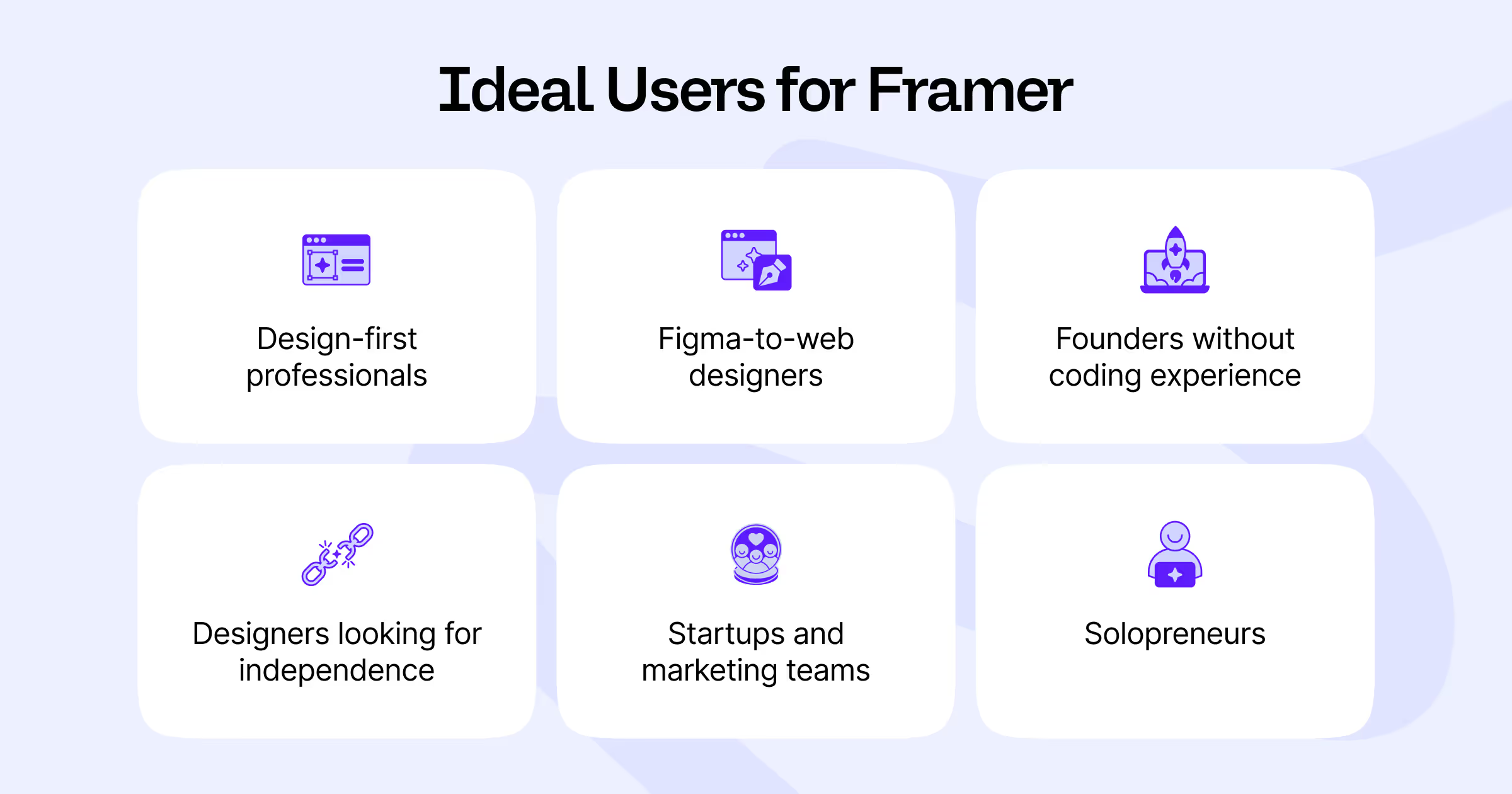
Here are the types of users who get the most value from Framer:
Design-first professionals: If aesthetics and user experience are your priority, Framer's design-centric approach helps you create visually stunning websites. You don’t need to know coding, unless you want to dive deeper into advanced customization and plugins.
Figma users transitioning to web design: If you're comfortable in Figma but intimidated by code, Framer gives a smooth transition. The interface feels familiar, with features like frames, auto-layout, and components that mirror your existing workflow.
Designers seeking independence: If you're a designer who doesn’t want to wait for developers to bring your ideas to the web, consider building with Framer. You can design and launch websites yourself, with no need to explain your vision to someone else or learn how to code.
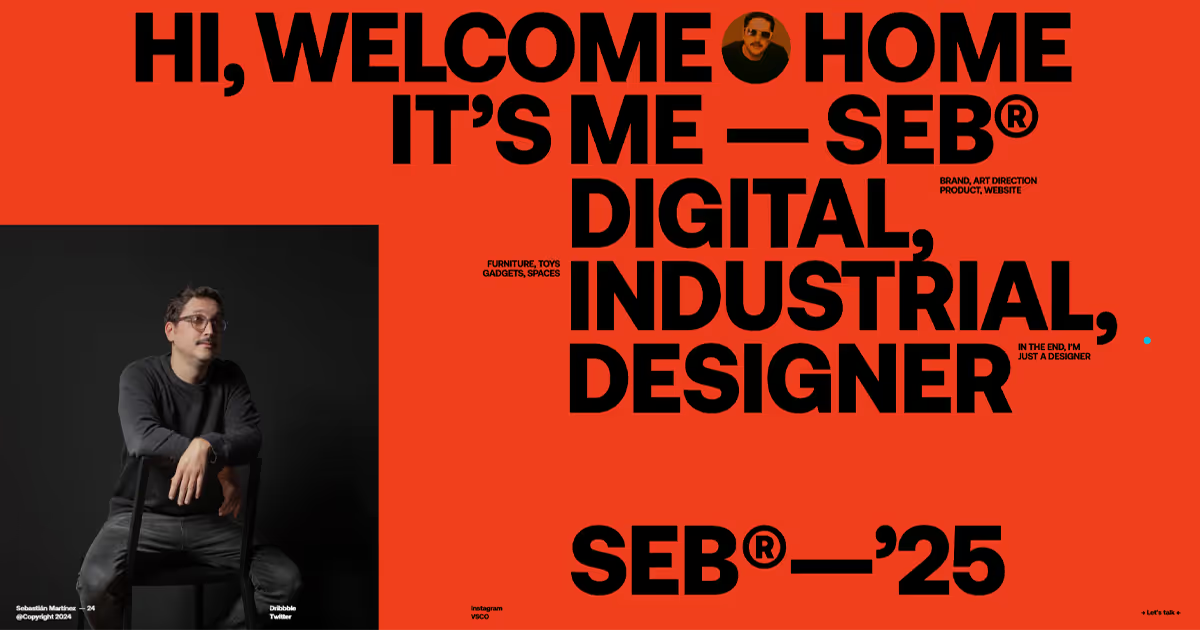
Startups and marketing teams: For MVPs, landing pages, and campaign microsites that need to launch quickly, Framer's streamlined workflow allows teams and founders to create, iterate, and publish without waiting for developers. Real-time collaboration (just like in Figma) makes it easier to get projects to the finish line.
Solopreneurs: If you're wearing multiple hats in your business, you’ll need to build a portfolio or a brand website to stand out in your niche. Framer lets you launch a beautiful (and functional) site without a steep learning curve. You can get a head start with one of the many free or paid templates that are already fully responsive out of the box.
Prototype-to-product teams: If your team creates detailed prototypes that need to become actual websites, Framer covers that gap nicely. You can take your existing design work and turn it into functioning websites without starting over or involving additional developers.
Strengths for Specific Use Cases
Landing pages: Framer works well for creating landing pages with animations and interactions. Its pre-built components help you launch pages quickly, usually in hours rather than days. Framer’s Mini plan (from $5/month for up to two pages) is perfect for testing ideas without a big investment.
Portfolio sites: For creatives, Framer includes gallery components and layouts that display work beautifully without extensive customization. For design inspiration, you can also browse their site gallery.
Startup MVPs: Framer is great for validating ideas through functional prototypes that look like finished products. They even offer free AI startup and SaaS UI component kits to use in your projects.
Marketing microsites: Framer is perfect for dedicated pages for product launches, events, or campaigns. Teams can quickly build these specialized sites while staying on-brand, all without needing coding or development help.
Who Should Use Webflow?
Both designers and professional developers choose Webflow for its clean output, streamlined workflow, and a CMS that clients can actually use without getting lost. What makes Webflow special is how much control you get. You can build exactly what your designers envisioned, down to the pixel, while Webflow handles hosting, security, and performance behind the scenes.
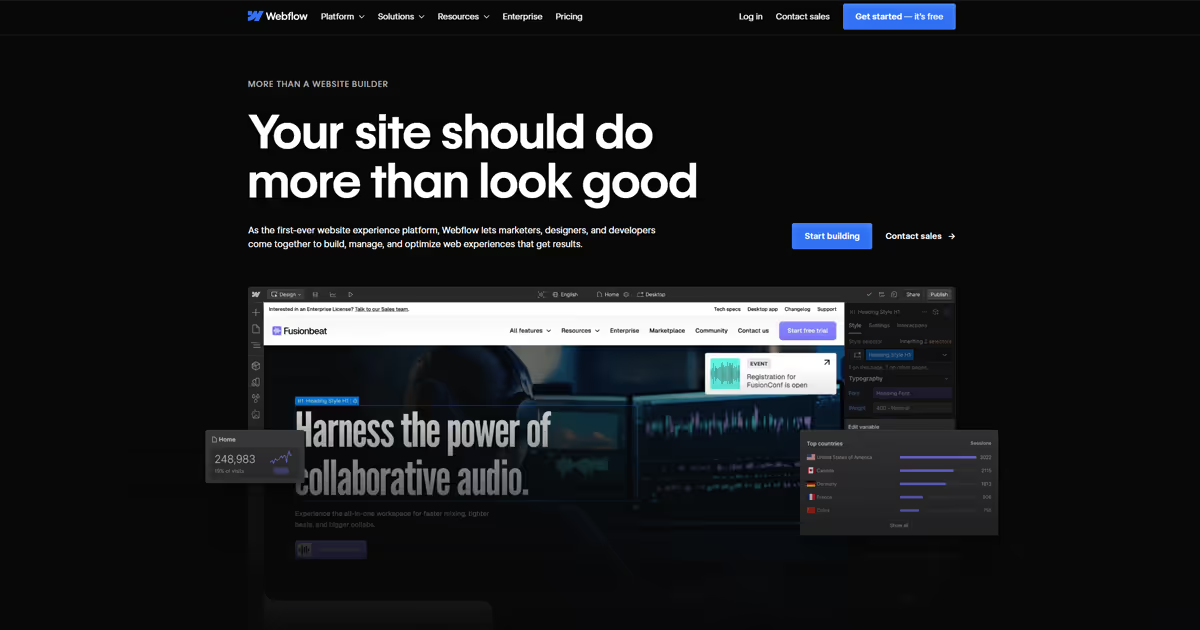
Webflow as a platform works really well for agencies and teams that have really high design standards, but want to be realistic about the upkeep of the website. The marketer will need to be able to add new site pages, but they might not always have access to a Webflow developer. And Webflow’s content management features, that we’ll get into later in this article, make it easy to do just that.
For example, developers can set up templates and components that marketing people can use to create new pages without accidentally breaking everything.
It’s worth pointing out here's definitely a learning curve compared to simpler website builders, but as one long-time user puts it on Reddit, "Once you get the hang of Webflow, then it's just chef's kiss."
Profile of Ideal Webflow Users

Here’s our summary of what type of users could make the most of Webflow:
Agencies and freelancers: If you build websites for clients regularly (like we do here at magier!), Webflow makes it easy to manage multiple website projects at once with the option to transfer the site to another account. And if your clients ever decide to host elsewhere, you can hand over the code export without a hassle.
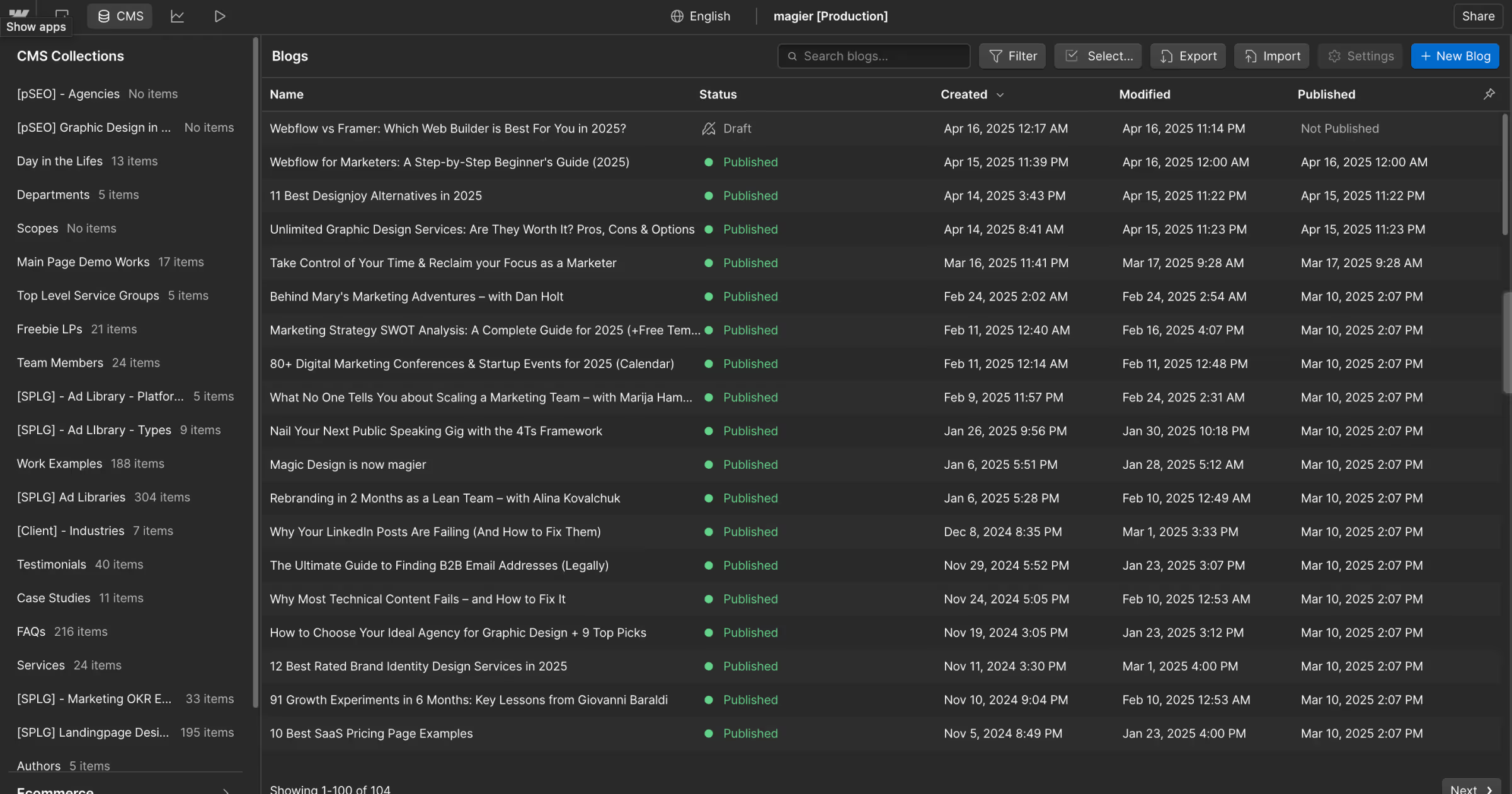
Marketing teams: For marketing teams with basic tech knowledge, Webflow is spot on. Marketers can save time with Webflow's CMS by creating new case studies or blogs based on a template built by a developer, or edit FAQ content that'll automatically update across the whole website (or only on selected pages).
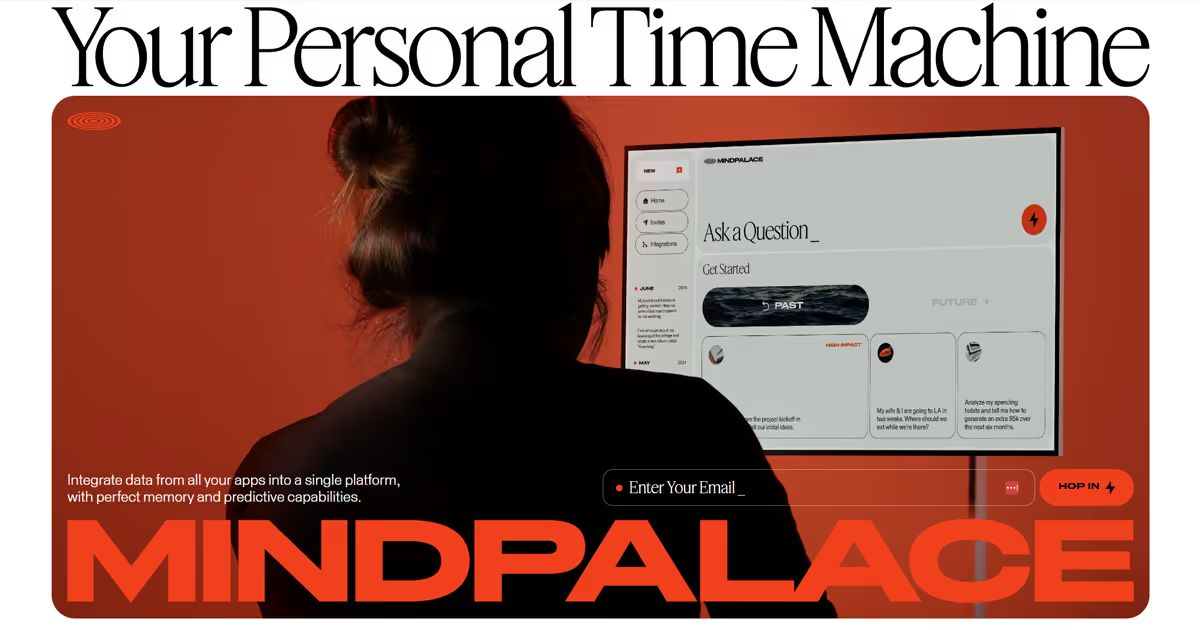
Content-heavy businesses: Publications, educational platforms, and content-focused businesses will appreciate Webflow's Content Management System (CMS). It helps you manage large amounts of content (like blogs or learning resources) and the connections between different content types.
Companies that want to scale: If your business is planning to grow, Webflow scales with you. Start with simple marketing pages and expand to complex, multi-language websites without switching platforms. Early-stage startups might even qualify for Webflow's startup discount program.
Developers who prefer visual tools: If you understand how websites work but prefer designing visually instead of typing code, Webflow gives you that visual interface while still letting you dive into code when you need more precise control.
Builders and entrepreneurs happy to learn: Webflow attracts people who enjoy developing their skills. There are hundreds of tutorials in their Academy and YouTube channel teaching you everything from basics to advanced features (like impressive 3D animations).
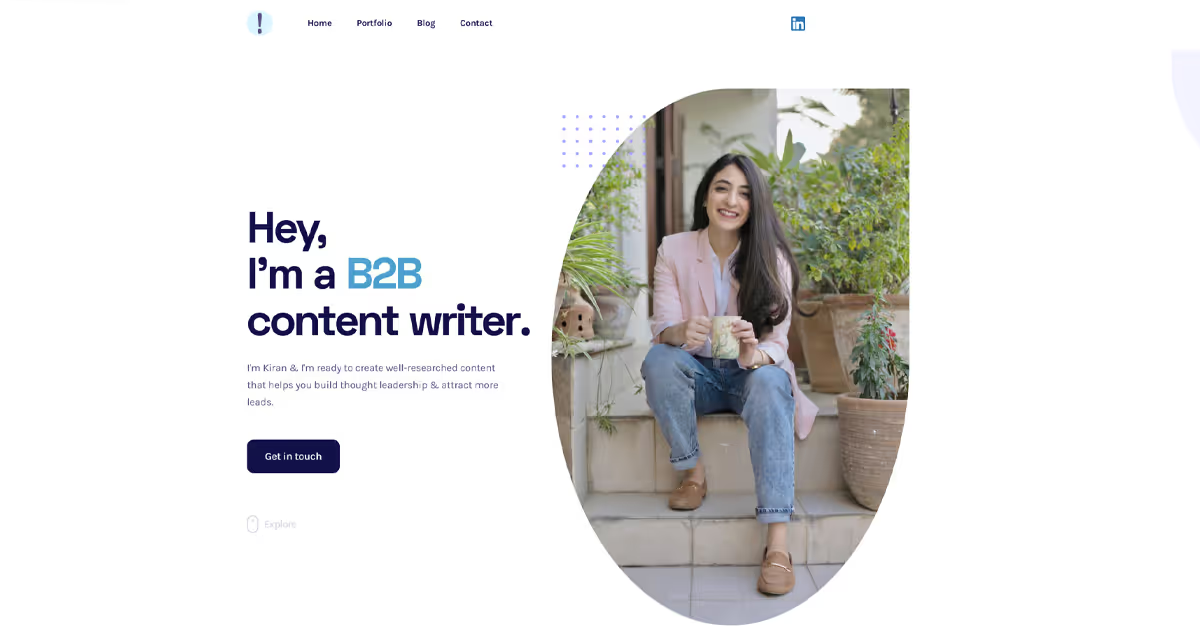
As content strategist and writer Kiran Shahid shares about her switch from Wix: "It was intimidating at first. The component system confused me, so I bought a template instead of starting from scratch — total lifesaver! Webflow's tutorials were super clear though and helped me get comfortable over time."
Strengths for Specific Use Cases
Content-rich websites: Webflow's CMS is ideal for blogs, magazines, and documentation sites. You can connect content types (like authors to posts), design once, and reuse layouts for every new entry, just like we do with our case studies.
Interactive websites: Create engaging, interactive experiences with Webflow's animation tools that give you precise control without needing complex JavaScript knowledge. Webflow even has a standalone showcase category for websites with impressive animations.
Multi-language sites: Webflow's localization features help keep user experience consistent across different language versions, saving you from managing separate sites. Just note: additional locales cost extra (starting at $9/month per locale).
Data-driven sites: For sites that display lots of information, Webflow helps organize and present that data. Create searchable directories, catalogs, or filterable databases that visitors can navigate.
User Interface & Experience
When comparing Webflow and Framer, the user interface and experience is where you'll notice some of the biggest differences between these platforms:
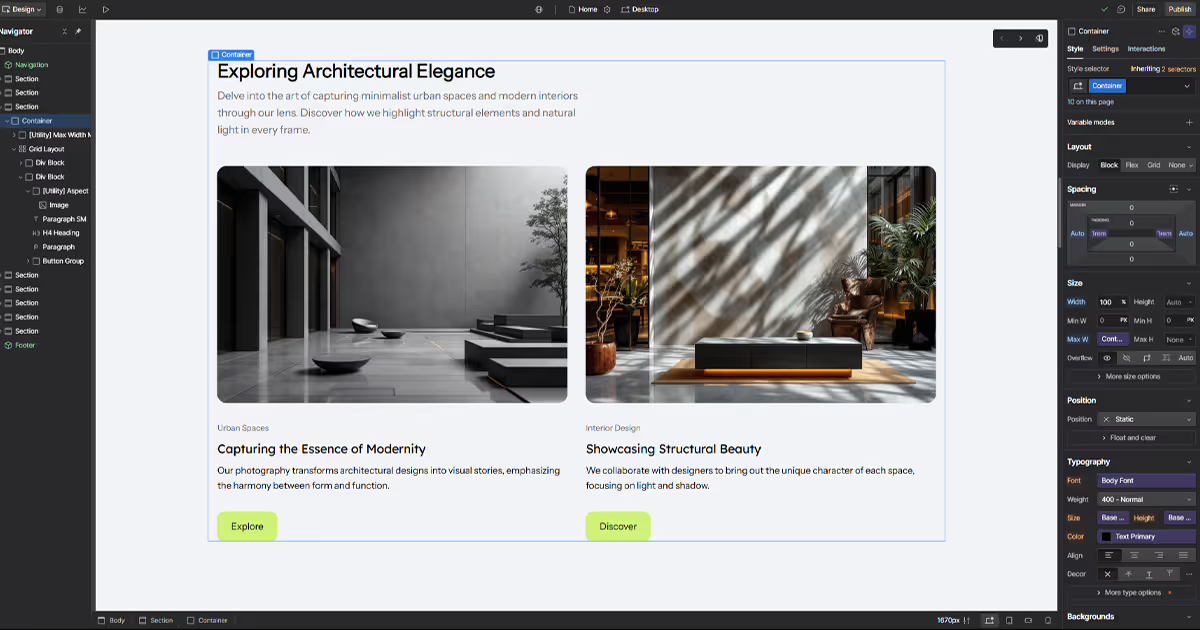
Webflow takes a web development approach to its interface. The layout resembles traditional web design tools with panels for elements, pre-made layouts, and styling properties, and a hierarchical structure view that mirrors how HTML and CSS actually work. This gives you precise control but requires basic understanding of web fundamentals.
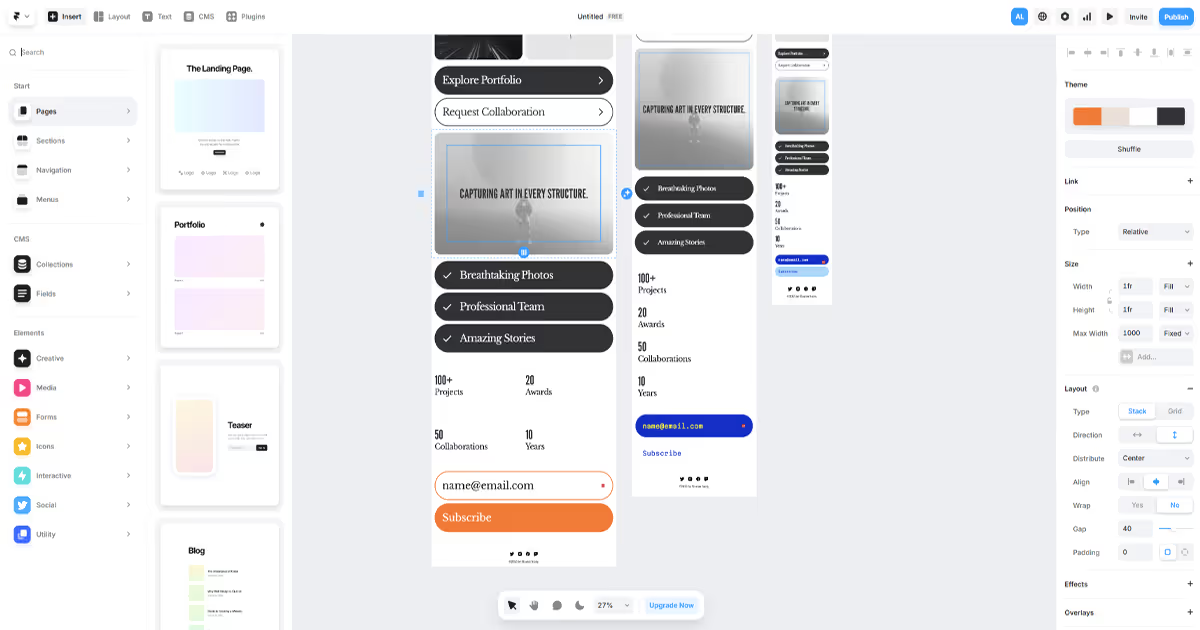
Framer goes for a more design-centric approach similar to Figma. Its interface focuses on visual manipulation with an infinite canvas, layers panel, and design components. If you're coming from design tools like Figma or Sketch, Framer will feel immediately familiar.
Learning Curve
Webflow has a steeper learning curve, especially for those without web development experience, but don’t let that put you off. You'll learn concepts like the box model, classes, and how elements interact. When you load your first project, you can click to learn Webflow basics tutorial or head straight to Webflow University for free training resources to help you get up to speed.
"Learning Webflow is easier than you think. The Webflow Academy has very high quality (and engaging) content that even a marketer can understand how this platform works. You can build a style guide and use it as a base for your design. When done properly, any member of the team can create landing pages with little effort without worrying that they will break any design elements."

Kristy Lau, a product designer with development experience, adds, “Webflow has quite the learning curve — those unfamiliar with website builders and web development basics will likely struggle with seemingly simple tasks. If you're starting off and trying to build something quickly, a simpler tool might be better.”
On the flipside, “If you're familiar with the basics, want more options in your design+build workflow, and have time to learn, Webflow can be worth picking up. Having prepared designs on the side and using them as a guide can be extremely helpful,” says Kristy.
Framer is generally more approachable for beginners, particularly those with design backgrounds. Generally, its interface is more intuitive and visual to start building, though you may eventually run into limitations with more complex projects.
Nouran Zedan, web designer and developer at Evenbloom, believes “For designers with no coding background, Framer is the best tool for them. It has similarities to Figma which gives designers an easy transition. There isn’t a huge learning time to get yourself familiar with it.”
Design Capabilities
If you want your website to stand out, eye-catching design and animation features are worth looking at:
Animations
Webflow gives you detailed control over animations. You can create complex scroll-based effects, precise transitions, and control exact timing of each element's movement. Their recent purchase of GSAP (a popular JavaScript animation library) means their animation tools are getting even more powerful. Here’s what we created for table’s homepage using Webflow.

Framer makes creating beautiful animations quick and simple. You can easily add hover effects, page transitions, and scrolling effects without technical knowledge. It’s a good option if you want impressive movement on your site without spending hours learning animation principles. Here's an example of an impressive homepage with lots of on-scroll motion design and interactions.

Components and Reusable Elements
Webflow organizes design with a class-based system similar to CSS. You can create reusable components (called Symbols) that update across your entire site when changed. This is a powerful feature, but you’ll need some understanding how style inheritance works.
Framer uses a component system that will feel familiar if you've used design tools like Figma. You can create, reuse, and nest components in a visual, intuitive way. This makes sense immediately to designers but offers less flexibility for complex situations.
Mobile Responsiveness
Webflow uses breakpoints where you design separately for desktop, tablet, and mobile screens. You'll need to check and adjust your design at each size, which takes more time but gives you precise control over how everything looks on different devices.
Framer handles a lot of the responsive work automatically. When you create a page, it sets up desktop, tablet, and mobile versions with smart adjustments already applied (which you can override). This saves time but gives you less control over exactly how elements adapt to different screen sizes.
Content Management
The way Webflow and Framer handle content affects how you'll build, update, and scale your website over time. So, let’s compare them:
CMS In a Nutshell
Webflow gives you a full-featured CMS with flexible collection types. You can create complex content structures with custom fields and build connections between different content collections. For example, you could create a resource library where documents are tagged by topic and automatically displayed on relevant service pages. This means updating information in one place updates it everywhere.
Framer offers a more streamlined CMS with standard features for managing basic content types. While you can create collections for items like blog posts or team members, the system is more limited in creating complex relationships between content. Framer's CMS focuses on simplicity, making it easier to learn but less powerful for content-heavy websites.
Content Editing
Webflow has separate design work and content editor interfaces. This means you can give your marketing team or content writers permission to update text and images without worrying they'll accidentally break your carefully coded and designed website. For bigger organizations where different people handle design versus content, this separation creates clear boundaries and safer workflows.
Framer, on the other hand, keeps everything in one place. Content editing happens right in the main interface, which makes things simpler if you're wearing multiple hats. It's straightforward when you're a solo designer or part of a small team where the same person handles both design and content updates.
Multilingual Sites and Localization
Webflow gives you more powerful localization tools for global websites. You can create different language versions using AI or manual translations, customize content by region (like hiding certain elements), and connect with translation services through integrations and APIs. For complex global sites with regional variations, Webflow's more advanced features will save you headaches.
Framer covers the translation basics well but keeps things simpler. Just like Webflow, it lets you create different language versions of your site and add a language switcher with AI translation help, but you won’t get the same depth of customization or integration options. For most businesses with straightforward translation needs (2-3 languages with similar content), Framer works perfectly fine.
SEO and Site Performance
If organic search traffic matters to your business, the SEO differences between Framer and Webflow are significant. Here's how they compare across the factors that actually affect rankings.
Technical SEO control
Webflow gives you granular control over technical SEO elements. You can customize meta titles and descriptions per page, edit robots.txt directly, create XML sitemaps automatically, set up 301 redirects in bulk, add canonical tags, and implement hreflang for international sites. Webflow also generates semantic HTML with proper heading hierarchy, which search engines prefer.
Framer covers the basics but with less depth. You can set meta tags and create redirects, but you'll need to add them one at a time rather than in bulk. Framer's React-based architecture means it renders pages client-side, which can create challenges for search engine crawlers that don't execute JavaScript well.
Core Web Vitals and Page Speed
Webflow sites typically score well on Core Web Vitals because they serve pre-rendered static HTML. Pages load quickly because the content is ready before JavaScript executes.
Framer sites face what developers call the "React tax." Because Framer uses React hydration, there's additional JavaScript that needs to load and execute before the page becomes fully interactive. This can affect Largest Contentful Paint (LCP) and Time to Interactive metrics, especially on slower connections or devices.
That said, both platforms have improved significantly. For most marketing sites and portfolios, the performance difference won't make or break your rankings. But for high-traffic, SEO-critical pages, Webflow's architecture has an edge.
Best for SEO: Webflow, especially for content-heavy sites where organic search is a primary traffic source.
AI Features
Framer jumped into the AI website generation game earlier, and it shows. Their AI site builder is more polished and creates a surprisingly decent starting point from your prompt.
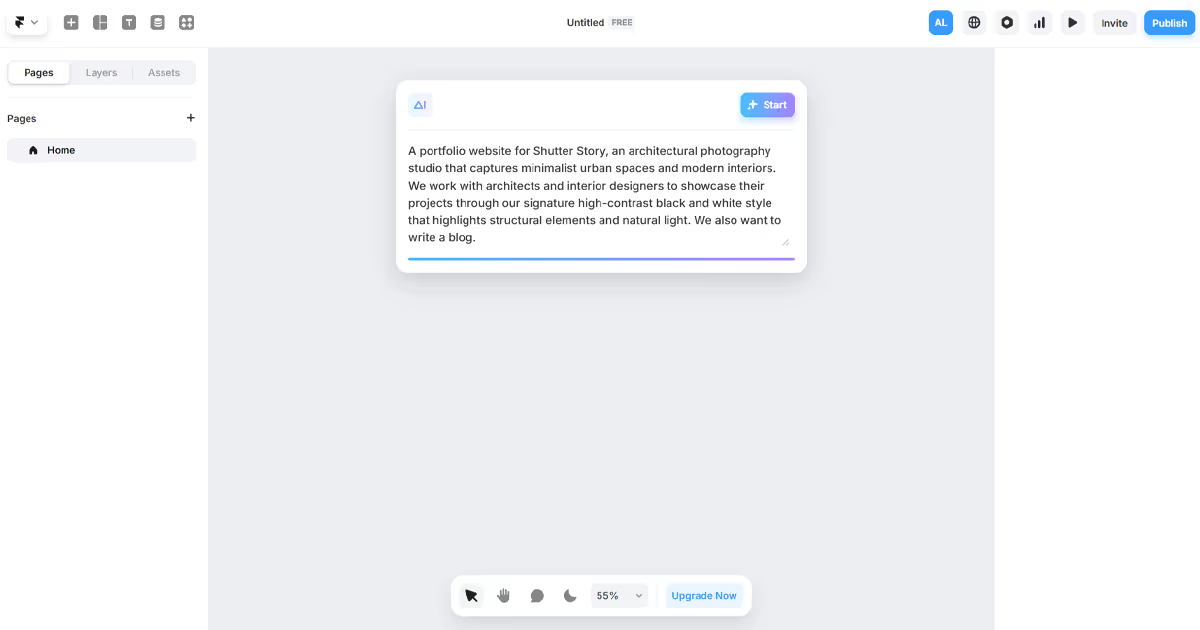
It handles both design and content generation, though the results can sometimes feel a bit generic. For example, here is a portfolio website we managed to generate with Framer AI from a single prompt:
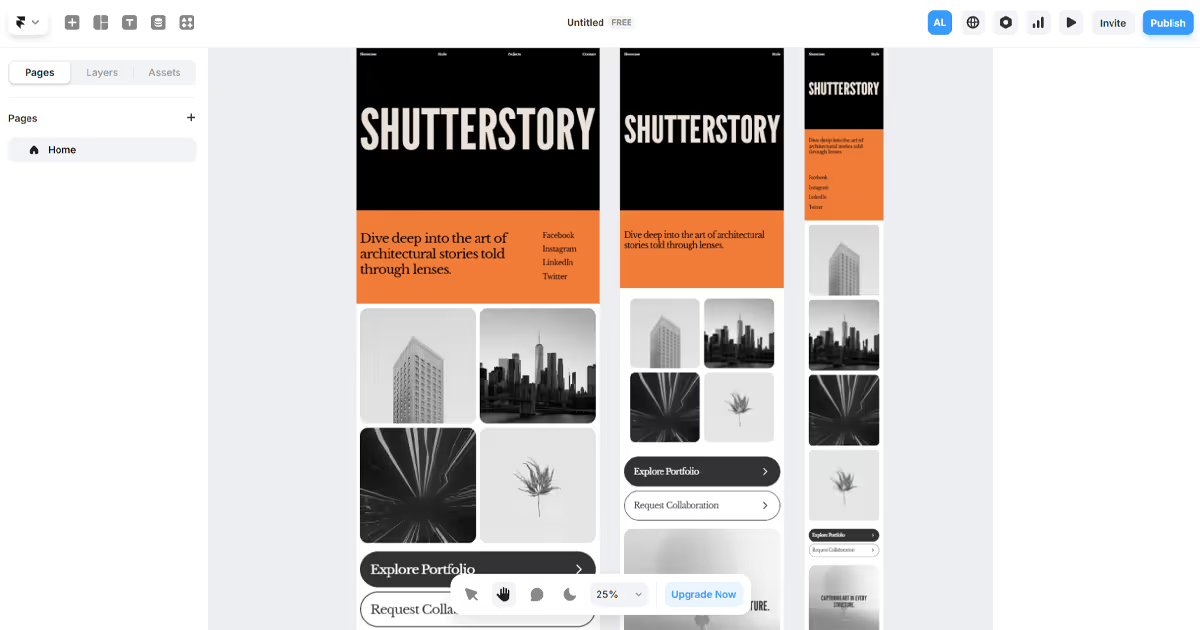
Framer also has AI-assisted writing tools to help with content creation and localization.
Webflow has been steadily building out its AI ecosystem. Their AI Assistant helps with contextual guidance and copy generation when you're stuck, and they've recently launched an AI site builder (still in beta) that can create entire websites from simple business descriptions.
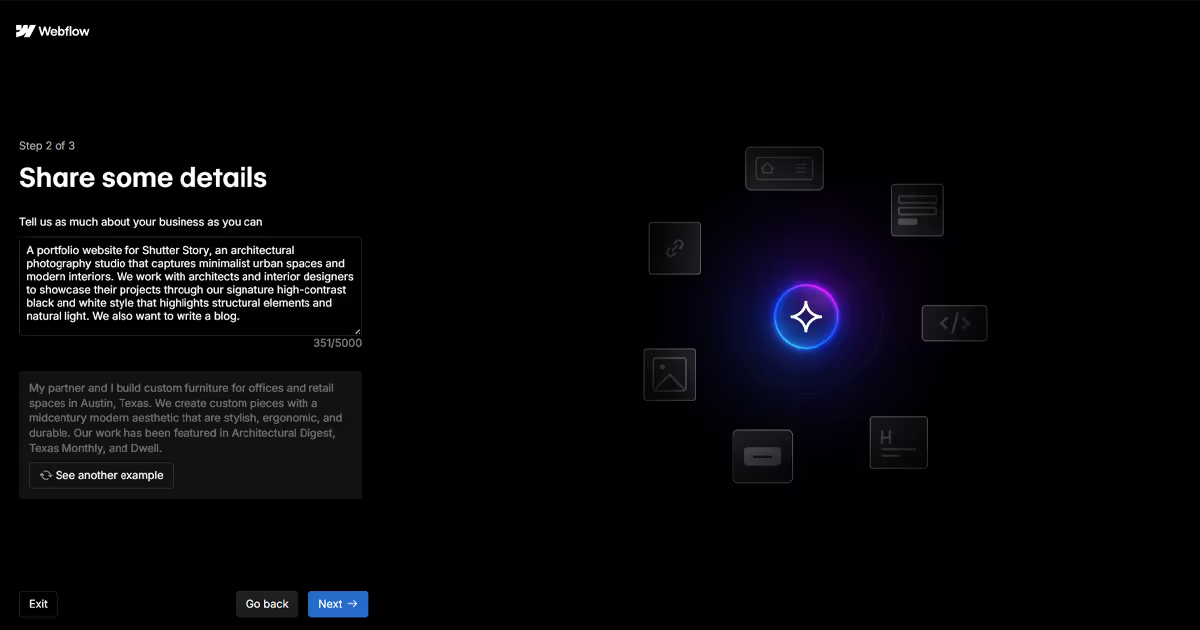
We tried it out using the same prompt we gave to Framer AI. Here’s what Webflow AI created:
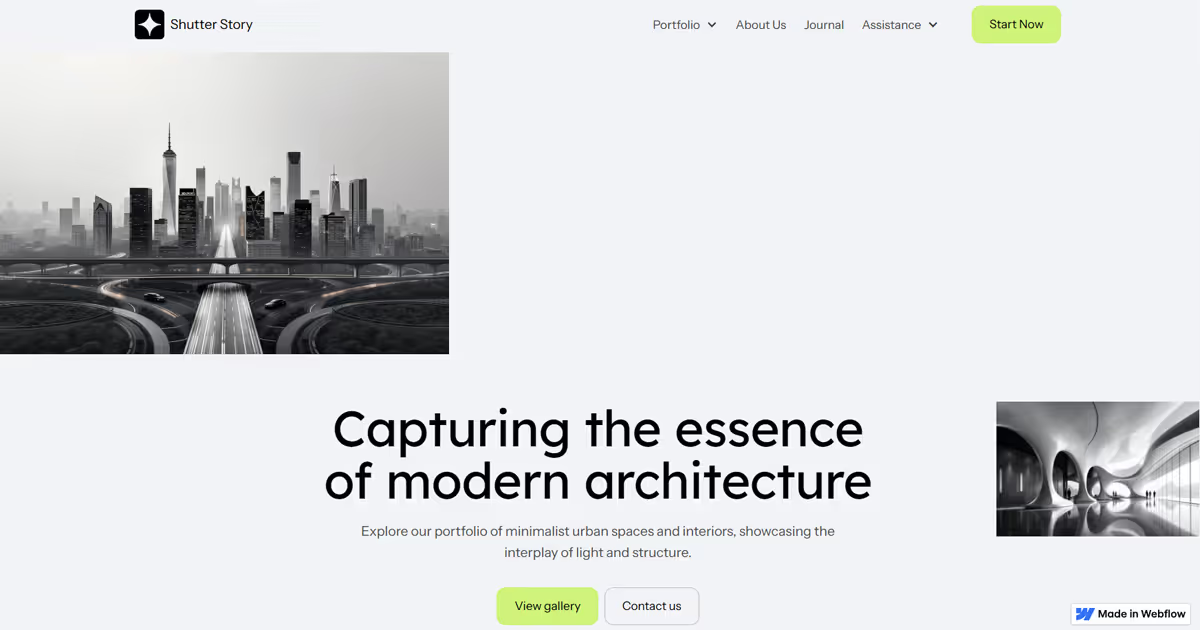
Beyond that, Webflow integrates AI into features like automatic translations and A/B testing. They've also opened their platform to AI-powered apps through their marketplace.
As with any AI tools, you’ve probably heard this a million times — they speed things up, but they're better thought of as starting points. If you and another business use similar prompts, you'll likely end up with similar-looking sites. The most impressive websites still need that human touch to speak to your ideal target audience.
"If you’re a company that takes your website seriously and wants to scale, most of these AI-generated websites won’t be good enough. They’ll all look kind of the same and won’t have the exact functionality you need. However, AI can still make things way easier and cheaper. If you have the right people on your team who know how to use these new tools, you can really take advantage of this new era."
Development & Customization
Code Export and Platform Lock-in
One of the biggest long-term considerations is what happens if you want to leave the platform. This is where Webflow and Framer take fundamentally different approaches.
Webflow lets you export your site's code. You can download the HTML, CSS, and JavaScript files and host them anywhere. This means your design investment isn't locked to Webflow's servers. If you outgrow the platform or want to migrate to a custom solution, you have an exit path.
Framer doesn't offer code export. Your site lives on Framer's infrastructure, and the underlying React code isn't accessible. If you decide to leave Framer, you're rebuilding from scratch. As one Reddit user put it: "Once you're in Framer's ecosystem, your growth is tied to their development roadmap."
For startups and MVPs, this lock-in might be acceptable since you're optimizing for speed to market. For established businesses planning 3 to 5 years ahead, the lack of code portability is a real risk factor.
Best for code ownership: Webflow, if having an exit strategy matters to your business.
Custom Code and E-commerce
Neither of the platforms were built with ecommerce in mind, but if you want to sell a smaller catalog of products, both have some helpful features:
Webflow gives you plenty of ways to add custom code and comes with its own e-commerce features built right in. For bigger stores, you can connect with Shopify using buy buttons (without needing to write code). This gives you the design freedom of Webflow with Shopify’s solid backend.
Framer supports custom code through React components but lacks native e-commerce. Third-party solutions like Framer Commerce, Frameship, and ShopiFrame can connect to Shopify. They’ll work well for simple stores but add extra monthly costs and may be limiting for larger catalogs.
Pricing Breakdown
Pricing for both platforms can get confusing fast. Here's the simplified version of what you need to know:
Webflow splits their pricing into three separate categories:
- Site Plans (for individual websites): Start at $14/month for Basic, $23/month for CMS features, or $39/month for Business features
- E-commerce Plans (under Site plans) include a set number of e-commerce items you can add, starting from 500 items for $29/month, but to get 0% transaction fee you’ll need the Plus plan at $74/month.
- Workspace Plans (for team collaboration): Free option available, paid plans start at $16/month
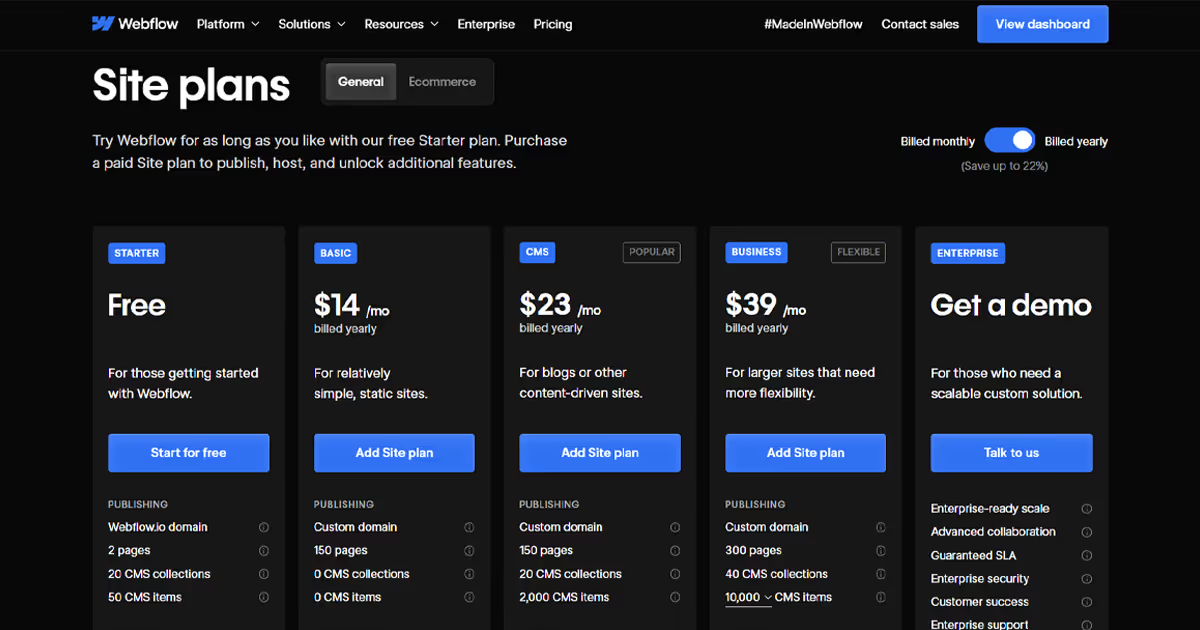
The free or Basic plans might not give you what you need. For example:
- The Basic plan ($14/month) gives you zero CMS collections – meaning no blog functionality
- The free plan allows two pages only, making it basically just a demo
- Form file uploads are only on the $39/month Business plan
For most small business sites with a blog, expect to pay at least $23/month (CMS plan). You can also add add-ons, such as additional site bandwidth, site performance, and more.
Framer keeps things simpler with a single pricing structure:
- Mini: $5/month for simple landing pages (2 pages maximum)
- Basic: $15/month for sites up to 1,000 pages
- Pro: $30/month for growing sites with up to 10 CMS collections
- Startup: $75/month for 20 CMS collections
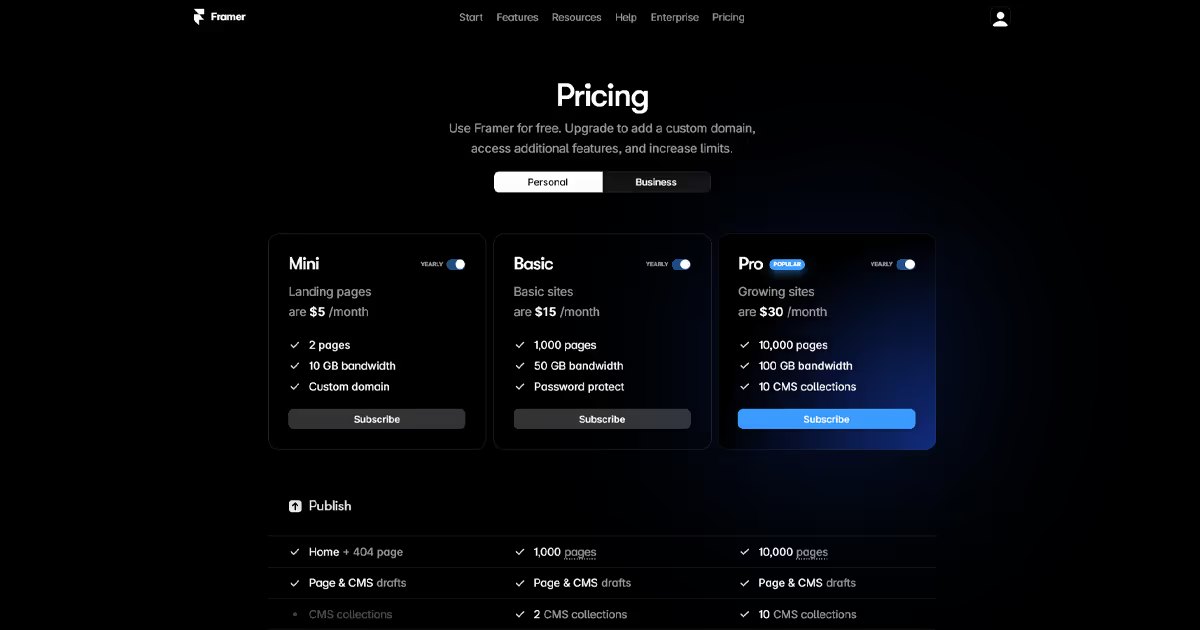
What makes Framer appealing is that even their $15/month plan gives you up to 1,000 pages, while Webflow's comparably priced option strictly limits what you can do.
Both platforms offer free plans to test the waters, but these come with significant limitations and branded subdomains. For any professional project, you'll need a paid plan. And don't forget to weigh the cost of your time learning these platforms – hiring specialists or agencies like magier can be more cost-effective than spending weeks learning the tools.
Framer vs Webflow for Specific Use Cases
The right choice depends on what you're building. Here's how the platforms compare for common project types.
For Portfolios
Framer is often the better choice for design portfolios. The interface feels natural if you're coming from Figma, animations are easy to add, and you can launch a polished portfolio site in a weekend. The Mini plan at $5/month covers most portfolio needs.
Webflow works well for portfolios too, but the learning curve is steeper. Choose Webflow if you want deep customization, plan to add a blog with CMS, or want to showcase client work with case study templates.
Best for portfolios: Framer for speed and visual polish. Webflow if you need CMS functionality.
For Blogs and Content sSites
Webflow wins for content-heavy sites. Its CMS supports relational content (connecting authors to posts, posts to categories), handles up to 10,000 items per collection, and gives content editors a separate interface so they can't accidentally break the design.
Framer's CMS is simpler and works fine for a personal blog with under 100 posts. But if content is central to your business, you'll hit limitations quickly.
Best for blogs: Webflow.
For Ecommerce
Neither platform is built for serious e-commerce, but Webflow has the edge. It offers native e-commerce features including product variants, inventory tracking, and automatic tax calculation. You can also integrate Shopify Buy Buttons for a hybrid approach.
Framer requires third-party tools like Shopify embeds or Lemon Squeezy for any transactional functionality. It works for selling a few digital products but isn't suitable for a full online store.
Best for e-commerce: Webflow for native features. Shopify if e-commerce is your primary focus.
For Startup MVPs and Landing Pages
Framer excels here. You can go from idea to live page in hours, not days. The template library is strong, animations come free, and the $5 to $15/month pricing makes it low-risk to test ideas. Many SaaS startups use Framer for their initial marketing site, then migrate to Webflow or a custom build once they've validated the product.
Best for MVPs: Framer.
How Does WordPress Compare to Framer and Webflow?
Many people searching for Framer vs Webflow are also considering WordPress. Here's how the three platforms stack up.
WordPress is fundamentally different from both Framer and Webflow. It's an open-source content management system that requires hosting, plugins, and often a developer to maintain. WordPress powers over 40% of all websites, so it has the largest ecosystem of themes, plugins, and developers.
Choose WordPress over Framer or Webflow if you need maximum flexibility, want to own your hosting infrastructure, require specific plugin functionality (like advanced membership systems or LMS features), or plan to hire developers long-term.
Choose Framer or Webflow over WordPress if you want managed hosting without server maintenance, prefer visual design tools over plugin configurations, need to launch quickly without a developer, or want predictable monthly costs without hosting variables.
For most marketing sites, portfolios, and small business websites in 2026, Framer and Webflow offer a faster path to a professional result. WordPress remains the better choice for complex applications, large-scale publications, or teams with dedicated development resources.
Limitations and Future-proofing
When you're working with Webflow, here's what you might bump into:
- The pricing structure has some weird jumps – Free plans give you 20 CMS collections and 50 CMS items, but the Basic paid plan gives you zero of both (meaning you can't have a blog without jumping to the pricier CMS plan)
- Collection limits can be frustrating for larger sites – The 10,000 items per collection cap is plenty for most small businesses but can become limiting for content-heavy sites like large blogs or news platforms
- Forms have feature restrictions by tier – File uploads through your forms are only available on the Business plan, which is quite a price jump
- Code customization has boundaries – You can add custom code in specific areas, but not everywhere
- Deployment management is all-or-nothing – On standard plans, you can't selectively publish changes, which means everything you're working on goes live at once
- Some solutions require a know-how – As one Reddit user put it: "There are limitations, but the community has workarounds"
The big advantage? If you outgrow Webflow, you can export your code and move on. This means your design investment isn't locked to the platform forever.
One Redditor who built a complex site noted: "Half of my new website had to be done with scripting because of Webflow limitations." This is common – as projects get more complex, you'll likely need some custom solutions alongside Webflow's native features.
Enterprise plans do solve some of these issues with features like page branching (for selective publishing) and better change logs, but they come with a significant price increase.
Framer also comes with its own set of limitations:
- No native e-commerce functionality – Unlike Webflow's built-in store features, Framer requires third-party solutions like Framer Commerce or ShopiFrame, all adding extra monthly costs
- The CMS is more basic – Fewer field types and only 30 collections maximum on even the highest plans
- No code export option – What's built in Framer stays in Framer
- Limited customization outside the interface – Developers can't easily modify the underlying code
- More restrictive for enterprise-scale needs – Less suited for large, complex, dynamic websites
- Fewer integration options – A smaller ecosystem means fewer ready-made solutions
The lack of code export is probably the biggest long-term concern. As one developer Redditor calls it out, "once you're in Framer's ecosystem, your growth is tied to their development roadmap."
Which one’s right for you?
For most small to medium businesses, neither platform's limitations will be deal-breakers. But if you're planning for growth, these constraints matter.
"Setting up your website to be scalable from the start takes more effort, but it's worth it. Most companies hack something together that looks good now, then have to fix it later, which is super annoying. Start with a clean structure and plan for future growth — the more you can envision now, the smoother things will be later."
Ask yourself:
- How much content will you need to manage in 2-3 years?
- Will developers need direct access to the code?
- Are you building something that integrates with multiple systems?
Webflow typically gives you more runway before hitting technical walls, but Framer offers a smoother design experience with fewer technical considerations upfront.
Real-World Showcase
If you've stuck with us this far, here's the fun part. Let's look at what these platforms can actually do in the wild.
SaaS & Tech Companies
Plancraft website, built with Webflow by magier, makes the most of Webflow’s CMS. It has numerous case studies, with tags you can filter for different trades and employee head count.

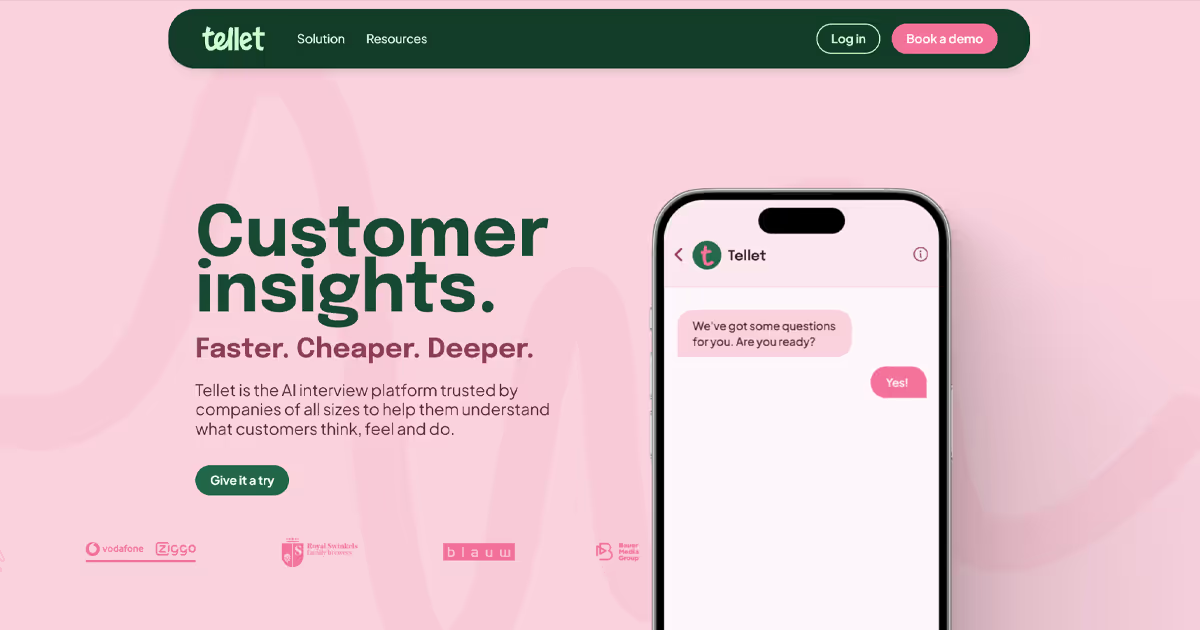
The Framer website of "Tellet", an AI interview platform, is a great example. Even though it has a simple navigation, the scroll animations are very engaging and fun.
Creative Agencies & Studios
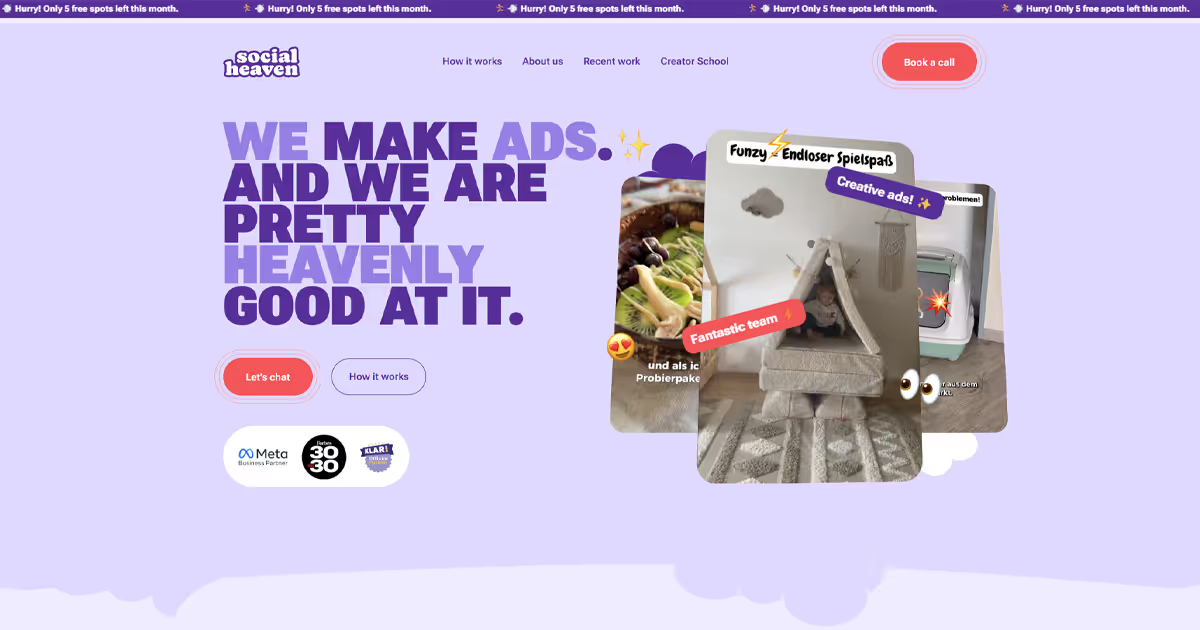
UGC agency Social Heaven has a Webflow site that vibes perfectly with the authentic content their creators make for clients. The website is colorful, conversational, and full of UGC video ad examples. We built it here at magier and did extensive QA testing to ensure the site converts and performs.
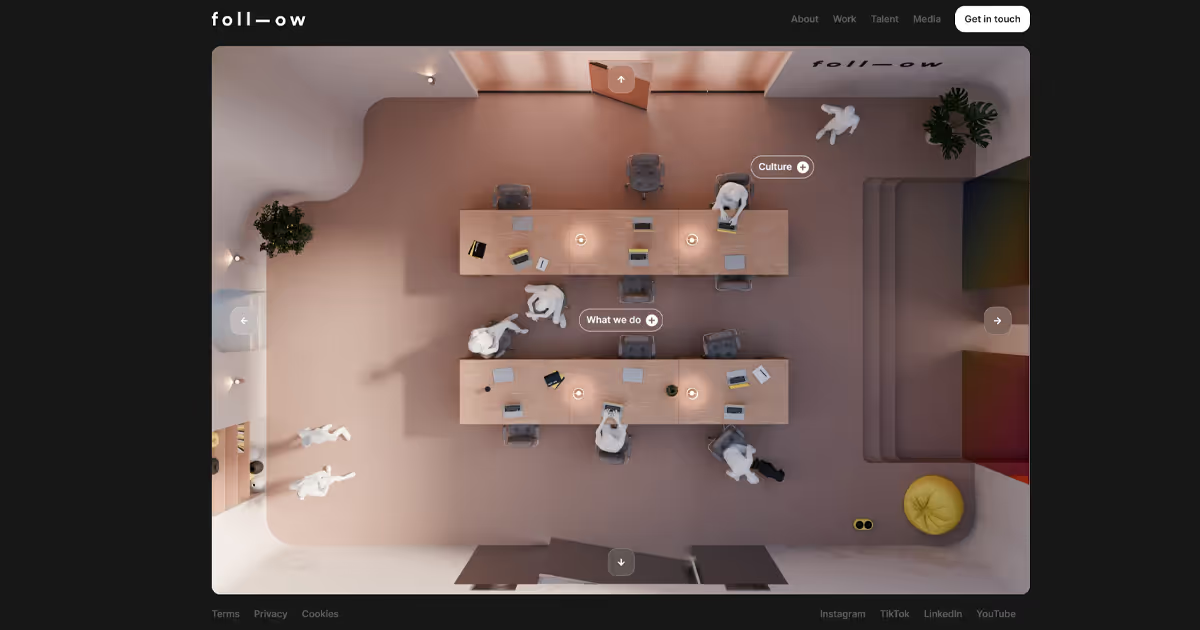
Foll-ow, an influencer marketing agency, took a unique spin to its website, with clickable navigation in the hero section (as well as in the navbar). Clicking on them opens a side-panel with filtered categories, like different media appearances or their influencer roster.
Venture Capital
Bright Future Club opted for a clean, futuristic Webflow site, mirroring their approach to VC investment. It’s a one-page website with interactive animations to break up the scroll, built by us at magier.

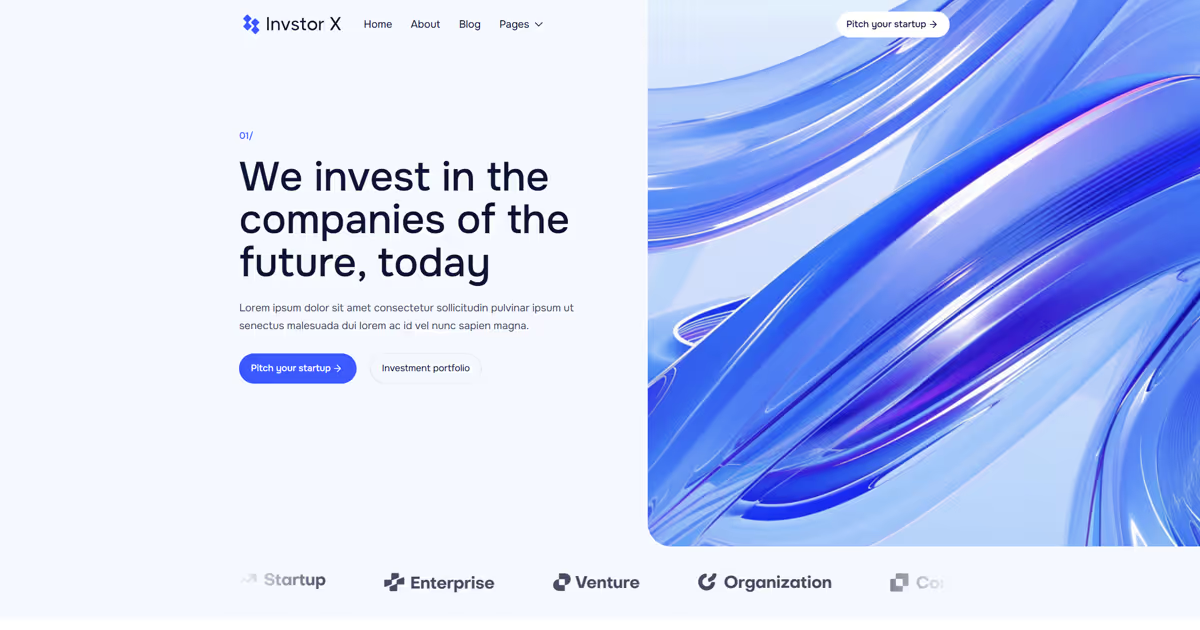
This multi-page Framer template for VC firms goes for a minimalist design, letting copy and numbers do the talking.
E-commerce
Here’s an example of what’s possible for e-commerce brands that want to build on Webflow. Using the Shopify buy button, we built a seamless integration with the Shopify CMS for a pet rug brand, Tufty.

This single-product Framer site for Thirsty Dumpling doesn’t shy away with its neon design. The buy button leads to a Shopify checkout page, opened in a new tab.

Ecosystem & Community
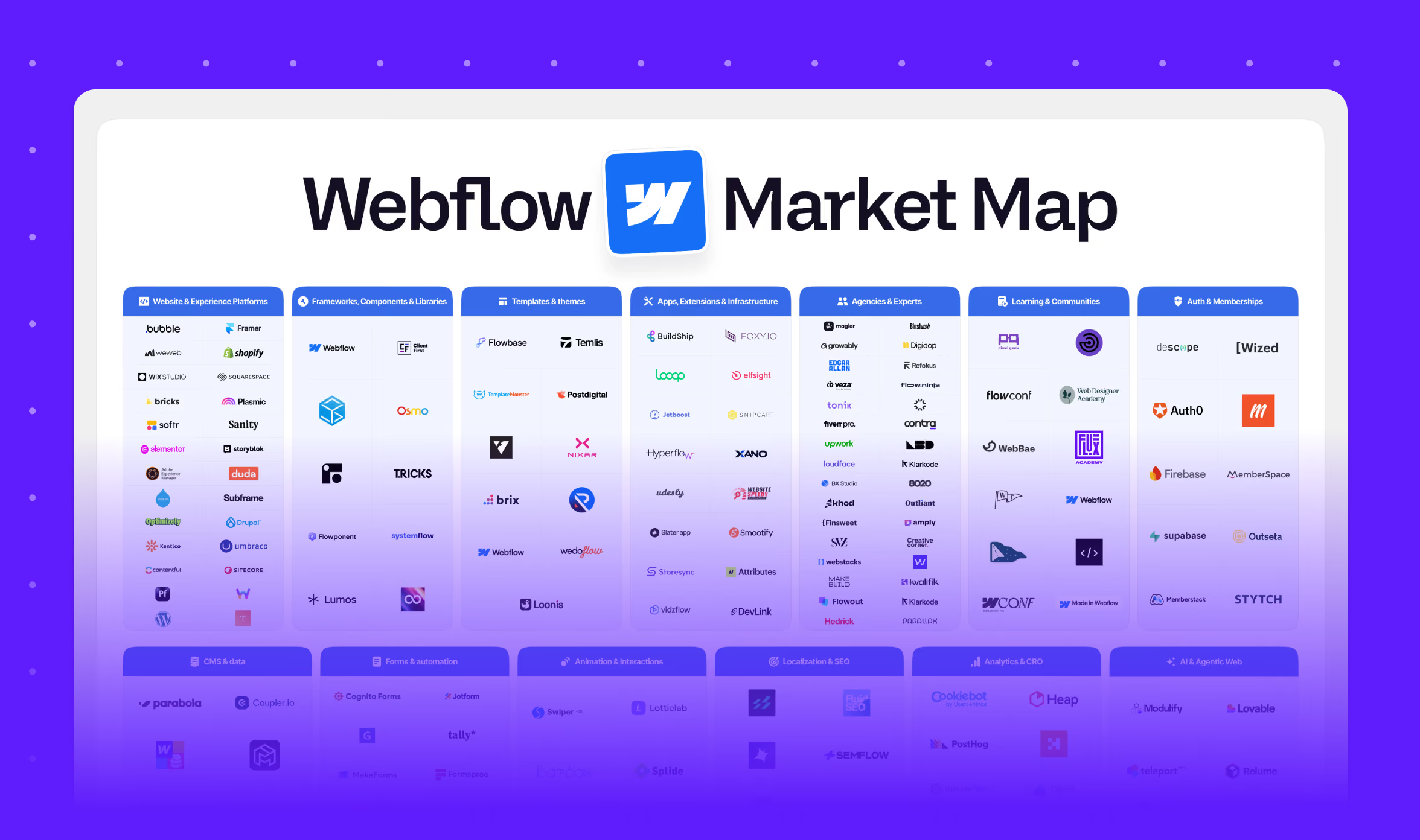
It's safe to say both Framer and Webflow have nurtured active communities both in-person and online. Unlike WordPress's rigid, old-fashioned Q&A forums, both platforms offer plenty of interactive ways to level up your skills. Even if you're not planning to dive deep into community, you'll still find:
- Ready-made resources: Download and use pre-made resources like site templates (Framer with over 2.1k templates in its official marketplace, and Webflow with over 6k), animations, illustrations, icons, mockups, and more
- Learning opportunities: Learn from livestreams, events, webinars, and extensive university resources (both platforms offer those)
- Community support: Ask questions in official forums or join community Facebook groups or Reddit subreddits. For example, Webflow’s subreddit has 31k members, while Framer has 10k
What's great about both communities is how supportive they are. You'll find tons of designers and developers sharing their work, offering feedback, and helping each other solve problems.
Webflow's community has been around longer, so naturally has more depth and resources. Framer's community is growing quickly though, especially among designers making the leap from Figma to web building.
So… Who’s The Winner?
Comparing Framer and Webflow is a bit like comparing apples to oranges once you understand what each platform offers. There's no definitive "winner" here — just different tools that might better fit your specific needs.
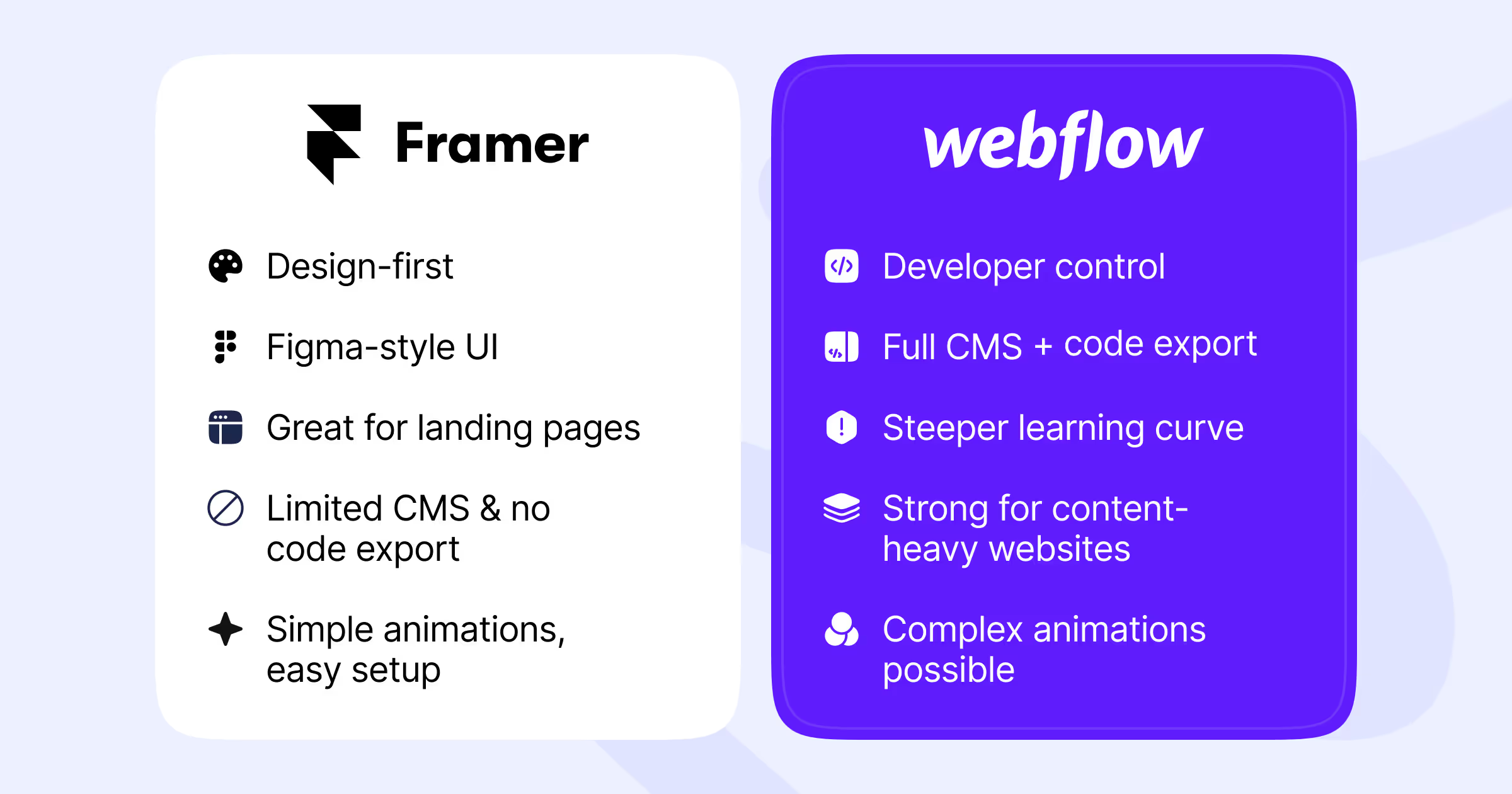
Choose Framer if:
- You come from a design background (especially Figma)
- You need to launch beautiful sites quickly
- You prioritize simple interfaces and less technical learning
- Your projects are mainly marketing sites and landing pages
Choose Webflow if:
- You value deeper customization and control
- You need powerful CMS capabilities for content-heavy sites
- You want code export options for future flexibility
- Your projects require more complex interactions or e-commerce
At magier, we use Webflow for all our client websites — but that's what makes sense for our business model and the types of clients we serve. Your choice should ultimately depend on your team's skills, your project requirements, and where you want to invest your time and budget.
But if you're still on the fence and leaning in the Webflow direction, let’s chat. We build Webflow sites for businesses that need to scale — and can take a look together if it’s the right fit for you.
FAQ
Yes, but differently. Webflow allows custom code injection, lets you export clean HTML/CSS/JavaScript, and supports custom integrations. Developers can take over a Webflow site and extend it significantly. Framer allows custom React components and code overrides, but the underlying code stays on Framer's platform. Developers can add functionality but can't fully extract the site.
Framer isn't built for e-commerce. It lacks native store functionality, so you'd need to embed third-party tools like Shopify Buy Buttons or Gumroad. This works for selling a few digital products but isn't suitable for a full online store. If e-commerce is important, Webflow's native e-commerce features or a dedicated platform like Shopify is a better choice.
Webflow has stronger SEO capabilities. It generates semantic HTML, offers bulk redirect management, provides full robots.txt control, and serves pre-rendered pages that load faster for search engine crawlers. Framer covers basic SEO needs but its React-based architecture can create challenges for sites heavily dependent on organic search traffic.
There's no direct migration path between the platforms. You'd need to rebuild your site from scratch. Webflow offers code export, so you could theoretically move to custom hosting. Framer doesn't export code, making migration more difficult. Plan your choice carefully if you anticipate needing to switch platforms later.
Framer is typically cheaper at lower tiers. Framer's Mini plan starts at $5/month for landing pages, while Webflow's Basic plan is $14/month. However, pricing depends on your needs. For a blog with CMS, Framer's Basic plan ($15/month) compares to Webflow's CMS plan ($23/month). At higher tiers with e-commerce or team features, Webflow's pricing becomes more complex with separate site and workspace costs.
Framer is generally easier for beginners, especially those with a design background. The interface feels like Figma, and you can build a functional site without understanding web development concepts. Webflow has a steeper learning curve because it mirrors how HTML and CSS actually work. However, Webflow's structured approach teaches you transferable web development skills.




.avif)