Webflow vs Sitecore (2026): Features, Costs, and When to Switch
Nobody talks about the real cost of Sitecore. They talk about features, personalization depth, enterprise governance. What they do not mention is the .NET developer you are paying a retainer to maintain a platform your marketing team cannot touch.
We have been in chat with enough heads of marketing at B2B companies to know that the Sitecore conversation almost never starts with "we need better personalization." It starts with "we filed a ticket three weeks ago to change a headline and it is still in the queue." And that’s the reason why so many people nowadays compare it against Webflow. Problem is, there isn’t enough resources on the internet that state the actual differences.
We wanted to bridge this gap through our blog on Webflow vs Sitecore. At magier, we have helped enough B2B teams through this decision to know that the answer is rarely obvious from the outside. If you are a head of marketing, a CMO, or a VP of Digital evaluating whether to stay, switch, or migrate, this guide gives you the facts and the framework to make that decision with confidence and clarity.
Here is what this guide covers:
- What each platform actually is, including the Sitecore XP vs. XM Cloud distinction most comparisons miss
- How they compare across the six dimensions that enterprise buyers care about most
- The real cost of running each platform, with a five-year TCO model
- When Webflow is clearly the right choice and when Sitecore actually is
- How to migrate from Sitecore to Webflow without losing your SEO rankings
- Where both platforms sit in the broader CMS landscape
Quick glance: Webflow vs Sitecore
{{freebie}}
Before getting into the details, it is worth being precise about what these platforms are, because most comparisons conflate two very different versions of each.
What is Webflow?
Webflow is a visual development platform that combines design, CMS, hosting, and front-end code in a single environment. It lets designers and marketers build production websites visually without writing code, while still producing clean semantic HTML, CSS, and JavaScript under the hood. It is used by more than 300,000 organizations globally, ranging from early-stage startups to enterprise marketing teams at companies like Dell, Rakuten, and Lattice. You can learn more about Webflow here.
{{cta}}
What is Sitecore?

Sitecore is an enterprise digital experience platform (DXP). It combines CMS, personalization, customer data management, analytics, experimentation, and commerce integrations into a unified system. It is built for organizations that need to manage content and digital experiences across multiple brands, regions, and channels simultaneously. It is used by more than 3,000 businesses, almost all of them large enterprises with significant technical resources dedicated to running and maintaining the platform.
What most people evaluating this decision do not realize is that there are actually two versions of Sitecore, and they are meaningfully different products.
- Sitecore XP: This is the legacy version. It is the on-premise, .NET-based platform that most enterprises have been running for years. It requires dedicated developers, Azure or AWS infrastructure, partner agency support for upgrades, and significant ongoing maintenance investment. When people complain about Sitecore being slow, expensive, and developer-dependent, they are almost always talking about Sitecore XP.
- Sitecore XM Cloud: This is the newer, composable, cloud-native version. It is headless-first, API-driven, and designed to work with modern front-end frameworks. It is significantly more flexible than XP and is Sitecore's answer to the argument that the platform has fallen behind modern web expectations. If you are evaluating Sitecore today rather than managing an existing XP deployment, XM Cloud is what you should be looking at.
Consider this distinction because the right comparison for your organization depends on which version of Sitecore is in the picture.
Is Sitecore still used in 2026?
Yes, and it will be for years. For organizations running complex multi-brand enterprise ecosystems with deep personalization requirements and significant existing investment in the platform, Sitecore is not going anywhere. But you can ask whether it is the right platform for your specific situation, and that depends on factors this guide covers in detail below.
Now let’s look at what the gap looks like across each category.
Ease of use and marketing autonomy
Webflow
In Webflow, a marketer or designer can build a new landing page, update content, launch a campaign, and publish without involving a developer. The platform was built for teams who need to move quickly, and that shows in everything from the visual editor to the CMS interface. Non-technical editors can update content with minimal training, and most common tasks, from publishing a blog post to swapping out a hero image, require no technical knowledge at all.
Sitecore
Almost every significant change in Sitecore requires developer involvement. That is not a flaw in the platform. It is the design. Sitecore was built for enterprise IT teams that needed full governance and control over what gets published and when. For organizations where that control is the requirement, it works exactly as intended. For marketing teams that need to ship a campaign page this week, it creates a bottleneck that compounds over time.
Design flexibility
Webflow
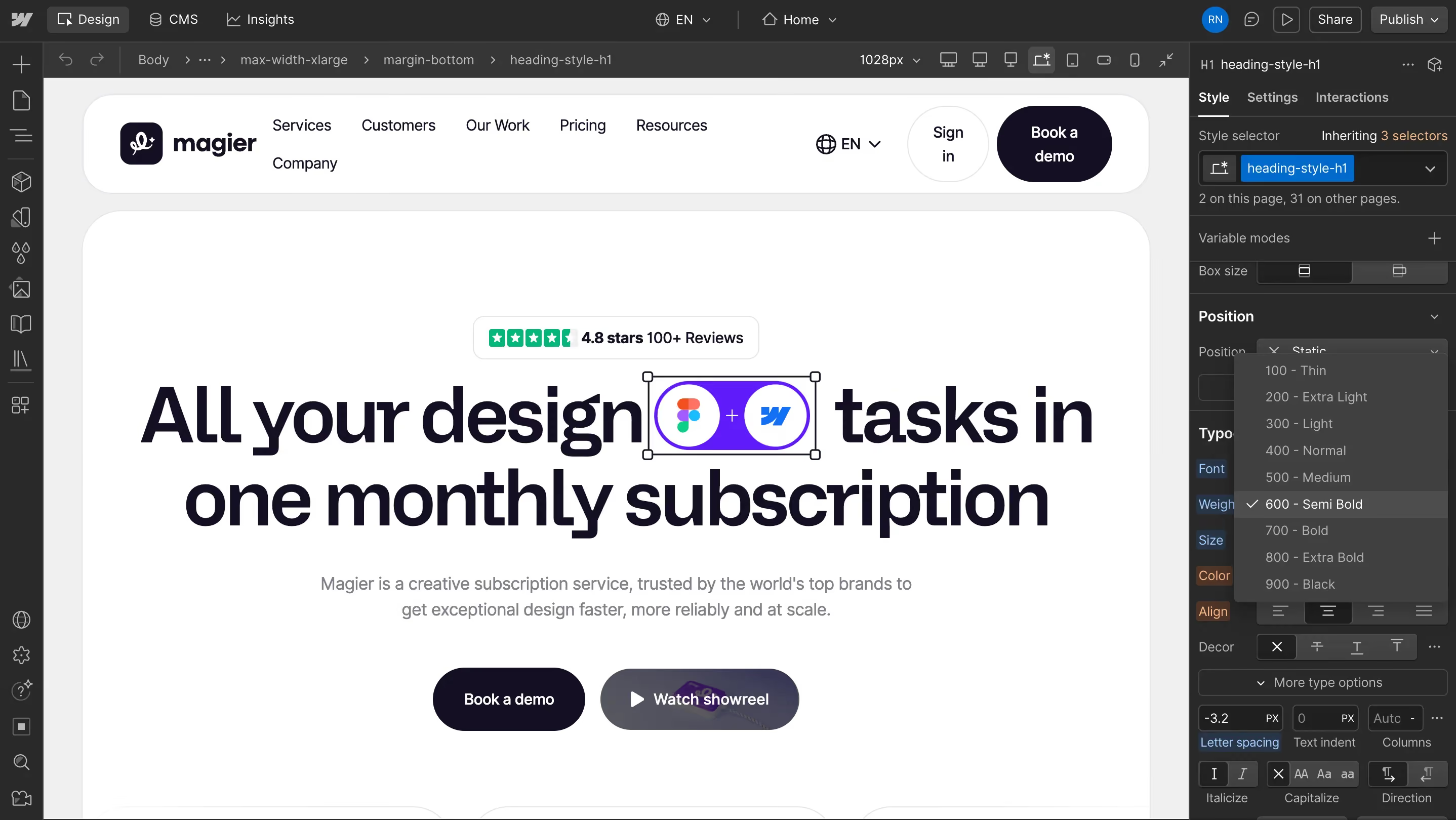
Webflow's visual builder is one of the strongest available at any price point. It supports CSS Grid, Flexbox, responsive breakpoints, interactions, animations, and reusable components, all controllable through a visual interface. Designers who think in CSS will feel at home immediately. Designers who do not will find the learning curve steeper than other no-code platforms, but the output quality justifies it.
Sitecore
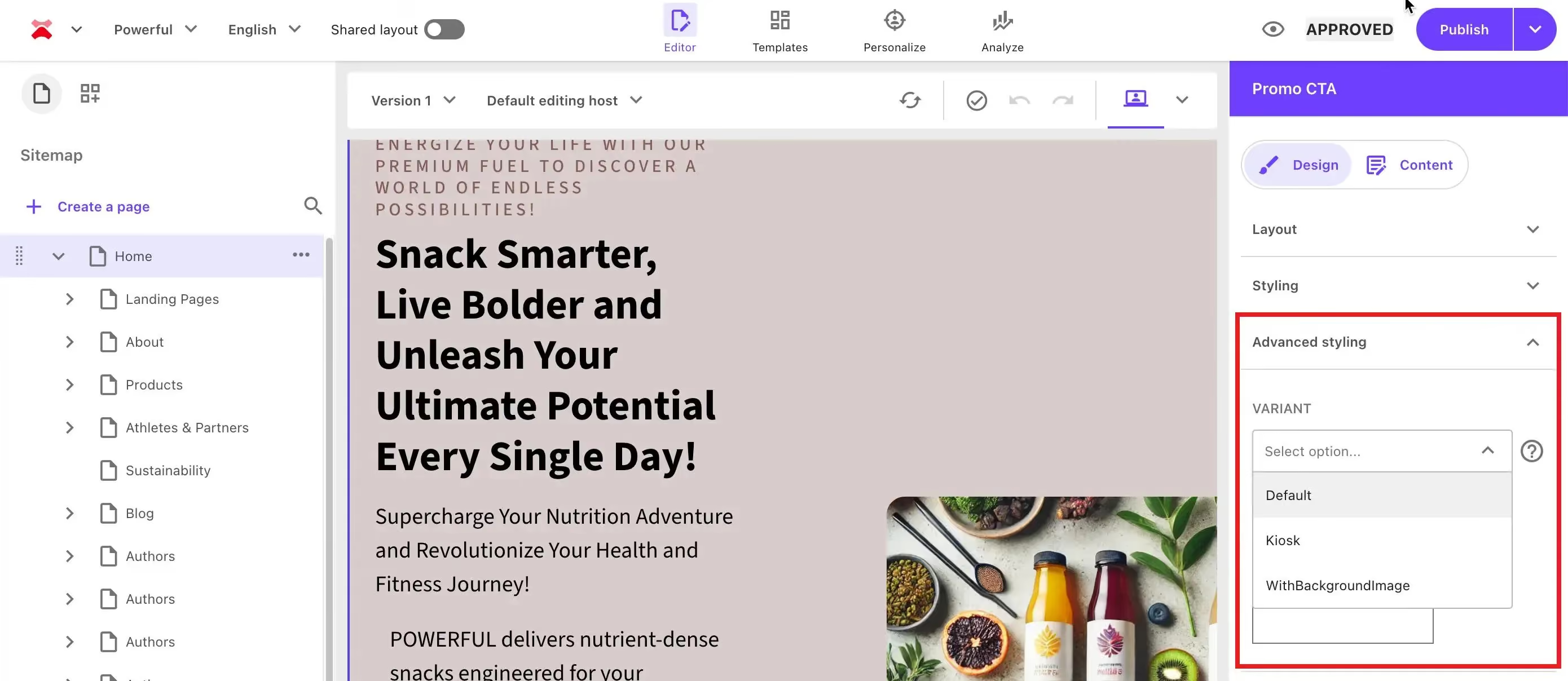
Sitecore's design capabilities depend almost entirely on the implementation and the front-end developer team. The platform itself does not offer a visual design environment. XM Cloud's headless approach improves flexibility significantly by allowing modern front-end frameworks to sit in front of the CMS, but the design experience still requires more technical involvement than Webflow at every stage.
CMS and content operations
Webflow
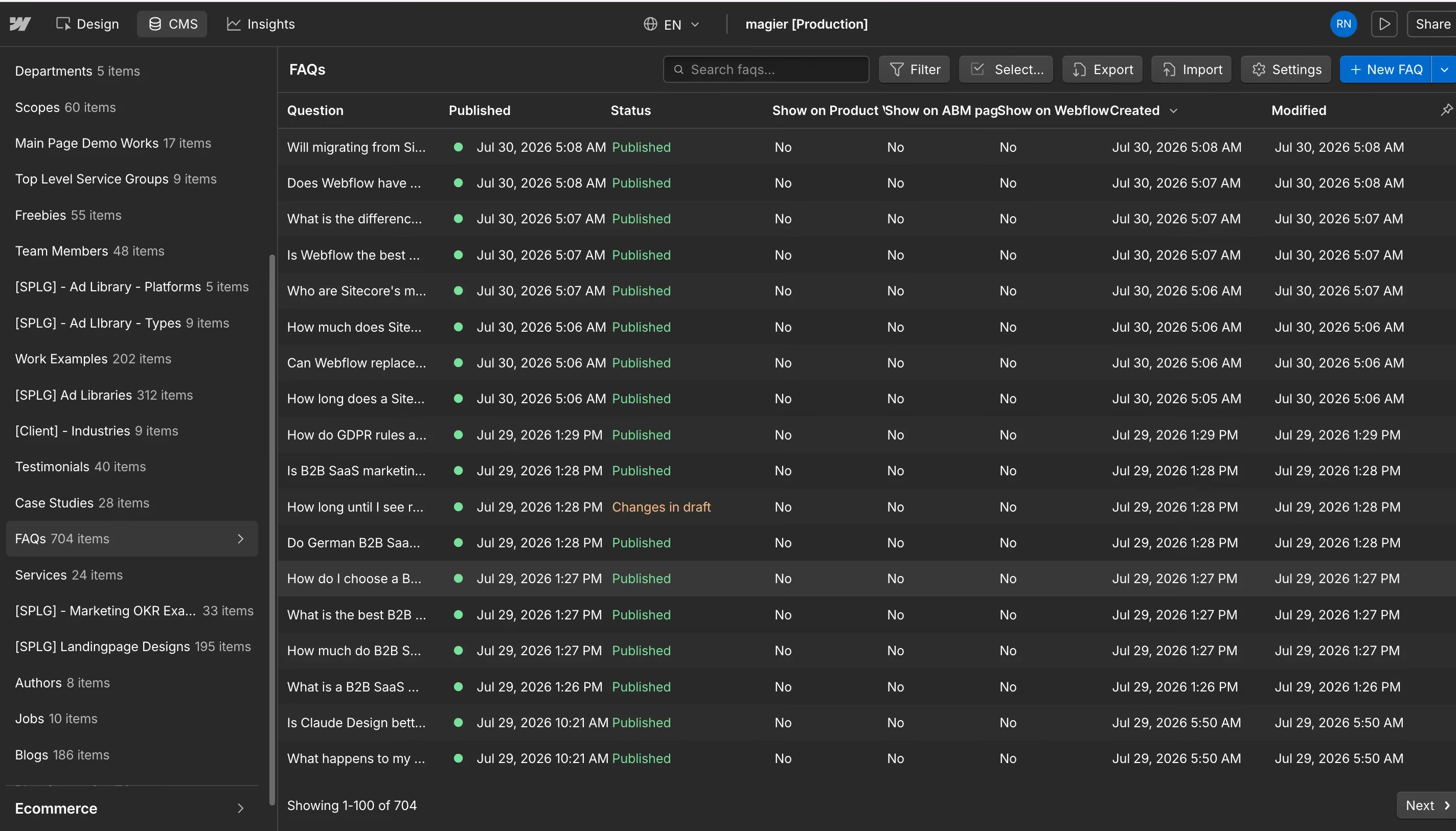
Webflow's CMS is built for marketing content. Blogs, case studies, landing pages, team pages, and resource libraries all work well. The visual interface means content editors can update, publish, and manage pages without touching design or code. CMS fields bind directly to design elements, so a structured blog post template stays visually consistent regardless of who updates it.
Sitecore
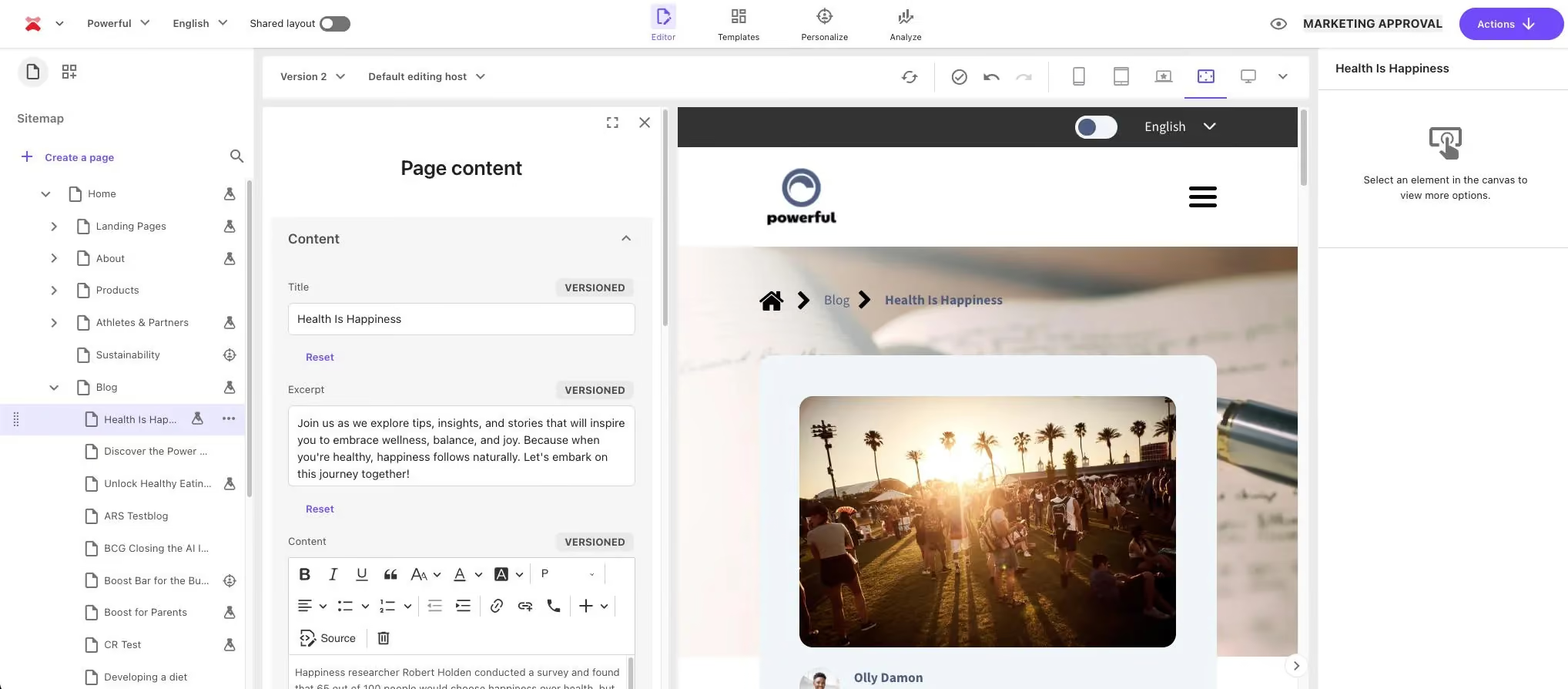
Sitecore's CMS is built for enterprise content operations at a scale and complexity that Webflow does not attempt to match. It handles multilingual publishing, structured approval workflows, granular governance, complex content models, and omnichannel delivery across web, mobile, and other channels simultaneously. For organizations managing content across multiple languages, regions, and channels with legal or editorial approval requirements, Sitecore's CMS is more capable.
Personalization
Webflow
Webflow's native personalization capabilities are basic. It supports localization and integrates with third-party personalization platforms via API, but it does not have a built-in behavioral targeting or segmentation engine. For most mid-market organizations, the gap is addressable with tools like Ninetailed, Optimizely, or VWO connected via integration. For organizations that need deeply integrated enterprise personalization across CMS, commerce, and analytics in a single governed system, the best-of-breed approach has real limits.
Sitecore
Personalization is the category where Sitecore has its clearest structural advantage. Its native personalization engine includes visitor segmentation, behavioral targeting, customer profiles, A/B testing, and AI-driven recommendations, all managed within the same platform as the CMS. For enterprises where personalization at scale is a core business requirement rather than a nice-to-have, Sitecore's native stack is harder to replicate with individual tools.
Enterprise security and compliance
Webflow
Webflow Enterprise includes SOC-2 Type II compliance, ISO 27001-aligned security practices, single sign-on integration with providers including Okta and Azure AD, page branching for staged deployments, custom SLAs, and audit logs. Forrester named Webflow a "Strong Performer" in its CMS Wave evaluation, which carries weight in enterprise procurement processes that require analyst validation. For most enterprise security requirements, Webflow Enterprise is a credible option.
Sitecore
Sitecore offers more extensive compliance and governance tooling for organizations with specific regulatory requirements beyond the standards Webflow covers. Its security model is built around enterprise IT governance, with deep integration into identity providers, detailed audit trails, and compliance frameworks that extend into regulated industries. For organizations subject to very strict data residency or sector-specific compliance requirements, Sitecore's tooling is more comprehensive.
Multi-site management
Webflow
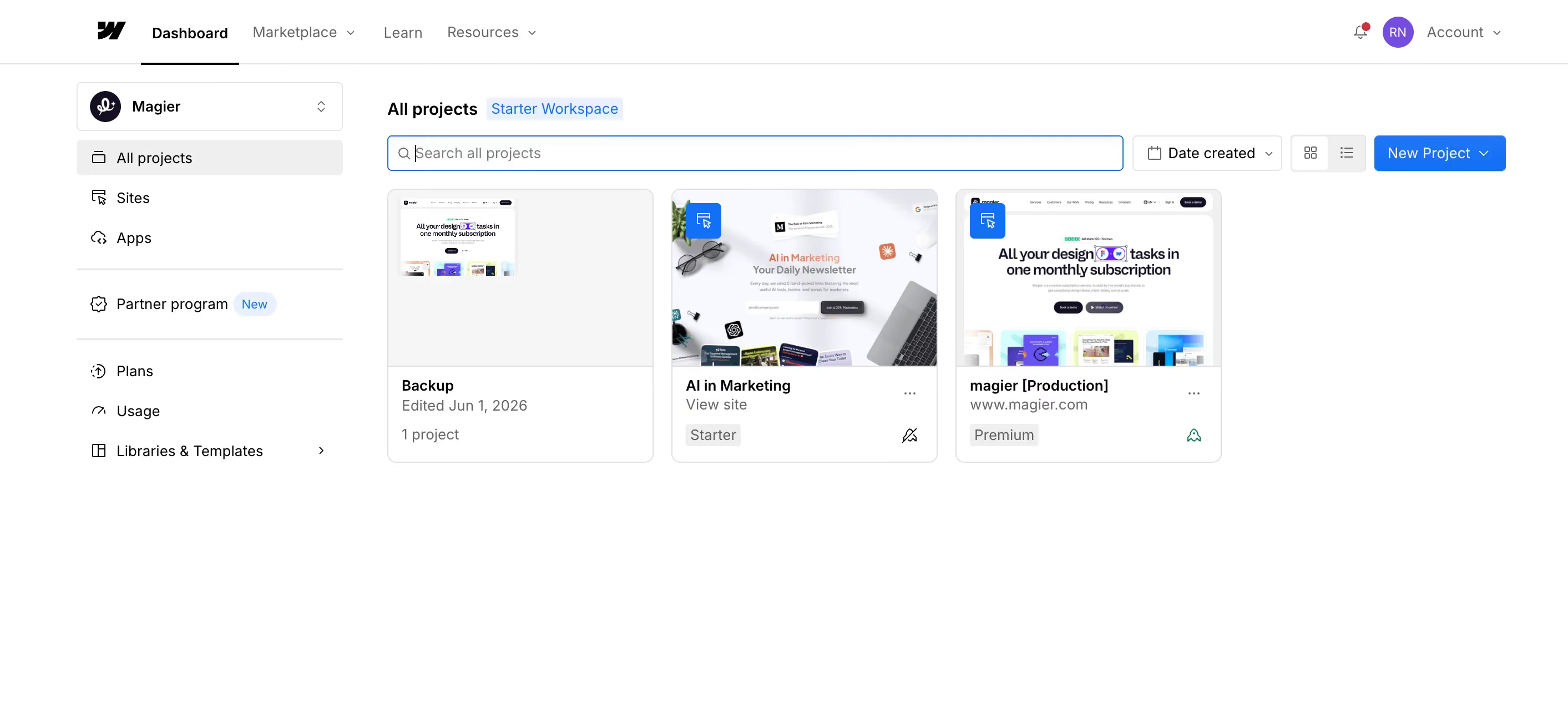
Webflow supports multiple sites and workspaces effectively for most mid-market and enterprise marketing teams. Organizations running between one and ten sites with shared brand guidelines and overlapping content teams are well-served by Webflow's workspace model. The platform gets more expensive and more complicated to manage as site count grows, and at 20 or more sites the per-site billing model becomes a real consideration.
Sitecore
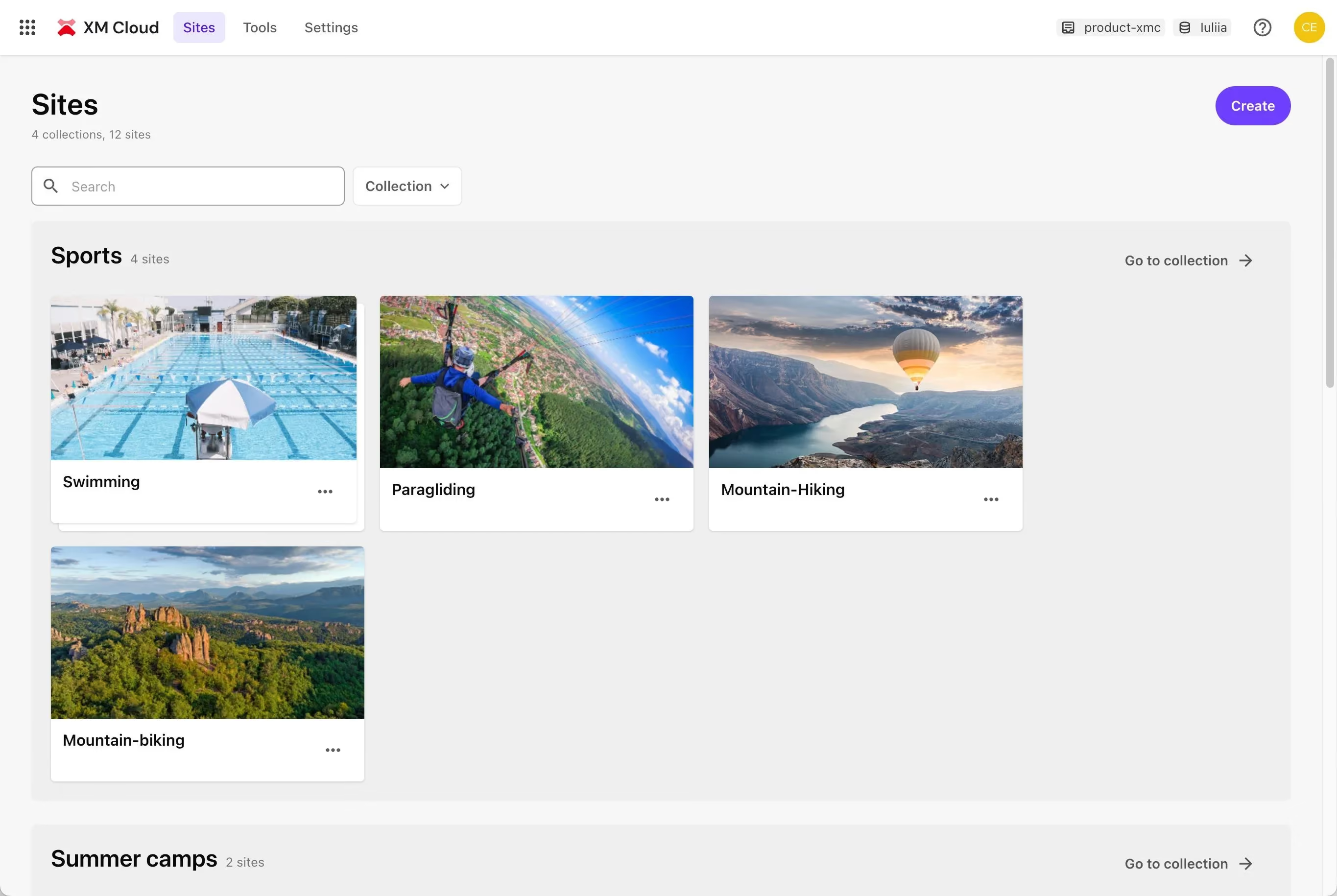
Multi-site management at scale is where Sitecore was purpose-built. Organizations managing dozens or hundreds of sites across multiple global brands, regions, and shared content models fit Sitecore's architecture exactly. Shared content libraries, cross-site publishing rules, and brand governance at scale are native capabilities, not bolt-ons. For organizations at this scale, Webflow's multi-site model does not compete.
Pricing
What Webflow actually costs
Webflow's headline pricing starts at $25 per month for the Premium plan on annual billing. That is the site plan price, and it is not the number most teams actually pay. A realistic B2B marketing team running one Premium site with a Core Workspace and two full-access collaborators typically pays between $113 and $128 per month on annual billing, once Workspace fees and per-seat costs are included. Add-ons such as Optimize (from $299 per month), Localize, and Analyze stack on top of that. Webflow restructured its pricing in both December 2024 and May 2026, so it is worth building some budget flexibility into any multi-year planning.
What Sitecore actually costs
Sitecore XP enterprise licensing starts at $40,000 to $80,000 per year and scales above $100,000 at full enterprise scale. That is licensing only. Running Sitecore also requires dedicated infrastructure on Azure or AWS, .NET developers who specialize in the platform at premium rates, and a Sitecore partner agency to manage upgrade cycles, which typically happen every 18 to 24 months and involve significant project costs. Enterprises that migrate from Sitecore to Webflow typically see a 60 to 80% reduction in annual total cost of ownership once all cost components are accounted for. Webflow has reported individual cases where the annual saving reached $6 million.
For organizations that commission professional Webflow SEO optimization as part of their migration, the ROI picture improves further. Professional Webflow SEO optimization has returned over 332% ROI in documented cases, and in stronger cases the figure reaches 1,100%.
When Webflow is the right choice
Webflow wins clearly for a specific organizational profile. If your situation matches most of the following, the case for switching is strong.
The outcomes from organizations that have made this move are consistent. Elyssa Albert, VP of Design at Attentive, described the result directly: new designs no longer needed to go through anyone else besides brand and marketing, with no engineers required. At NCR, Sr. Manager of Digital Properties Dan Dawson found that designers gained more autonomy, engineers could focus on the most impactful work, and the team could deliver new web pages faster than before.
The traffic and lead generation results also follow a consistent pattern. Some Webflow customers have seen 1,170% increases in organic traffic year over year, and 340% increases in qualified leads after migration. These are not universal outcomes, but they reflect what is possible when a marketing team gets the speed and autonomy to execute that a platform like Webflow provides.
"We are not Webflow evangelists. We use Webflow because it is the right tool for the type of work we do with B2B companies. If a client came to us with a genuine need for what Sitecore XM Cloud does, we would tell them that."

When Sitecore is the right choice
Even though we are Webflow Partner, the truth is that Webflow is not the right answer for every organization. There are specific situations where staying on Sitecore, or moving to Sitecore XM Cloud, is the correct decision, and a comparison that does not acknowledge this is not giving you a real assessment.
Sitecore is the right platform for organizations where the scale, complexity, and personalization requirements clearly exceed what Webflow and a best-of-breed integration stack can handle. For those organizations, the migration cost and operational disruption of switching to Webflow are real risks that the TCO savings may not justify.
If you are running Sitecore XP and the platform is actively blocking your marketing team's ability to execute, the case for migration is strong. If you are running Sitecore XM Cloud and the primary complaint is cost, the calculation is more nuanced.

How to migrate from Sitecore to Webflow without losing your SEO
Migration anxiety is the most common thing that slows this decision down. The fear is reasonable: you have built domain authority, ranking pages, and backlink equity over years, and a poorly executed migration can damage all of it in a matter of weeks. The good news is that migration risk is manageable with a structured process. Here is the ten-step migration protocol that enterprise teams use to execute this successfully.
- Content audit and inventory: Export a complete list of every URL on your current Sitecore site, including redirects, canonicals, and any pages with backlinks or organic traffic. This becomes the source of truth for the entire migration. Do not skip or rush this step.
- SEO baseline snapshot: Before you change anything, capture a rank tracking baseline for your top 50 to 100 organic keywords and a full crawl report. This gives you a pre-migration benchmark to measure against after launch. Without it, you have no way to diagnose post-migration rank changes.
- 301 redirect manifest: Map every existing URL to its new Webflow URL. This document needs to be complete before a single page goes live. Broken redirects are the single most common cause of post-migration ranking loss. Every URL that changes must have a corresponding 301 redirect.
- Design system rebuild in Webflow: Build your brand's design system inside Webflow before creating any pages. This includes typography scale, color palette, spacing system, component library, and interaction patterns. Building pages before the design system is ready leads to inconsistency and rework.
- CMS content migration: Export your Sitecore CMS content as JSON or CSV and map it to Webflow's CMS structure. For large content libraries, this is the most time-consuming phase. Build the CMS collections first, then import content in batches and validate each batch before moving to the next.
- Integration mapping and rebuild: Audit every third-party integration running on your current Sitecore site, including CRM connections, marketing automation, analytics, and any custom tools. Map each one to its Webflow equivalent or replacement. Do not assume integrations will carry over automatically.
- Pre-launch QA and validation: Run a full crawl of the Webflow staging environment before launch. Check every page for broken links, missing meta tags, incorrect canonical URLs, missing schema markup, and redirect loops. Check mobile rendering and Core Web Vitals scores, particularly LCP.
- DNS transition and launch: Execute the DNS cutover during a low-traffic window, typically early morning on a Tuesday or Wednesday. Monitor DNS propagation in real time. Have a rollback plan ready if critical issues appear within the first two hours.
- Post-launch redirect validation: Within 24 hours of launch, crawl the live site and validate every redirect in the 301 manifest. Any redirect that returns a 404 or chains through more than two hops needs to be fixed immediately.
- 90-day monitoring protocol: Set up weekly rank tracking reports for your top 50 keywords for the first 90 days. Monitor Google Search Console for crawl errors, coverage issues, and manual actions. Performance fluctuation in the first two to four weeks is normal. Sustained ranking drops after week six warrant a technical audit.
Webflow migrations for mid-market B2B sites typically complete in 8 to 12 weeks using this process. Simpler sites with smaller content libraries can complete the process in as few as 2 to 4 weeks. Compare that to a Sitecore fresh build, which typically takes 6 to 12 months. After migration, post-launch sites routinely load 3x to 5x faster than their Sitecore predecessors. Garret Voorhees, Sr. UX Design Manager at Virta Health, reported that their site loaded twice as fast after switching to Webflow, without rigorously optimizing every image.
How to preserve your SEO rankings during the migration
The 301 redirect manifest is the most critical SEO asset in any CMS migration. Every URL that changes must redirect to its new destination with a 301 status code. A 302 (temporary) redirect does not pass link equity. A missing redirect leaves link equity and traffic behind permanently.
Here is the complete SEO preservation checklist:
Before migration:
- Export full URL inventory including all indexed pages, redirects, and canonicals
- Crawl backlink profile and flag the top 50 pages by inbound link count for priority redirect handling
- Capture rank tracking baseline for top 100 keywords
- Audit all meta titles, meta descriptions, H1 tags, and schema markup for transfer
During migration:
- Build the 301 redirect manifest covering every URL change
- Match meta titles and descriptions precisely on the new platform before launch
- Transfer all schema markup including FAQ schema, article schema, and organization schema
- Preserve canonical URL structure exactly
- Submit updated XML sitemap to Google Search Console within 48 hours of launch
After migration:
- Validate all 301 redirects within 24 hours of launch using a site crawl tool
- Monitor Core Web Vitals in Google Search Console weekly for the first 90 days
- Track LCP (Largest Contentful Paint) scores specifically, as Webflow's managed hosting typically improves this metric significantly
- Use WebP format for all images migrated to the new platform to maximize page speed
- Check for any crawl errors or coverage drops in Google Search Console weekly
For organizations that execute this checklist correctly, migrations do not damage SEO. The risk is not migration itself but an unplanned one.
Webflow vs Sitecore vs the rest
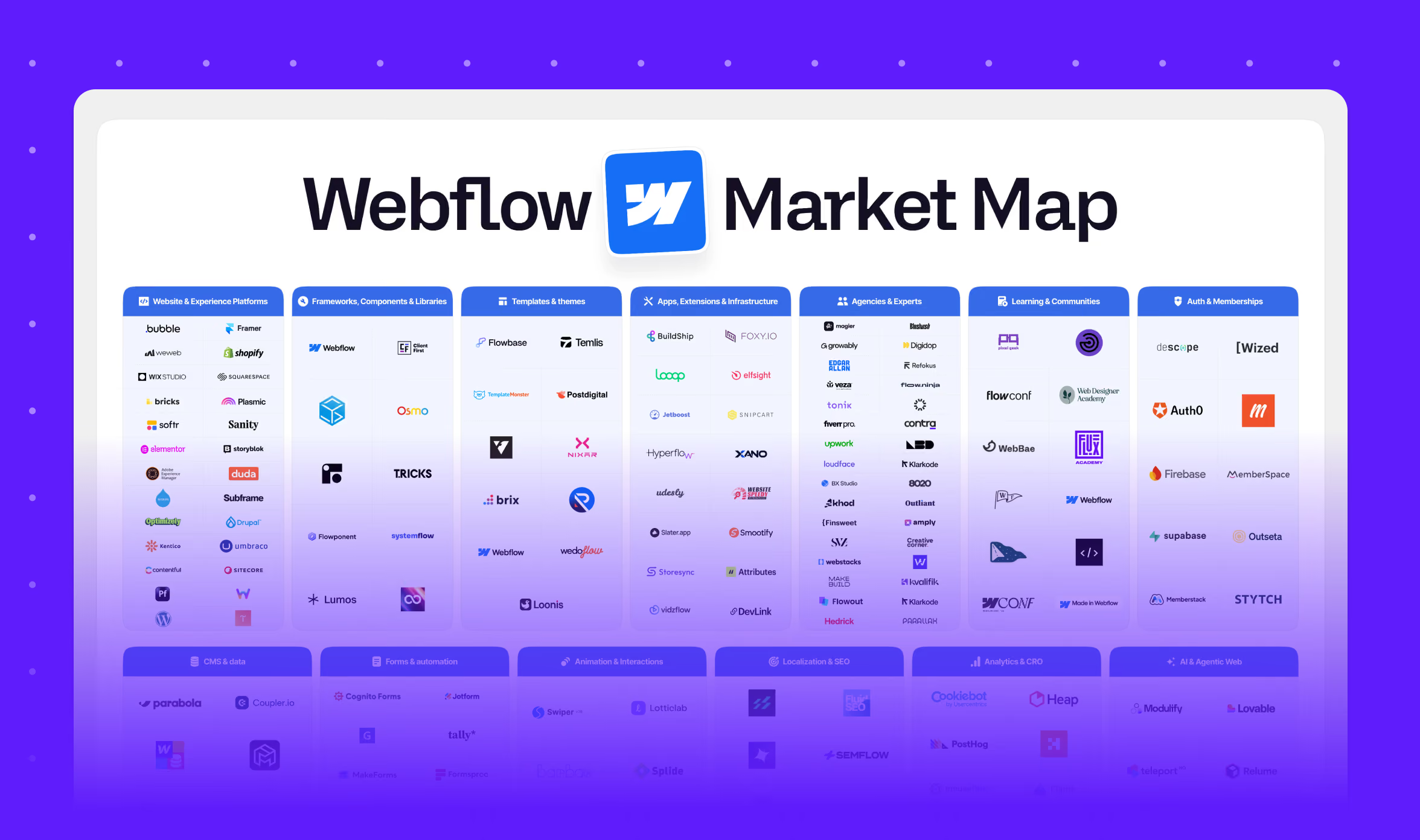
The comparison between Webflow and Sitecore does not happen in isolation. Most organizations evaluating this decision are also looking at other platforms, and the autocomplete data confirms this. People searching "webflow vs sitecore" are also searching "webflow vs wordpress," "webflow vs contentful," and "webflow vs framer."
Here is a brief positioning of where each major platform sits, so you can confirm you are comparing the right options for your situation.
One way to work out faster than any feature comparison whether you are even looking at the right platforms. If your primary concern is cost, marketing autonomy, and GTM speed, and your current platform is Sitecore XP, then Webflow is the comparison that matters. If your primary concern is enterprise personalization, governance, or omnichannel delivery, the comparison expands to include AEM, Contentful, and Sitecore XM Cloud.

Final thoughts
Webflow and Sitecore are not competing for the same market. Webflow is built for organizations that want to move fast, give marketing teams autonomy, and spend their technology budget on execution rather than infrastructure. Sitecore is built for organizations that need to manage complex digital ecosystems across many brands, regions, and channels with enterprise governance and advanced personalization.
The decision is not about which platform is technically superior. It is about which platform matches your organizational needs. If your team is filing tickets to change a headline and your license renewal just arrived for six figures, that mismatch is worth acting on. If you manage 40 brands across 15 regions with deep CRM integration and regulatory compliance requirements, that mismatch runs the other way.
Migration can be a real hassle if you’re thinking of switching. However, our 10-step process in this guide reflects what a properly executed migration actually involves, and it is not something to approach without a plan. But for organizations where the current platform is actively holding the marketing team back, the work is worth doing.
If your team is at the evaluation stage and wants a professional assessment of whether Webflow is the right move for your organization, take a look at how magier works. We have helped 150+ B2B brands think through platform decisions and execute design and migration projects, with 48-hour turnaround, multiple revisions, and a fixed monthly fee. You can see our work and get in touch.
Pick the section of this guide most relevant to where you are in the decision and start there. If you are in cost evaluation mode, start with the TCO section. If you are in migration planning mode, start with the 10-step process.
FAQ
A structured migration for a mid-market B2B site typically takes 8 to 12 weeks. Simpler sites can be done in as few as 2 to 4 weeks. Compare this to a Sitecore fresh build, which typically takes 6 to 12 months. Timeline depends on the size of the content library, the number of integrations, and the complexity of the design system rebuild.
For many enterprise marketing teams, yes. Webflow Enterprise includes SOC-2 Type II compliance, SSO integration, audit logs, and custom SLAs. Forrester named Webflow a "Strong Performer" in its CMS Wave. For organizations requiring deep native personalization, complex governance across dozens of brands, or omnichannel content delivery beyond the web, Sitecore or an alternative enterprise DXP remains the stronger choice.
Sitecore XP enterprise licensing starts at $40,000 to $80,000 per year and scales above $100,000 at full enterprise scale. This is the licensing cost only. The total cost of running Sitecore, including cloud infrastructure, .NET developer retainers, partner agency fees, and upgrade cycles, typically runs between $164,000 and $390,000 per year for a mid-market organization.
Sitecore's main enterprise competitors include Adobe Experience Manager (AEM), Contentful, Drupal (via Acquia), and WordPress VIP. In the broader market, Webflow competes with Sitecore specifically for mid-market and enterprise marketing teams that are evaluating whether they need a full DXP or a faster, more marketing-friendly platform.
For marketing-led teams that need speed, autonomy, and cost efficiency, Webflow is one of the strongest platforms available. It consistently outperforms Sitecore on ease of use, time to launch, and TCO for mid-market organizations. That said, Sitecore remains the stronger choice for enterprise organizations managing complex multi-brand digital ecosystems with advanced personalization and governance requirements. The best CMS is the one that matches your organizational reality, not a universal ranking.
Sitecore XP is the legacy, on-premise .NET platform that most enterprises have been running for years. It is developer-heavy, expensive to maintain, and has a painful upgrade cycle. Sitecore XM Cloud is the newer, composable, cloud-native version that is headless-first and API-driven. If you are evaluating Sitecore today, XM Cloud is the relevant product. If you are running XP and considering whether to migrate to XM Cloud or to Webflow, the decision comes down to whether you need Sitecore's enterprise DXP capabilities or whether a modern visual platform would serve you better.
Yes. Webflow Enterprise includes SOC-2 Type II compliance, SSO integration with Okta, Azure AD, and other providers, page branching for staged deployments, custom SLAs, audit logs, and role-based access controls. For most enterprise security requirements, Webflow Enterprise meets the standard. Organizations with very specific regulatory compliance needs beyond this should validate their specific requirements against Webflow's enterprise documentation.
Not if the migration is executed correctly. The critical steps are building a complete 301 redirect manifest before launch, preserving meta titles and descriptions exactly, transferring schema markup, and monitoring Core Web Vitals and rank tracking for 90 days post-launch. Professional Webflow SEO optimization executed as part of a migration has returned over 332% ROI in documented cases.
.avif)



.avif)