Webflow vs. WordPress: Which One to Choose for Your Website in 2026
As we were wrapping up a rebranding project for a SaaS founder last month, he asked us a simple question: should I rebuild our site on Webflow, or stay on WordPress? His team had been arguing about it for six months. The CMO wanted Webflow. The CTO wanted to stay on WordPress. Both had real reasons.
That's the Webflow vs WordPress debate in 2026. WordPress still powers 43.4% of all websites. Webflow has grown to roughly 1.2% market share, but at a 10% CAGR since 2022. Two very different scales. Two very different bets. The right one depends on the team you have, the site you're building, and how your business actually grows.
But which is the right one for your team and needs? Webflow or WordPress?
This guide answers that question honestly. We'll cover:
- Each platform in detail
- Where each wins and the real 3-year cost of running both
- What AI search means for the choice
- Which platform we'd pick for which kind of site
We've shipped over 200 B2B SaaS websites at magier, mostly on Webflow but plenty on WordPress too. So yes, we have an unbiased perspective that helped us do the comparison. We'll flag it when it matters and stay honest about where WordPress still wins.
Let's get into it.
The quick verdict: Webflow vs. WordPress
Is Webflow better than WordPress?
For marketing-led businesses, SaaS, agencies, and most B2B sites in 2026, yes. For content-heavy publishers, large blogs, and complex membership or directory sites, WordPress is still the safer choice.
Here's the short version:
| Choose Webflow if... | Choose WordPress if... |
|---|---|
| You're a SaaS, startup, agency, or marketing-led business | You're a publisher, blogger, or content-heavy site |
| Design quality and brand control matter | You need extensive plugin customization |
| You want low maintenance and managed hosting | You want full ownership and self-hosting |
| Your team is marketers and designers, not developers | You have developers or technical resources |
| Speed-to-market matters more than maximum flexibility | Maximum flexibility matters more than speed |
Both platforms are well-reviewed on third-party platforms. On G2, Webflow holds a 4.4/5 rating from 700+ reviews. WordPress.org holds a 4.4/5 from 8,900+ reviews. On OMR Reviews, both platforms score 4.4/5, with Webflow at 88 reviews and WordPress at 352. The scores are nearly identical, which reinforces that this isn't a quality decision. It's a fit decision.
If you're somewhere in the middle, keep reading. The rest of this guide breaks down each category with real numbers so you can decide based on your situation, not ours.
{{freebie}}
WordPress vs. Webflow: Why the conversation is necessary in 2026
The Webflow vs WordPress comparison in 2026 looks different from how it looked even 18 months ago.
WordPress still powers a huge chunk of the web. Roughly 43.4% of all websites run on WordPress as of mid-2026, holding steady from previous years. Webflow has grown to about 1.2% market share, with a 10% compound annual growth rate since 2022. Small in absolute terms. Big in trajectory.
A few things changed in 2025 and early 2026 that matter for this comparison:
Constraint 1: Webflow shipped AI features fast
The Webflow AI Assistant, AI Optimize, and a Claude MCP integration arrived in waves through 2025. Native llms.txt support landed in July 2025. The platform now feels like it was built with AI agents in mind, not just human users.
Constraint 2: WordPress 7.0 "Armstrong" launched its native AI Client
WordPress finally has first-party AI capabilities, an Abilities API, and provider-agnostic model support. The ecosystem is still catching up, and plugin compatibility is uneven, but the foundation is there.
Constraint 3: AI search became a real traffic source
ChatGPT, Claude, Perplexity, Gemini, and Meta AI now drive a measurable percentage of referral traffic for many sites. This shifted the SEO conversation toward AEO (Answer Engine Optimization) and GEO (Generative Engine Optimization). The platform you choose now influences how easily AI tools can understand and cite your content.
Constraint 4: Marketing teams want autonomy
The biggest shift we see at magier isn't technical. It's organizational. Marketing teams are tired of waiting on developers for every landing page change. That's the real reason Webflow keeps winning new accounts.
Now let's break down what each platform actually is.
What is Webflow?
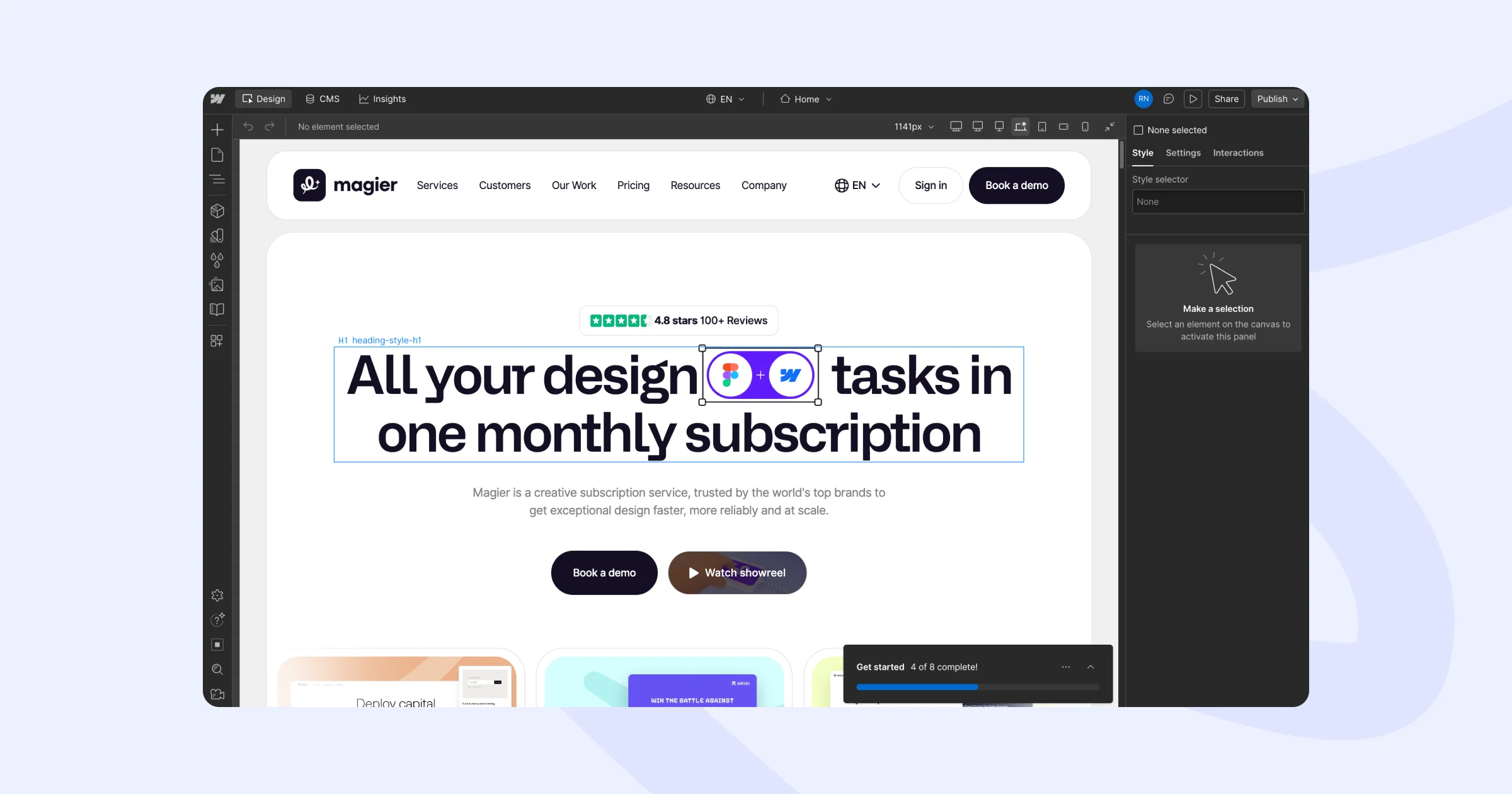
Webflow is a visual web development platform that lets you design and ship production-ready websites without writing code. It bundles hosting, CMS, e-commerce, and AI tools into one managed service. You design in a visual interface that generates clean HTML, CSS, and JavaScript automatically.
Webflow was launched in 2013, co-founded by Vlad Magdalin. The product targets designers, marketers, and agencies who want pixel-perfect control without dev dependency. Today it's used by teams at Spotify, Dropbox, Monday.com, Zendesk, Lattice, Orangetheory, and thousands of B2B SaaS companies.
Here’s what we get inside Webflow:
- A visual designer with granular CSS control (think Figma meets a code editor)
- A native CMS for structured content like blog posts, case studies, and team pages
- Built-in hosting on AWS and Fastly CDN
- Automatic SSL, security patches, and managed infrastructure
- E-commerce capabilities (Webflow Commerce)
- Native SEO controls (meta tags, schema, sitemaps, redirects)
- llms.txt upload directly in Site Settings
- AI features: Webflow AI Assistant, AI Optimize, Claude MCP integration
- A Figma-to-Webflow workflow for designers
When Webflow is the right choice: marketing sites, SaaS company websites, agency sites, portfolios, design-led brands, B2B service businesses, and any site where design quality and time-to-market matter more than deep customization.
When it's not: content sites with thousands of posts, complex membership systems, sites needing very specific plugin functionality, and high-volume e-commerce stores.
What is WordPress?
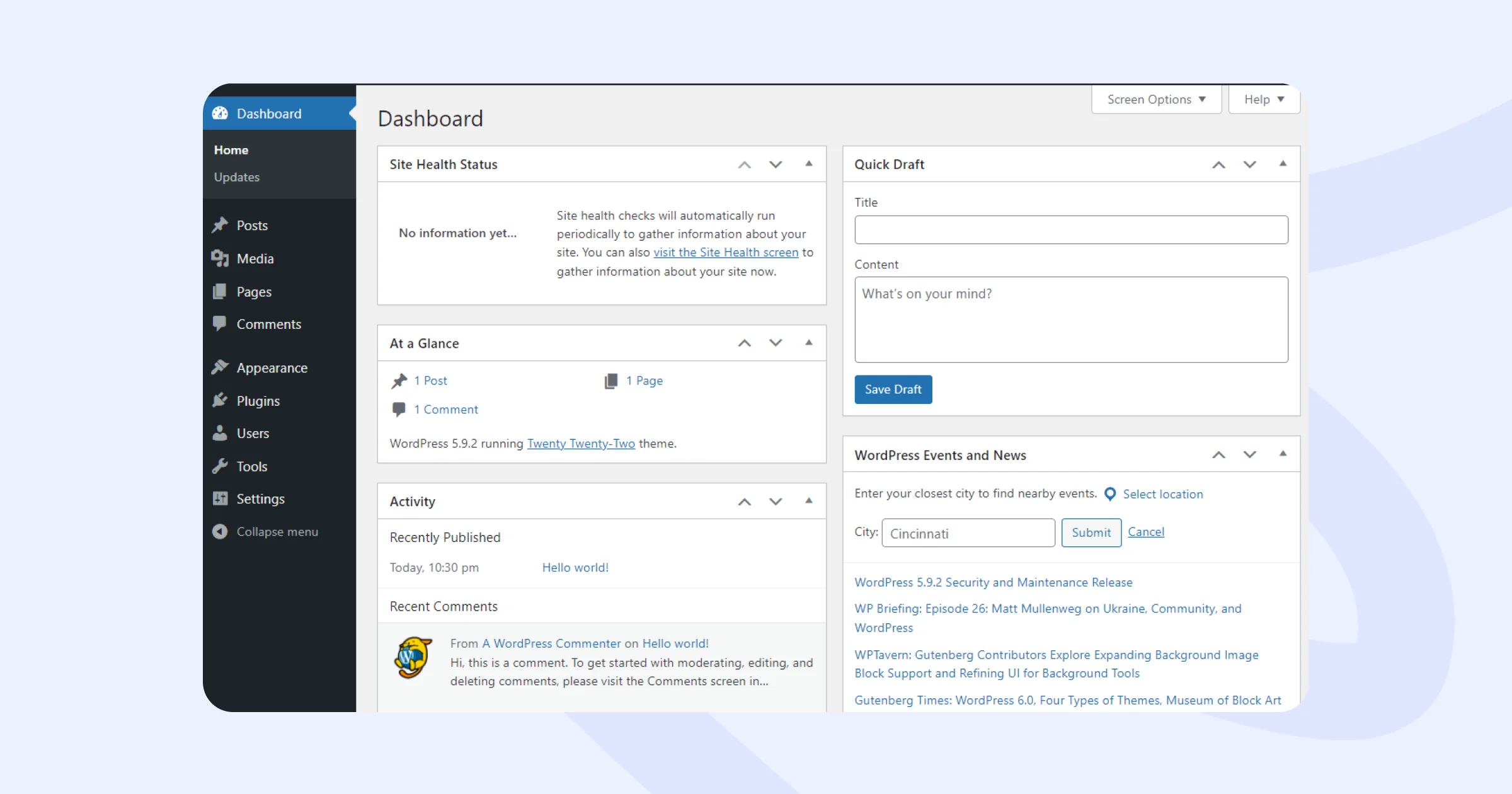
WordPress is an open-source content management system that powers about 43.4% of all websites. You install it on your own hosting, then extend it with themes and plugins to build whatever kind of site you want. It's the default choice for blogs, news sites, and content-heavy businesses.
Quick clarification because people mix this up: there are two WordPresses.
- WordPress.org is the free, open-source software you self-host. This is what most people mean when they say "WordPress." Full control, full responsibility.
- WordPress.com is a paid hosted service run by Automattic (the company started by WordPress co-founder Matt Mullenweg). Easier to set up, but with restrictions on what you can install.
For this comparison, we're talking about WordPress.org (the self-hosted version), because that's what most businesses actually use.
What we get with WordPress:
- A massive ecosystem of free and paid themes
- Roughly 60,000+ plugins for any feature you can imagine (SEO, e-commerce, forms, membership, you name it)
- Full ownership of your site, database, and files
- Total flexibility (the trade-off: total responsibility)
- WordPress 7.0's new native AI Client and Abilities API
- Strong content workflows for editorial teams
- Custom post types, taxonomies, and the legendary ACF (Advanced Custom Fields)
Brands like TechCrunch, The New Yorker, Vogue Business, the official Microsoft News blog, and millions of others put their trust in this platform.
When WordPress is the right choice: large content sites, blogs and publications, membership communities, complex directories, sites with very specific plugin needs (think real estate listings, learning management systems), and teams with developer resources.
When it's not: marketing sites where design and speed matter more than flexibility, teams without dev support, businesses that want predictable costs and zero maintenance.
Now that we are up to speed on what both platforms are and their features, let’s jump to the comparison factors.
Factor 1: Philosophy and architecture
This is where the Webflow vs WordPress conversation actually starts.
Webflow is SaaS. You log in to a managed platform. Your site lives on the infrastructure Webflow runs. Updates happen automatically. Security patches happen automatically. You don't manage anything below the application layer.
WordPress is open-source software. You download it (or your host installs it), and you're responsible for everything: hosting, security, updates, backups, plugin conflicts, performance optimization. If something breaks, it's on you (or whoever you pay to fix it).
This sounds like a small distinction. It's not. It cascades into every other category:
| Category | Winner | Why |
|---|---|---|
| Control | WordPress | You own everything. You can modify any line of code. Webflow has guardrails. |
| Maintenance | Webflow | There's almost none. WordPress requires ongoing care. |
| Cost predictability | Webflow | WordPress costs vary wildly depending on what breaks. |
| Customization ceiling | WordPress | There's almost nothing it can't do given enough development time. |
| Speed to ship | Webflow | No environments, no plugin conflicts, no theme dev cycles. |
So which architecture is better? Wrong question. The right one is that which trade-off fits your situation better. If you have a developer (or want to be one), WordPress's open-source nature is genuinely valuable. If you don't, every advantage WordPress offers turns into a tax you can't pay.
Factor 2: Ease of use
Webflow has a steeper initial learning curve than most website builders. WordPress is easier to publish content on but harder to scale without technical help.
Here's what that looks like in practice.
Webflow's Designer is closer to a professional design tool than a website builder. If you've never worked with CSS concepts (flexbox, grid, padding, margin), the first few hours feel overwhelming. The classes panel alone takes a week to internalize. But once you're past that learning curve, you can build almost anything visually without writing code. Most marketers we work with become independent in Webflow within 2 to 4 weeks. According to a 2024 survey by Jepto, 73% of marketing teams reported that the ability to update their website without developer help was their top priority when choosing a platform.
WordPress is the opposite. Day one is easy. You log in, write a blog post, and hit publish. That’s it. But the moment you want a custom layout, a new content type, or a specific feature, you're hunting plugins, configuring page builders, debugging conflicts, or hiring a developer. Many WordPress sites end up running 20 to 40 plugins, each adding maintenance overhead.
Alex Rankin, a developer who switched from WordPress to Webflow, put it well: "Using Webflow cuts build time in half. We can turn the same website around in three weeks."
However, the real difference is team autonomy. With Webflow, your marketing team can update landing pages, launch new sections, and run experiments without filing a ticket with engineering. With WordPress, you're either training your marketing team on a page builder like Elementor or Divi (each with their own learning curves) or routing every change through a developer.
For most B2B SaaS and startup teams in 2026, the marketing autonomy alone is worth choosing Webflow.
💡 Need a Webflow design partner? magier is a Webflow design agency that ships B2B SaaS and startup sites in weeks. See our Webflow services.
Factor 3: Design freedom
Webflow gives designers visual control similar to Figma or Photoshop, directly on the live site. WordPress relies on themes, page builders, and custom code for advanced design work.
This is the category where Webflow has the clearest advantage, and it's why agencies keep choosing it.
In Webflow, you can:
- Build any layout pixel by pixel without templates
- Use CSS Grid, Flexbox, and custom positioning directly in the designer
- Add scroll-based animations and complex interactions without plugins
- Import Figma designs and translate them to production with high fidelity
- Use GSAP and Lottie animations natively
- Modify every breakpoint visually
In WordPress, you have three paths to custom design:
- Start with a theme and customize. Quick but limited. Most themes look like other themes.
- Use a page builder (Elementor, Divi, Bricks). More flexible but adds bloat and performance cost.
- Build a custom theme from scratch. Full control, but requires a developer.
The wall WordPress hits is consistent at scale. A marketing team building 30 unique landing pages in WordPress will end up with 30 slightly different page structures, each maintained separately. In Webflow, the same team can build 30 pages off a shared design system with consistent typography, spacing, and components.
For agencies that build websites for clients, Webflow's design freedom plus its handoff workflow (clients can edit content in Editor mode without touching design) makes it a clear winner. This is why so many design-led agencies, including ours at magier, build primarily on Webflow.
Factor 4: SEO
Webflow and WordPress can both rank extremely well. WordPress wins on plugin ecosystem and content scale. Webflow wins on technical SEO baseline, page speed, and clean code output.
Let's break down what each platform gives you for SEO.
| Webflow (native) | WordPress (via plugins) |
|---|---|
| Custom meta titles and descriptions per page | Yoast SEO, Rank Math, or AIOSEO for meta management |
| Schema markup (organization, article, FAQ, product) | Schema Pro or built-in schema in the above plugins |
| Automatic sitemap.xml generation | Plugin-managed sitemaps |
| Editable robots.txt | Editable via plugin |
| 301 redirects in Site Settings | 301 redirects via plugins like Redirection |
| Clean, semantic HTML output | Code output quality varies by theme |
| Automatic SSL on all custom domains | SSL depends on hosting setup |
| Native llms.txt upload for AI search | llms.txt requires a plugin or manual upload |
| Per-page custom code injection | Per-page custom code via plugin |
The Webflow vs WordPress SEO comparison boils down to this: WordPress can match Webflow on almost any technical SEO factor, but it requires more setup, more plugins, and more ongoing maintenance. Webflow gives you a strong baseline with less configuration.
WordPress still wins when it comes to large content sites. If you're publishing 50+ articles a month, WordPress's editorial workflow, custom taxonomies, and content scale beat Webflow's CMS limits.
However, Webflow wins when it comes to technical SEO out of the box. The code is cleaner, the page speed is faster, and the schema implementation is more controlled. For most B2B SaaS margketing sites, Webflow ranks better with less effort.
Factor 5: Accessibility
Webflow includes a native accessibility audit tool in the Designer that checks for missing alt text, heading hierarchy issues, and color contrast problems. It also generates semantic HTML by default, which gives screen readers a clean structure to work with.
WordPress accessibility depends entirely on the theme and plugins you use. Well-built themes (like GeneratePress or Astra) produce accessible markup, but many popular themes and page builders generate bloated HTML that creates barriers. The WordPress Accessibility Team provides guidelines, and plugins like WP Accessibility and Equalize Digital can help, but achieving WCAG compliance requires more manual effort than on Webflow.
Factor 6: AEO and AI search readiness
AEO (Answer Engine Optimization) and GEO (Generative Engine Optimization) are the new layers on top of traditional SEO. Webflow is currently better set up for both, mostly because it shipped native support for emerging standards faster than WordPress.
This category didn't exist in most Webflow vs WordPress comparisons a year ago. It exists now because AI tools have become a real source of traffic.
What matters for AEO:
- Clean, structured content that AI can parse easily
- Schema markup that defines what each piece of content is
- A clear llms.txt file that tells AI tools which pages matter
- Fast load times so AI crawlers can index your content efficiently
- Crawlable HTML (not buried in JavaScript)
Webflow ships clean semantic HTML by default. The CMS lets you add schema directly. llms.txt uploads natively in Site Settings. Page speed averages around 92 on PageSpeed Insights.
WordPress can match all of these, but only with the right plugin stack and theme. The default WordPress install is not AEO-ready. You'll add plugins, configure them, and maintain them.

Factor 7: Performance and Core Web Vitals
The average Webflow site scores 92 on PageSpeed Insights. The average WordPress site scores 68.
That's not a small difference. It's the difference between a site that ranks and converts versus one that bleeds users on every page load.
Here's what the data says:
| Metric | Webflow average | WordPress average |
|---|---|---|
| PageSpeed Insights score | 92 | 68 |
| Core Web Vitals pass rate | 58% | 42% (standard), 51% (optimized) |
| Time to First Byte | Strong (CDN built in) | Varies by hosting |
| Largest Contentful Paint | Strong | Varies by theme and plugins |
Why does Webflow consistently win on performance? Well, there are a few reasons:
- Hosting is built on AWS and Fastly's global CDN
- The code output is leaner (no plugin bloat)
- Image optimization is automatic
- There's no plugin layer slowing things down
WordPress can be just as fast, but it requires real effort. You need premium hosting (Kinsta, WP Engine, SiteGround Pro), a lightweight theme, aggressive caching (WP Rocket), image optimization plugins, and someone monitoring it all. A well-optimized WordPress site can hit Webflow's numbers. The average WordPress site does not.
This matters for conversions because:
- According to Portent's research on load time and conversion rates, a site that loads in 1 second has a conversion rate 3x higher than a site that loads in 5 seconds. Google has confirmed that Core Web Vitals are a ranking signal, and HTTP Archive data shows that the median WordPress site scores lower on LCP than the median Webflow site.
- A 0.1-second improvement increases retail conversions by 8.4%
If your business depends on conversion (and what business doesn't?), the performance gap matters.
Factor 8: Content management
WordPress is built around content. Webflow's CMS is built around structured marketing content. For large publishing workflows, WordPress wins. For most marketing sites, Webflow's CMS is enough.
WordPress CMS at a glance:
| Strengths | Limitations |
|---|---|
| Custom post types and taxonomies (the foundation of large content sites) | Plugin overhead grows with editorial complexity |
| Advanced Custom Fields (ACF) for structured data | Requires developer help to set up structured content properly |
| Multi-author workflows and editorial roles | Performance degrades as content scales without optimization |
| Comments and community features | Maintenance burden compounds with every plugin added |
| Plugins like Gravity Forms, Forminator, and Ninja Forms for complex form logic | |
| Multilingual sites via WPML or Polylang | |
| Content at massive scale (hundreds of thousands of posts) |
Webflow CMS at a glance:
| Strengths | Limitations |
|---|---|
| Blogs with up to a few thousand posts | Hard limits on items per collection (currently 10,000 per collection on most plans) |
| Case studies, team pages, product pages | Less mature editorial workflows for large teams |
| Structured marketing content | Multilingual support is improving but still behind WordPress |
| Sites where editorial volume is moderate | Fewer options for complex form logic out of the box |
If you're running a news site, a high-volume blog, or a multilingual content operation, WordPress is the better answer. For everyone else, Webflow CMS handles the job.
Factor 9: Security and maintenance
WordPress accounts for roughly 95% of all hacked CMS websites. Webflow handles security as part of the managed service.
That stat usually ends the conversation for security-conscious teams. Let's unpack it honestly though, because it's not just about WordPress being "less secure."
WordPress gets hacked at high rates because:
- It's by far the most popular CMS, so it's the biggest attack target
- Most hacks happen through outdated plugins and themes, not WordPress core
- Many WordPress sites are abandoned or poorly maintained
- Plugin ecosystems include thousands of small developers with varying security practices
If you run a well-maintained WordPress site on a quality managed host with limited, regularly updated plugins, your real risk is much lower than the 95% number suggests. Hosts like Kinsta and WP Engine handle a lot of this for you.
But here's the honest comparison:
WordPress maintenance burden:
- Plugin updates (some every few weeks)
- Theme updates
- Core software updates
- Security monitoring
- Regular backups
- Database optimization
- PHP version compatibility
- Either you do this work, or you pay someone to do it (typically $100 to $300/month for ongoing maintenance)
Webflow maintenance burden:
- Almost none. Updates, security patches, and backups happen automatically.
- Webflow holds SOC 2 Type II and ISO 27001 certifications.
This is one of the biggest reasons agencies and marketing teams choose Webflow. You don't need a maintenance budget. You don't need a developer on retainer just to keep the site running. You build it once, then you focus on content and growth.
One area where WordPress has more flexibility is data residency. Webflow hosts all sites on AWS infrastructure primarily based in the United States. The platform is covered under the EU-US Data Privacy Framework, but businesses with strict data sovereignty requirements (healthcare, finance, public sector) may need to verify compliance with their legal team. WordPress lets you choose your hosting provider and server location, so you can keep data in the EU, Asia, or wherever your compliance rules require. For most B2B SaaS and marketing sites, Webflow's compliance certifications (SOC 2 Type II, ISO 27001) are more than sufficient. For regulated industries with specific data residency mandates, WordPress offers more control
"Every WordPress site we've inherited had at least one outdated plugin. Usually more. IMO, it's the dev hours you spend patching things before they break is the reason why people are looking for alternatives."

Factor 10: AI features in 2026
Both Webflow and WordPress have invested heavily in AI features. Webflow shipped AI tools earlier and integrated more deeply with current models. WordPress 7.0 caught up with native AI capabilities but the ecosystem is still uneven.
Here's what each platform offers in 2026.
Webflow AI features:
- Webflow AI Assistant: a conversational interface that helps you build pages, write content, and configure CMS structures
- AI Optimize: automatic suggestions for SEO, conversion, and accessibility improvements
- Claude MCP integration: lets AI agents read and modify your Webflow site through the Model Context Protocol
- AI-assisted code generation for custom code blocks
- Content generation tools built into the CMS
Rachel Wolan, Webflow's CPO, framed the bet this way: "The conversation is shifting from what AI can generate to what AI can ship to production."
WordPress 7.0 "Armstrong" AI features:
- Native AI Client built into WordPress core
- Abilities API for AI agents to interact with the platform
- Provider-agnostic models (you can use OpenAI, Anthropic, Google, or local models like Ollama)
- Plugin ecosystem rapidly building AI tools on top of the API
At this point, Webflow AI might feel more integrated because it was built into the platform progressively in 2024 and 2025. WordPress AI is more flexible (you can swap providers, run local models) but the user experience varies wildly depending on which plugins you use.
Will AI replace Webflow developers or WordPress developers? Not in the next few years. AI tools are speeding up existing developers, not replacing them. The complex parts of building a website (strategy, design judgment, custom functionality, debugging) still need human expertise.
Factor 11: E-commerce
Webflow Commerce works well for simple, design-focused stores. WooCommerce (on WordPress) is more powerful but more complex. For serious e-commerce, Shopify usually beats both.
The Webflow vs WordPress for ecommerce question is one of the most common, so let's address it head-on.
Webflow Commerce at a glance:
| Strengths | Limitations |
|---|---|
| Beautifully designed product pages out of the box | Limited at scale (product variants, complex shipping, subscription models) |
| Native CMS integration for content + commerce | Smaller ecosystem of integrations |
| Clean checkout flow | Higher monthly cost as transaction volume grows |
| Built-in payment processing (Stripe) | Not built for thousands of SKUs |
| No plugin maintenance |
WooCommerce at a glance:
| Strengths | Limitations |
|---|---|
| Massive plugin ecosystem (every payment gateway, shipping option, tax rule) | Plugin conflicts at scale |
| Free core software (you pay for hosting and extensions) | Performance challenges with large catalogs |
| Highly customizable | Maintenance overhead |
| Strong for B2B e-commerce, complex pricing, and membership-based stores | Security exposure (plugin-based) |
For most serious e-commerce, the honest answer is neither. Shopify dominates this category for a reason. It's purpose-built for commerce, scales cleanly, and has the strongest checkout in the industry. Use Webflow or WooCommerce when commerce is a smaller piece of a content or marketing site. Use Shopify when commerce is the whole business.
Factor 12: Pricing and 3-year cost
Webflow is more expensive in monthly subscription fees. WordPress is more expensive in terms of plugins, maintenance, and developer time. Over 3 years, the total cost is often similar or favors Webflow for typical B2B sites.
Let's break this down with real numbers for a typical B2B SaaS marketing site.
Webflow 3-year cost (typical B2B SaaS site):
| Item | Annual cost | 3-year cost |
|---|---|---|
| Webflow CMS plan (Business) | $588 | $1,764 |
| Custom domain | $15 | $45 |
| Build cost (agency or internal) | One-time $10K to $30K | $10K to $30K |
| Maintenance | Minimal | $0 to $2,000 |
| Total 3-year cost | ~$12K to $34K |
WordPress 3-year cost (equivalent B2B SaaS site):
| Item | Annual cost | 3-year cost |
|---|---|---|
| Managed hosting (WP Engine, Kinsta) | $600 to $1,800 | $1,800 to $5,400 |
| Premium theme | One-time $100 | $100 |
| Premium plugins (SEO, security, caching, forms) | $400 to $1,000 | $1,200 to $3,000 |
| Developer maintenance | $1,200 to $3,600 | $3,600 to $10,800 |
| Custom domain | $15 | $45 |
| Build cost | One-time $5K to $25K | $5K to $25K |
| Total 3-year cost | ~$12K to $44K |
Webflow add-on costs to keep in mind:
These are not included in the base subscription and can significantly affect your total spend depending on the use case:
| Add-on | Monthly cost | What it does |
|---|---|---|
| Localization | $200+ per locale/month | Required for multilingual sites. Three languages cost roughly $600/month on top of the base plan. |
| Optimize | From $299/month | A/B testing and conversion optimization features. |
| Analyze | From $9/month | Native web analytics (alternative to Google Analytics). |
For context, a comparable multilingual setup on WordPress using TranslatePress or WPML costs roughly $99 to $199 per year, not per month. If your site needs 3+ languages, this pricing gap is one of the biggest cost differentials between the two platforms
Factor 13: Community and support
WordPress has one of the largest open-source communities on the internet. The official WordPress.org support forums receive thousands of new threads every week. On Stack Overflow, there are over 200,000 questions tagged with WordPress. YouTube has tens of thousands of WordPress tutorials, and communities like WPBeginner, developer-focused Slack groups, and local WordCamps create a support network that no other CMS can match in scale.
Webflow's community is smaller but growing. Webflow University offers structured, high-quality video courses that cover the platform from beginner to advanced. The Webflow Forum is active, and the official support team responds to tickets directly. Third-party communities like FlowBase, Relume, and various Slack/Discord groups fill gaps, but the total volume of available help is much smaller than WordPress.
Here's how they compare in practice:
| Resource | WordPress | Webflow |
|---|---|---|
| Official documentation | WordPress.org Codex and Developer Resources | Webflow University (video-first) |
| Community forums | WordPress.org Support (massive volume) | Webflow Forum (smaller, responsive) |
| Stack Overflow questions | 200,000+ | ~5,000 |
| YouTube tutorials | Tens of thousands | Thousands (growing) |
| Third-party learning | WPBeginner, Developers courses, WordCamps | FlowBase, Relume, Finsweet community |
| Official support | Community-driven (no vendor support for .org) | Email and ticket-based (paid plans) |
One difference worth noting: WordPress.org (self-hosted) does not come with official vendor support. If something breaks, you rely on your hosting provider, plugin developers, or the community. Webflow includes support as part of the subscription. For teams without dedicated technical resources, that included support can save significant time.
Webflow vs. WordPress: What to choose by use case
Here's our honest recommendation by site type, with the reasoning behind each one.
SaaS and startup marketing sites: Webflow
This is the use case Webflow was built for, and it's where we build most of our SaaS clients at magier. Faster to ship, easier for marketing to maintain, better page speed, native AEO support.
What matters more than any of those individual reasons is that SaaS marketing teams need to ship constantly. New landing pages for campaigns. A/B tests on the homepage. Feature pages when product ships something new. Case studies as wins close. On Webflow, marketing handles all of that without engineering involvement. On WordPress, every change is either a ticket in the engineering backlog or a wrestling match with a page builder.
We've worked with companies like Plancraft (which raised $20M+) and Aikido ($17M+) on this exact use case. All of them are marketing-led, fast-moving, and design-conscious. Webflow lets them move at the pace their growth requires.
Agency websites: Webflow
Agencies pick Webflow for two reasons, and only one is about the agency itself. Your website is your portfolio, design quality is the whole pitch, and Webflow gives you the most design freedom without dev help. That's the obvious reason. The less obvious one matters more long-term.
Webflow's Editor mode lets you hand a site to a client so they can update text, images, and CMS items without touching the design. That single workflow is what makes Webflow agency-friendly. WordPress can do something similar with custom training and locked-down admin roles, but the experience is messier and clients tend to break things they shouldn't.
Content-heavy blogs and publications: WordPress
This is where WordPress still wins decisively. If you're publishing 30+ articles a month with multiple authors, drafts, editorial scheduling, and structured content categories, WordPress is the safer bet.
WordPress has decades of refinement around the writer-editor-publisher relationship. Custom post types let you build content models that scale, which matters whether you're running a recipe site, a job board, or a news archive. Plugins like Edit Flow add formal editorial calendars. Multi-author roles and permissions are mature.
Webflow CMS handles a few thousand posts comfortably, but past that, the editorial workflow for teams of 5+ writers starts to feel less polished. If your business is publishing at scale (think TechCrunch, The New Yorker, or niche industry publications), WordPress is the answer.
B2B service businesses: Webflow
B2B service sites are 80% trust-building and 20% lead capture. Both favor Webflow.
Trust-building means design that signals quality, case study pages that show your work, and team pages that put faces to the brand. Webflow's design control and CMS structure make all of those straightforward to build and update without dev support. Lead capture means forms that don't break, fast page loads that don't lose visitors, and analytics that work properly. Webflow's forms integrate with HubSpot, Salesforce, and other CRMs without plugin friction, and page speed averages 92 on PageSpeed Insights.
E-commerce: Shopify first, then WooCommerce, then Webflow Commerce
The honest answer to "Webflow vs WordPress for ecommerce" is probably neither.
Shopify dominates this category for a reason. The checkout is the cleanest in the industry, the app ecosystem covers every payment method, shipping option, and integration, and the platform scales to billions in GMV. If commerce is your business, start with Shopify.
WooCommerce becomes the right answer when you need extreme customization (complex B2B pricing, subscription models, membership-gated products) and you have developer support to manage it. Webflow Commerce works for design-led stores with under 50 SKUs where the brand experience matters more than checkout sophistication. Think DTC brand launches, limited drops, or stores where the site is essentially the marketing.
Membership sites and learning platforms: WordPress
If you're building a course platform, a paid community, or a content-behind-paywall business, WordPress is the safer bet today because of the maturity of its ecosystem.
MemberPress handles membership management. LearnDash handles course delivery. BuddyBoss handles the community. Restrict Content Pro handles paywalls. All of these have years of refinement, active development, and large user bases who've already pressure-tested the edge cases.
Webflow previously offered built-in user account functionality, but sunset that feature in early 2026. The platform still supports gated content through Memberships, but the feature set is limited compared to WordPress plugins like MemberPress or LearnDash. If you need member login, course delivery, or community features, third-party tools like Memberstack or Outseta are required on Webflow, each adding monthly cost.
For a serious membership business in 2026, the WordPress ecosystem is ahead. One alternative worth considering before either platform: purpose-built tools like Circle (community), Kajabi (courses), or Skool (community + courses). These often beat both WordPress and Webflow for specific membership use cases because they're designed for that single job.
Personal portfolios: Webflow, with caveats
For designers, illustrators, and visual creatives, Webflow is the obvious choice because design control is the entire point of a portfolio site.
For writers, the case is closer. WordPress with a clean theme (or Ghost) handles long-form writing portfolios well, and if your content is primarily long-form text, the WordPress editorial experience is more refined. For photographers, you should probably consider purpose-built options like Format, Squarespace, or Cargo before either Webflow or WordPress, since those platforms are optimized for image-heavy portfolios specifically.
Either platform works for personal portfolios. The question is which one fits your skill set and how much maintenance you want to do.
Enterprise marketing sites: Webflow
Look at who's already there. Spotify, Dropbox, Monday.com, Zendesk, Lattice, Orangetheory. Publicly traded companies and unicorns running their main marketing properties on Webflow.
Enterprises pick Webflow over WordPress at scale because the managed infrastructure carries SOC 2 Type II and ISO 27001 certifications, there's no plugin security exposure (the biggest WordPress risk at enterprise scale), performance is predictable on AWS and Fastly, marketing teams get autonomy without routing every change through engineering, and Webflow Enterprise comes with SLAs and dedicated support.
The Orangetheory $6M annual savings number we cited earlier comes from this category. Enterprises don't move to Webflow because it's trendy. They move because the total cost of running a WordPress site at enterprise scale (security, maintenance, dev time, premium hosting) gets very large, very fast.
Freelancer or solo founder sites: depends on existing skills
This is the one category where existing skills matter more than platform features. If you already know WordPress, your site is one weekend away, so stick with what you know.
If you're learning from scratch and design matters to you, Webflow has a steeper initial curve but a higher ceiling. Two weeks of Webflow Designer practice gets you further than two weeks of WordPress theme-hunting. And if you want the cheapest possible solution and the site won't change much after launch, WordPress on cheap shared hosting wins on dollar cost alone.
The Webflow vs WordPress for freelancers debate usually ends in a draw because it comes down to what you already know.
Local businesses (restaurants, contractors, services): either works, with a lean
Local business sites tend to be small (under 10 pages) and don't change much after launch, which changes the calculus.
WordPress with a lightweight theme like Astra, GeneratePress, or Kadence on shared hosting can be the cheapest path to a working site. Plenty of local businesses run fine on this stack for under $15/month all-in. Webflow gives a more polished result and zero maintenance, but at $20+ per month with the CMS plan, that's extra cost without proportional value for a site that won't iterate.
There's one situation where Webflow still wins for local businesses, and that's serious local SEO. If you're competing on Google Business Profile, local schema, and AEO for AI search queries like "best plumber near me," Webflow's cleaner technical baseline helps enough to matter.
What real users on Reddit say
If you've spent any time searching "webflow vs wordpress reddit," you've seen the same debate play out in r/webflow, r/WordPress, r/SaaSGrowthAndUX, and r/webdesign.
A few patterns that show up consistently:
- From ex-WordPress developers who switched to Webflow: the most common reason is build speed. Multiple developers note that they can ship the same site in roughly half the time on Webflow. The CSS class system gets praise for keeping projects organized.
- From WordPress loyalists: the main pushbacks are control, ownership, and ecosystem. "I can do anything in WordPress with a plugin" comes up often. So does "Webflow is a walled garden."
- Common middle-ground take: Webflow is better for marketing sites, WordPress is better for content scale and complex functionality. Most experienced developers agree on this, regardless of which platform they prefer.
- Pricing concerns about Webflow: the most consistent complaint. WordPress feels free (until you add up plugins and hosting). Webflow's monthly subscription feels real because you pay it directly.
- One quote that came up on r/webdesign that captures it well: "Webflow is more modern. WordPress came first and was innovative for its time. Over the years it's become bloated software."
That bloat comment matches our experience. The longer a WordPress site lives, the more plugins it accumulates, and the harder it gets to maintain. Webflow forces more upfront discipline but rewards it with cleaner long-term maintenance.
WordPress to Webflow migration
A growing number of teams are migrating from WordPress to Webflow. We've shipped several of these migrations at magier. Here's the honest summary.
When migration makes sense:
- Your WordPress site has accumulated technical debt (50+ plugins, slow load times, broken layouts)
- Your marketing team can't update the site without engineering help
- You're rebranding or significantly redesigning anyway
- Page speed and Core Web Vitals are hurting rankings
- You want to free up developer time for product work
When migration doesn't make sense:
- You have a large active blog with thousands of well-ranking posts (the SEO risk is real)
- You're running complex membership or e-commerce functionality
- You have custom WordPress functionality that would be expensive to rebuild
- Your team already knows WordPress well and the friction is low
The biggest risk in any migration is SEO loss. Done poorly, you can lose 30 to 50% of organic traffic. Done well, you keep your rankings and often improve them due to better page speed.
A real case study: how Kertos doubled traffic by switching from WordPress to Webflow
Kertos is an AI compliance platform serving European startups like Personio, Flink, and A&O Hostels. Their WordPress site couldn't keep up with how fast the company was growing. It was slow, basic updates required plugin workarounds, and the design no longer matched the brand Kertos had become.
The team migrated to Webflow and rebuilt the site from scratch. Four months from kickoff to launch. Traffic nearly doubled within weeks of going live, leads improved in both volume and quality, and a few weeks after launch Kertos announced a $14M Series A.
The website didn't raise the round. The product and the team did. But heading into a Series A with a site that finally matched the company made every investor meeting, sales call, and customer evaluation a little easier.
You can read the full Kertos case study to learn the reasons, solution, and results in detail.
How Webflow and WordPress compare to other platforms
You're probably comparing Webflow vs WordPress against a few other options. Quick takes on the most common ones.
- Webflow vs Wix: Webflow gives you more design control and cleaner code. Wix is easier for absolute beginners but hits a wall fast for professional sites. For any business serious about design or SEO, Webflow wins.
- Webflow vs Framer: Framer is the new contender. It's even more designer-friendly than Webflow for animations and interactions but has a smaller CMS and a less mature ecosystem. For high-design landing pages, Framer is great. For full marketing sites, Webflow is still ahead.
- Webflow vs Squarespace: Squarespace is template-based and simpler. Webflow is more flexible and more powerful but has a steeper learning curve. Squarespace works for simple brochure sites. Webflow scales further.
- WordPress vs Ghost: Ghost is a modern, minimalist alternative for publishers and newsletter-first businesses. It has better default performance than WordPress but a smaller ecosystem. If you're a content creator focused on blogging and email, Ghost is worth considering. For most other use cases, WordPress's ecosystem wins.
- WordPress vs Shopify: If you're primarily running an online store, Shopify beats WordPress + WooCommerce on simplicity, speed, and checkout. If commerce is a smaller part of a content site, WordPress wins.
Learn more about WebFlow vs. Framer by reading this detailed comparison.
Final verdict
Here's the short answer to the Webflow vs WordPress question in 2026.
Choose Webflow if you're building a marketing site, a SaaS company website, an agency site, or any business where design, page speed, and team autonomy matter more than maximum customization. The vast majority of B2B SaaS, startup, and design-led businesses will be better served by Webflow.
Choose WordPress if you're running a content-heavy publication, a large blog, a membership community, or a site with very specific functional needs (multilingual content at scale, complex directories, learning platforms). WordPress's ecosystem and content scale are still unmatched in these areas.
For most of the businesses we work with at magier, Webflow is the better choice. We've shipped over 200 B2B SaaS sites and we see the same outcome every time. Faster builds, less maintenance, better page speed, and marketing teams that can actually do their jobs without filing engineering tickets.
If you're leaning Webflow and need a partner to ship the site, magier is a webflow design agency that works with B2B SaaS and startups. We handle design, development, SEO, and AEO implementation as part of our Webflow services. We've worked with companies like Plancraft, bakedwith, and many more.
If you'd rather start with free resources, browse our free guides and templates for landing page teardowns, swipe files, and a free llms.txt template generator coming soon.
Either way, the right choice depends on what you're building, who's on your team, and how fast you need to move. Now that you have the full picture, go build something good.
FAQ
Yes, but it requires careful URL mapping, proper 301 redirects, schema preservation, and a testing protocol. Done well, most clients we migrate either maintain or improve their organic traffic. Done poorly, you can lose significant rankings. This is one of the most important parts of a migration to get right.
For technical SEO baseline, yes. Webflow gives you cleaner code, faster page speed, native schema, and better Core Web Vitals scores by default. WordPress can match these results with the right setup, but it requires more configuration and ongoing tuning. For content scale and editorial workflows, WordPress still wins.
No. WordPress's plugin ecosystem covers more edge cases (complex memberships, learning management systems, real estate listings, multilingual sites at scale). For most common use cases, Webflow can match or beat WordPress. For specialized use cases, WordPress is still the answer.
In monthly fees, no. WordPress core software is free. Over 3 years of operation, the total cost depends on what you're building. For a typical B2B SaaS marketing site, total cost is comparable or favors Webflow when you include maintenance, plugins, and developer time.
Not in the next few years. AI tools are accelerating Webflow developers, not replacing them. The judgment, design taste, custom functionality, and debugging that real developers bring are still required. AI is a force multiplier, not a substitute.
Yes. Webflow is growing at roughly 10% CAGR and recently shipped major AI integrations. It powers marketing sites for Spotify, Dropbox, Monday.com, and Zendesk. The platform is more relevant in 2026 than it has ever been.
Three main reasons: maintenance burden (constant plugin and security updates), performance issues with plugin bloat, and the gap between what marketing teams want to do and what they can do without developer help. Webflow solves all three.
If your WordPress site is well-optimized and serving you, don't switch just because Webflow is trendy. If your WordPress site is slow, hard to update, plugin-bloated, or holding your marketing team back, switching is worth considering. The migration takes effort but pays off in maintenance savings and team autonomy.
For marketing-led businesses, SaaS, agencies, and most B2B sites in 2026, yes. Webflow is faster to ship, easier to maintain, and gives better technical SEO out of the box. For content-heavy publishers, complex membership sites, and businesses that need very specific plugin functionality, WordPress is still the better choice.
.avif)


.avif)