SaaS Landing Page CRO Checklist: 40 Checks for Higher Conversion
If you are a SaaS founder or marketing lead without a dedicated growth person in your team, you might be responsible for your landing page copywriting.
Which means you are also responsible when your landing page stops converting per your expectations. And chances are high that when you go through the debugging process, you're changing something that isn't the culprit in the first place. As a result, no matter how many CRO audits you run, situation stays the same.
If that sounds familiar, you're not alone, because most small SaaS teams rewrite headlines, change button colors, or redesign the whole page without a method for finding where visitors actually drop out.
A SaaS landing page CRO checklist is the solution for such problems. It is a set of pass/fail checks that shows where visitors drop out before they become a trial, a demo, or a paying customer. According to Unbounce's Conversion Benchmark Report (Q4 2024 data), the median SaaS landing page converts at 3.8%, compared with 6.6% across all industries.
In case you're thinking a checklist sounds too generic for your product, the first section sorts the checks by your trial model and by the funnel stage that is leaking. We built this checklist from our experience of delivering 150+ website design projects and this is the one we currently use for all our clients.
Here is what you will learn:
- How to identify a leaky funnel on your SaaS landing page
- SaaS landing page conversion rate benchmarks for your trial model
- A comprehensive CRO checklist with 40 checks split across 8 sections
- A fix-first order based on impact, confidence, and effort
- How to improve conversions without enough traffic for A/B tests
- How each fix gets built in Webflow, with two magier examples
If you are short on time, start with the section that matches your weakest funnel stage.
{{freebie}}
Start here: find the funnel stage that is leaking
So how do you know which part of your page to fix first? You start with your trial model, because it decides which numbers you should judge your page against.
Most teams fix the wrong part of the page first because they judge it by one blended conversion rate. A SaaS funnel has several stages, and each one leaks for a different reason. A card-required trial loses visitors at the signup form, while an opt-in trial loses people after the trial starts. That's where a stage-by-stage check comes in, because it shows which stage sits below its benchmark before you spend a week fixing the wrong one.

SaaS landing page conversion rate benchmarks by trial model
Table 1 compares the two trial models using data from First Page Sage (updated September 2025), which covers 86 SaaS companies, 71% of them B2B. The last row is our own math from their stage inputs, so treat it as a derived figure. For the page itself, Unbounce (Q4 2024 data) puts the SaaS median at 3.8%, with hardware pages at 4.1% and data and infrastructure pages at 3.3%.
As of October 2026, the Unbounce dataset above is the most recent edition we could find. Treat it as a baseline and not as proof of what your page should convert.
Both models land within half a point of each other on visitor to paid, which means neither is better by default. The difference is where each funnel leaks. For example, if an opt-in funnel shows 8% visitor to trial but only 6% trial to paid, the landing page is healthy and the onboarding is weak. Redesigning the hero will not fix that, and no landing page audit will find it.
Match your symptom to a section
Once you know your trial model, you can use Table 2 to match what you see in your analytics to the section most likely to explain it. Treat each row as a hypothesis to confirm with funnel data and customer feedback, because the same symptom can have more than one cause.
You might be wondering how to find time for an audit with a small team. You only need to audit the stage that sits below its benchmark, and the sections below are numbered so you can go directly to it.
The eight sections hold five pass/fail checks each, and every section ends with a note on how the fix gets built in Webflow. Mark each check as pass, fail, or unsure, and treat "unsure" as a fail until you have evidence.
1. Traffic source and message match checks
The page you are auditing may be fine while the traffic sent to it is the problem, and these five checks tell you which one it is. A single blended conversion rate mixes visitors with very different intent, so a paid visitor, an organic visitor, and an email subscriber should each be judged separately. These checks come first because every later fix depends on knowing who the page is for and what it should achieve.
- Define the primary and the qualified conversion: Decide whether the goal is a demo, a trial, or a signup, and write down what counts as a qualified result, because a page that wins form submissions can still lose on lead quality.
- Match the headline and CTA to the traffic source: Compare the promise in your ad, email, or search result with your headline and button, since a mismatch creates doubt in the first few seconds and sends visitors back.
- Name the persona and the awareness stage: Decide whether the visitor is problem-aware, solution-aware, or ready to buy, because a ready-to-buy visitor wants pricing and a trial while a problem-aware visitor wants an explanation first.
- Segment performance by source: Review paid, organic, and email visitors separately in Google Analytics (GA4), because a blended rate can hide one strong channel and one weak channel.
- Set a baseline and guardrail metrics: Record your current conversion rate with a fixed definition and time window, and choose guardrails such as lead quality or activation so a win on one metric does not hide a loss on another.
Each traffic source needs its own first check, because visitors arrive with different expectations. For paid visitors, compare the ad's promise with your headline, since the ad created an expectation the page must confirm. For organic and email visitors, compare the page with the search query or the email that sent them, since a page that drifts from that promise loses people in the first few seconds.
How it gets built in Webflow: Teams usually duplicate the page for each campaign, change the H1 and CTA to match the ad, and capture UTM values in hidden form fields so every lead carries its source into the CRM. Once the traffic is right, the first screen decides whether visitors stay.
2. Hero and primary CTA checks
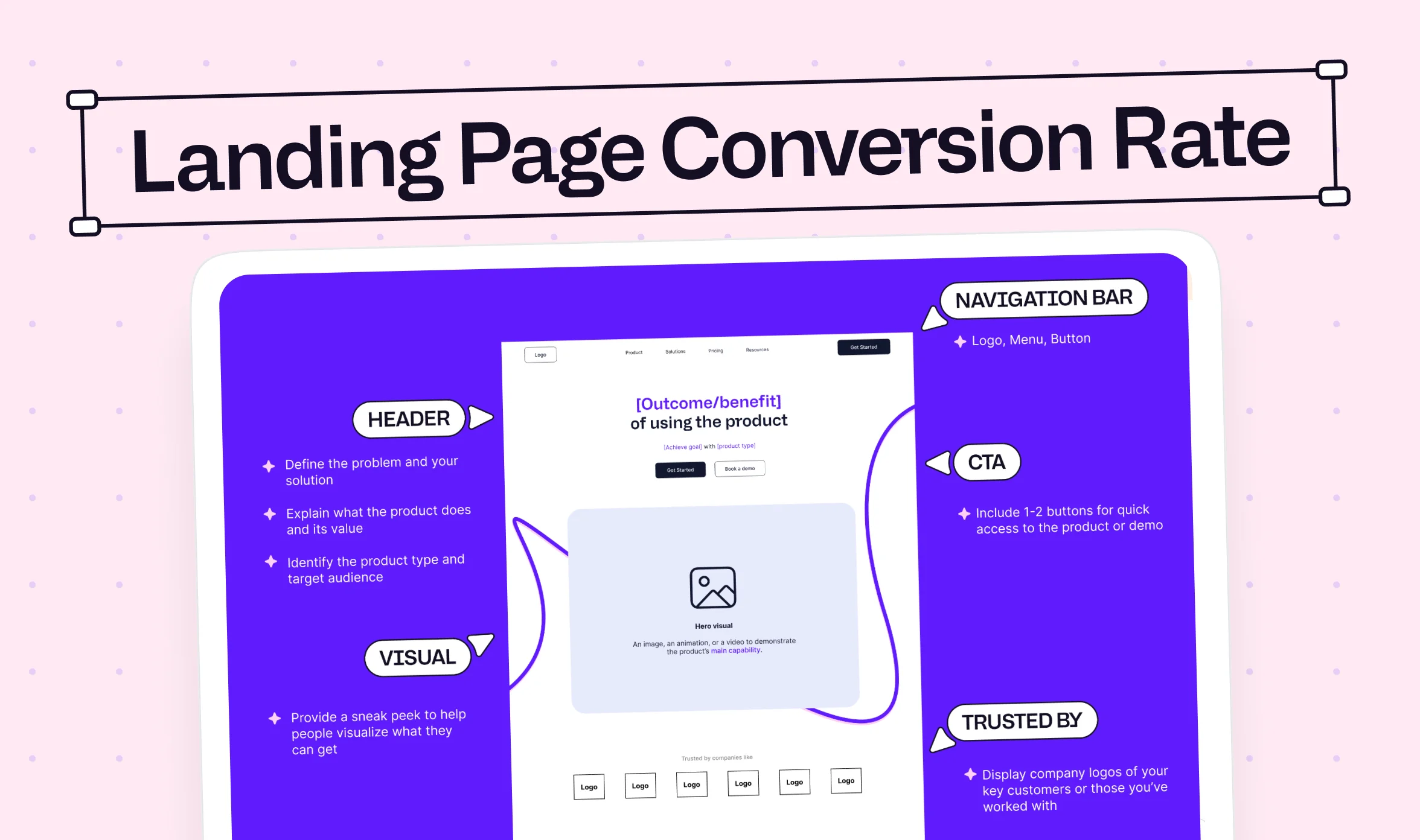
Your hero is where a visitor decides within seconds whether the page is about them, so it carries more weight than any other section. A headline that only names the category, such as "the modern platform for teams," is the SaaS version of a shop sign that says "Store," because it could describe any competitor and tells the visitor nothing about the outcome.
- Run the 5-second stranger test: Show the hero to someone outside your company for five seconds, then ask what the product does and who it is for, because you know the product too well to see the page as a newcomer does.
- Lead with an outcome and name the audience: Write a headline that says who the product is for and what result it creates, since an outcome-led headline gives the visitor a reason to read the second line.
- Show one primary CTA above the fold: Check desktop and mobile without scrolling, and keep secondary actions visually quieter, because competing buttons split the visitor's attention.
- State the commitment next to the button: Add short, true microcopy such as "No credit card required" or "A product specialist will contact you," since uncertainty about what happens next stops many clicks.
- Trim navigation and distractions: Keep only the links a visitor needs to decide, because every extra link gives the visitor another exit before they reach the CTA.
The right button wording depends on the actual offer, so use Table 3 as a starting hypothesis and test it instead of treating it as a rule. For example, a "Book a demo" button on a self-serve product asks visitors to schedule a call when they would rather try the product today.
How it gets built in Webflow: Developers set the primary CTA as a reusable component so the wording and style stay identical wherever it appears. They also define text and button colors as shared style variables, which makes contrast checks easy to repeat after every change. A clear hero still loses visitors when the visuals around it compete for attention, which is the next place to look.

3. Visual hierarchy and product visual checks
A polished hero can still lose to its own visuals, and the signs are easy to spot once you know where to look. Design affects conversion through comprehension, perceived credibility, and how much effort a decision takes, so attractive design alone is not evidence of a better page. These checks look for visuals that explain the product and for decoration that gets in the way.
- Give each section one dominant message: Make sure the heading, supporting text, and CTA read in a clear order, because a large illustration can pull attention away from the headline and the button.
- Show the key workflow in the product visual: Crop the screenshot to the one interaction that proves the value, since a full dashboard image looks impressive but communicates little.
- Keep decoration and motion under control: Remove floating cards, badges, and animations that compete with the offer, because they make the actual product harder to understand.
- Order the sections like a story: Follow a sequence such as header, proof, how it works, features, FAQ, stats, and a final CTA, which is the structure Michael Groff recommends in his SaaS landing page breakdown, because each section answers the question the previous one raises.
- Match every screenshot to the plan: Confirm that each feature shown is available in the plan you are selling, since a screenshot of a feature the visitor cannot get erodes trust at the pricing step.
How it gets built in Webflow: GSAP animations can guide attention to the product workflow, but they should never delay the headline or the CTA. Designers also provide a reduced-motion version so the page stays usable for visitors who turn animation off. Once visitors understand the offer, they look for a reason to believe it.
4. Proof and objection handling checks
Visitors who understand your offer still need a reason to believe it, and that reason has to appear near the claim it supports. A logo wall without outcomes is like a restaurant with a wall of five-star stickers and no review you can read, because it signals popularity without showing what customers actually got. The checks below replace decoration with proof, which gives a skeptical buyer something specific to trust.
- Attach a name, role, and number to your proof: Use testimonials that include the person, company, and a measurable result, since generic praise such as "great product" gives a skeptic nothing to verify.
- Place proof near the hero and the CTA: Put one short result or customer quote close to the main button, because doubt peaks at the moment of the click.
- Match the proof to the promise: If your hero promises faster reporting, show reporting results instead of comments about support, since proof only works when it supports the claim above it.
- Make trust information easy to find: Link to security, privacy, compliance, and review sources such as G2, Capterra, Trustpilot, or Product Hunt near the CTA, and name the standards you meet, such as SOC 2 or GDPR, because enterprise buyers check these before they involve their team.
- Answer objections near the action: Add a short FAQ close to the CTA that covers price, switching, and setup, since an unanswered question gives a ready visitor a reason to wait.
The table below matches common visitor concerns to the evidence that answers them. Use it as a gap check by marking each concern your page answers and each one it ignores.
How it gets built in Webflow: Testimonials and case study snippets usually live in CMS collections, so one customer result can appear near the hero, near the form, and on the pricing page without being rebuilt each time. That setup also makes it easy to swap proof by campaign when different traffic sources need different evidence. Proof earns the click, and the form decides whether that click becomes a lead.
5. Forms, signup, and activation checks
Let's face it, most sales teams do not use every field on a demo form, yet each extra field gives a visitor another reason to stop. That is why the first step is to list every field and ask who uses it.
The right answer also depends on your trial model, because a card requirement lowers signups and raises the share of signups that pay. According to First Page Sage (2025), requiring a card drops visitor to trial from 8.5% to 2.5%, which removes roughly 70% of trials by our calculation. The same data shows trial to paid rising from 18.2% to 48.8%. Neither model is correct, so the audit question is whether your form matches your model on purpose or by accident.
- Give every field a purpose: List each field and name the team that uses it, then remove or move later any field nobody uses, since each extra field adds effort before the visitor sees any value.
- Match the form to your trial model on purpose: A card requirement under a headline that says "try it free, no commitment" creates a mismatch, because visitors feel misled at the exact moment they commit.
- Offer single sign-on where it fits: Add "Continue with Google" or a similar option for self-serve products, because it removes password creation from the signup.
- Test labels, errors, and mobile autofill: Keep labels visible, show error messages beside the field, and keep entered data after a failed submit, since a confusing form loses people who already decided to sign up.
- Track activation, not just signup: Define the first action that shows value, such as importing data, connecting a tool, or inviting a teammate, because a page that raises signups but lowers activation is a poor optimization. Track how long users take to reach that action, known as time-to-value, in a product analytics tool such as Mixpanel or Amplitude.
How it gets built in Webflow: Forms can be built as multi-step forms with visible progress, and hidden fields can pass UTM and click ID values into HubSpot or Salesforce. Developers also add single sign-on links and clear success states, then test the full submission on a phone before the page goes live. A completed signup is only half the job, because the pages after the form decide whether it turns into revenue.
6. Pricing page and next-step checks
You earned the click and the signup, so what does the visitor see next? For most SaaS buyers, the answer is a SaaS pricing page and a first-run screen, and both can undo the work your landing page just did.
Pricing uncertainty can stop a visitor even when the product looks right, and a blank screen after signup can stop a new user before they reach value. These checks cover both moments because they sit directly after your landing page in the funnel.
- Make plan differences clear within seconds: Use simple plan names, a consistent layout, and a recommended plan, since visitors compare options quickly and leave when the comparison takes work.
- Show the real price or explain why it is hidden: If your contract value does not justify "Contact sales," publish the number, because a missing price leaves visitors to guess, and the guess can be higher than the real cost.
- Explain how the trial relates to the plans: State the trial length, whether a card is required, and what happens when the trial ends, since "free trial, then what?" is a question the page should answer.
- Put billing and switching answers near the plans: Cover monthly versus annual billing, cancellation, extra fees, and migration from a current tool, because these concerns come up right before a purchase.
- Make the first-run screen match the promise: Log in as a new user and check that the welcome screen, first task, and one activation milestone reflect what the landing page promised, since a mismatch makes the signup feel misleading.
How it gets built in Webflow: Pricing tables are often built with a monthly and annual toggle, and plan details can come from the CMS so one edit updates every page that shows them. Confirmation and welcome pages are built here too, so they can repeat the promise from the landing page. If you offer a demo instead of a trial, the confirmation page should explain what happens next and how long it takes. Even a well-built page loses visitors if it loads slowly or breaks on a phone, which is the next area to test.
7. Speed, mobile, and accessibility checks
Imagine a visitor on a phone staring at a blank screen while a competitor's page loads in the next tab. That visitor never sees your headline, your proof, or your price, so these checks protect everything the earlier sections build.
According to Google's Web Vitals guidance, the good thresholds are LCP at or below 2.5 seconds, INP at or below 200 milliseconds, and CLS at or below 0.1, measured at the 75th percentile of page visits. These are performance guidelines and not conversion guarantees, so use them to find problems and not to promise a lift. According to Google and Deloitte (2020), a 0.1 second improvement in mobile speed lifted progression through lead generation form pages by 21.6%, although the study is dated and results will vary by site.
- Check Core Web Vitals on field data: Use Google PageSpeed Insights and Lighthouse for diagnostics and WebPageTest for detailed tests, and compare mobile and desktop separately, since your own laptop on office Wi-Fi is not what visitors use.
- Optimize the hero image and third-party scripts: Compress the largest above-the-fold image and audit analytics, chat, and heatmap scripts, because these are common causes of slow loading.
- Redesign the mobile layout instead of shrinking it: Check content order, image cropping, tap targets, and sticky elements on actual phones, since a compressed desktop layout can fit the screen and still hide the CTA.
- Check contrast, keyboard use, and form labels: Test text contrast with the WebAIM Contrast Checker and run a WAVE scan against the Web Content Accessibility Guidelines (WCAG) 2.2, because accessibility problems stop people from completing forms.
- Keep banners and widgets off the CTA: Open the page with the cookie banner and chat widget visible, and confirm neither covers the button or a form field, since a blocked CTA cannot convert.
How it gets built in Webflow: Developers compress and size images, load fonts carefully, and audit every script added through custom code, then recheck performance after each new widget. A staging copy lets the team test a speed fix before visitors see it. With speed, clarity, and proof in place, the last step before any redesign is to confirm you can measure what changes.
8. Measure twice, redesign once: tracking and measurement checks
You might think tracking is a developer task that can wait, but it decides whether any fix you make can be proven. Without clean data, you cannot tell whether a new headline worked or whether traffic simply changed that week. These five checks make your numbers trustworthy before you change anything else.
- Define the conversion event and make it fire once: Test the event on desktop and mobile, since duplicate or missing events distort every rate you calculate.
- Track form starts, errors, and submissions: Compare starts with submissions, because the gap shows where the form loses people.
- Pass UTM and GCLID values into the CRM: Send the Google click ID through the form into HubSpot or Salesforce, so each closed deal traces back to the page and campaign that produced it.
- Measure qualified leads and activation: Track marketing qualified leads (MQLs), product qualified leads (PQLs), and activation next to raw submissions, because more leads do not help if sales cannot use them.
- Record a baseline and annotate every release: Note the date of each change, because without annotations you cannot link a rise or a drop to its cause.
You can run most of these checks with free tools, and the table below shows what each one does best and where it stops.
How it gets built in Webflow: Developers add event tracking through Google Tag Manager or custom code, pass hidden UTM and click ID fields through every form, and test each event before launch. A staging copy lets the team verify tracking without touching the live page.
{{cta}}
What to fix first: score every CRO issue by impact, confidence, and effort
You now have a list of failed checks, and the next job is turning it into a plan you can finish in a week instead of a backlog that keeps growing. Score each issue from 1 to 5 for impact, confidence, and effort, then multiply impact by confidence and divide by effort. The score is a heuristic and not a forecast, but it makes the order of work easy to defend with your team.
Testing button colors before fixing a broken form is like polishing the car while the engine is still on the garage floor. Testing also has a low success rate, which is another reason to diagnose first. According to Ron Kohavi at Microsoft (2013), fewer than a third of tested ideas at Bing improved their target metrics, although the figure is dated.
Work through the order below by default, since a broken form or a tracking error makes every later test unreliable.
That order works for any team, but step 7 assumes you have enough traffic to run tests. If your page does not, the next section shows what to do instead.
How to test a SaaS landing page without enough traffic for A/B tests
Let's be honest, most early-stage SaaS pages do not get enough traffic for a clean A/B test, and waiting months for a result is not a plan. You can still learn quickly with methods that need people instead of volume, and each one answers a different question.
When you do have enough traffic, write each test as a hypothesis, a change, a primary metric, and a guardrail metric such as lead qualification or demo attendance. For example, you might state that visitors do not understand how the product helps their team, replace a generic headline with a specific outcome, and measure qualified demo bookings per eligible visitor. That template is also the short answer to how to A/B test B2B SaaS landing page designs, because it forces you to pick one high-impact uncertainty and set the guardrail before the test starts. If your traffic supports it, tools such as Optimizely, VWO, and AB Tasty can run the experiment and report significance.
What fixing these checks looks like in a Webflow build
Knowing which checks failed is half the job, and the other half is shipping the fix without waiting weeks in an engineering queue. That's where the build work comes in, because a landing page only improves when someone can change the layout, the copy, and the tracking quickly and safely.
You choose the priorities, and a Webflow team can turn them into live changes. Designers hand work over from Figma to Webflow, so the layout you approve is the layout that ships, and every change goes through a staging and push-to-live process before visitors see it. magier is a Webflow Premium Partner, and you can see how magier handles Webflow development if you want help with the build.
"Most speed problems we find in Webflow builds come from scripts and heavy images added over time, not from Webflow itself. Checking what loads above the fold usually finds the biggest win before anyone touches the design."

Should you fix it yourself or get help?
Once you know what to fix, the next decision is who does the work, and the answer depends on your time, budget, and the skills your team already has. You might be thinking a subscription sounds more expensive than a freelancer, so the table below compares the options on the factors that usually decide it.
A freelancer can be the right choice for one defined deliverable, and doing it yourself works when the page is simple and you have time. A subscription fits best when you expect to fix and test the page repeatedly, because the fixed fee does not change with each round of changes.
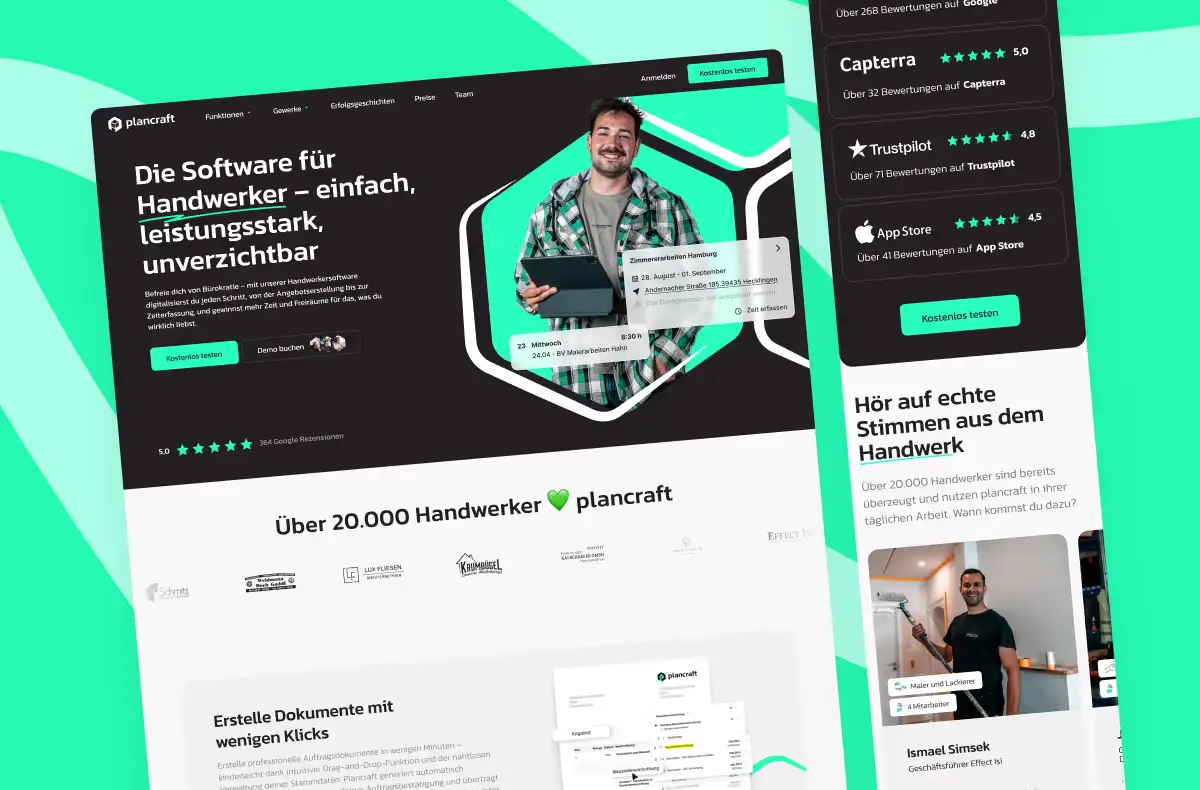
Two magier clients show what the third option looks like in practice, and in both cases the biggest benefit was time the team did not have to spend. The first, plancraft, is a VC-backed software company for tradespeople that needed a new website without waiting six months for results. According to the plancraft case study, magier delivered the redesign in four months and handled the technical work that often derails a redesign, including a multilingual CMS setup and a domain migration that kept search rankings stable. The new site paid for the whole project within 30 days of launch.
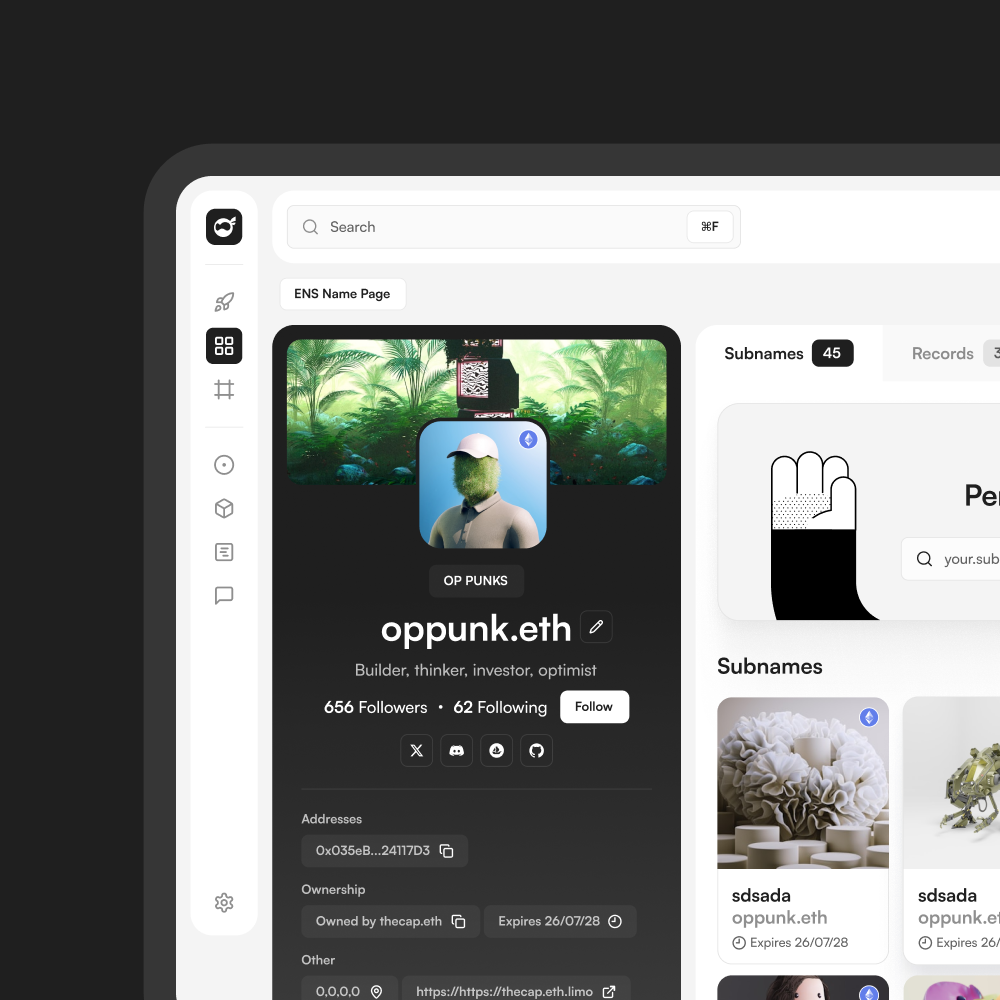
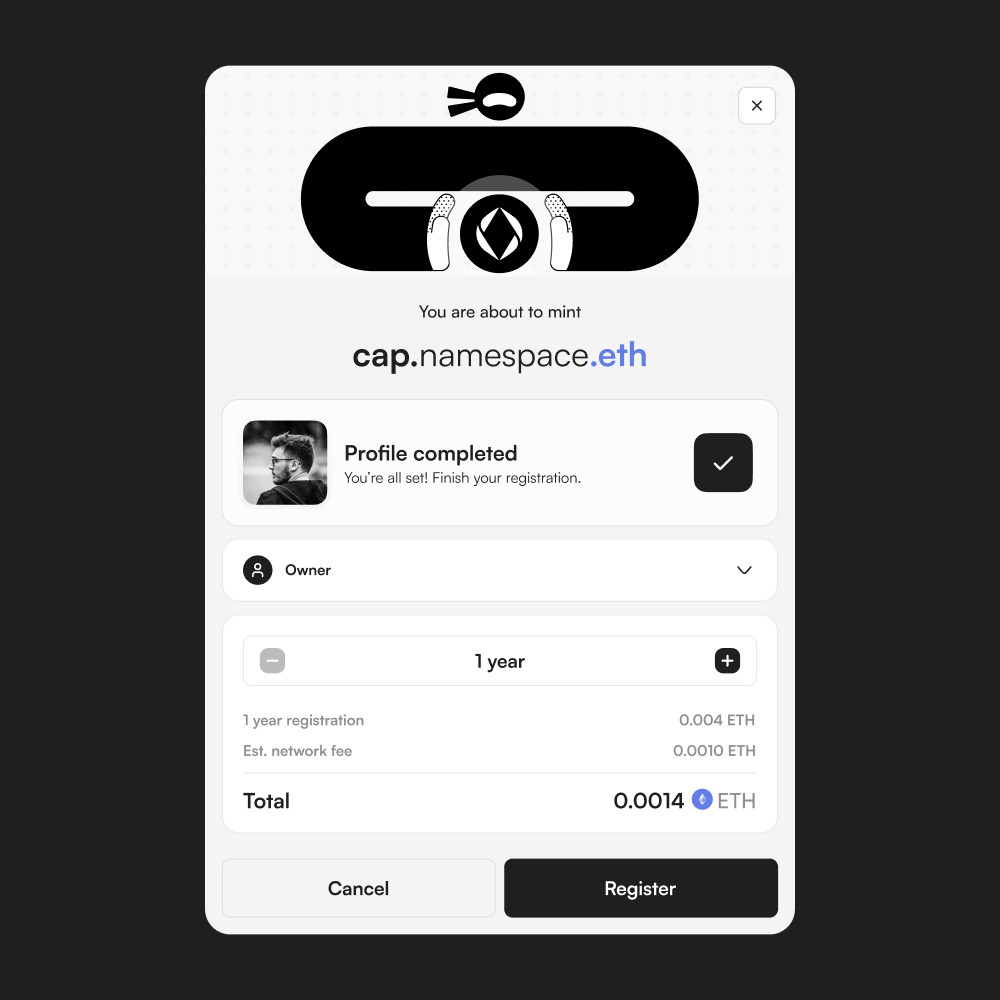
Namespace, a Web3 identity company with a team of five to eight people, had a founder doing the design himself on top of running the company. The Namespace case study reports 15 hours saved per week and a cost 45% lower than the alternatives the founder considered, and the developers received design-ready files they could build from directly.
In both cases, a stretched team handed off the design and technical work and kept its own time for the product, which is the strongest argument for a subscription when you expect to fix and test your page more than once. If you want to talk through which option fits your team, you can book a free demo with magier.
Your next step
A SaaS landing page converts better when you fix the stage that is actually leaking, and the 40 checks above give you a way to find it and a sequence for fixing it. If your page has been through several headline rewrites with no change, the stage check at the start is likely the missing piece.
Running these checks takes work, especially when your team is already stretched across design, development, and campaigns. You do not need to finish all 40 in one week, so start with sections 1 and 2 and add the rest as your funnel data points to them.
That's exactly what magier exists to help with. Our designers and Webflow developers work under one subscription, and you can see how magier covers both design and Webflow if you would rather hand off the fixes. We have a rating of 4.9 out of 5 across 100+ reviews on Trustpilot, so you can check our work before you book a call. To get started today, find the funnel stage that sits below its benchmark in Table 1, pick the matching section, and run only those five checks this week.
FAQ
A SaaS landing page is a page built for one goal, such as a free trial, a demo request, or a signup, usually reached from an ad, an email, or a search result. It focuses on one audience and one next step, so it has fewer links than a homepage.
According to Unbounce's Conversion Benchmark Report (Q4 2024 data), the median SaaS landing page converts at 3.8%, compared with 6.6% across all industries. A good rate also depends on your trial model and traffic source, so compare each funnel stage with its own benchmark instead of one blended number.
To optimize conversion rates for SaaS landing pages, find the funnel stage that sits below its benchmark and fix issues in order of impact, confidence, and effort. Broken forms and tracking come first, followed by message match, friction, proof, and speed. Test one large change at a time and measure lead quality alongside conversions.
Write a hypothesis, change one meaningful element, and choose a primary metric and a guardrail metric before you start. Run the test long enough to reach a stable result, and avoid stopping early because one version looks ahead. If your traffic is low, use 5-second tests, session recordings, and before and after comparisons instead.
Include only the fields your team actually uses, because each extra field adds effort before the visitor sees any value. A demo form can collect more information than a self-serve signup, but both should be judged on lead quality and not only on submission rates. You can move extra questions to a later step.
Lead with an outcome and name the audience, show one clear CTA, and place specific proof near that button. Keep forms short, answer pricing and switching questions on the page, and keep load times within Google's Core Web Vitals thresholds. Measure qualified leads and activation, not only submissions.
For self-serve products, showing pricing helps visitors judge fit before they invest time in signup. For enterprise products, a tailored quote may be needed, but the page should still explain the plan structure and the buying process. Test pricing visibility against qualified conversions and not only click-through rate.
Run a full audit at least once each quarter and after any major change to your product, pricing, or campaigns. Between audits, review your key funnel stages each month so you spot a drop early.
Google Analytics, Microsoft Clarity, Google PageSpeed Insights, Google Search Console, and WAVE cover analytics, behavior, speed, organic queries, and accessibility. Check each tool's current availability and consent requirements before you install it, because session recording tools can collect personal data.
.avif)