Webflow vs Storyblok: Which CMS to Choose in 2026
Imagine two marketing teams launching a nearly identical SaaS website this quarter. One team ships their site in an afternoon and keeps updating it themselves for the next two years. The other team spends six weeks building a frontend, then spends every future update waiting on a developer's calendar. Same goal, same budget range, completely different outcome, with only one different variable: the CMS they picked.
This is a real contrast between two situations, which is the reason why people look for comparisons like Webflow vs Storyblok in the first place. Both Webflow and Storyblok are impressive in their own arena, and they solve two different problems. Picking the wrong one for your team's actual makeup costs a lot more than picking the wrong one for your project.
Research on CMS adoption shows that 82.91% of teams who switched to a headless setup reported real improvement in time saved, budget, or overall productivity. That's a meaningful number, but it only tells half the story, because the other half depends entirely on whether your team has the developer support a headless setup actually needs, which is often a case of concern with Storyblok.
This guide is written for marketing teams and founders trying to make this call for their own site. Here's what this guide covers:
- What Webflow and Storyblok each actually are
- A side by side comparison across cost, CMS, design control, maintainability, SEO, localization, and security
- A decision framework built around your team's composition
- What a real week looks like publishing a campaign page on each platform
- A few other CMS platforms worth knowing about
- A checklist to pressure test your decision
Before comparing anything, it helps to name what's actually being compared, because these are different categories of tool, and that difference is the source of most of the confusion in this conversation.
Quick glance: Webflow vs Storyblok
{{freebie}}
What is Webflow?
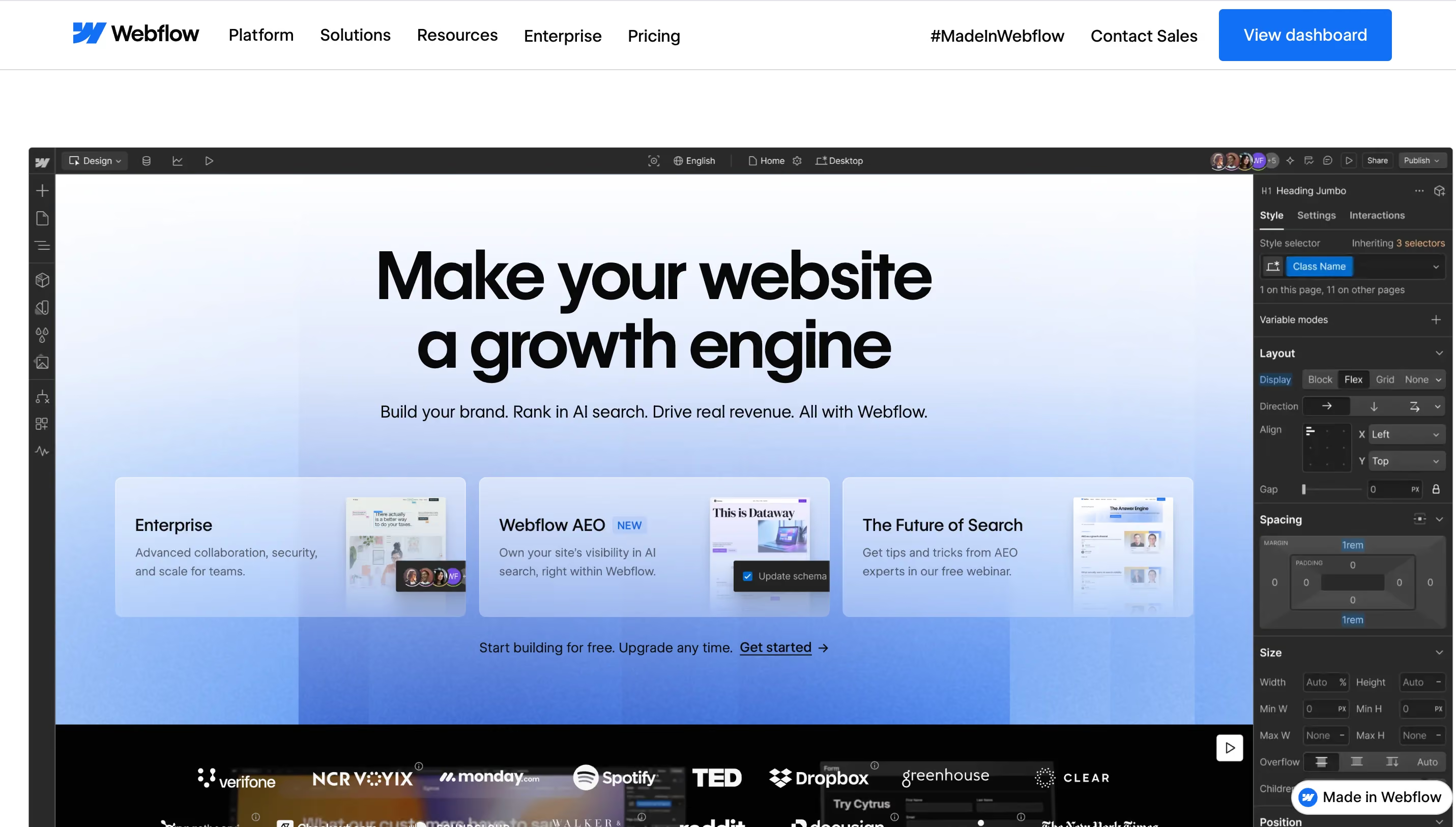
Webflow is a visual platform that combines a design tool, a CMS, and hosting in a single environment. You design in a browser-based editor that generates clean HTML, CSS, and JavaScript, and you publish straight to Webflow's own infrastructure without managing servers or deploy pipelines. The CMS supports structured content types with reference fields, and the design system uses variables and reusable components that propagate changes across the whole site automatically.
Webflow was built for teams that need a site to launch, grow, and change over time without constant developer involvement. If your marketing team is comfortable with tools like Figma or Canva, the learning curve tends to be short, and that's a big part of why so many B2B marketing teams default to it. You can learn more about Webflow, especially what it means for a marketer, from this blog.
{{cta}}
How Webflow works
Webflow uses a low-code model that still gives you full CSS control underneath, so designers get precision without waiting on an engineer for every layout change. Design, content, and hosting all live in the same environment, which is what makes the day-to-day workflow feel fast once a team gets used to it.
Webflow's core strengths are:
- Full control over layout and spacing
- Responsive design built into the standard workflow, not bolted on
- Custom animations without manual scripting
Webflow tends to be the better fit for:
- Teams and agencies that prioritize speed over deep customization
- Marketing groups that need to publish their own updates
- Any B2B company that ships new pages often enough that a developer bottleneck would actually hurt
What is Storyblok?

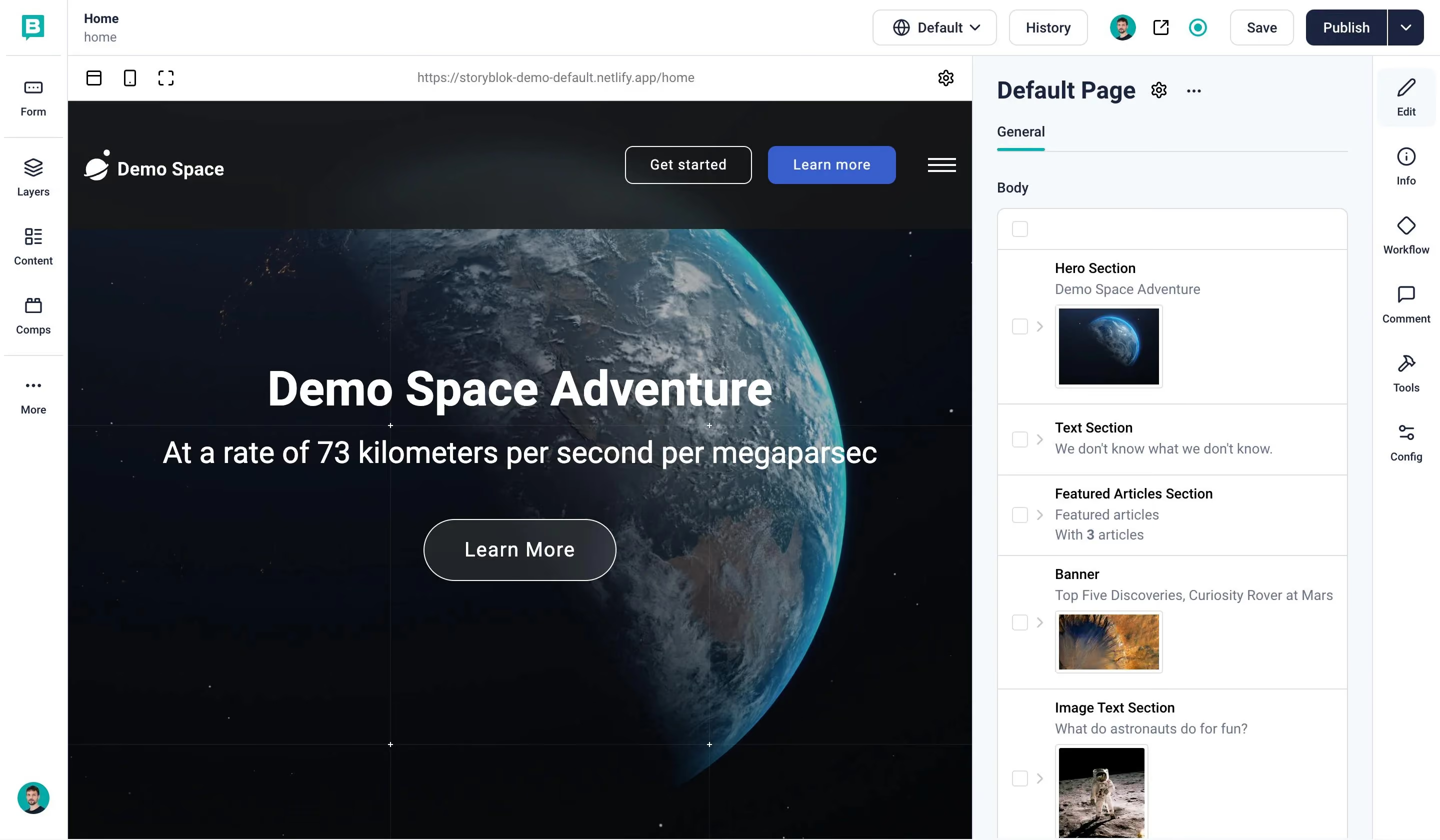
Storyblok is a headless CMS, which means content management lives separately from however your site actually displays that content. Instead of designing pages inside the CMS itself, developers build a frontend using a framework like Next.js, Nuxt, or Astro, and that frontend pulls content from Storyblok through an API. Content teams work inside Storyblok's visual editor, but the editor can only show and rearrange the components a developer has already built for it.
This structure makes Storyblok especially strong for teams pushing the same content across multiple destinations, such as a website, a mobile app, and an internal knowledge base. If your company treats content as something that needs to move across several products rather than live on one site, Storyblok's component model was designed with exactly that problem in mind. That approach is gaining ground quickly, with the headless CMS market projected to grow by more than 400% by 2031.
How Storyblok works
Storyblok has no built-in design layer or hosting of its own. You choose a frontend framework, commonly React, Vue, or the Next.js, Nuxt, and Astro options mentioned earlier, and connect it to Storyblok through its API, which is where the actual content lives and gets managed.
Storyblok's core strengths are:
- Nested, reusable components that can represent anything from a text field to a full page section
- Strong versioning and approval tools built for larger content teams
- Native support for managing content across multiple languages
Storyblok tends to be the better fit for:
- Engineering-heavy teams already building and maintaining custom frontends
- Companies distributing the same content across several channels at once
- Projects with deep, multi-region localization needs

Webflow vs Storyblok side by side
Here's where the two platforms actually diverge once you get past the surface-level pitch. Each subsection below covers one characteristic in detail, with a table you can scan quickly and a short explanation of why the difference matters in practice.
Cost
Webflow's pricing is a single monthly fee that includes hosting, the CMS, and the design environment. Storyblok's pricing covers the CMS only, and you'll need to add frontend development time, hosting, and ongoing maintenance on top of that subscription to get a full picture of the real cost.
The honest comparison isn't plan price against plan price. It's Webflow's all-in monthly fee against Storyblok's subscription cost, plus separate hosting, plus developer hours spent building and maintaining the frontend that actually renders your content. For an active site with regular content updates, the total cost of ownership on the Storyblok path often catches up to Webflow once you count the engineering hours involved.
Content management and CMS
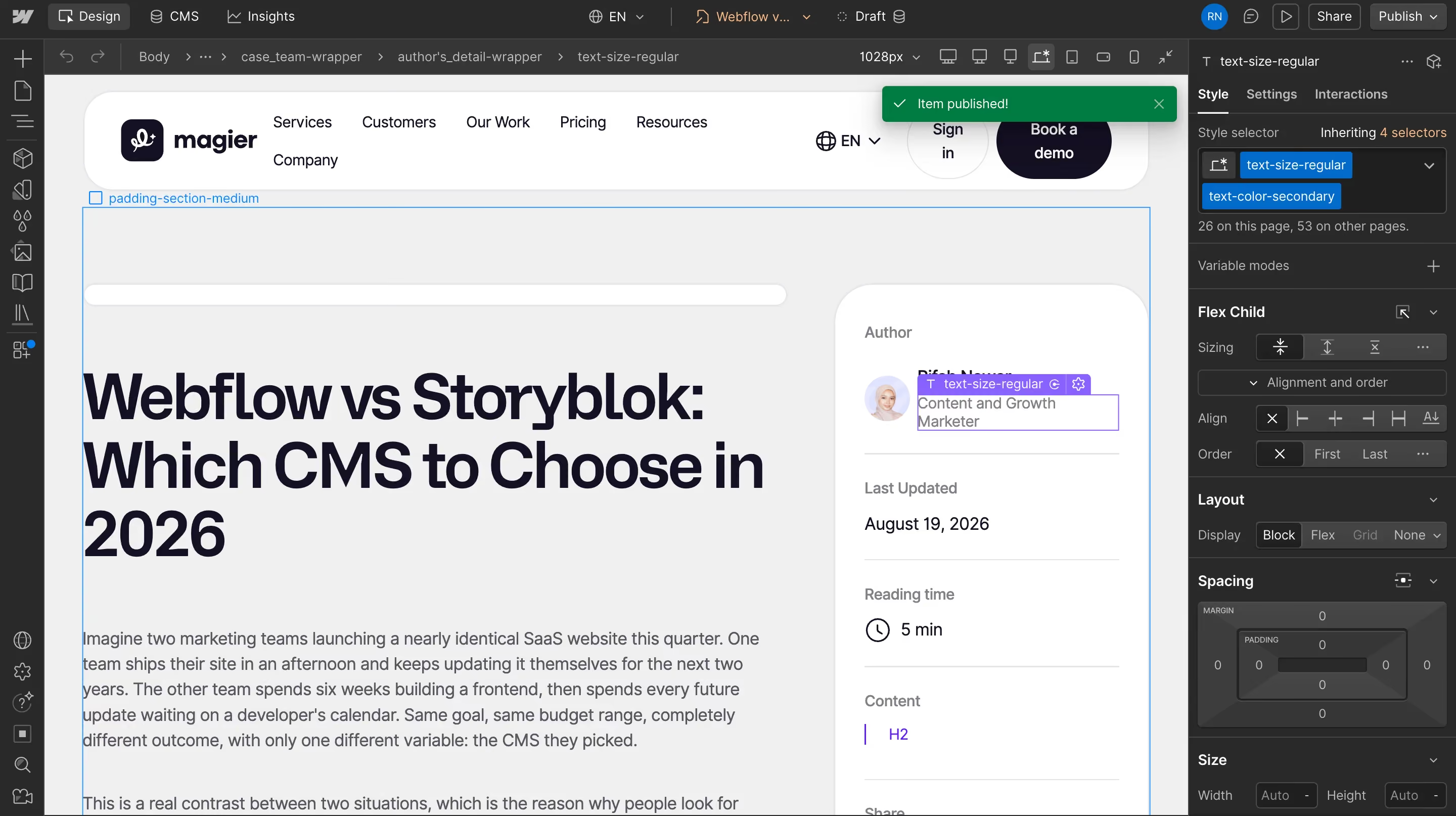
This is the category where the difference between the two platforms is widest, and where it matters most for a marketing team. Webflow's CMS is a structured content database built directly into the same environment where you design pages, so a marketer can add a blog post, a case study, or a team member profile without a developer touching anything.
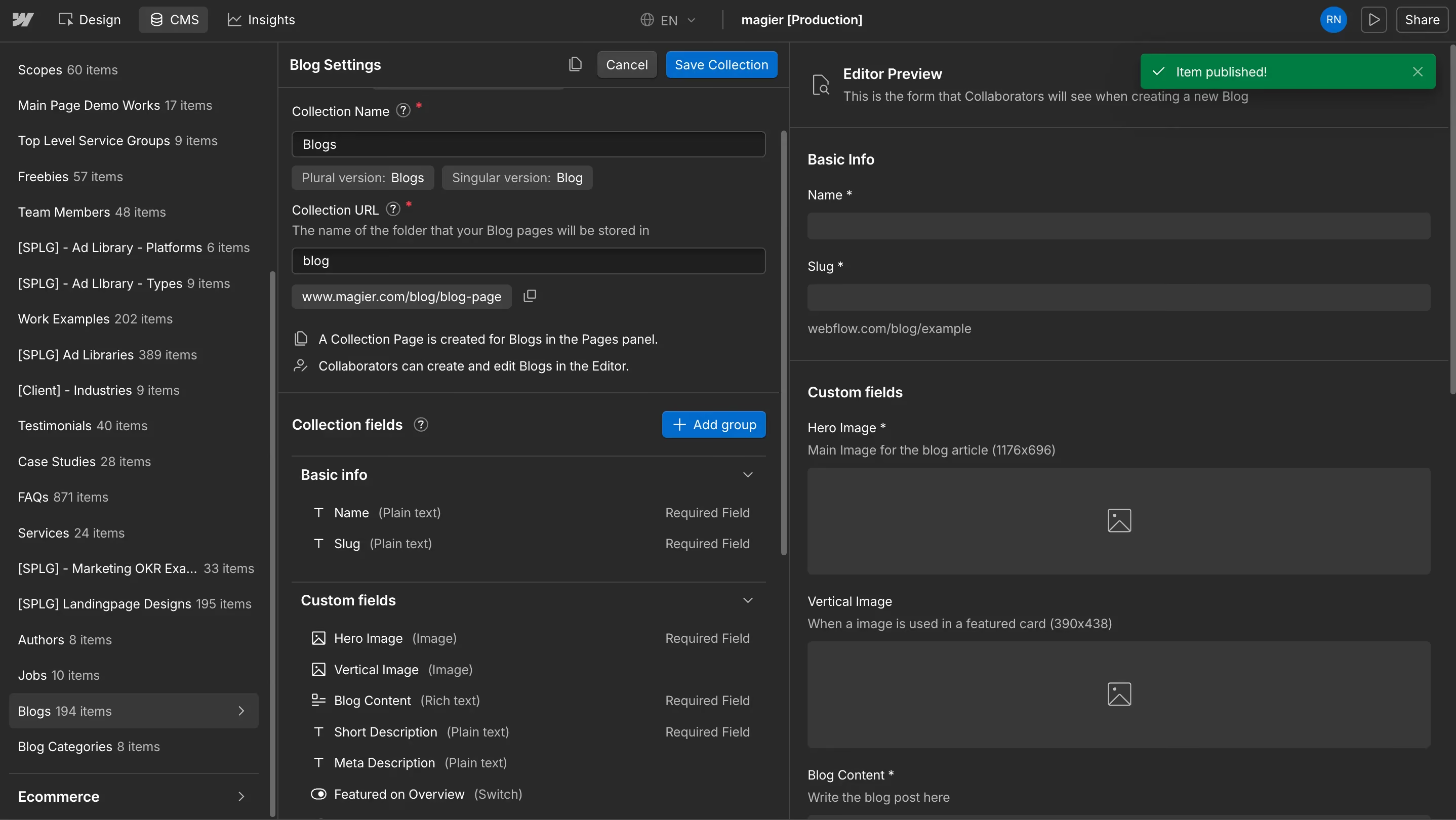
Storyblok's CMS is also structured, using a component-based model called "bloks" that developers define once and content editors reuse repeatedly. That's why teams pushing content to more than one destination tend to prefer Storyblok, since the same content model can power a website, a mobile app, and other channels from a single source.
If your content lives on one website and mostly stays there, Webflow's CMS covers what you need without extra setup. If you're already managing content across a website, an app, and a partner portal, Storyblok's component model saves you from duplicating that content in three separate places.
Storyblok's architecture is often described as MACH, short for microservices, API-based, cloud-native, and headless. That's a technical way of saying the platform is built from independent, swappable pieces rather than one bundled system, which is exactly why it fits so naturally into a broader composable tech stack.
Design control and visual editing
Webflow gives you pixel-level visual control through a design token system. Change a color or a font in your variables, and it updates everywhere the token is used across the site, which is a major part of why Webflow appeals to design-led teams without a dedicated developer.
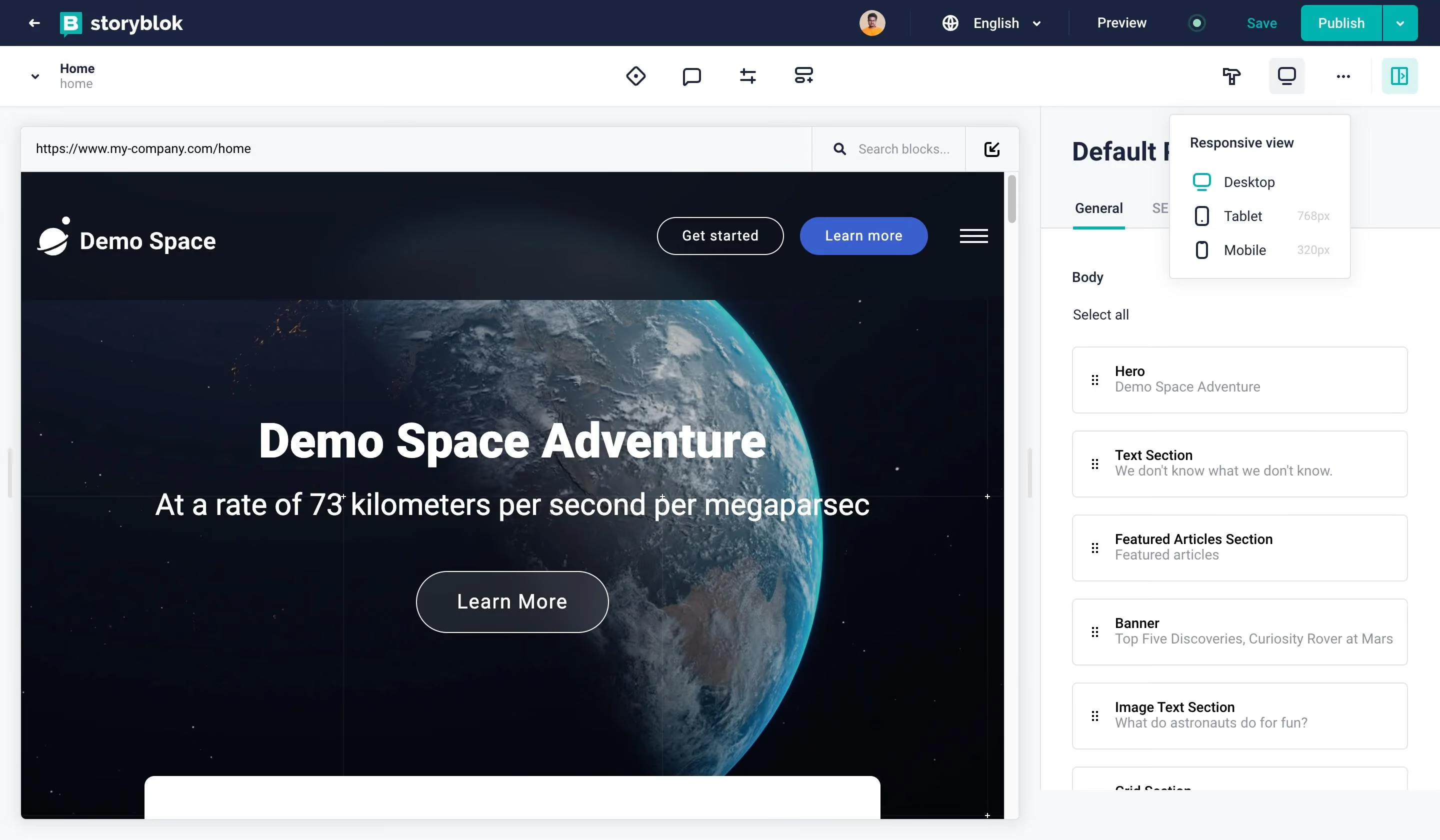
Storyblok's visual editor is impressive, letting content editors see the live page, click into components, and rearrange them in a preview. The catch is that every component available in that editor had to be built by a developer first, so a marketer asking for a new layout is really asking a developer to build it before anyone can use it visually.
"Design tokens are Webflow's real advantage, not the drag and drop builder itself. Once your brand lives inside variables, updating it becomes one change instead of fifty."

Maintainability and long-term ownership
In Webflow, updating a shared component or a design setting once applies that change across every page using it. A marketer can swap a headline, update an image, or publish a new page without understanding any code, and enterprise-tier features like page branching and approval workflows let multiple people work on the same site without stepping on each other.
Storyblok has similar collaborative tooling on the content side, but structural changes to the site still route through a developer and a deploy step. That's not necessarily a downside, but it does mean the pace of change depends on how much frontend engineering time your team has available week to week.
SEO and AEO
Webflow handles title tags, meta descriptions, canonical URLs, automatic sitemap generation, and structured data natively, and it's expanded its tooling specifically for visibility in AI answer engines like ChatGPT, Perplexity, and Google's AI Overviews. Storyblok can support all of the same things, but the outcome depends entirely on how well the connected frontend implements them, since the CMS itself doesn't ship SEO tooling.
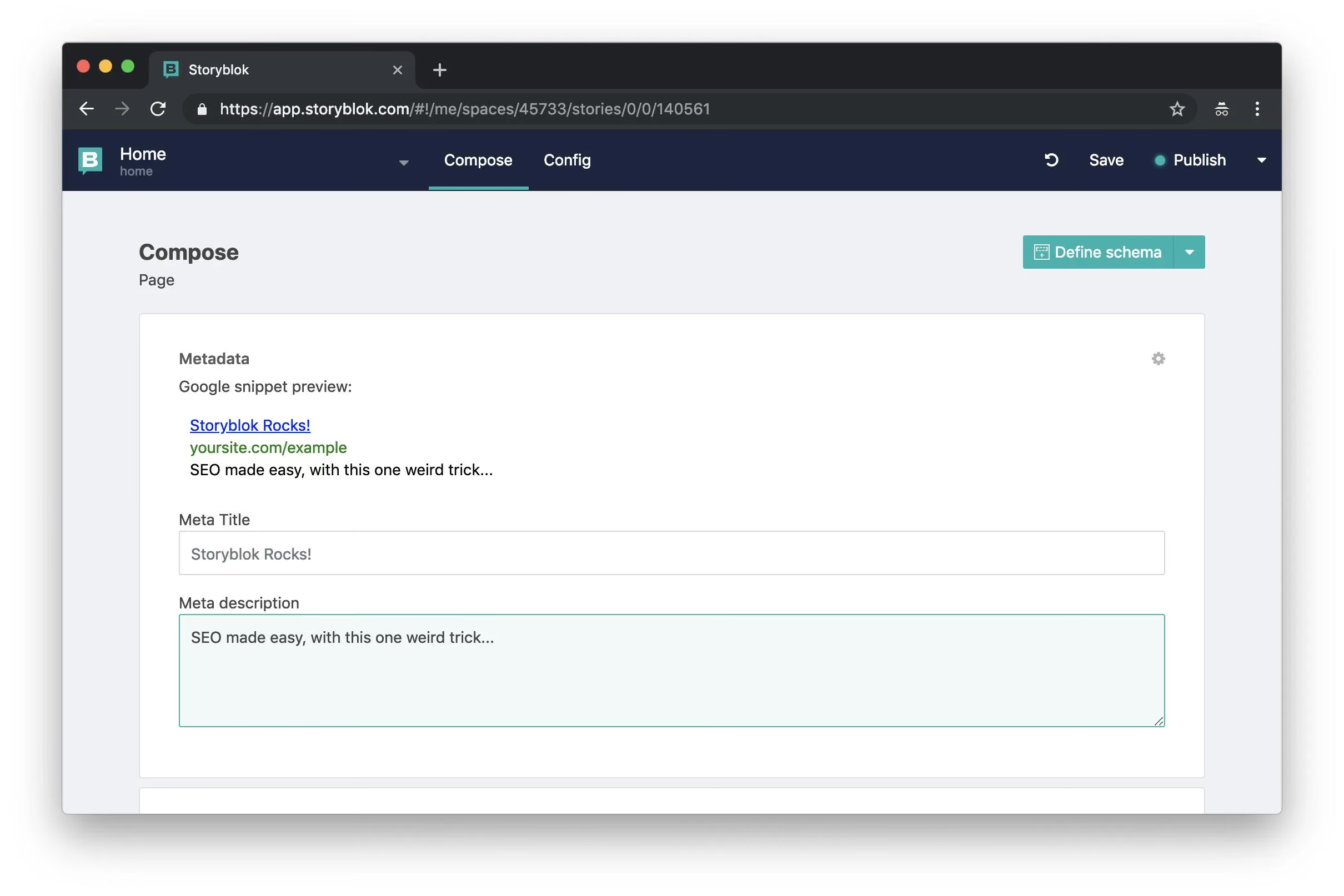
A good engineering team can build an excellent SEO setup on top of Storyblok, and plenty do. But it's worth being honest that "Storyblok is better for SEO" isn't automatically true. It's true only when the frontend team has already put in the work to make it true.

Localization and multi-channel content
This is where Storyblok's architecture earns its reputation. Content models can support language variants and field-level translation, which means a team can manage ten or more regional versions of the same content without duplicating entire pages for each market. That same content model can also feed a mobile app, a documentation site, or a partner portal from a single source, which is exactly the kind of setup a growing, multi-market company needs.
Webflow also supports localization, and it's a strong feature for teams running two or three regional variants of a marketing site. But once you're past a handful of languages or need that same content reused outside the website itself, Webflow's structure starts to feel more stitched together than purpose built for the job.
Security and compliance
If your company sells into enterprise clients who send security questionnaires, this category deserves attention before anything else on this list. Webflow Enterprise includes SOC 2 Type II certification, native GDPR compliance, SSO integration, and DDoS protection through Cloudflare, all included out of the box.
A Storyblok-powered site has none of this by default on the frontend side, since Storyblok covers the CMS layer only. Every piece of compliance infrastructure has to be built into whatever hosting and frontend stack your developers choose, which is a real engineering lift that smaller teams tend to underestimate.
Webflow or Storyblok: quick decision guide
When our clients are confused between the two, this is the framework we share with them. The clearest way to think about this decision is by looking at your team, not just your project. "Marketing site goes to Webflow, complex content operation goes to Storyblok" sounds simple enough on paper.
But two companies with nearly identical websites can land on opposite answers depending on who's actually going to maintain the site. A team of three developers with no dedicated marketer operates completely differently from a team of one marketer with no developer at all, and that's what actually decides which platform fits instead of the project label.
The table above covers the six team profiles we see most often, but if your situation doesn't map neatly onto one row, these two quick checks usually settle it.
Choose Webflow if most of these are true for your team:
- You have one marketer and no dedicated developer
- Your content lives on a single website and isn't feeding an app, portal, or other channel
- You need to publish and edit pages without filing a developer ticket every time
- Your budget and timeline favor a working site in weeks, not months
Choose Storyblok if most of these are true for your team:
- You already have developers who build and maintain custom frontends
- Your content needs to reach more than one destination, such as a website, an app, and a partner portal
- You're managing localization across ten or more markets
- Architectural flexibility matters more to your team than getting live fast
One thing worth mentioning is that team composition changes. The right platform for a two-person startup isn't automatically right for the same company at twenty people, so this is a decision worth revisiting once a year rather than treating as permanent.
What our team at magier thinks
We're a Webflow partner, so take this with that in mind, but our honest read after building on both sides of this decision is that most marketing-led teams are overthinking it. If your content lives on one site and your team doesn't have developers to spare, Webflow will get you further, faster, for less money than people expect. Storyblok earns its place the moment content needs to live in more than one product, not before.
Migrating between Webflow and Storyblok
Migration is its own decision, separate from choosing a platform for a new project, and it deserves a more cautious approach than a quick platform swap. Run through the following steps before committing to either direction.
- Audit your existing content model: List every content type, field, and relationship in your current CMS before you start mapping it to a new one.
- Map content types to the new platform's structure: In Webflow, this means Collections and fields. In Storyblok, this means components and their nested fields.
- Plan your frontend before migrating to Storyblok. Since Storyblok has no built-in frontend, confirm your developers have a framework and hosting plan ready before content migration begins.
- Export and transform your content: Most CMS migrations move through a CSV or JSON export, then a transformation step to match the new platform's schema.
- Set up redirects for every URL that changes: This step protects existing search rankings, and skipping it is one of the most common causes of traffic loss after a migration.
- Test the migrated site in a staging environment: Check that every content type displays correctly and every internal link resolves before publishing.
- Run a full QA pass before the DNS switch: Confirm forms, structured data, and metadata all migrated correctly, not just the visible content.
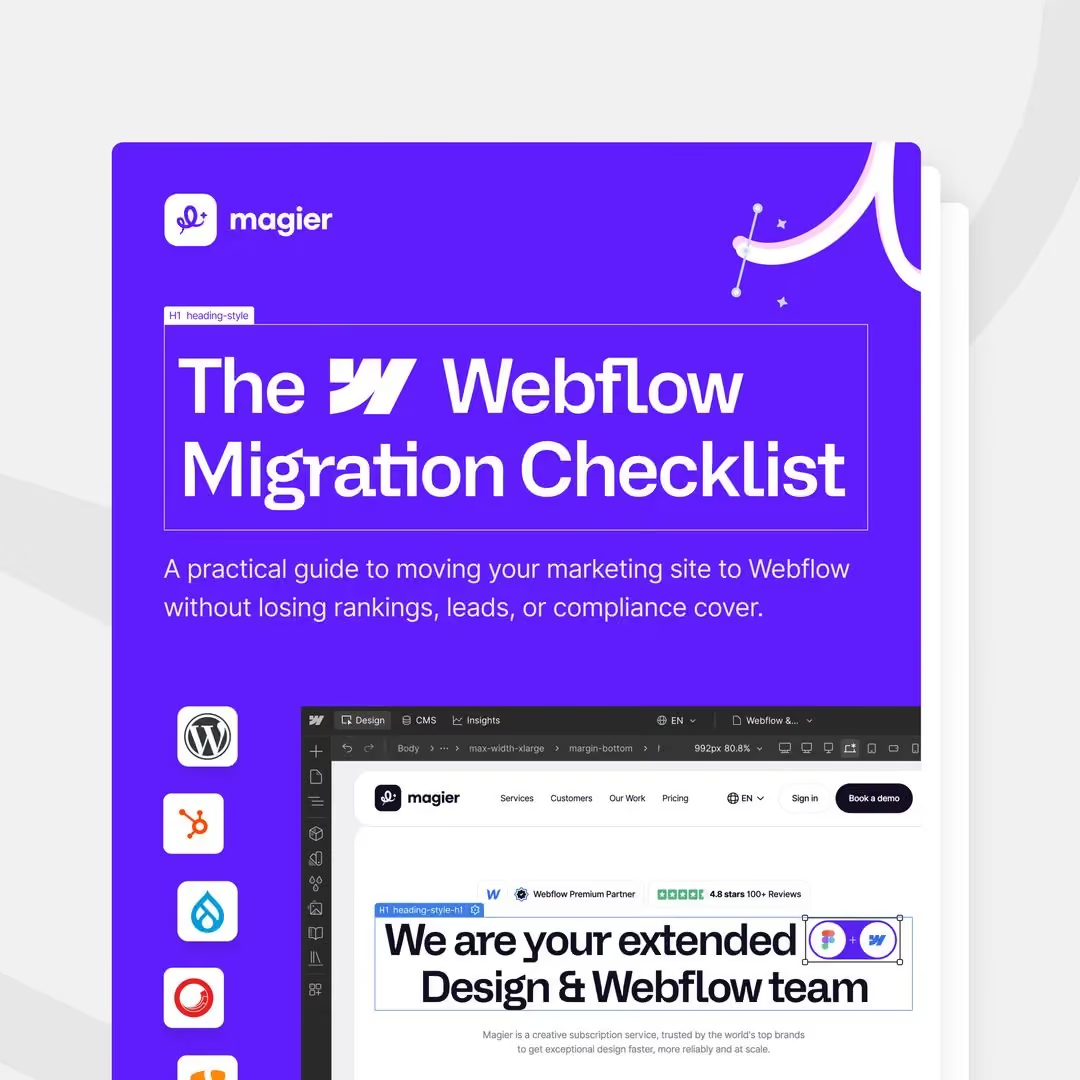
For a detailed guide, refer to the freebie we listed on top of this blog.
If you specifically need Storyblok's multi-channel architecture and you're currently on Webflow, migration can be worth the effort. But for an active, revenue-generating Webflow site that's already working, the safer path is often to expand what Webflow already gives you rather than rebuild from scratch.
Other CMS platforms worth considering
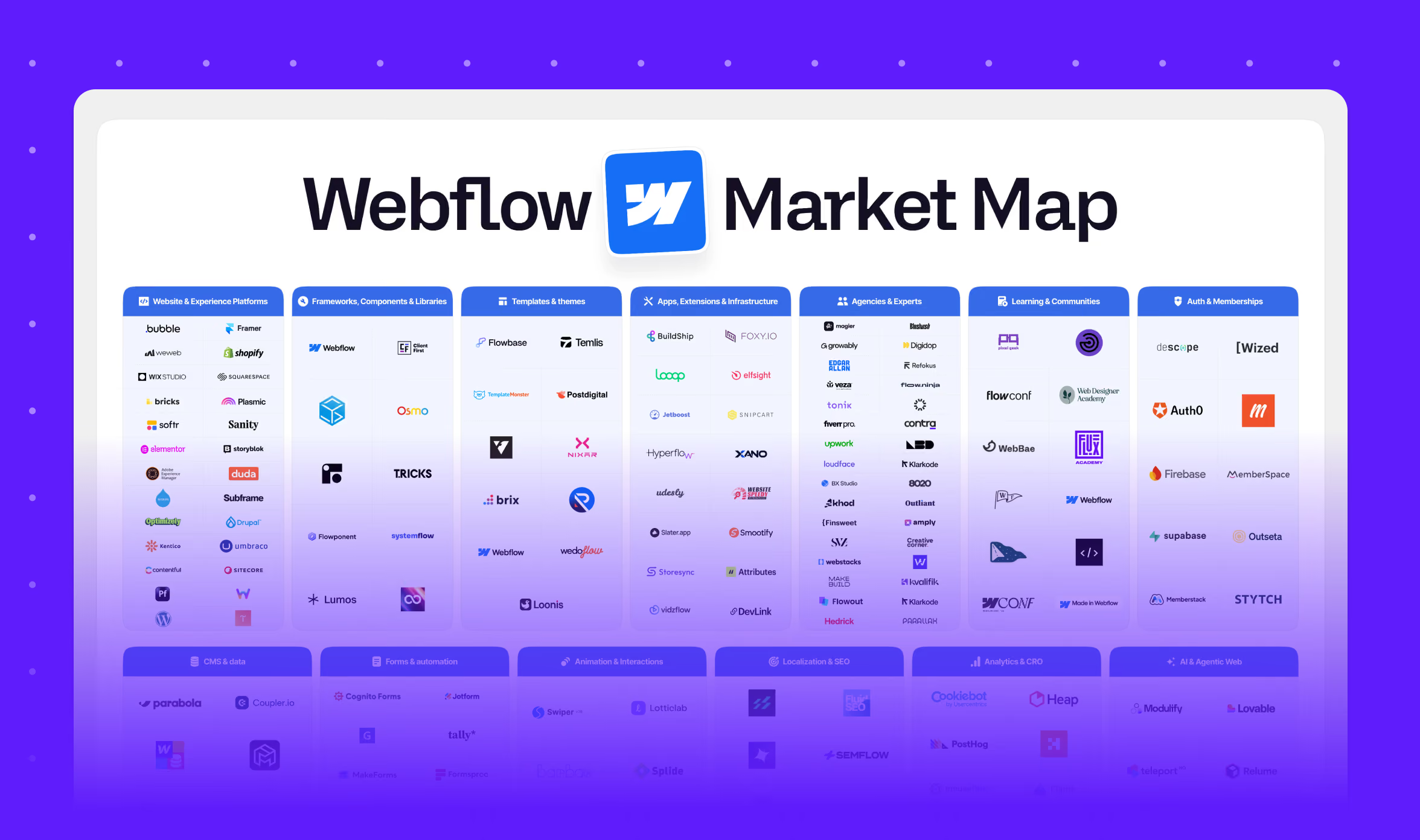
Webflow and Storyblok aren't the only two options, and a few other platforms are worth knowing about depending on your specific needs.
A simple checklist before you decide
Run through these questions with a clear head before committing to either platform, since an aspirational answer here tends to show up as a maintenance problem later.
- Do you have at least one person who will maintain and update this site regularly?
- Does your content need to reach more than one destination, such as a website, an app, and a partner portal?
- Is your team currently marketer-led, developer-led, or a genuine mix of both?
- Does your company face compliance requirements like SOC 2 or GDPR that a client will actually verify?
- Will more than one person need to edit this site, and do you need an approval workflow before changes go live?
- Do you already have Webflow experience or existing Webflow sites in your stack?
- Is the content complexity you're managing something a handful of static pages can't handle?
If most of your answers point toward "we need a site a non-technical team can update and grow," Webflow is the shorter path. If they point toward "we need structured content that reaches multiple destinations, and we have the developers to build it," Storyblok gives you the architecture for that.
Final thoughts
Both Webflow and Storyblok are strong, well-built platforms, and the right one for your team depends on your content complexity and who's actually going to maintain the site, not which platform sounds more impressive in a sales deck. Setting up either one properly still takes real work, whether that's learning Webflow's design environment or building out Storyblok's frontend and component library.
For teams that want professional design and development support once you've picked Webflow, you can check out magier's Webflow development services.
Pick the section most relevant to your team's situation, and use the checklist above to pressure test your decision before you commit.
FAQ
Yes. Webflow is growing at roughly 10% CAGR and recently shipped major AI integrations. It powers marketing sites for Spotify, Dropbox, Monday.com, and Zendesk. The platform is more relevant in 2026 than it has ever been.
Storyblok is built for teams that need to push the same content across multiple channels, such as a website, a mobile app, and a partner portal, without duplicating that content in separate systems. Its component-based model also supports strong localization for companies managing content across many markets.
No. Webflow continues to expand its CMS and AEO tooling, and it remains one of the most widely used visual builders for marketing teams. Headless platforms like Storyblok solve a different problem and serve a different type of team rather than replacing Webflow's use case.
There is no single better tool, only a better fit for your situation. Among Webflow alternatives, Framer suits simple visual sites and Squarespace suits quick brochure sites, while Contentful, Sanity, or Strapi fit teams that need a headless CMS feeding multiple channels.
Webflow's monthly fee includes hosting and the CMS, while Storyblok's subscription covers the CMS only, and you'll need to add frontend hosting and developer time. For most small to mid-sized teams, Webflow's all-in pricing ends up being the lower total cost once engineering hours are factored in.
Only if you specifically need Storyblok's multi-channel content architecture and have the developer resources to build and maintain a custom frontend. For most active, revenue-generating Webflow sites that are already working well, migration introduces more risk than it resolves.
Start by looking at your team's composition rather than the project type alone. If you have one marketer and no dedicated developer, Webflow is the shorter path, while a team with developers managing multi-channel content is better served by Storyblok's architecture.
Yes, as long as you set up proper redirects for every changed URL and preserve your existing metadata and structured data during the move. Skipping the redirect step is the most common cause of ranking loss in any CMS migration, not the migration itself.
Webflow ships strong SEO and AEO tooling natively, while Storyblok's SEO outcome depends entirely on how well the connected frontend is built. Neither platform is automatically better, since the real difference comes down to implementation quality.
.avif)


.avif)