How to Increase Landing Page Conversion Rate Through Design (2026)
We all have had to work at a messy desk or a messy room at some point in our life. No doubt, we are not proud of the work we delivered from such an environment.
That's just the same case when you're trying to sell through an unoptimized landing page. As a result, you cannot sell at all.
Landing pages collect requests from sales, product, and the founder, and without a clear order for the answers a visitor needs, all that can turn into chaos that leads to reduced landing page conversion rate. Unbounce's Q4 2024 report on 41,000 landing pages puts the median landing page conversion rate at 6.6%. Half of all pages convert below that line, so a cleaner page can change what each click earns.
This guide is written for marketers and founders who don't have a full design team. We show how to increase landing page conversion rate through design, by tidying the page in the right order. Here's what you can expect:
- What a good landing page conversion rate looks like
- The 7 design levers that raise it
- How to match your page to your traffic
- Which problem to fix first
- A design audit checklist
Happy reading!
{{freebie}}
What is landing page conversion rate?
What does landing page conversion rate actually measure? It is the percentage of visitors who complete the one action your page exists to drive, such as booking a demo, starting a trial, or buying a product. It is the clearest score a landing page gets, because it shows how many of the people you worked or paid to bring in did what you wanted.
The action that counts depends on the page, so decide on one conversion goal before you measure anything. A page with two equal goals gives you a rate that is hard to read, since you can't tell which goal is pulling the number up or down.
Some teams also track micro conversions, such as a click on the main button or the start of a form. Those are not the goal, but they show where visitors drop off before the final action, which makes them useful for finding the design problem.
Landing page conversion rate vs website conversion rate
A website conversion rate covers every page and every goal, while a landing page conversion rate covers one page and one goal. The website number is usually lower and less useful for a single campaign, because a blog reader and a demo visitor are counted together.
Compare your landing page with other landing pages that share your offer and traffic source. Once you know what you are measuring, the next question is whether your number is good, and that depends on context.
What is a good landing page conversion rate?
Let's face it, the average landing page conversion rate tells you very little on its own, because a cold paid demo page and a warm email download page are playing different games. Unbounce's Q4 2024 dataset reports a 6.6% median across industries, and it also shows how much the answer changes by context.
Source: Unbounce's Conversion Benchmark Report, Q4 2024, checked October 2026. Email traffic is an average, and the other rows are medians.
If you need a B2B SaaS landing page conversion rate benchmark, start with the 3.8% SaaS median and adjust for your offer, since a demo request from cold traffic usually sits lower than a gated download from a warm list. Treat these landing page conversion rate benchmarks as a starting point and not a target.
How to calculate your landing page conversion rate
The formula divides conversions by visitors and multiplies the result by 100. If 2,000 visitors reach your page and 140 complete the form, your landing page conversion rate is 7%.
For B2B pages, count the leads created in one time window and follow that same group to closed deals. Mixing a January campaign with deals closed in March blends two groups of people and inflates the number you report.
How to use a benchmark without misreading it
Compare your page with pages that share your offer and your traffic source, because those two factors change the rate more than your industry label does. A demo request from cold paid traffic and a free download from an email list shouldn't share a target.
Use the benchmark to decide where to look and not to judge the page. A page below its benchmark points to a design problem worth finding, and the next sections show you how.
How design changes your landing page conversion rate
Is your page failing because it looks bad, or because the visitor can't tell what to do next? Those are different problems, and design can only fix the second kind. Landing page design increases conversions when it does four jobs for the visitor.
- Makes the offer easier to understand: a visitor who grasps the offer quickly spends less effort deciding.
- Makes the value visible: a product visual or a clear outcome gives the visitor something to evaluate instead of a promise.
- Makes the next step obvious: one clear action removes the guesswork about what to do next.
- Makes the decision feel safer: proof and clear terms lower the risk the visitor feels before acting.
These are levers and not guarantees, because results depend on your audience, your offer, and where your traffic comes from. A design change that lifts a cold paid page can do nothing for a warm email page, which is why every suggested change below comes with a way to check it. Landing page conversion rate optimization (CRO) is the practice of testing and improving these elements one at a time.
How to design the page around the visitor's questions
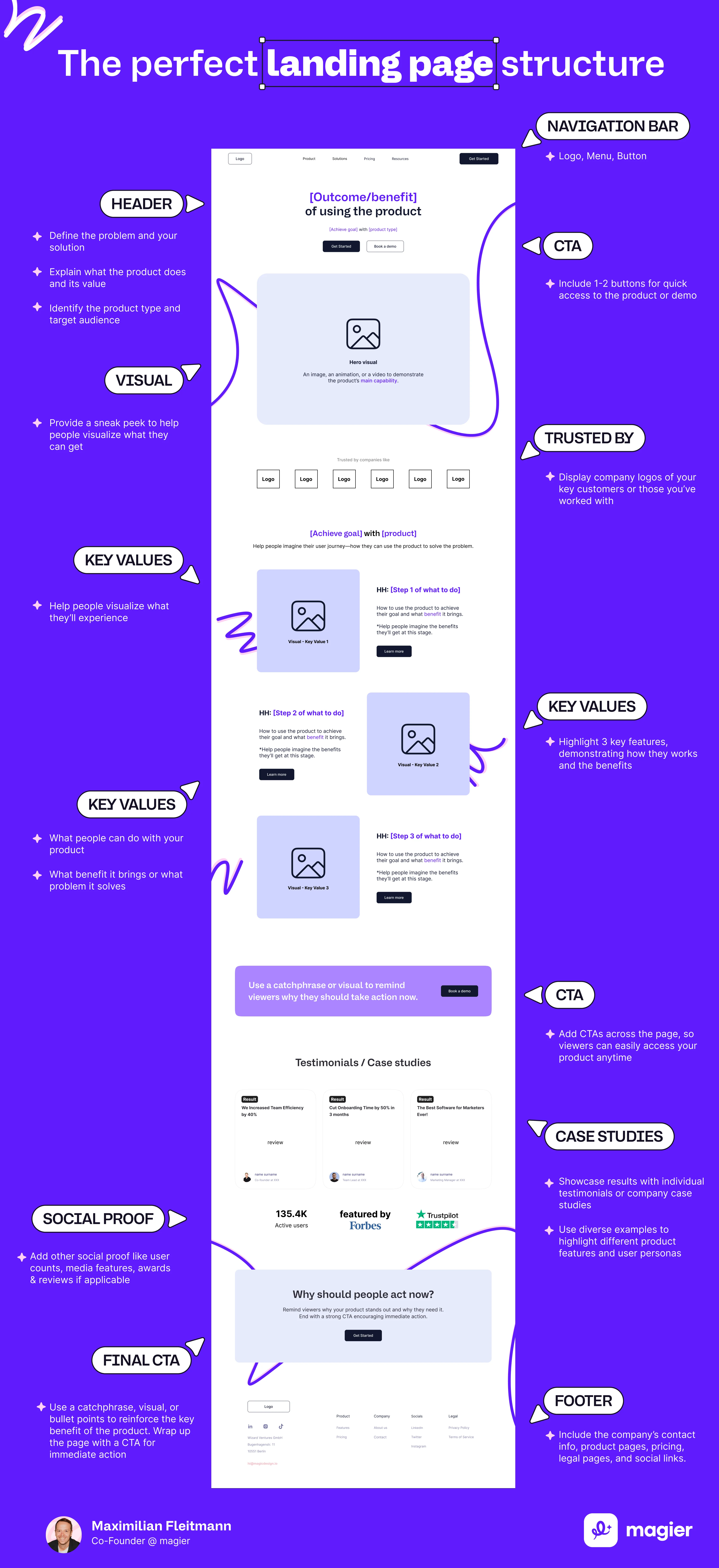
Every design choice on your page answers a question the visitor hasn't said out loud, and the order of those answers decides whether they keep reading. A useful default order follows five questions, and each one has a design response.
That's where visual hierarchy comes in, because hierarchy is how a page answers these questions in the right order. This order is a default and not a rigid template, so visitors from branded search or a very specific ad may need fewer steps than people who have never heard of you.
Nielsen Norman Group's research on scrolling adds a useful reminder. Users do scroll, but that doesn't remove the need to keep your most important content visible early. A quick check is to squint at your page, because blurred text still shows what dominates the screen.
The 10 design changes to increase landing page conversion rate
You can't judge a landing page by its cover, only by its conversions, so every lever below includes what to do, why it works, and how to check it. Use the summary first, then read the lever that matches your biggest problem.
1. Make the value proposition clear in the hero
Can a stranger tell what you sell, who it is for, and why it helps within a few seconds of landing? If not, nothing else on the page gets a fair chance.
- What to do: write an outcome-focused headline, add a subheadline that explains how you deliver it, and keep the main CTA visible without scrolling when practical. Replace vague lines such as “Transform your workflow” with the specific result a customer gets.
- Why it works: visitors decide quickly, and an unclear hero forces them to work out your offer on their own, which most won’t do.
- How to check: show the hero to someone outside your team for five seconds, then ask what you sell and who it is for. Once you have enough traffic, run an A/B test on landing page headlines, because the headline is the first thing every visitor reads.
Message match belongs here too. If your ad promises a faster onboarding process, the hero should lead with faster onboarding in the same words and the same visual style, so the visitor never wonders whether they clicked the right link.

2. Show the product instead of decoration
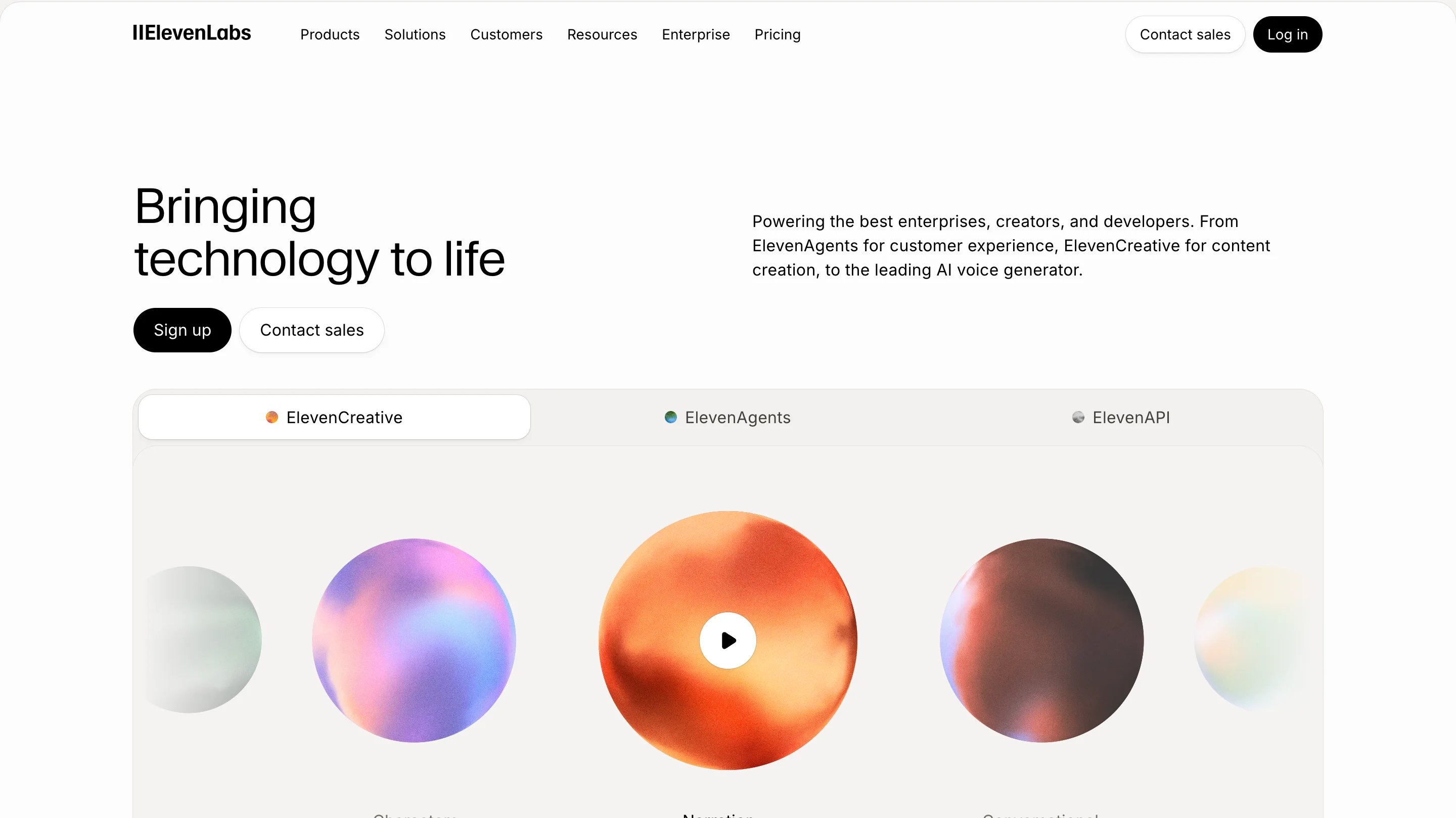
Does your hero image show your product, or does it only set a mood? Visitors can't evaluate an abstract promise, but they can evaluate an interface, an output, or a before and after.
- What to do: show the real interface or result, annotate screenshots to point out the features that matter to the buyer, and demonstrate the outcome where you can.
- Why it works: a concrete visual answers the question “what do I actually get?” faster than a paragraph of copy.
- How to check: cover the text and ask whether the image alone explains the offer, and remove any visual that only decorates.

A good visual also resolves a doubt. If visitors worry about setup, show how the product connects to the tools they already use.
3. Build a clear visual hierarchy
Visitors don't read a landing page, they scan it, and your hierarchy decides what they see first. Hierarchy comes from size, contrast, spacing, and position working together.
- What to do: give the headline the strongest type, make the primary CTA more prominent than any secondary link, group related items close together, and keep each section to one main message.
- Why it works: the eye follows scale and contrast before it reads a single word, so a page with a clear order guides attention to the action. Gestalt principles explain part of this, since items placed close together read as one group.
- How to check: run the squint test, and confirm that the headline and the primary CTA are the two things you still see.
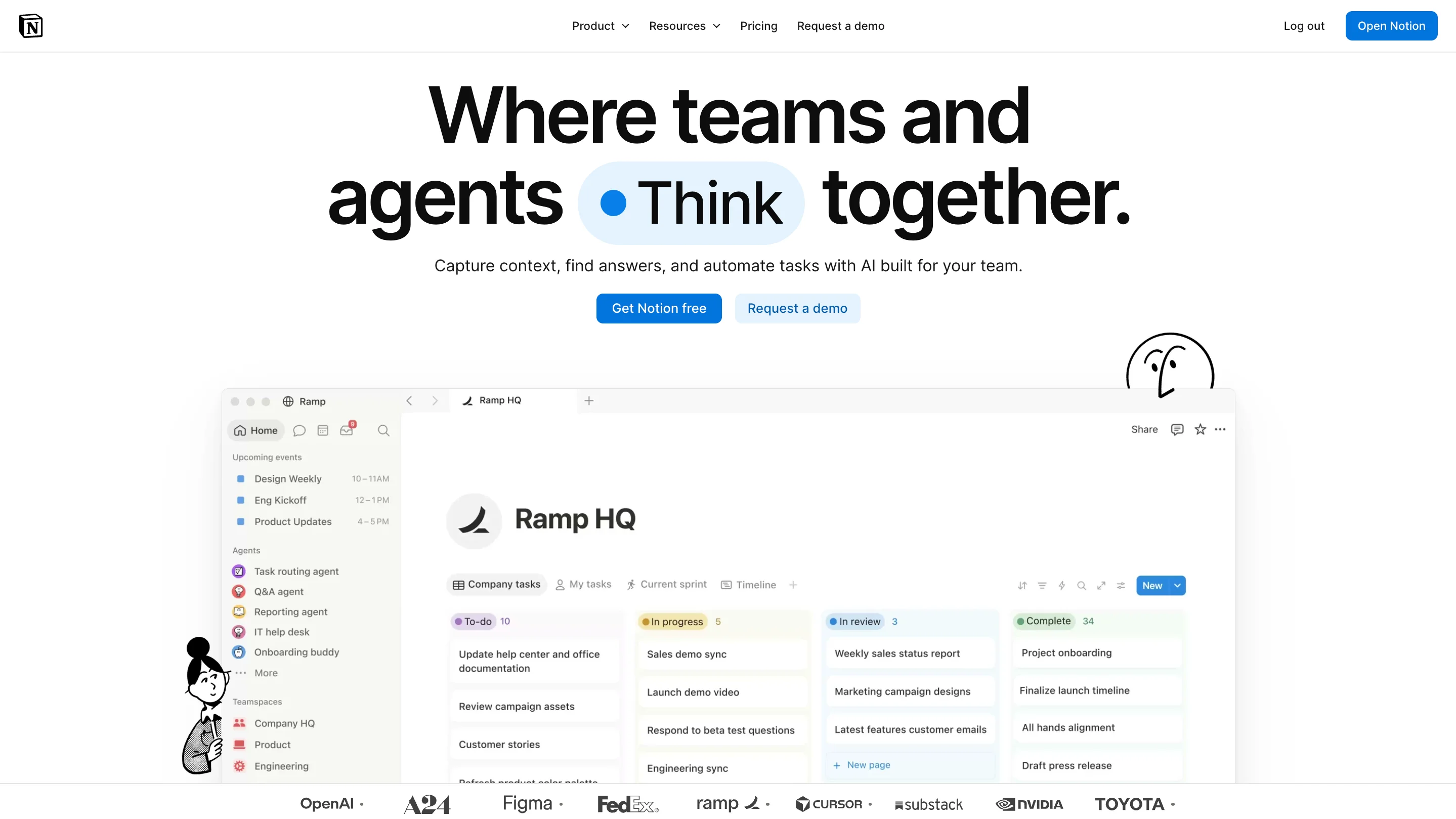
Designers also use a few common scanning models to place elements where eyes tend to travel.
4. Use white space and plain language to reduce effort
Does more content mean more persuasion? In practice, every extra line costs the visitor effort, and effort is the real price of reading.
- What to do: add generous spacing around the headline, CTA, and key claims, shorten the copy, and write at a reading level most visitors find easy.
- Why it works: space separates ideas so the eye can rest, and simple words let visitors grasp the offer without rereading.
- How to check: run your copy through a reading-level tool such as the Hemingway App and cut sentences that don’t add a point.
Unbounce's analysis found that pages with copy at a fifth-to-seventh grade reading level had an 11.1% median conversion rate, compared with 5.3% for pages written at a college level. That link between easy reading and higher conversion doesn't prove cause, but it fits the idea that effort costs conversions. The aesthetic-usability effect points the same way, because people tend to judge a clean, well-spaced design as easier to use.
5. Make trust visible where doubt happens
Proof at the bottom of the page arrives after the visitor has already decided. Place evidence where the doubt appears, and you answer the objection at the moment it forms.
- What to do: put a specific testimonial next to the CTA, add a named customer result beside your pricing, and explain what happens next beside a demo form.
- Why it works: a claim feels riskier than the same claim with evidence beside it, so nearby proof lowers the risk of acting.
- How to check: list the three biggest doubts a buyer has, then confirm that each one has an answer within one screen of the claim that causes it.
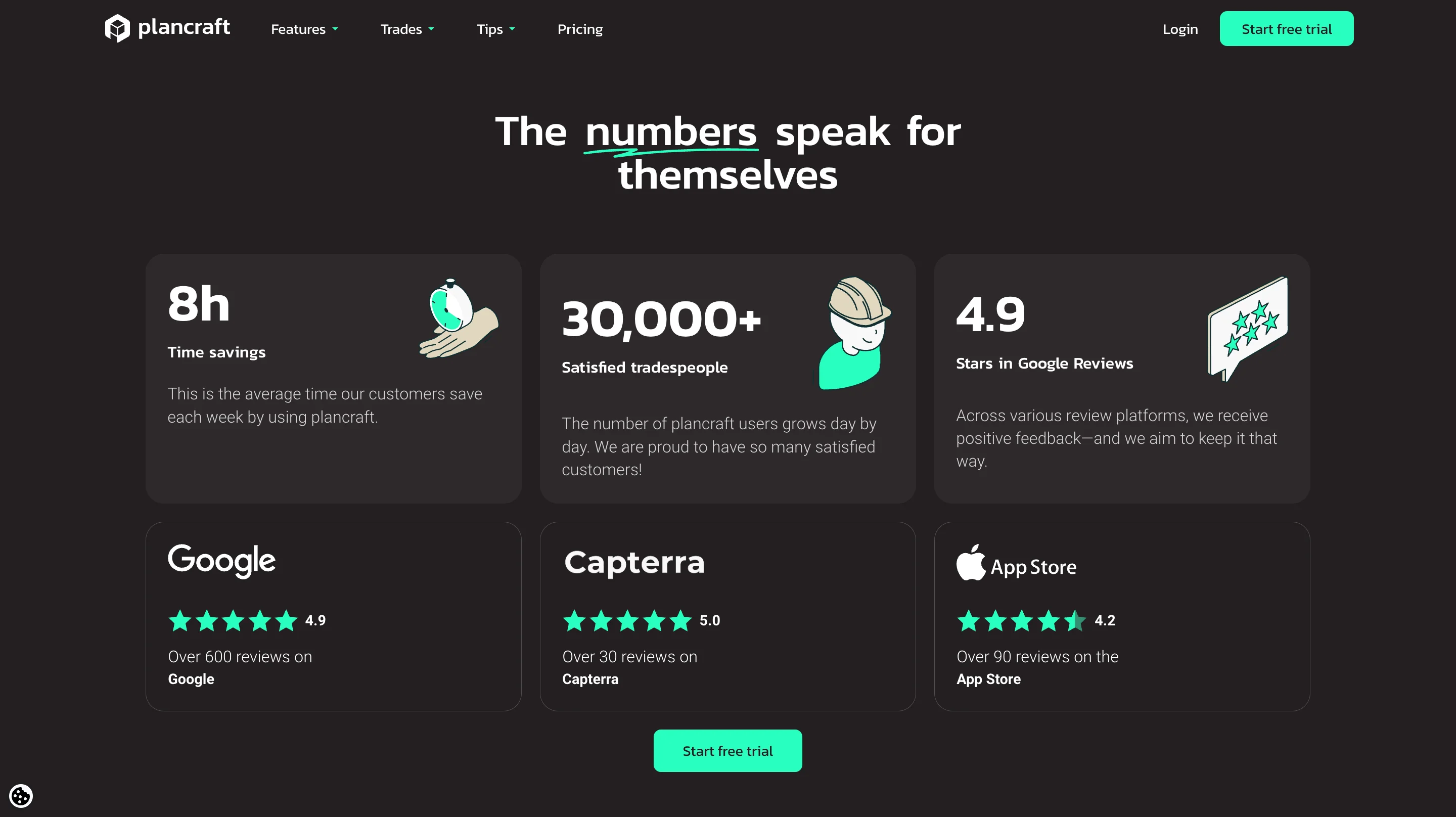
Specific beats generic every time. A line such as "Great service!" tells a visitor little, while a named result with a role and a number gives them something to believe. By the way, this example landing page is designed by magier. If you need some such innovative and thoughtful design for your website, you know where to find us!
{{cta}}
6. Remove friction from the CTA and form
Picture a form that asks for fourteen fields before the visitor has seen a single result, which feels more like a tax return than a demo request. Every unnecessary field and every competing link gives the visitor another reason to leave.
- What to do: keep one primary action, use specific button text such as “Book a demo” instead of “Submit”, ask only for information you need, and add a line that says what happens after the click. For longer forms, split the questions into short steps.
- Why it works: each field adds effort, and each competing link adds a decision, so removing them keeps motivated visitors moving. Hick’s Law describes the same effect, which is that more choices slow a decision.
- How to check: use form analytics to find the field where people stop, then remove it or explain why you need it.
Nielsen Norman Group's web form usability guidance goes into more detail if you want to go further. A good rule is to collect the rest of the information later, once the visitor has seen value.
7. Design for the thumb, not the cursor
Imagine a CTA hidden under a cookie banner on a phone, so the visitor can't tap the one thing you want them to tap. A responsive layout is not the same as a usable mobile experience.
- What to do: keep text readable without zooming, use a single-column layout, make buttons and form controls easy to tap, and aim for tap targets of about 44 by 44 pixels, a size recommended in WCAG’s enhanced target size guidance and in Apple’s guidelines. Test that overlays and sticky bars never cover the CTA.
- Why it works: thumbs are less precise than cursors, and any element that blocks a tap ends the journey.
- How to check: complete your own conversion on a real phone, and watch where your thumb hesitates.
The gap in Unbounce's data shows why this deserves attention. Most visitors (82.9%) reach landing pages on a mobile device, yet desktop visitors convert at a higher average rate (12.1% compared with 11.2%). That gap may also reflect different intent, but it suggests that many mobile experiences leave conversions on the table. Which of these levers fits your traffic best depends on where your visitors come from, and the next section shows how to match the page to the source.
8. Match the page to the traffic that brought the visitor
Where did your visitor come from, and what did the ad promise? A page that works for one source can underperform for another, because each visitor arrives with a different level of interest.
Message match works as visual continuity, so keep the same promise, the same imagery, and the same offer from the ad to the page. A visitor who sees a mismatch assumes the click was a mistake.
Context also changes what a good rate looks like. Unbounce reports a 19.3% average for email traffic, so a page that converts well for a warm list can look weak next to that average while performing normally for cold traffic.
9. Design the screen after the click
What does your visitor see in the two seconds after they press the button? Conversion doesn't end at the click, and a broken promise on the next screen wastes everything the page did well.
- Match the promise: if the button says “Book a demo”, the next screen should show how to book one.
- Say what happens next: a confirmation that names the next step lowers the anxiety that follows a commitment.
- Load quickly: a slow thank-you page makes the visitor wonder whether the form worked.
- Keep their data: if a form fails, preserve what the visitor typed, because retyping is a reason to quit.
10. Use accessibility is a conversion lifter
You might be thinking that accessibility is a legal chore and not a growth lever. Accessible design removes obstacles for every visitor, including people on small screens, in bright light, or with a slow connection.
- Contrast: strong contrast between text and background makes the headline and the CTA easier to see.
- Readable type: a comfortable size and line length reduce reading effort.
- Touch targets: buttons that are easy to tap stop mobile visitors from missing them.
- Clear labels and errors: visible labels and plain error messages help people finish forms.
The W3C's WCAG guidelines are the standard to check against. We don't promise a conversion lift from any single fix, but each one removes a reason to leave.

How to coordinate design and development for landing page CRO: speed, layout shift, and Webflow
Did your designer hand over a beautiful file that a developer then had to rebuild by guesswork? That gap is where many landing pages lose speed and stability, because design decisions often decide how a page loads.
Google measures this with three Core Web Vitals. Largest Contentful Paint tracks loading and should be 2.5 seconds or less, Interaction to Next Paint tracks responsiveness and should be 200 milliseconds or less, and Cumulative Layout Shift tracks visual stability and should be 0.1 or less, all measured on real visits. You can read the definitions on Google's web.dev, and you can check your page for free in Google PageSpeed Insights.
That's where building the page directly from the design helps. When a team designs in Figma and builds in Webflow, the layout, spacing, and animation in the design are the ones that ship, and a staging and push-to-live workflow lets you check speed and layout shift before visitors see a change. Technical SEO and image handling sit inside the same build, so one team owns the decisions that affect both look and speed.
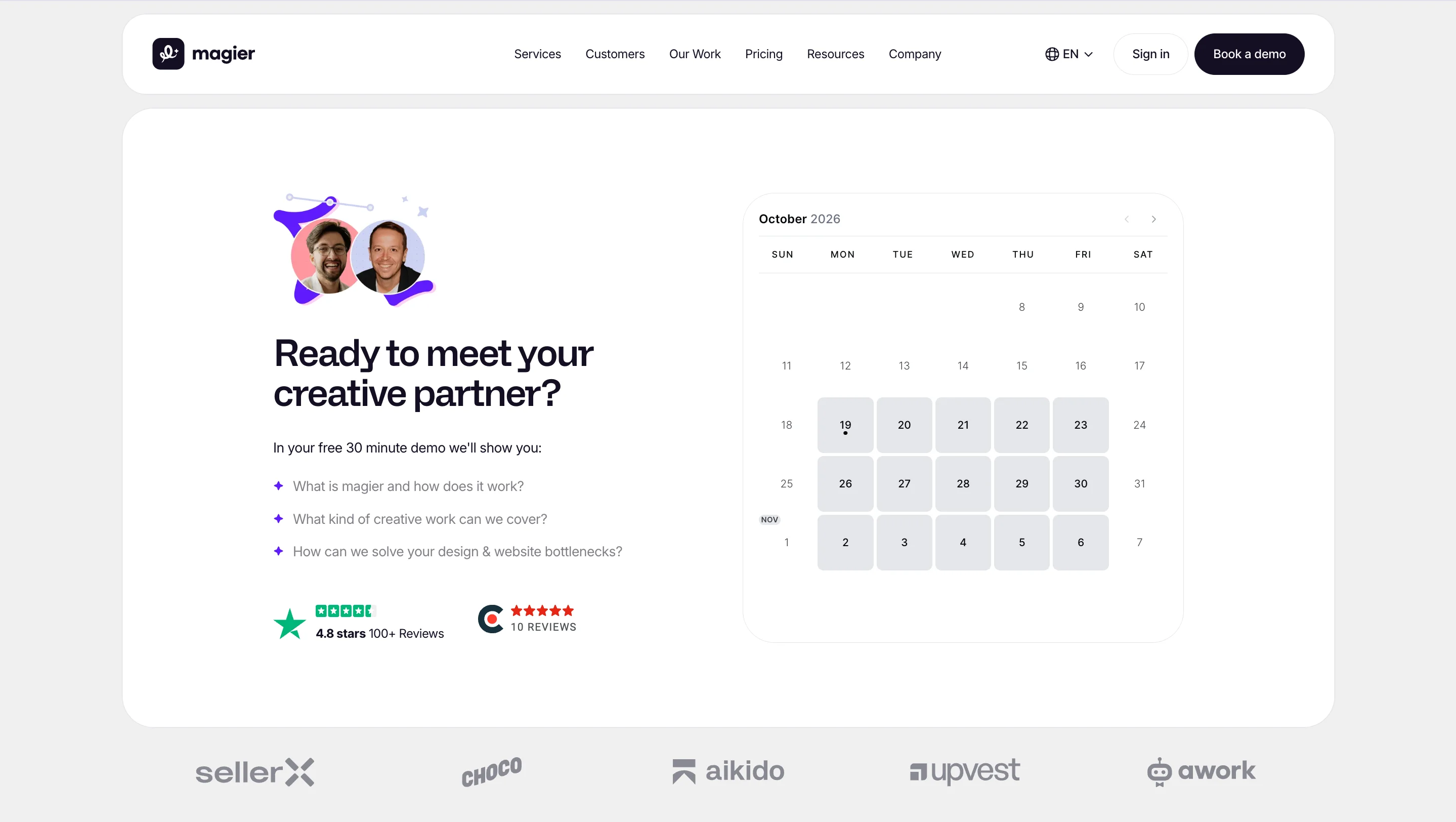
magier covers both sides under one subscription. After relaunching a client's landing page for Jupus, the team saw 40+ demo calls booked in the first 2 days, and for plancraft the combined design and Webflow work delivered a 20% conversion increase alongside 30+ pages built and 200+ URLs migrated. Results vary by audience and offer, but the lesson holds across our work, which is that design and build decisions work best when one team makes them together. See how magier approaches website design or check how magier handles Webflow development if you want that setup.
Speed and layout stability are only part of the picture, because a fast page still fails if it fixes the wrong problem. The next section shows how to decide where to start.
Which design problem to fix first
Most teams redesign the wrong part of the page first because they fix what looks weakest and not what loses the most visitors. A better default order starts with offer clarity, then proof, then friction, and then polish, because each step only works if the one before it does.
Diagnose by symptom
Your analytics already show where visitors leave, so match the symptom to the lever.
Identify whether it is a design problem or copy problem
Visitors who read but don't act usually need a clearer offer or stronger proof, which is mostly a copy and content question. Visitors who don't read at all usually face a hierarchy or clarity problem, which is a design question. Check which group your visitors fall into before you brief anyone.
Decide whether you should fix in place or redesign
You might be thinking that you need a full redesign. Usually you don't, because fixing the single biggest problem first is cheaper and teaches you what moved the rate.
A redesign makes sense when the structure itself blocks the fix, such as a layout that can't carry a clear hero or a template that forces five competing actions. That's where a design partner can help, because they can rebuild the structure while you keep control of the offer.
How to test design changes with the traffic you have
Running an A/B test on 200 visitors is like flipping a coin twice and calling it statistics. Test twice, redesign once, and you will spend less while learning more.
A simple testing workflow
- Record a baseline: note your conversion rate, CTA clicks, form completions, traffic source, and device split.
- Find the biggest friction point: use analytics, scroll data, and recordings that comply with privacy rules.
- Write one hypothesis: for example, “Showing the product interface in the hero will increase qualified demo bookings.”
- Change one meaningful thing: test the hero message, proof placement, form length, or CTA treatment, and avoid changing several things at once.
- Measure the right outcome: a higher click rate isn’t a win if fewer visitors finish the form or lead quality drops.
- Validate before rolling out: wait until each version has enough conversions, cover full weeks of traffic, and check mobile and desktop separately.
What to do when you don’t have much traffic
Small sites can’t settle an A/B test quickly, but they can still learn from design. Each method below gives you a signal without needing thousands of visits.
- The five-second test: show your page for five seconds, then ask what it offers and who it is for, because that tests the hero directly.
- The squint test: blur the page and check that the headline and CTA still stand out, since that tests hierarchy.
- Session recordings: watch where real visitors hesitate or tap the wrong thing, using tools such as Hotjar or Microsoft Clarity.
- User interviews: ask five customers to explain the page back to you, because their misunderstandings point to your weakest section.
"We keep a short log of what we’ve tested for each client, because the most expensive mistake is testing the same idea twice."

Which metrics to watch
A useful rule separates persuasion problems from usability problems. If visitors don't click, the offer, relevance, or hierarchy may be weak, and if they click but don't complete the form, the friction sits in the next step. Google Analytics can track these events, and testing tools such as Optimizely or VWO can split traffic once you have enough of it.
We don't quote a single landing page bounce rate benchmark or form completion rate benchmark, because both swing with your offer and traffic source. Set your own baseline and compare against it.
Landing page design mistakes that might lower conversion rate
Go through this table and work on the ones that are present on your page right now. However, take every mistake with a grain of salt because everything depends on context.
Landing page design audit checklist
Can you answer yes to all of these? Use this checklist before you redesign anything, and note which questions get a no.
Messaging and relevance
- Does the headline say what you offer? Visitors decide fast, so clarity comes first.
- Does the page match the promise of the ad or link? A mismatch makes visitors doubt the click.
- Are benefits more prominent than feature lists? Buyers care about outcomes before specifications.
- Does the primary CTA describe a meaningful next step? Specific labels set clear expectations.
Visual hierarchy
- Does the hero communicate value without extra scrolling? Early clarity earns the scroll.
- Do type, spacing, and contrast create a clear reading order? Order guides the eye to the action.
- Does the primary CTA stand out from secondary actions? Prominence signals priority.
- Do images demonstrate value instead of decorating? Evidence beats ornament.
Trust and objections
- Does customer evidence sit near your most important claims? Proof works best at the moment of doubt.
- Does the page answer the main objections? Unanswered objections end the visit.
- Are pricing, commitments, and next steps transparent? Surprises erode trust.
- Are testimonials and results specific and verifiable? Specific proof is more credible.
Usability and performance
- Does the form ask only for necessary information? Every field adds effort.
- Are labels, errors, and confirmation states clear? Clarity helps people finish.
- Do mobile layouts and touch targets work on a real phone? Most visitors arrive on mobile.
- Does the page meet the Core Web Vitals thresholds? Speed and stability protect every other lever.
Final thoughts
Raising your landing page conversion rate through design comes down to making the offer clear, the proof visible, the next step obvious, and the page fast on a phone, and the fix-first order tells you where to begin. Run the audit, fix the biggest problem, and test that one change before you touch anything else.
Doing this well takes steady attention, especially when your team is already stretched. You might be worried that bringing in an outside team costs too much or slows you down, but a fixed monthly fee and a single team for design and Webflow build keep both predictable.
If you want help turning the audit into a faster, clearer page, book a free demo with magier. Pick the fix that matches your biggest symptom and start there.
FAQ
It depends on your traffic source and offer. Unbounce's Q4 2024 data shows a 6.6% median across industries, 3.8% for SaaS, and 4.2% for ecommerce, so compare your page with similar pages and not with one universal target.
Fix offer clarity first, then proof, then friction, then polish. Use your analytics to find where visitors leave, and change one thing at a time so you can see what worked.
Start with the biggest drop-off in your visitor journey. If visitors leave quickly, work on the hero and speed, and if they start the form but don't finish, work on the form.
Give the page one goal, a clear hero, visible proof near your claims, a short form, and a fast mobile experience. Then test your assumptions, because every audience responds differently.
Divide the number of conversions by the number of visitors and multiply by 100. For example, 140 conversions from 2,000 visitors equals a 7% conversion rate.
A website rate covers every page and goal, so it is usually lower and less useful than a landing page rate. Use the landing page benchmarks above when you evaluate a single campaign page.
It is well above the 6.6% median in Unbounce's data, so it is strong for most cold traffic. Warm email traffic averages 19.3% in the same dataset, so the right answer depends on where your visitors come from.
Yes, through clarity, trust, effort, and speed, but the size of the effect varies by audience and offer. Treat each design change as a hypothesis and test it.
Fix the biggest problem first, because it costs less and shows you what moves the rate. Redesign only when the structure itself prevents the fix.
Show a clear headline, a subheadline, a CTA, and one proof element. Users do scroll, but the top of the page still has to explain the offer and give visitors a reason to keep going.
Slow or unstable pages lose visitors before the design can do its job. Aim for Largest Contentful Paint at or below 2.5 seconds, Interaction to Next Paint at or below 200 milliseconds, and Cumulative Layout Shift at or below 0.1.
Run it until each version has enough conversions and you have covered full weeks of traffic. Stopping after a few hundred visits usually gives you noise and not an answer.
Use the five-second test, the squint test, session recordings, and short customer interviews. These methods show you where the design confuses people without needing large traffic.
Ask only for what you need, and explain why you need it. For longer forms, split the questions into short steps so each screen feels light.
.avif)