9 Best AI Tools for Facebook and Instagram Ad Creatives for Ecommerce Stores and Brands (2026)
Let's get right to the point. Ecommerce brands are using AI-generated images to launch ads faster than a photo shoot allows, and many of them are seeing it pay off.
But no two outputs are the same. Two stores can feed the same product photo into two different generators and get very different ads, because one tool keeps the label and the bottle shape the same as the reference images while the other improvises. Even within one tool, a small change in the prompt can cause big differences in the output.
This guide covers the best AI tools for Facebook and Instagram ad creatives for ecommerce stores, sorted by the job each one does, and it shows how to check that a tool keeps the real product before it touches a store's ads.
Here's what we cover:
- Different AI ad creative tools and their use cases
- The product accuracy check
- Meta's free Advantage+ Creative
- What tool should you pick by store type and budget
- An AI ad creative generation workflow and a one-week trial
- When to hire a designer instead
By the time you've read this blog, you'll know which AI tool to get started with.
{{freebie}}
Quick picks: the best AI tool for Facebook and Instagram ad creatives for ecommerce stores
Are you short on time and need the shortlist first? The table below matches each job to one tool, and the sections after it explain every pick.
Most stores need only two or three of these tools. The sections below explain what each job means and how to avoid paying for overlap.

Methodology we used to choose these tools
We selected these tools from the results Google surfaces for this topic, from published comparisons, and from each vendor's official pages, then checked prices in October 2026. We focused on Meta ad creative platforms that create or adapt images and video, and we left out tools that only manage budgets. magier has not run hands-on benchmarks of these tools, and several of the sources we read are published by the tools themselves, so we label vendor claims as vendor claims. Where a price differs between sources or isn't published, we say so and point you to the vendor's page.
The 9 best AI tools for Facebook and Instagram ad creatives for ecommerce stores
We start with the free option and add paid tools as the job gets more specific, so you can stop at the point where your needs are met. You might be thinking that free tools are enough, and for your first month they often are, because Meta's native tools cost nothing beyond your ad spend. Every profile includes a line on whether the tool uses your real product photo, because that is the test from the last section.
Meta Advantage+ Creative
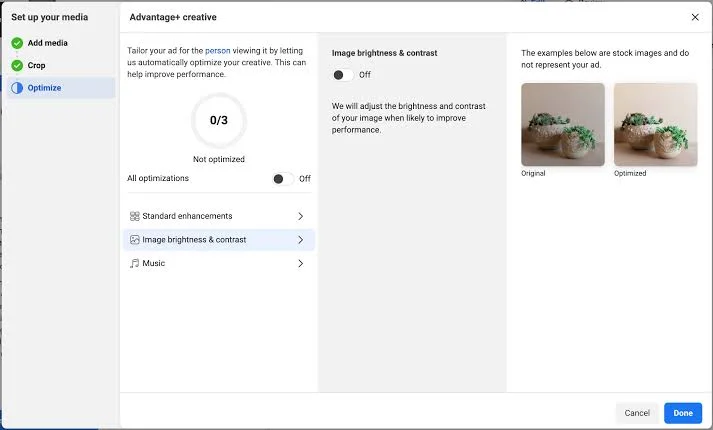
Meta Advantage+ Creative is the set of AI enhancements inside Ads Manager that adapts your uploaded assets for each placement. It can crop, expand, and vary text, but some visual enhancements can distort product edges, logos, and hands, so preview every version before you spend.
Key features:
- Placement adaptation: crops and expands images to fit Feed, Reels, and Stories
- Text variations: generates alternative headlines and primary text
- Visual enhancements: includes background generation, image animation, and music on some formats
- Default settings: image expansion can be switched on by default for eligible accounts, so review your toggles
- AI info label: ads created or materially edited with generative AI can carry an AI label
- Uses your real product photo: yes, it starts from your uploaded asset, but check every generated change
Pricing: It is free, with no fee beyond your ad spend (as of October 2026).
Best for: stores that already run Meta ads and want free placement variations of approved assets.
Canva Magic Studio
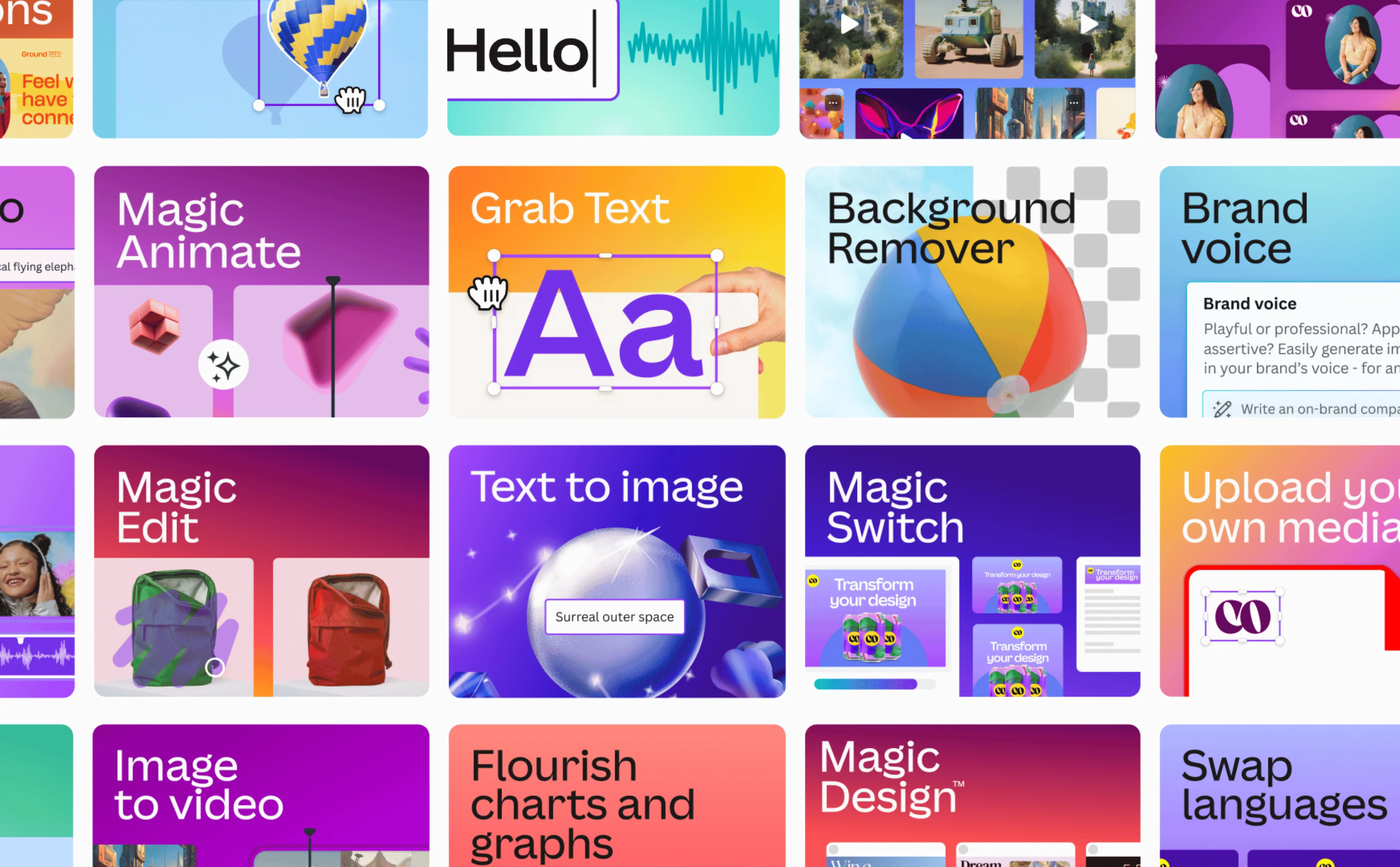
Canva Magic Studio adds AI tools to Canva's drag-and-drop editor, so you control layout, fonts, and offer text on top of approved product images. It is a design tool and not an ad platform, so it does not test or optimize your ads.
Key features:
- Brand Kit: keeps colors, fonts, and logos consistent across ads
- Magic Resize: reformats one design for Feed, Stories, and Reels
- Magic Edit and Magic Media: edits objects in a photo or creates imagery from a text prompt
- Templates: ad-sized layouts for Facebook and Instagram
- Uses your real product photo: yes, you place your own approved photo into the layout
Pricing: A free plan is available with limited Magic Studio usage, and Canva Pro is paid at roughly $12 to $18 per month depending on whether you bill annually or monthly (as of October 2026).
Best for: small teams that already have approved photos and want branded static ads and carousels quickly.
Photoroom
Photoroom cuts your product out of its original background and places it into new scenes, which means it composites your real product instead of redrawing it. It does not build ad layouts, so most stores pair it with Canva or Meta's own tools.
Key features:
- Background removal: creates clean cutouts from existing photos
- AI backgrounds and product staging: builds new scenes around your real product
- Batch exports: edits many photos at once on paid plans
- Virtual model and ghost mannequin: available on paid plans
- Uses your real product photo: yes, this is its core job
Pricing: A free plan is available with a monthly export limit and a watermark, and paid plans start with Pro at roughly $7.50 to $12.99 per month depending on billing period (as of October 2026).
Best for: product-led brands and marketplace sellers with limited photography budgets.
Snappyit
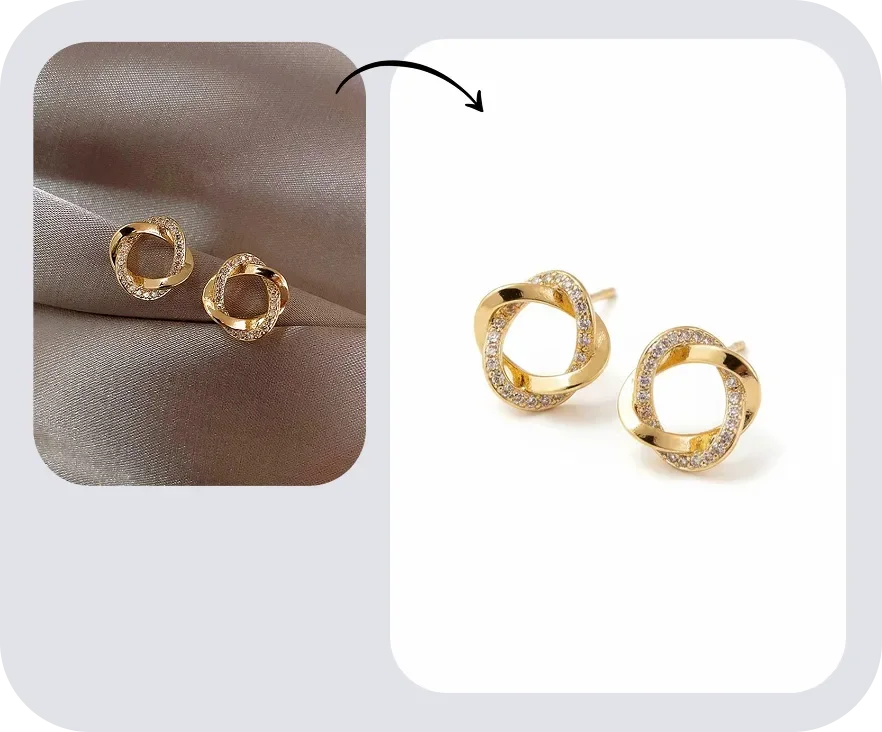
Snappyit turns one apparel photo into listing images, on-model shots, lifestyle scenes, and short videos for fashion and jewelry stores. Its published test covered two garments and was run by Snappyit itself, so compare every output with your real product.
Key features:
- Ghost mannequin and flat lay: creates clean listing views from one source photo
- AI fashion models: dresses virtual models with your product
- Image to video: creates short vertical clips for Stories and Reels
- AI recolor and Shopify app: generates color variants and runs inside Shopify
- Uses your real product photo: yes, it starts from your source photo, but check hems, prints, and hardware
Pricing: It offers free credits to start, and paid plans in its Shopify app begin at $9.90 per month for 100 credits, with unused credits rolling over for six months (as of October 2026).
Best for: fashion, footwear, and jewelry sellers who need on-model and video assets from one photo.
AdCreative.ai
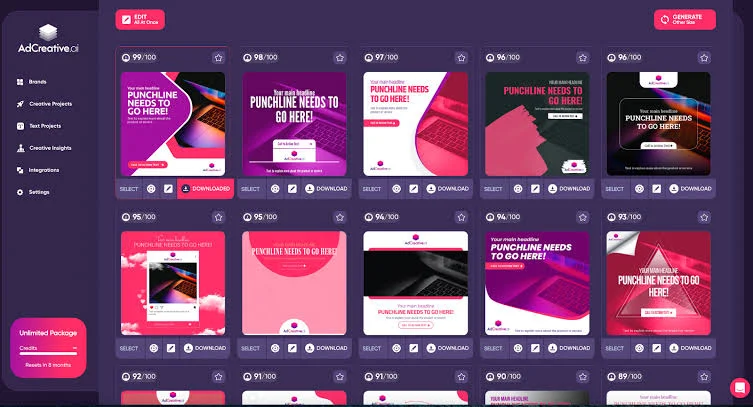
AdCreative.ai generates batches of static ad creatives from your brand assets and a product URL, then gives each one a predicted performance score. The score comes from a model trained on other advertisers' data, so use it to prioritize tests and not to predict your results.
Key features:
- Batch creative generation: produces many layouts and copy options in minutes
- Creative scoring: ranks variants by predicted performance
- URL-based ad generation: builds ads from your website
- Ad platform integrations: publishes creatives to Meta Ads Manager
- Uses your real product photo: yes, it works from your uploaded brand and product assets
Pricing: There is no permanent free plan, but a 7-day free trial is available. Starter costs $39 per month billed monthly for 10 credits, with lower rates on quarterly and annual billing, and video generation starts on the Professional plan at $249 per month billed monthly (as of October 2026).
Best for: small teams with no designer that want many static variations to test.
Creatify
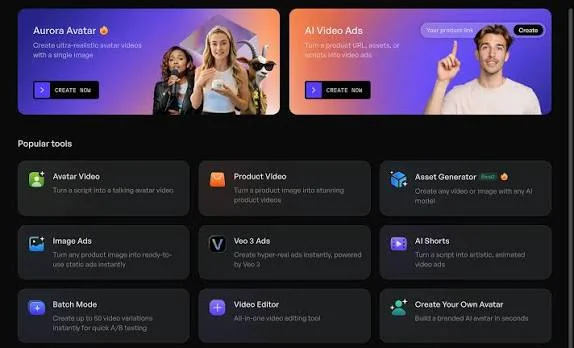
Creatify turns a product page URL into a short video ad with a voiceover and captions, which removes the most expensive format for most stores to produce. Its scraper can lift the wrong image variant from a product page, so check the output against your real packaging before it runs.
Key features:
- Product URL to video: pulls images and copy from your product page
- AI presenters and voiceovers: supports UGC-style video ads for Reels and Stories
- Ad templates: includes 200+ templates on the Starter plan
- Credit-based plans: each video or image ad uses credits
- Uses your real product photo: yes, from your product page
Pricing: A free plan includes 10 credits per month with watermarked exports. Starter costs $39 per month for 100 credits, and Pro costs $99 per month for 300 credits (as read on October 10, 2026).
Best for: stores that need a steady supply of Reels video concepts without a video shoot.
Pencil
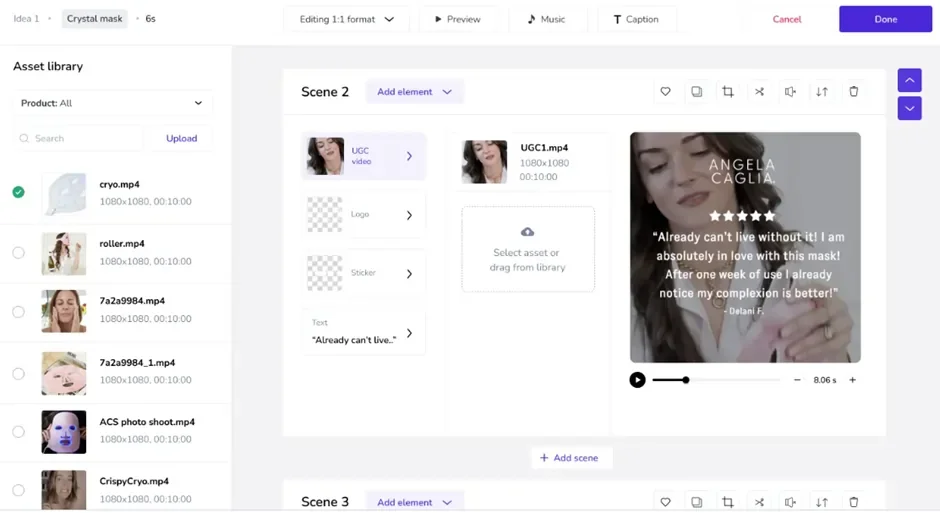
Pencil generates ad variations from your brand assets and ranks them with a predicted performance score before launch. It works best when you give it an approved concept to vary, and its video output can feel templated, so it suits fast testing more than final production.
Key features:
- Variant generation: creates text, image, and video variations from your assets
- Predictive scoring: ranks concepts before you spend
- Brand asset library: keeps outputs on brand
- Multi-platform launching: pushes ads to major ad platforms
- Uses your real product photo: yes, from your brand asset library
Pricing: There is no permanent free plan. Core costs $14 per month for 50 generations, Growth costs $55 per month for 250 generations, and Pro uses custom pricing (as of October 2026).
Best for: brands with an approved concept that want disciplined variations to test.
KreadoAI
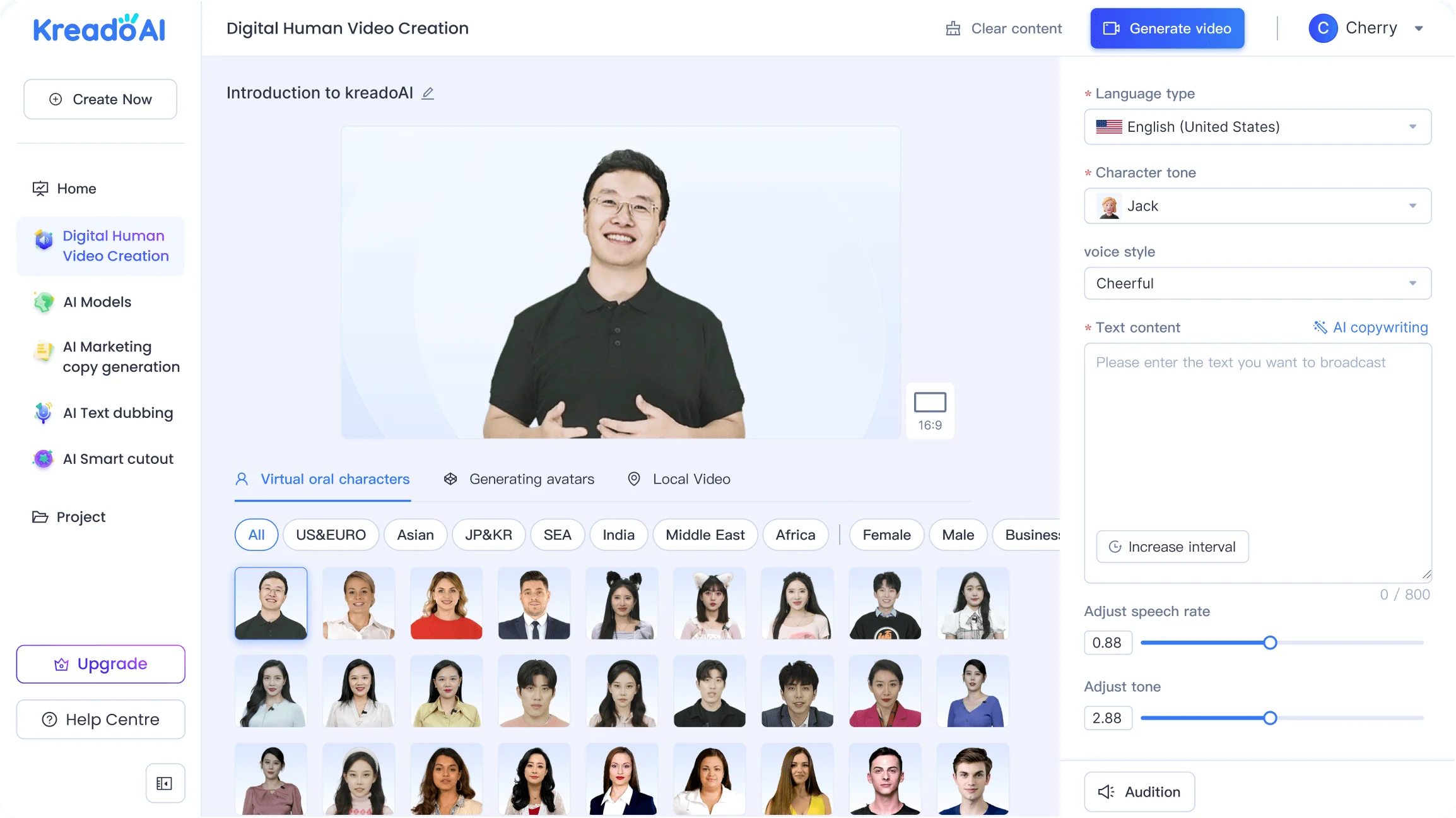
KreadoAI creates image and video ads from a product link, with multilingual voiceovers and several ad sizes in one account. Its own comparison page says the in-image promo text is good but not perfect, so verify every offer line before you upload.
Key features:
- URL to video: builds video ads from a product link
- Static and video in one account: creates images and clips in the same workspace
- Multilingual voiceover: supports 140+ languages, according to the vendor
- Multi-size ad images: exports several ad sizes from one design
- Uses your real product photo: yes, from your product link, so compare packaging before launch
Pricing: A free plan is available, and KreadoAI says it needs no credit card. Paid plan prices aren't clearly published, so confirm them on its pricing page (as of October 2026).
Best for: stores that want images and video from one product link and sell in more than one language.
Madgicx
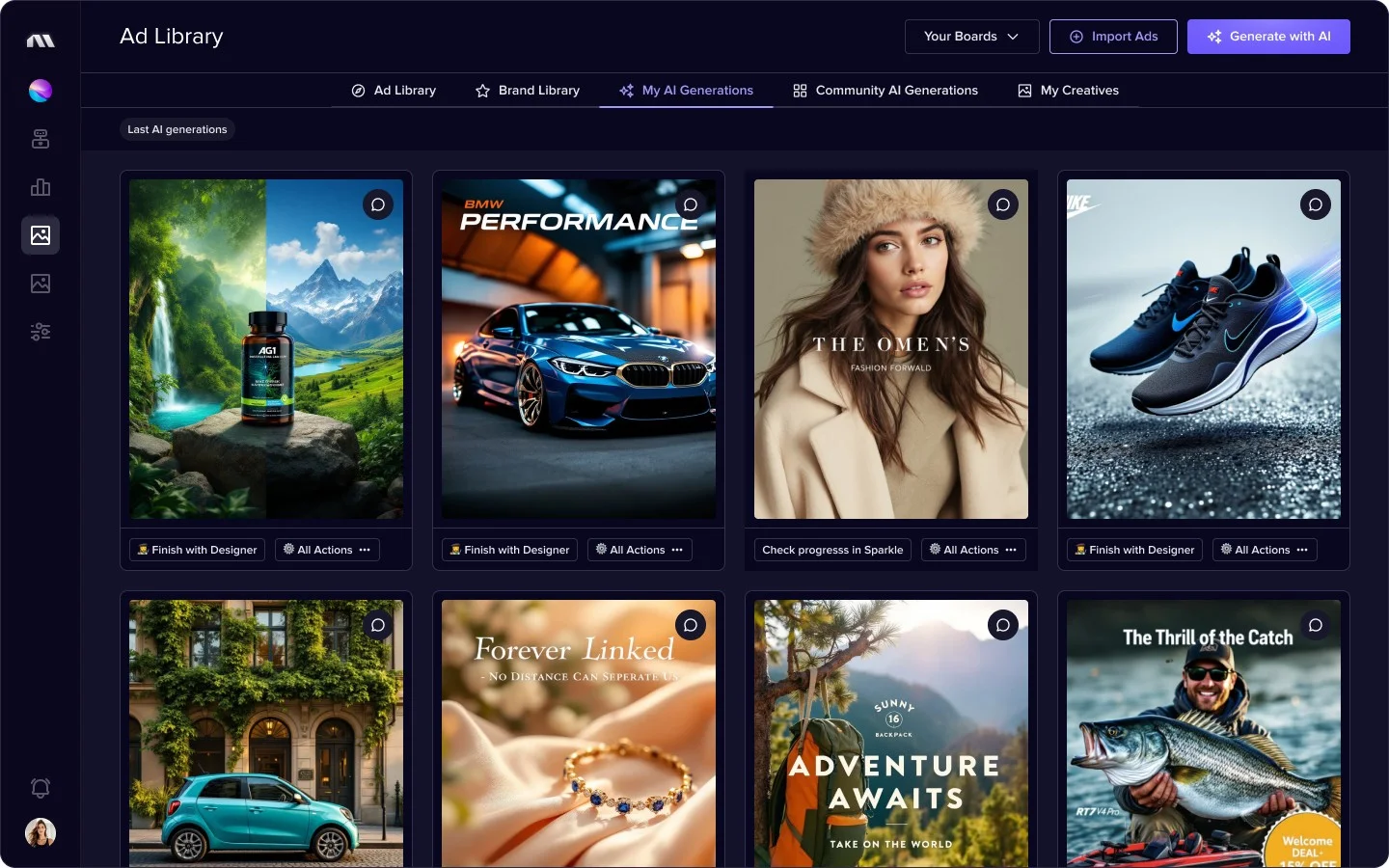
Madgicx is a Meta-focused platform that analyzes creative performance, tracks fatigue, and automates budget rules after your ads launch. It also includes an AI ad generator, but its main value comes after launch, and it is priced by your monthly ad spend.
Key features:
- Creative insights and tracker: shows which ads and elements drive results
- AI ad generator: creates ad variations
- Budget automation: moves spend toward top creatives by rule
- Audience tools: supports audience discovery for Meta campaigns
- Uses your real product photo: partly, since generation is a secondary feature, so check outputs
Pricing: There is no free plan, but a 7-day free trial is available. Pricing scales with your monthly Meta ad spend and appears inside the app after you pick a tier, so confirm your tier and billing date before the trial ends (as of October 2026).
Best for: Shopify brands that spend mostly on Meta and want insights and automation after launch.
Research tools worth a mention
A few more tools support the process without creating most of your ads.
- Foreplay and PrimeSpy: save and track competitor ads.
- Marpipe: tests many creative combinations at once.
- Arcads: produces AI-actor UGC talking-head videos.
- Smartly.io and Hunch: automate dynamic creative optimization (DCO) from product catalogs, but they are built for much larger budgets than most stores.
- Meta Ad Library: shows what competitors are running at no cost, so it is the best place to start your research.
Which of these tools deserve your money first depends on your budget, and the budget stacks section shows the order we would buy them in.

{{cta}}
What does an AI ad creative tool actually do?
Knowing which job you are buying decides most of the outcome, so it helps to split these tools into three jobs. Some people call them an AI ad creative generator or an AI ad maker, but the job a tool does is what counts.
- Generation: creates new concepts such as a static image, a carousel frame, a short video, or the headline and primary text that sit beside them, and URL to ad tools build all of these from a product page.
- Adaptation: reformats one approved asset for placements such as 1:1 for Feed, 4:5 for mobile Feed, and 9:16 for Reels and Stories while respecting safe zones.
- Scoring: predicts which variants are likely to perform before you spend, by comparing your creative with a model trained on past ad data.
Adaptation is where the most reliable time saving lives, because resizing follows fixed rules that software handles well. Scoring deserves the most caution, since a model trained on other advertisers' results knows nothing about your offer, your audience, or your landing page, so treat a score as a tiebreaker and not a verdict.
This guide covers creative tools only, because campaign automation tools such as Birch, formerly Revealbot, change budgets and bids after launch and solve a different problem. If you want a little of that layer, Madgicx sits closest to it in our list.
How to choose the right AI ad creative tool for you: the product accuracy test
Here is the part most of the resources on the internet don't cover, and it comes down to just one question about every tool you consider.
Does the tool composite your real product or redraw it?
Does the tool place your real product photo into the ad, or does it redraw your product from a description? That question closes the loop we opened in the introduction, because it decides almost everything that follows.
Compositing keeps your packaging, color, and label text exactly as shipped. Redrawing lets a model guess, which is how a bottle gains a slightly wrong shape or a label picks up invented text. Both errors create ad policy risk, and a customer who receives a product that looks different from the ad is likely to return it.
A picture may be worth a thousand words, until it shows the wrong product, and then every one of those words costs you a return. That's where compositing tools such as Photoroom and Snappyit come in, because they are built around keeping your real product intact while the scene around it changes.
A quick way to apply the test is to place the AI output next to your real product photo and compare labels, hardware, seams, and proportions. If anything differs, the tool has redrawn that detail, and you should fix it or reject the asset before it reaches Meta.
What else to check before you pay
Product accuracy comes first, but four more checks will save you money and rework.
- Placement resizing: Does the tool export 1:1, 4:5, and 9:16 without manual cropping? Manual cropping is the time you are trying to save.
- Commercial rights: Does the vendor grant commercial use, and does that cover generated people? Rights decide whether you can legally run the asset.
- Pricing you can verify: Is the price on a public page, and do you know what one credit buys? Credits differ between vendors, so headline prices are not comparable.
- Ecommerce fit: Can the tool start from a product URL, a catalog photo, or a Shopify app? Fewer manual uploads mean faster tests.
Static or video ad creative: which should you start with?
Do you need images or videos first? The answer depends on what you want to learn, because static ads test offers and angles cheaply while video shows a product in use.
Start with static if your budget is small, since static ad variations cost fewer credits and show which offer works. A carousel ad creator such as Canva helps when you want to show several products in one ad. Add an AI video ad generator such as Creatify once you have a winning angle, because video then shows that angle in motion.
Which AI ad creative tool fits your ecommerce store type?
What do you sell, and what does it need to look like in an ad? The right first tool changes with your category, and AI ad creatives for DTC brands carry a different risk in each one.
AI ad creative tool budget stacks: what to buy first
Let's face it, credit-based pricing makes headline prices almost impossible to compare, so it helps to plan by stage and not by tool. Creatify sells credits per video or image, Pencil sells generations, and AdCreative.ai sells download credits, so one credit means something different in each.
A better measure is cost per usable creative, which you get by dividing your spend by the assets that actually reached an ad set. Use the stacks below as a starting order and confirm every price on the vendor's page.
Two tools usually beat four subscriptions, because overlap means you pay twice for resizing and background work. Once the stack is chosen, the next question is how to run it, and the workflow section answers that.
Facebook and Instagram ad sizes and safe zones
Imagine a model's shoes getting cropped by the Stories interface because the product sat too close to the bottom edge. Safe zones prevent that, and they are easier to plan before you generate anything than to fix afterward.
Safe zones are more useful than memorizing pixel numbers, so leave space above heads and below shoes and keep offer text away from the outer edges. Meta's Ads Guide lists current dimensions and file limits, and those specs change, so check it before you export.
Save the uncropped master of every asset, because later placements then need a new crop and not a new generation. That keeps your product accurate and saves credits.
Special note for Shopify: fix the feed before you add an AI ad generator
Does your catalog feed look as good as your ads? Advantage+ Shopping campaigns assemble dynamic ads from your product feed, so clean imagery and accurate prices do more for results than any Shopify AI ad generator.
That's where Shopify's Facebook and Instagram by Meta channel comes in, because it syncs your product information to Meta as a distribution step and not as a creative strategy. Shopify's Help Center explains the setup. Fix the feed first, then use the tools above for the top-of-funnel prospecting assets your catalog cannot produce, such as lifestyle scenes and short videos.
A five-step workflow to generate winning AI ad creatives
A tool only helps if you follow a process around it, and the one-week trial at the end of this section lets you test any tool on your own product.
The five steps
- Research angles: Review competitor ads in the Meta Ad Library, customer reviews, and common objections, because the angle decides more than the image.
- Prepare real product assets: Clean your photos so every tool starts from accurate source material.
- Produce distinct concepts: Vary the message and the visual idea and not only the background color, because near-identical ads teach you nothing.
- Test and learn: Judge ads by purchases, cost per acquisition (CPA), and return on ad spend (ROAS) in Meta Ads Manager and not by predicted scores.
- Refresh from results: Make new versions of winners and replace weak ads once they have enough data, since audiences tire of the same creative, a problem called creative fatigue.
Don't count your variants before they convert
It is tempting to generate thirty ads in an afternoon, but each ad set needs about 50 optimization events within seven days to leave the learning phase, according to Meta's Business Help Center. If your budget cannot produce that many events across thirty variants, none of them gets a fair read.
Test three to five clearly different angles, each with two or three executions, and scale the angle that wins. If your budget is small, cut the number of variants and not the budget, because a fair read needs data.
How to trial any tool on one SKU in a week
This checklist works for any tool in this guide and replaces vendor benchmarks with results from your own product. Run it on your best-selling SKU so the results reflect your real catalog.
- Day 1: Upload your real product photo and generate one static ad and one video.
- Day 2: Compare labels, color, shape, and included parts with the real product.
- Day 3: Export all three ratios and preview them at phone width.
- Day 4: Count the minutes you spend fixing each asset.
- Day 5: Launch two clearly different angles with one execution each.
- Day 7: Calculate cost per usable creative and decide whether the tool earns a second month.
Meta policy, disclosure, and commercial use checklist around AI images
Meta does not ban AI-generated creative, and it applies its advertising policies to every asset however it was made. That means the risk sits in how you use the output, so run through this checklist before any AI ad goes live.
- Claims: Check every offer, percentage, guarantee, and ingredient claim, because generated copy invents specifics that you are responsible for.
- Likeness and avatars: Confirm you have the right to use any identifiable person or AI actor, since synthetic people raise separate likeness and disclosure questions in some regions.
- Licensing: Read whether the vendor grants commercial rights to generated images, music, and voices, because rights decide whether you can run the file.
- UGC-style ads: Keep them brand-produced and never present them as unsolicited customer reviews, because the FTC's guidance on endorsements, influencers, and reviews covers fake reviews and virtual influencers.
- AI labels: Expect that Meta may add an AI info label to ads created or materially edited with generative AI.
- Privacy: If you use customer data for personalization, follow GDPR and CCPA.
How to review every AI ad before launch
Approve the downloaded file and not the editor preview, because compression, watermarks, captions, and the closing frame only show up in the export. Use this review before each launch, and give each pass to one person so nothing falls between teams.
- Product: Does the image match the shipped SKU, variant, and included parts? The founder or ecommerce lead should own this pass, because they know what ships.
- Brand: Do the scene, typography, and tone still feel like your store? Marketing or creative should own this pass.
- Claims: Can you support every offer and product statement? Marketing and the product owner should check this together.
- Placement: Is the product readable and safely cropped at phone width? The person who runs the ads should check this.
- Destination: Does the landing page show the same SKU, price, and promise? Ecommerce should own this pass, because a mismatch wastes the click.
- Rights: Are model, likeness, and music rights documented? Brand or legal should own this pass.
Common mistakes to avoid with AI ad creatives
Which of these mistakes have you already made? Each one comes from skipping a check and not from choosing the wrong tool.
- Volume dumps: Uploading fifty near-identical variants gives none of them enough data, and it is like asking fifty friends the same question and calling it market research.
- Trusting scores: A predicted score reflects other advertisers' data, so it cannot tell you how your offer will perform.
- Redrawn packaging: Letting a model redraw your product invites wrong labels, policy risk, and returns.
- Unverified claims: Publishing generated copy without checking it creates legal exposure for your store.
- Machine-translated copy: Automatic translation often reads as machine output and can lower click-through.
The workflow and checklists above prevent all five, so keep them next to your tools.
Limitations of AI ad creative and when to hire a human designer
Being aware of the possible limitations of AI generated images and knowing when to hire an actual designer instead can sometime be the make-or-break for an ecommerce brand's success. Here's a quick glimpse into both's capacity:
- AI handles: resizing, versioning, background swaps, and first-draft variants
- A designer handles: concept direction, brand consistency, claim review, and final polish
Asking a senior designer to resize the same image into three ratios is like hiring a chef to reheat leftovers. It works, but you are paying for skill that software already has.
Limitations of AI ad generators
- Product drift: some tools redraw your product, so a bottle can change shape or a label can change wording.
- Prompt sensitivity: a small change in a prompt can turn a polished ad into a distorted one, which makes results hard to repeat.
- Invented details: generated text and copy can include misspelled words, made-up claims, and wrong specifics.
- Weak at finding the angle: AI makes many versions of an idea you already have, but the idea comes from customer insight.
- Generic looks: ads from the same tools can start to look alike, which weakens a brand's identity.
When to choose a human designer
- Launching or rebranding: the first ads set the visual rules for every ad that follows.
- Premium or design-led products: polish is part of what the customer pays for.
- Risky claims: health, supplement, and finance ads need a person to review every statement.
- Fixing takes longer than creating: if repairing AI output eats the time it saved, the tool isn't helping.
"Designers who use AI well ask better questions earlier, like who the ad is for and what they should feel, instead of how to crop it."

That's where a design team helps, because it can take the first drafts your AI tools produce and turn them into on-brand ads while you stay in charge of the offer and the product. At magier, we design ad creatives for 150+ brands with a 48-hour turnaround per task, unlimited revisions, and the option to pause or cancel anytime. Two plans cover the common needs.
- Ads only: €2,900 per month for a dedicated project manager and ad designer, 6 unique static ad creatives per week, updates every 48 hours, all major formats, and biweekly performance check-ins. Motion ads add €1,200 per month for 6 motion ads per month.
- Broader design needs: a design subscription from €2,750 per month for work beyond ads, such as branding, landing pages, and social content.
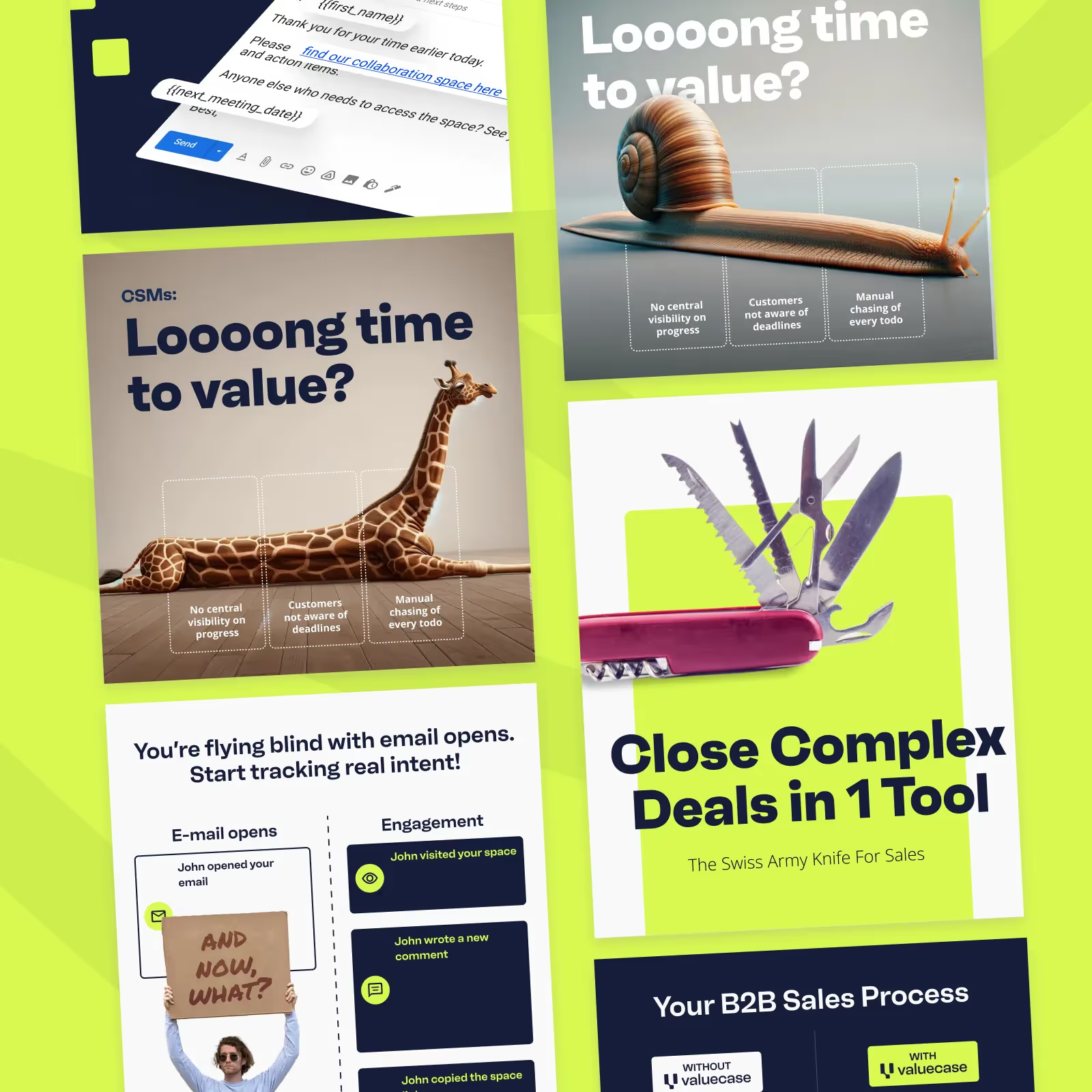
For example, we produce 100+ ad creatives per month for the SaaS company Valuecase. See how the ads plan works or see how magier works to understand the process.
Final thoughts
The best AI tools for Facebook and Instagram ad creatives for ecommerce are the ones that match your job and keep your product recognizable, and the product accuracy test is the check that tells them apart. Start with Meta's free tools, add one generator for your weakest format, and keep a production tool for brand control and resizing.
Running ads on a small team is hard, and testing creative takes steady attention even when AI does the heavy lifting. You might be worried that handing creative work to an outside team costs too much or slows you down, but a fixed monthly fee and a 48-hour turnaround per task keep both predictable.
If you want a designer to polish what your AI tools produce, book a free demo with magier. Pick the section most relevant to your store, run the one-week trial on your best-selling SKU, and let the results choose your stack.
FAQ
No single tool wins, because tools split by job. Start with Meta Advantage+ Creative for free variations and Canva for layouts, then add Creatify for video or AdCreative.ai for batches of static ads, depending on what you need.
It depends on the creative you need. Photoroom and Snappyit keep your product accurate, AdCreative.ai and Pencil produce variations at volume, and Creatify and KreadoAI turn product links into video.
Yes. Creatify, KreadoAI, and AdCreative.ai can start from a product URL or product photo, and Snappyit starts from an apparel photo. Review each output against your real product before it runs.
That list spans writing, analytics, SEO, and ads, so no single list fits every team. For ad creatives, the nine tools in this guide cover generation, resizing, scoring, and analysis, and Foreplay and PrimeSpy cover competitor research.
They perform well as first drafts and as many variants of an angle you already know works. They are weaker at finding the angle, because that comes from customer language and offer strategy. Use AI for volume and people for the idea.
Meta allows AI-generated creative and offers its own AI tools in Ads Manager. It enforces the same advertising policies on every asset, so misleading claims or unauthorized likeness get rejected however they were made, and ads edited with generative AI can carry an AI info label.
Fewer than most tools encourage. Meta says an ad set needs about 50 optimization events in seven days to leave the learning phase, so test three to five distinct angles with two or three executions each.
Yes, and this is the setting to check first. Tools that composite your real photo keep packaging and labels accurate, while tools that redraw the product can drift.
It depends on the vendor's licence and not on the output. Check whether the vendor grants commercial rights, whether generated people are covered, and whether it offers any indemnity.
You need fewer production hours and the same level of judgment. AI handles resizing and versioning, while a designer handles concept direction, brand fit, and claim review.
Create 1:1 for Feed and carousels, 4:5 for mobile Feed, and 9:16 for Stories and Reels. Check Meta's Ads Guide for current dimensions before you export.
Start with Meta's native tools because they are free and built into delivery. Add one external generator for your weakest format, and review every generated preview before you spend.
Yes, tools such as Creatify and Arcads create UGC-style videos with AI presenters. Confirm the product match, likeness rights, and claim accuracy, and do not present the ad as a real customer review.
Partly. Meta Advantage+ Creative is free, Canva and Photoroom have free plans, and KreadoAI and Creatify have free tiers, though Creatify's free exports carry a watermark.
In October 2026, entry prices ran from free to about $39 per month for tools such as Creatify and AdCreative.ai, and from $14 per month for Pencil. Credits differ by vendor, so compare cost per usable creative and not the headline price.
.avif)