.avif)
Ecommerce CRO Checklist (Free): Optimize Your Online Store for More Conversions
If you run an ecommerce shop, you already know how challenging it is to convert visitors into paying customers. Ecommerce CRO (conversion rate optimization) is the process of systematically improving your site to turn more of those visitors into buyers, and this checklist will help you do exactly that.
So, you are certainly not alone.
The best solution to come out of this sales conversion slump is to find the problem and keep improving your website and user experience. But when you think about working on the issues, you’ll realize that there is just too much to keep track of.
What you need is a comprehensive checklist that you can follow to tackle every little issue that is causing a conversion rate bottleneck. An ecommerce CRO checklist can help you find and address every tiny detail of your website without anything slipping through the cracks. The result? A perfectly optimized ecommerce store that is a conversion machine!
Ecommerce conversion rate optimization is the process of increasing the percentage of your store's visitors who complete a purchase. The global average conversion rate in 2026 sits between 2.5% and 3%, but most stores have significant room to improve, especially in checkout, product pages, and mobile experience. Baymard Institute's research shows that better checkout design alone can increase conversion rates by up to 35%.
That's a substantial revenue increase from traffic you're already paying for. With cart abandonment averaging 70% across the industry, even small improvements to your site's user experience can translate into meaningful sales gains.
This ecommerce CRO checklist covers 17 areas to audit, from homepage design and product pages to site speed, A/B testing, and personalization. Each section includes specific items to check, backed by current industry data and research.
We'll start with the fundamentals: what CRO means, why it matters, and the key metrics to track before making any changes
At a glance: ecommerce CRO checklist
- Ecommerce CRO is the process of increasing the percentage of visitors who buy, without increasing traffic spend
- The global average ecommerce conversion rate in 2026 is 2.5-3%, but it varies widely by industry (food and beverage at 4.5-6%, luxury at 0.8-1.2%)
- The average cart abandonment rate is 70.19% (Baymard Institute), and better checkout design alone can improve conversion rates by up to 35%
- The highest-impact areas to optimize first are product pages, checkout flow, and mobile experience
- Every change should be tested through A/B testing before rolling it out sitewide
- Track conversion rate, add-to-cart rate, cart abandonment rate, and revenue per visitor as your core metrics
- Prioritize using the ICE framework: Impact, Confidence, and Ease
{{freebie}}
Why do you need CRO?
CRO stands for Conversion Rate Optimization. It’s the process of improving your website or landing page to increase the percentage of visitors who complete a desired action, such as making a purchase, signing up for a newsletter, or filling out a form.
CRO involves analyzing user behavior, testing different elements on your site (like headlines, buttons, or images), and making data-driven changes to improve conversion rates. The goal is to turn more of your existing traffic into customers or leads without necessarily increasing the amount of traffic to your site. To put this in perspective: if your store gets 50,000 monthly visitors and converts at 2%, that's 1,000 orders. Improving the conversion rate to 3% gives you 1,500 orders from the same traffic. That's a 50% increase in revenue without spending more on ads.
Peep Laja, founder of CXL and one of the most recognized voices in conversion optimization, describes it simply: CRO is about understanding what your visitors are trying to do and removing everything that stops them.
Ecommerce conversion rate benchmarks
Before optimizing anything, you need to know where you stand. The global average ecommerce conversion rate in 2026 sits between 2.5% and 3%, though the number varies significantly by industry, device, and traffic source.
Source: aggregated from Dynamic Yield, IRP Commerce, and Contentsquare data for 2025-2026.
A few things to keep in mind with these numbers. Conversion rates correlate inversely with average order value. A $20 snack subscription converts much more easily than a $3,000 watch. Desktop still converts at roughly 3.2-3.9%, while mobile sits at 1.8-2.8%, even though mobile drives 65-75% of traffic for most stores. And email traffic converts 3-5x higher than paid social, so your traffic mix matters as much as your on-site experience.
If your store converts above 3.2%, you're in the top 20% across all industries, according to Littledata. If you're below 1%, the issue is likely either traffic quality or a significant trust or UX barrier.
Key ecommerce CRO metrics to track
CRO requires accurate measurement. Before making changes, make sure you're tracking these core metrics:
Revenue per visitor is often the most useful single metric because it accounts for both conversion rate and order value. A store that converts at 2% with a $100 AOV generates $2 per visitor. If you improve conversion to 2.5% or AOV to $120, RPV increases even if the other metric stays flat.
How can an ecommerce CRO checklist help?
When you’re trying to convince a visitor to purchase from your online shop, you must provide them with a strong enough reason to spend their cash.
Every detail matters — how fast your website loads on different-sized screens, how easy it is to find a product, and how smooth your checkout process is.
Now, if you try to look into all these aspects of your ecommerce store without a strategy in place, it’s easy to lose focus. You might get caught up on things that don’t have such a big impact on conversion rates and unintentionally ignore those that do.
With a customized and comprehensive checklist, you can take a methodic approach. You can ensure that every issue is treated with the priority it deserves and that nothing is overlooked.
Our team has already put together a free ecommerce CRO checklist for you, that you can find below 👇
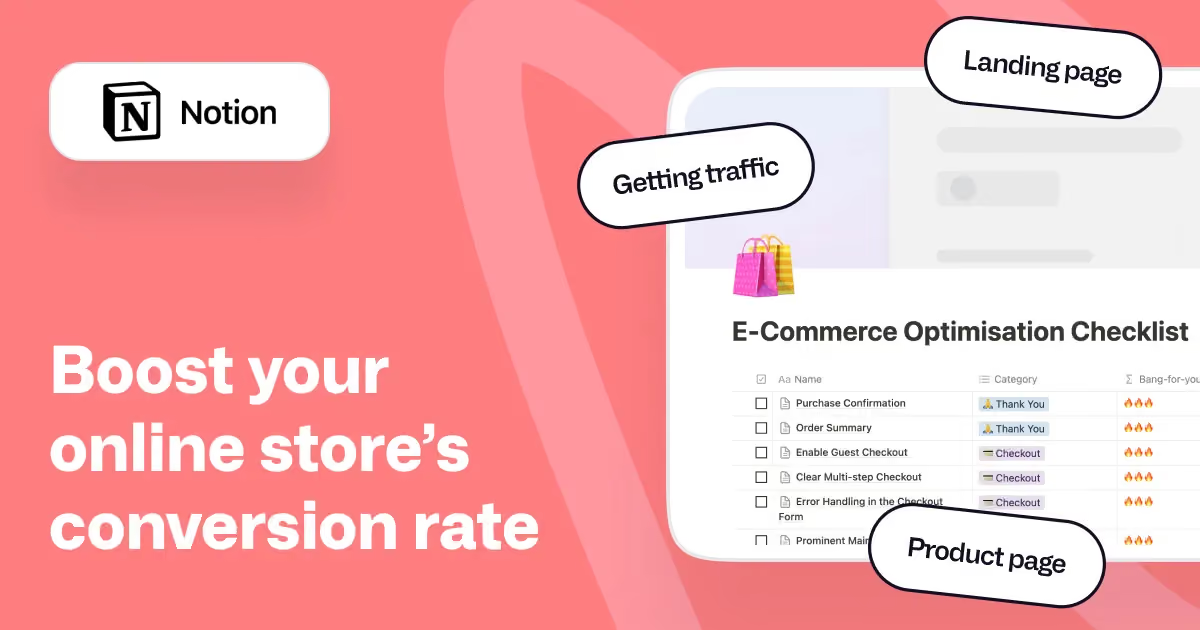
But in any way, here are the main elements you should consider when optimizing your online store for conversions.
If you're looking for even more in-depth strategies to boost your conversions, check out this post for 30 conversion rate boosting strategies for ecommerce.
1. Website design: Is your website user-friendly?
A clean, mobile-friendly website design that loads fast can boost your conversion rates. Research shows that a one-second improvement in page load time can increase mobile conversions by up to 27%. And with mobile driving roughly 70% of ecommerce traffic but only about 42% of revenue, closing that gap through better design is one of the highest-return investments you can make. No one likes to buy from a clunky, slow website that is a nightmare to navigate.
You should focus on improving the user experience of your website. Make sure it has features that will make the visitor’s life easy, like easy navigation and hassle-free cookie consent.
Another great way to engage your visitors and boost conversion rates is by introducing gamification elements in your website design. For instance, you can have a cart widget that displays the user’s progress towards qualifying for free shipping. This simple trick can be a great motivator to upsell your visitors.
It all boils down to this: If visitors enjoy their experience on your website, they will spend more time there. And you know what that means—a greater likelihood of them converting from visitors to customers.
Here are a few other website design-related elements that you should include in your ecommerce CRO checklist:
- Check whether the website has consistent branding and is optimized for new users
- Include special category pages
- Run prominent site-wide promotional offers
{{cta}}
2. Content: Is your content engaging?
An ecommerce CRO checklist item that should be higher up on your list is the quality of the content on your website. Think about what kind of content you’d like when you shop from a website. Of course, you will expect a clear product title, multiple high-quality images, and an accurate description that answers all the questions about the product, right?
When the copy on your home page or product page is compelling, your visitors feel like they can trust you. They feel like you care about answering their questions. This can be enough to encourage them to take the next step and make a purchase.
Keeping the content fresh should be one of the top items on your ecommerce CRO checklist. You should check whether the images are outdated, the description needs to be spiced up, or whether the title needs adjusting.
Doing this will help you gain your visitor’s trust, and they will be more willing to purchase from your website.
Here are a few items that should make it on your ecommerce CRO checklist regarding the content:
- Update your About Us page
- Highlight shopping benefits on the homepage
- Highlight wide-appeal products
3. Call-to-action: Are you able to encourage clicks?
Your CTAs are a huge part of your CRO strategy. Your ecommerce CRO checklist should always check whether your CTAs are obvious enough, clearly worded, and visually appealing
Your goal should be strategically placing the CTAs so they are easily visible without being too intrusive. Picking contrasting colors is a great idea, but the color you choose should align with your overall branding.
Remember, the goal of the CTAs is to subtly motivate the visitors to take action without being too distracting. No one likes to see a flashing CTA in gaudy colors out of the corner of their eye when they're just interested in buying something.
You should include items on your ecommerce CRO checklist that help you optimize the features of your calls-to-action. Some of the things you should definitely have on your checklist include:
- Ensure your CTA button stands out from the rest of the page
- There should be a prominent main CTA that’s repeated throughout the page
- Use a sticky bar for your CTA on the mobile version of your ecommerce store
4. Trustworthiness: Does your website have trust signals and social proof?
Everyone who is visiting your ecommerce store uses social media. Whether you like it or not, it will also play a role in establishing trust in your website. It’s a smart idea to integrate social media and have social proof, front and center on your website.
Another thing on your ecommerce CRO checklist should be to check whether your website can convey authenticity and safety to your potential customers. Make sure that you have trust signals like customer reviews, testimonials, and security badges on your website.
When you include these elements, it makes your website feel authentic and safe, especially for a first-time visitor. According to Salesforce, 80% of consumers say the experience a company provides is as important as its products or services. Trust signals are a direct part of that experience. Having these elements helps you build trust and increase online sales.
Here are a few more points that should be on your ecommerce CRO checklist:
- Update the number of likes/follows for products or services you sell
- Ensure the share buttons work and it is easy to share a product on different social media platforms
We have several more such topics on our free ecommerce CRO checklist that you can download.
5. Landing page: Does it encourage visitors to explore your website?
The landing page is often the first page of your website that new visitors see. If you want to keep them on your site, adding up-front value is a big must.
Your ecommerce CRO checklist should include ways to keep visitors on your site. You want to ensure there aren't outbound links or anything that will distract visitors away from your site. The last thing you want is a visitor bouncing off your site without even exploring what’s on offer.
You should check that your landing page has a cohesive design. One easy way you can do this is by making all of the design language the same. You can also check that your ecommerce store uses the same color schemes, fonts, and other design elements to keep everything consistent.
Some other things you should include on your ecommerce CRO checklist regarding your landing page include:
- Ensure that the product titles are descriptive
- Check whether the images are current and high-resolution

6. Contact options: Are you providing customers a way to contact you?
Your visitors should always be able to reach you easily. Think about offering visitors multiple options to contact you. This includes a clearly visible phone number, contact form, and maybe even a live chat option if possible.
When visitors see multiple contact options, they may feel more assured that they can easily and quickly contact you for more details.
7. Checkout: Is it straightforward?
You have taken all the proper steps and have the visitors where you want them at the checkout. Now, the only thing that remains is to help them make the payment, and you have successfully converted a visitor into a paying customer.
But what if your checkout flow is complicated? Do you think your customer will want to jump through hoops to make a payment? Probably not. Your ecommerce checklist should include having a smooth checkout process.
The information you ask customers for at checkout is an often overlooked but important aspect to think about. Baymard Institute's large-scale usability research found that the average ecommerce site can gain a 35.26% increase in conversion rate through better checkout design alone. Their research shows the ideal checkout should contain about 12-14 form elements, yet most sites have 23 or more.
No one wants the hassle of filling out endless forms when all they really want to do is enter their payment details and place the order. So, make sure that the information you collect at checkout is only the essentials.
Your goal is to guide your customer from their cart to order confirmation in as few clicks as possible.
A great way to expedite the checkout is by enabling a guest checkout option on your website. Many of your first-time visitors might not be interested in creating an account with you before they can make a purchase.
Some other points that you can include in your ecommerce CRO checklist regarding the checkout process include:
- Ensuring that a detailed order summary is displayed at checkout
- Making sure any forms only require mandatory details for convenience
- Looking into whether you can encourage people to create accounts with you for faster checkouts in the future
8. The “Thank You” page: Are you leveraging it to the fullest?
Having a "Thank You" page with the order confirmation is a great way to let customers know what they can expect next. Aside from details about delivery dates, you can provide customers with information on new or upcoming products. You could also offer them discounts for their first-time purchase that they can use on future orders.
It can be a great way to upsell your recently converted visitors and keep them on your website longer.
You can find several more such topics on our free ecommerce CRO checklist. Download it today to get a jumpstart on converting your visitors into paying customers.
9. The cart: Is it optimized for conversion?
There's nothing more frustrating than seeing abandoned cart items.
The average cart abandonment rate across ecommerce is 70.19%, according to Baymard Institute's analysis of 50 studies. That means roughly 7 out of every 10 shoppers who add an item to their cart leave without purchasing. And mobile abandonment is even higher at around 80%
There are a few things you can do to reduce abandoned carts. For one, ensure that your cart design is free from clutter.
Ensure that your cart design is clear and uncluttered. It will help your visitors to navigate through the checkout process. Including information about the order, such as product details, price, and quantity is also important. Sometimes, customers simply want to double-check their order, so why not make it as easy as possible for them?
Instead of customers having to click back and review their order, try to make the details as clear as possible throughout the checkout process.
You can also consider adding urgency to the checkout process. Tactics like displaying the remaining stock of the item in the customer's cart is a simple but effective way to encourage sales. Think about how many times you bought an item out of FOMO just because there was “only 1 left” below the price!
10. Product pages: Are they optimized?
Always make sure that each product page of your ecommerce store is optimized for conversion. Apart from having a clear main product title, your product page should also have a detailed product description and a comprehensive FAQ section.
A great way to boost conversion is bundling products for discounts. It can encourage customers to buy multiple products at once. Bundles create a sense of added value. Customers feel like they're saving money on purchasing items together now, rather than spending more buying them separately over time.
That said, if you decide to bundle products, ensure that you’re not bundling products that have marginally different prices. Doing this will reduce the perceived value of all the items in the bundle, especially the more expensive ones.
For instance, when most people see a smartphone bundled with a cover, they tend to see it as a good deal. Why? Because it has a clear value proposition- the case adds value to the phone.
You can use a similar strategy to create product bundles that are compelling for your visitors.
Ecommerce brands that optimize product pages with high-quality imagery see conversion lifts of up to 40%, according to industry testing data. Product pages are typically where the biggest conversion gains happen because they're where purchase intent is highest.
11. Category page: Is it designed for a smoother user experience?
One of the best ways to improve your visitors’ user experience is by implementing a sorting option on the category page. Visitors appreciate being able to easily sort the products based on price, popularity, and ratings.
It's also important to use designs that make it easy for visitors to navigate. Your goal should be to have a design that is easy to navigate. You can also experiment with a grid view or a list view depending on your product categories.
This also depends on the product you're selling. Some products benefit from emphasizing aesthetic appeal, such as clothes. In other cases, visitors are more concerned about how the product works and its features rather than how it looks.
For products where aesthetics are important, consider using a grid view that clearly shows what the items look like. For items where the features are more important, consider including the main features on the product pages.
These category page features will ensure that you make it as easy as possible for visitors to find what they're looking for.
12. Exit intent pop-ups: Do you use them properly?
Exit-intent pop-ups are a fantastic tool for optimizing conversion rates. It’s a great way to win your lead when they are about to leave your website.
You can consider adding quizzes as intent pop-ups for an added element of fun and curiosity. That said, your pop-ups must be clear, minimalistic, and subtle. Trying to do too much here will defeat the purpose.
13. Security: Are you showing that your website is safe and secure?
The perceived security of your ecommerce website plays a huge role in establishing trust with your visitors. If they see trust seals displayed at the checkout, they will be willing to enter their payment details.
Ensure that your CRO checklist includes website safety and security seals. This is especially for the checkout page where people enter their payment information. These security seals give visitors a sense of confidence that their payment information is safe which can make it more likely for them to go ahead with the purchase.
14. A/B testing: Are you testing changes before committing?
Making changes based on assumptions is risky. A/B testing lets you compare two versions of a page element to see which one performs better with real traffic.
Here's a practical approach to ecommerce A/B testing:
Start with a hypothesis. For example: 'Moving the trust badges closer to the Add to Cart button will increase the add-to-cart rate by reducing purchase anxiety.'
Test one variable at a time. If you change the headline, the image, and the button color simultaneously, you won't know which change made the difference.
Wait for statistical significance. You need enough data for the results to be reliable. As a rough guide, you need at least 1,000 conversions per variant, which means roughly 100,000 total visitors for a standard A/B test at a 2% conversion rate.
Document everything. Keep a running log of what you tested, the hypothesis, the result, and the percentage lift or decline. This prevents your team from repeating tests that have already been run.
Prioritize tests using the ICE framework: score each potential test on Impact (how much it could improve conversions), Confidence (how sure you are it will work based on data), and Ease (how simple it is to implement). Run the highest-scoring tests first.
Some practical tools for ecommerce A/B testing include VWO, Optimizely, Google Optimize (sunset, but alternatives like AB Tasty and Convert are available), and built-in testing features in platforms like Shopify Plus.
15. Mobile experience: Is your store optimized for how most people actually shop?
Most ecommerce stores receive 65-75% of their traffic from mobile devices, yet mobile conversion rates lag behind desktop at roughly 1.8-2.8% compared to 3.2-3.9%. Closing that gap is one of the highest-impact CRO opportunities available.
Here are the mobile-specific items to add to your ecommerce CRO checklist:
Your pages should load in under 3 seconds on a mobile connection. Tap targets (buttons, links) should be at least 44x44 pixels so they're easy to hit with a thumb. Forms should auto-fill wherever possible and use the correct input types (numeric keyboard for phone numbers, email keyboard for email fields). One-tap payment options like Apple Pay, Google Pay, and Shop Pay should be enabled. Shop Pay alone has been shown to increase conversions 1.7x compared to standard guest checkout. Product images should render correctly at smaller screen sizes, and zoom functionality should work with pinch gestures. The Add to Cart button should remain visible as users scroll (sticky CTA). Pop-ups should either be disabled on mobile or converted to less intrusive banners that don't block the full screen.
16. Site speed: How fast does your store load?
Page speed directly affects both conversions and search rankings. Google uses Core Web Vitals as a ranking factor, and slow-loading pages consistently show higher bounce rates and lower conversion rates.
The three Core Web Vitals to monitor are Largest Contentful Paint (LCP), which should be under 2.5 seconds; Interaction to Next Paint (INP), which should be under 200 milliseconds; and Cumulative Layout Shift (CLS), which should be under 0.1.
You can check your scores using Google PageSpeed Insights or the Chrome User Experience Report. Common fixes include compressing images (use WebP format), enabling lazy loading for below-the-fold content, minifying CSS and JavaScript, using a Content Delivery Network (CDN), and optimizing web fonts.
Recommended ecommerce CRO tools
You don't need every tool on this list, but having the right combination of analytics, behavior tracking, and testing tools will make your CRO efforts significantly more effective.
Start with GA4 and a free heatmap tool like Microsoft Clarity. These two alone will give you enough data to identify your biggest conversion opportunities.
Conclusion
Optimizing your website's design, enhancing user experience, improving product pages, and speeding up the checkout process are all crucial steps toward boosting conversions and increasing online sales.
There are many other factors to consider, such as mobile optimization, SEO, personalized recommendations, and effective use of analytics and testing. Each of these has a role to play in the performance of your ecommerce store.
A detailed checklist will help you cover all bases when trying to boost your conversions. You can download a complete ecommerce optimization checklist from Magier for a more exhaustive guide that goes beyond the basics.
This in-depth checklist will walk you through every aspect of conversion rate optimization, helping you create a seamless, user-friendly shopping experience that drives higher conversions and maximizes your online revenue.
Frequently Asked Questions
1. How can conversion rate optimization help increase online sales?
Conversion rate optimization helps you increase online sales by enhancing the user experience on your website, making it easier for visitors to take action. You can optimize different aspects of your ecommerce store, like product pages, improve site speed, refine checkout processes, and create compelling CTAs.
2. What are some ecommerce CRO best practices I should follow?
Some ecommerce CRO best practices you should implement include optimizing your site for mobile devices, ensuring fast load times, using high-quality product images, and providing clear, persuasive product descriptions.
3. How often should I update my ecommerce CRO checklist?
You should update your ecommerce CRO checklist regularly, ideally every quarter or after any significant changes to your website or marketing strategy. Regular updates ensure that your checklist remains relevant and aligned with the latest ecommerce CRO best practices.
4. Can a CRO checklist really make a difference in my conversion rates?
Yes, a CRO checklist can have a major impact on your conversion rates. A structured approach to optimizing your ecommerce site ensures you don't miss any important steps
5. How do I measure the success of my ecommerce CRO efforts?
Measuring the success of your ecommerce CRO efforts involves tracking key performance indicators (KPIs) such as conversion rate, bounce rate, average order value, and customer lifetime value.
Tools like Google Analytics are great at providing insights into user behavior, showing how changes to your site impact these metrics. A/B testing lets you compare different versions of pages or elements to see which performs better.
6. What is the difference between CRO and SEO?
SEO (Search Engine Optimization) focuses on bringing more visitors to your site by improving your rankings in search results. CRO (Conversion Rate Optimization) focuses on converting more of those visitors into customers once they arrive. They work best together: SEO increases the quantity of traffic, and CRO increases the quality of outcomes from that traffic. For example, improving your product page copy might help both your search rankings (SEO) and your add-to-cart rate (CRO) at the same time.



.avif)