Webflow vs Claude Code: Which One to Choose in 2026
We came across this person on Reddit who is deleting all their Webflow sites and calling it freedom from a company that's been overcharging them for years. A few threads down, someone else described building a personal site with Claude Code and free hosting. But he had to lose it to Google Search Console errors piling up within days. And when he tried to fix them with AI, new small problems arose somewhere else.
We know for a fact that both of these people are telling the truth. And that's exactly why this comparison of Webflow vs Claude Code is more nuanced than it looks. However, if you’re tight on time, this one question will help you gain some clarity: Who on your team will be handling this site six months from now?
More than 30% of Webflow's enterprise customers are already using the platform's MCP connection to Claude, with that adoption growing roughly 4x since January 2026 and close to 90% of it happening through Claude specifically, according to a July 2026 report from CMSWire. The "versus" framing is giving way to a "together" framing for a meaningful share of production teams.
We've written this guide for founders and marketing teams choosing between Webflow and Claude Code, so you can pick the right platform for your team, or use both together for the best result. Here's what we cover:
- What Webflow and Claude Code each actually are
- A side-by-side across cost, CMS, design control, maintainability, SEO, and security
- A decision framework built around your team's composition
- What a real week looks like publishing a campaign page on each platform
- The hybrid workflow
- The risks of "vibe coding" a site
- Whether migrating an existing Webflow site away actually makes sense, and when it doesn't
Before comparing anything, it helps to name what's actually being compared, because these are different categories of tool, and that distinction is the source of most confusion in this conversation.
Quick glance: Webflow vs Claude Code
{{freebie}}
What is Webflow?
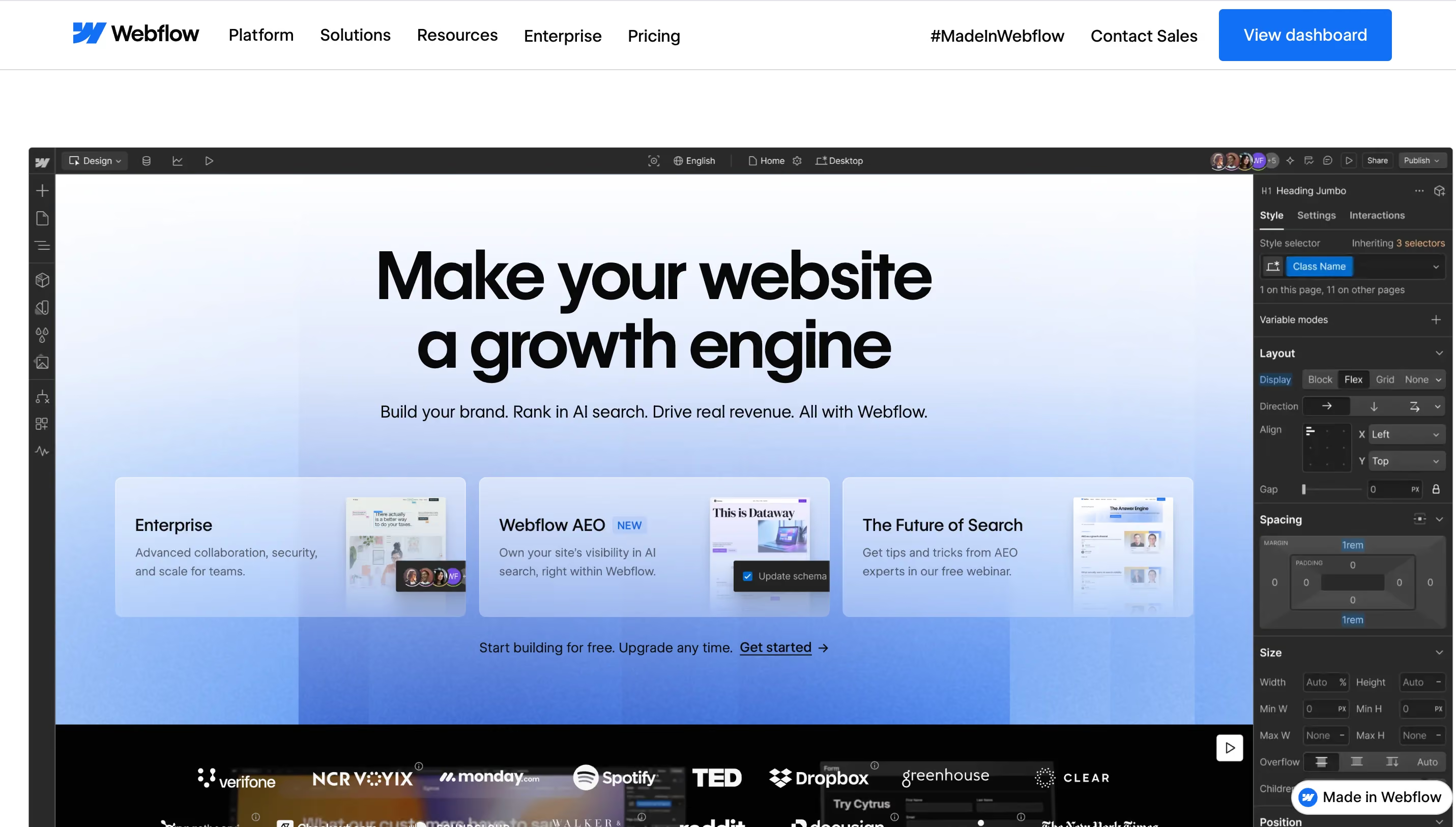
Webflow is a visual platform that combines a design tool, a CMS, and hosting in a single environment. You design in a browser-based editor that generates clean HTML, CSS, and JavaScript, and you publish to Webflow's own infrastructure without managing servers, deploy pipelines, or code repositories. The CMS supports structured content types with reference fields and bulk operations, and the design system uses variables and reusable components that propagate changes across the site automatically. Webflow is built for teams that need a site to live, grow, and change over time without constant developer involvement.
{{cta}}
What is Claude Code?
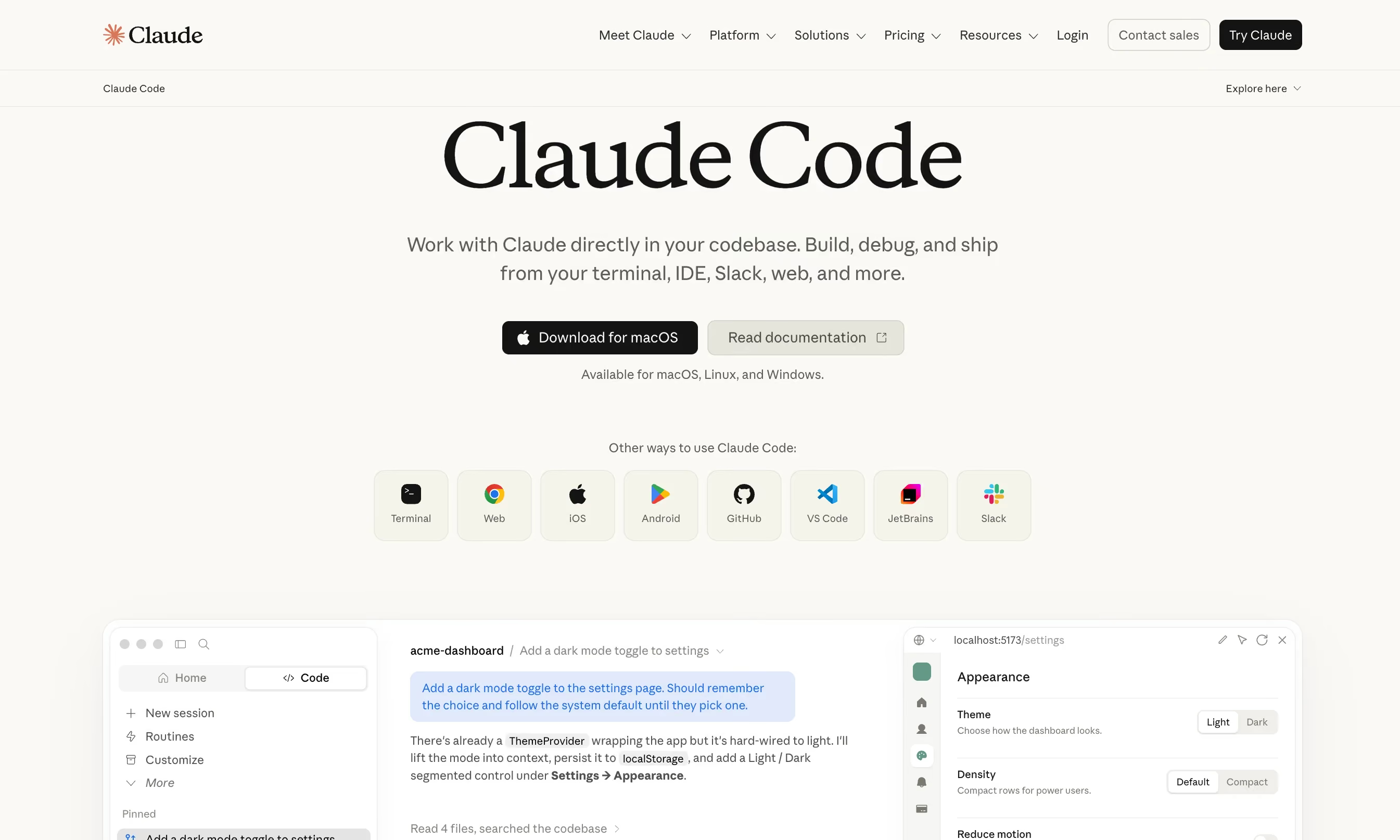
Claude Code is Anthropic's terminal-based AI coding agent. You describe what you want in plain English, and it writes, edits, and runs code directly inside your project. It can generate a functional website from a prompt in minutes, but it has no native CMS, no built-in hosting, and no publishing workflow of its own. Every piece of infrastructure you'd need for a real, maintained site, from hosting to content management to security, is something you either build yourself or connect separately.
Since February 2026, though, Claude Code can connect directly to Webflow projects through Webflow's MCP server, which means it's no longer strictly a separate alternative. It can read and write CMS content, update metadata, and draft page elements inside an existing Webflow site. That connection changes the shape of this comparison significantly.
Quick note on the Webflow vs Claude Code bias
If you've searched for 'Webflow vs Claude Code' recently, you've probably noticed that most of the published comparisons come from Webflow agencies. That's not a criticism, and the content itself is often well-researched and useful. But it does mean the conclusion tends to land in the same place regardless of the question, because an agency whose business depends on Webflow projects has a reasonable, human incentive to find reasons to keep using Webflow.
We're a Webflow partner too, so we're not pretending to sit outside this. But our work isn't tied to which platform a client ends up choosing. We get paid for the output, not for steering anyone toward one tool over another, and we've watched how this decision pans out from the dugout plenty of times to know that the right answer really does depend on the team, not on some universal winner.
"We get asked which platform to pick more than we get asked how to design the site itself. Usually the honest answer is that the platform matters less than whether anyone on the team will actually maintain what gets built."

Webflow vs Claude Code: side by side
Cost
Webflow pricing simplified in May 2026, and Claude Code pricing works differently than most people expect, so it's worth laying out the current numbers side by side. The old CMS and Business plans merged into a single Premium tier, which is now the default for most real sites. Claude Code isn't priced as a standalone product; it runs on a Claude subscription and shares the same usage budget as Claude's chat interface.
The honest comparison isn't plan price against plan price. It's Webflow's all-in monthly fee against Claude Code's subscription cost plus separate hosting plus your own time maintaining and debugging what Claude built. For an active, growing site, the total cost of ownership on the Claude Code path often catches up to or exceeds Webflow within the first year once maintenance hours are counted.
Content management and CMS
This is the category where the gap is widest and most consequential for marketing teams. Webflow's CMS is a structured content database. Every content type, whether a blog post, case study, or team member profile, lives in a collection with defined fields, reference connections to other collections, and granular controls over who can edit and publish. Your marketing team can add a new blog post without a developer touching anything. Bulk imports, headless API access, and conditional visibility are all built in.
Claude Code has no CMS. Every page it generates exists as its own file, with no shared update system, no way to propagate a single content change across multiple pages, and no workflow controlling who can publish what. For a simple five-page site, this may not matter. For a resource hub with case studies, a blog, integration pages, and localized versions for multiple markets, the absence of a CMS becomes a fundamental problem rather than a minor inconvenience. For scale context, Fivetran launched over 130 pages in a single year on Webflow's CMS, and Nursa migrated roughly 40,000 pages in 19 days. You cannot implement that when pages are stored as files.
Design control and design quality risk
Webflow gives you pixel-level visual control with a design token system. Change a color or a font in your variables, and it updates everywhere automatically. The tradeoff is that sites built quickly from a default template or component library can end up looking like every other Webflow site, just a different brand's logo on the same layout.
Claude Code has its own version of this problem, but a more severe one. Without deliberate prompting, it tends toward what the developer community calls AI slop, meaning the same Inter font, the same purple gradients, the same three-card feature grids that populate every AI-generated site on the internet. Anthropic built a specific plugin called frontend-design to push Claude's design output away from those defaults, and if you're exploring the Claude Code path for anything customer-facing, it's worth understanding how that plugin works and what it requires (we wrote a separate guide on it).
So how does this work in practice? Both paths carry a design-quality risk, just a different flavor of it. The Webflow risk is visual sameness across sites built on the same component libraries. The Claude Code risk is the statistical average of the internet's training data showing up in your homepage.

Maintainability and longterm ownership
In Webflow, updating a shared component or design setting once applies that change across every page that uses it, instead of editing each page by hand. A marketer can update a headline, swap an image, or publish a new page without understanding code. Webflow's enterprise case studies report a 67% reduction in developer ticketing after migration, which is a direct measure of how much less the marketing team depends on engineering for routine updates. On the enterprise tier, page branching, approval workflows, and a full audit log mean multiple people can work on the site simultaneously without stepping on each other.
A site built with Claude Code has none of these mechanisms by default. Every change requires a new prompt, a review of the output, and a deploy step. Six months into a project built from dozens of separate prompts, the cumulative effect is a codebase where nobody fully remembers why certain decisions were made, because the "decisions" were whatever Claude predicted as most likely at the time, not choices anyone on the team deliberately made and documented.
SEO and AEO
Webflow natively handles title tags, meta descriptions, canonical tags, URL control, automatic sitemap generation, and structured data markup. It also ships dedicated AEO tooling aimed at visibility in AI answer engines like ChatGPT, Perplexity, and Google AI Overviews. With Claude Code alone, every one of these is your responsibility to implement, test, and maintain separately.
Security and compliance
For companies selling into enterprise clients who send security questionnaires, this category should be considered before anything else. Webflow Enterprise includes SOC 2 Type II certification, native GDPR compliance, SSO integration, and DDoS protection through Cloudflare. A Claude Code-generated site has none of this natively. All of it can be manually implemented, but it's a significant engineering lift that most small teams underestimate.
The decision framework we recommend to our clients
The clearest way to think about this decision is by looking at your team, not just your project. Marketing site goes to Webflow, custom web app goes to Claude Code, sounds simple enough on paper.
But two identical SaaS marketing sites can have opposite right answers depending on who's going to maintain them. A team of three developers with no dedicated marketer operates completely differently from a team of one marketer with no developer at all, and that's what actually decides which platform fits, not the project label.
One thing worth mentioning is that team composition changes. The right platform for a two-person startup isn't automatically right for the same company at twenty people. This is a decision worth revisiting once a year rather than treating as permanent.
A week in the life: publishing a campaign page on each platform
Abstract feature tables are useful, but they don't show you what it actually feels like to use these tools on a Tuesday afternoon when a campaign page needs to go live by Friday. So here's a concrete version of the same comparison.
On Webflow
Your marketer opens the Designer, duplicates an existing campaign page built with components from a library like Relume, swaps in new copy and images, adjusts a few elements using the visual editor, and publishes. No code, no developer ticket, no deploy pipeline. The page inherits the site's existing design tokens and brand consistency automatically. Total time for someone familiar with the tool is an afternoon, maybe less.
On Claude Code alone
Someone comfortable with a terminal prompts Claude to build the page, reviews the output, catches a few generic design defaults, prompts again with corrections, deploys to a hosting provider, and separately handles metadata and sitemap updates by hand. The first version might actually be faster than the Webflow path. But every future edit, every copy tweak, every image swap repeats some version of this cycle, because there's no visual editor and no CMS remembering the structure for you.
On Webflow + Claude Code via MCP
A developer or a comfortable marketer asks Claude to draft the page directly inside the Webflow CMS through the MCP connection, reviews it in the Webflow Designer, and publishes through Webflow's normal flow. This is closest to Webflow's native speed with some of Claude's drafting ability layered on top.
The real difference across these three versions isn't the first Friday. It's the tenth Friday, six months from now, when nobody remembers the reasoning behind decisions made in a rushed prompt and the site needs a quick update before a board meeting.
The hybrid approach: what the Webflow MCP connection actually does
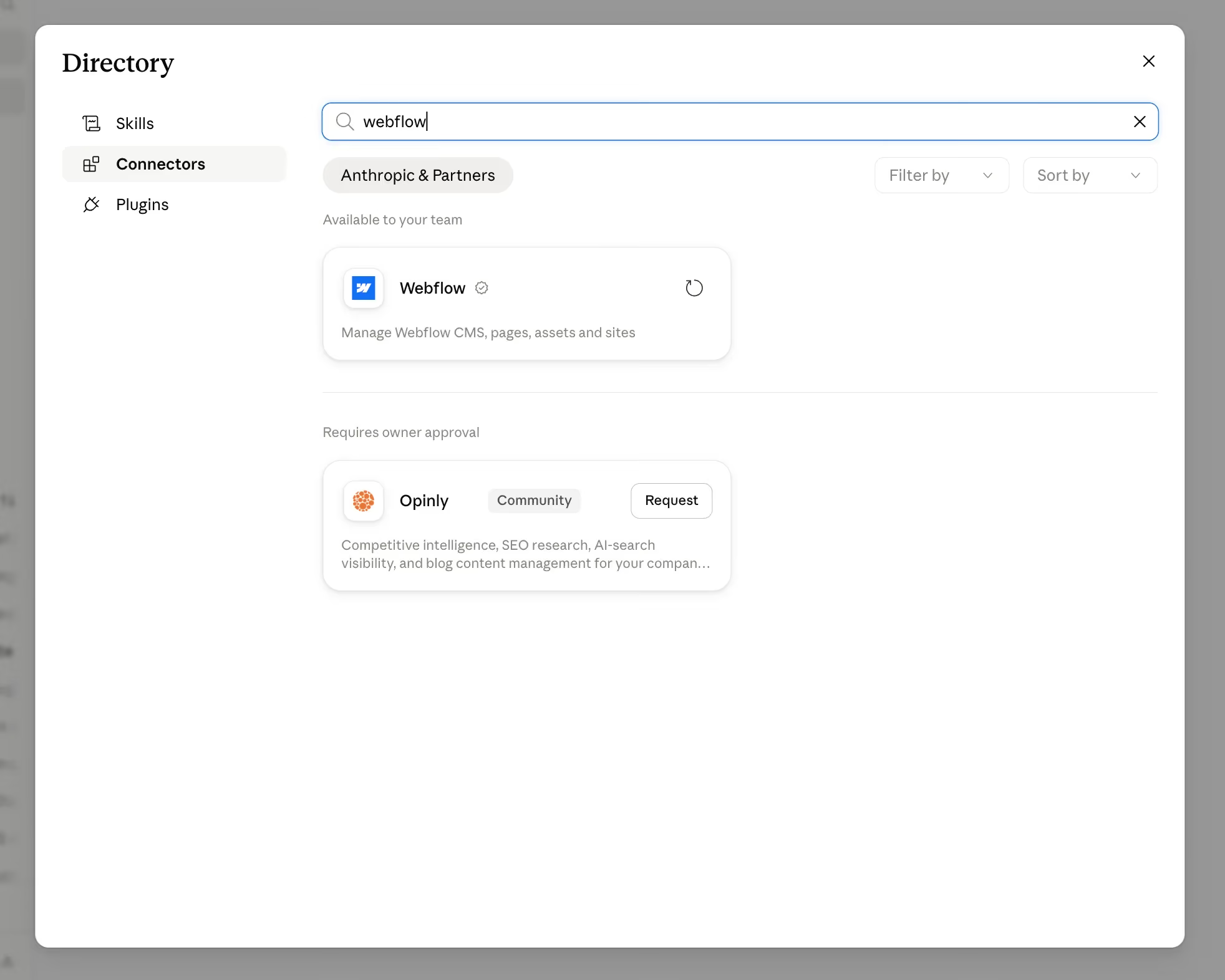
Every source in this space is converging on the same conclusion, so let's walk through what that "hybrid" actually means in practice rather than just naming it.
Webflow launched its official MCP server in February 2026, and upgraded it to MCP 2.0 in July 2026. MCP stands for Model Context Protocol, an open standard Anthropic released that standardizes how AI models interact with external tools. In practical terms, it's the connection layer that lets Claude read and write to your Webflow project through natural language rather than manual API calls.
The 2.0 upgrade brought three key improvements:
- Removed the separate bridge app that earlier versions required
- Added brand controls and permissions, so teams can set exactly what Claude is allowed to change
- Opened up analytics access
Together, these mark a meaningful step from "interesting experiment" to "something you can trust with production work."
In practice, Claude can now:
- Create and update CMS items
- Draft page elements
- Correct metadata across the site
- Run content audits
All of this happens inside the Webflow environment, so your team's visual editing and publishing workflows stay intact. One team documented an 80-page SEO metadata audit going from half a day of manual work to about 20 minutes through this connection, which is the kind of time saving that compounds quickly across a content-heavy site.
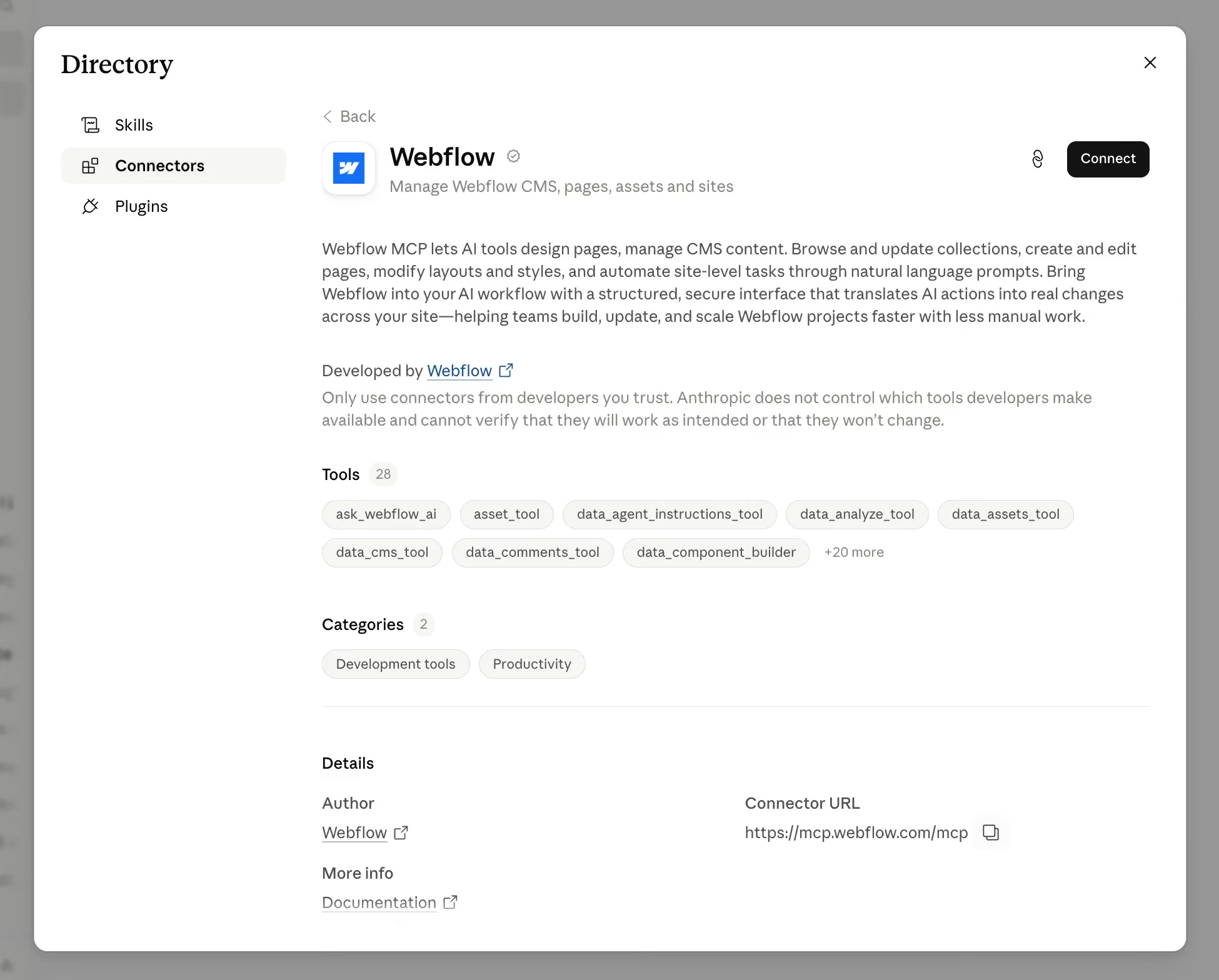
The honest caveat, which even Webflow's own documentation acknowledges, is that the Data API side, covering CMS content and metadata, is mature and reliable. The Designer API side, which handles visual layout and styling, still benefits from a human review pass before anything goes live on a production site. The technology is moving fast, but treating it as "fully autonomous" today would be premature for anything client-facing.

How to set up the Webflow MCP connection
Getting Claude connected to your Webflow project takes a few steps, and none of them require a developer to do it for you.
- Confirm your Webflow plan supports MCP: The connection is available on Webflow's paid plans; check your current plan settings if you're unsure.
- Open your Webflow project's API settings: From your site dashboard, go to Site Settings, then the Apps & Integrations tab, where Webflow manages third-party and MCP connections.
- Generate an MCP access token. Webflow will walk you through authenticating and scoping what the connection can access, such as specific sites or collections.
- Add the Webflow MCP server to Claude: In Claude Code or Claude Desktop, add Webflow as a connected MCP server using the token from the previous step.
- Set permissions for what Claude can change: MCP 2.0's brand controls let you decide whether Claude can edit CMS content only, or also touch page elements and metadata.
- Test the connection with a low-stakes task first: Ask Claude to pull a list of your CMS collections or draft a single blog post before trusting it with anything customer-facing.
- Review everything in the Webflow Designer before publishing: Treat Claude's output as a draft, especially on the visual layout side, and give it a human pass before it goes live.
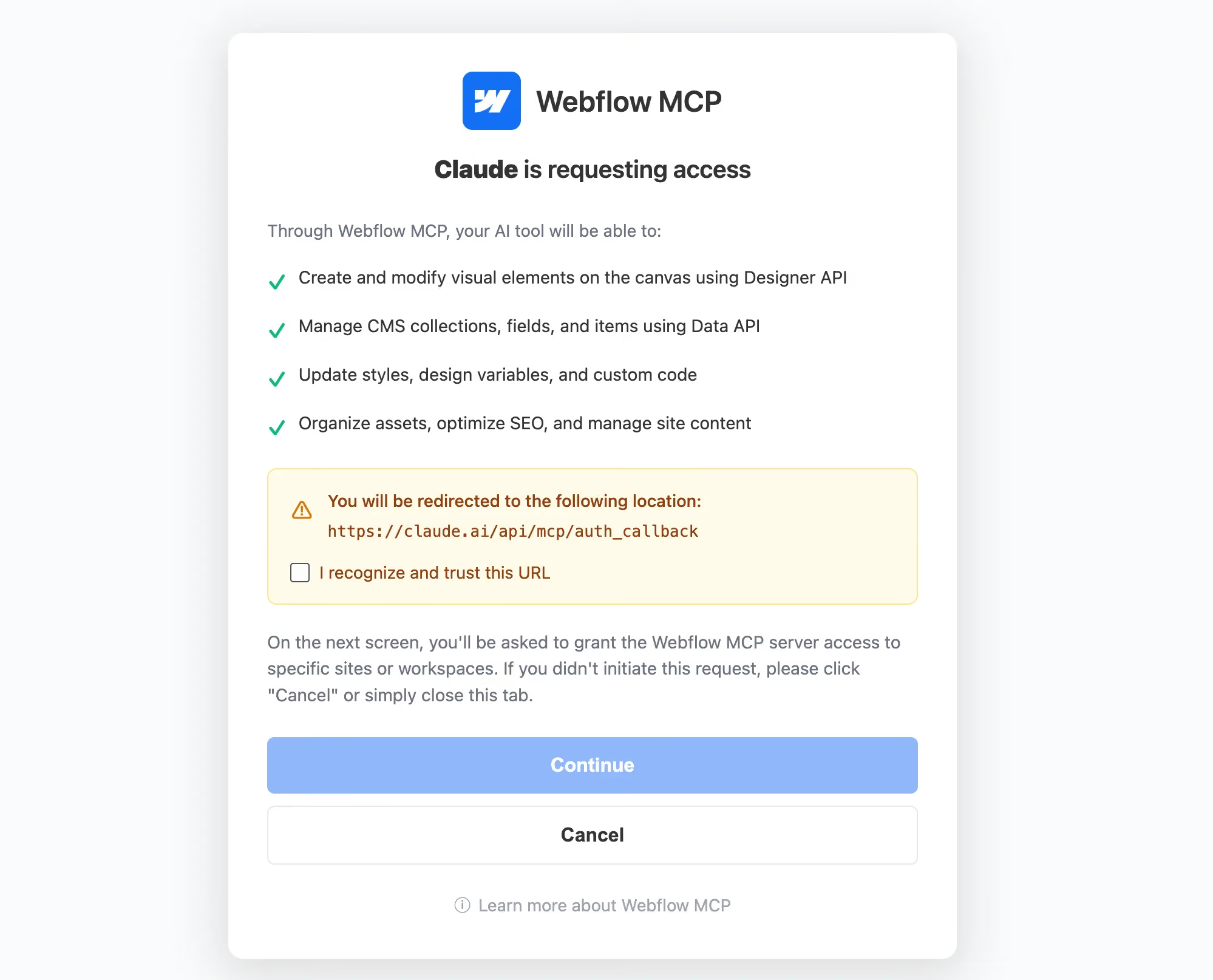
For details, you can refer to this guide.
The risk of building a production site with Claude Code alone
What "vibe coding" actually means
"Vibe coding" was Collins Dictionary's word of the year for 2025, coined by AI researcher Andrej Karpathy, who described it as "fully giving in to the vibes, embrace exponentials, and forget that the code even exists." For a weekend prototype or a personal experiment, this works fine. For a production website tied to revenue, the pattern breaks down.
A real example of the fix-break-fix loop
The Karpi Studio team documented a real, first-person version of this. A small personal site, built with Claude Code and deployed to free hosting, looked like a clear win on cost, until Google Search Console flagged crawl errors within days.
Each AI-prompted fix resolved one issue and introduced another. The loop of "fix, break, fix again" is the part nobody warns you about, and when the volume is high, that loop becomes expensive fast. Uroš Mikić, CEO of the Webflow agency Flow Ninja, described the underlying problem well: when you build with a vibe-coded stack, you're assembling your own CMS, your own hosting, and carrying that whole mountain with you, and when you want to edit anything later, you're vibe-coding through the editing all over again.
Why this happens: the mechanics behind the risk
Designer Kyle Frost's widely-shared post about moving all his websites off Webflow tends to get cited as proof that the migration is simple and clean. But what he actually wrote is more nuanced than how it got read. He moved three small, unmonetized personal sites, and he explicitly noted that the tradeoff was "accepting more complexity, and a learning curve that involves more than clicking and dragging." He also said he didn't expect everyone to abandon visual builders. The "Webflow is dead" interpretation of his post is not what he wrote.
The underlying mechanics are worth understanding too. GitClear's analysis of 211 million lines of code found that code refactoring, the practice of cleaning and improving existing code, dropped from 25% of changed lines in 2021 to under 10% by 2024, while code duplication increased fourfold. That's consistent with code being generated faster than it's being properly maintained, and it's the specific mechanism behind why vibe-coded projects tend to accumulate invisible problems.
A new category has emerged to clean up the mess
Services like FixMyVibe.io and VibeCodeFixers exist because enough AI-generated codebases need rescuing that fixing them is now a viable business. When an entire service category emerges around cleaning up a specific approach, it's a signal worth taking seriously.
On another note, there are a number of Claude skills that help to minimize the risk of shipping using Claude, especially on the design-end. If you're interested in learning about them, you can find them here.
Should you migrate an existing Webflow site away?
The question of whether to migrate an existing Webflow site to Claude Code is different from choosing a platform for a new project, and it deserves a more cautious answer.
There are reasonable situations where leaving Webflow makes sense. If the site is small, unmonetized, and the subscription fees cost more than the time you'd spend maintaining a simpler setup, the math can actually favor moving. If you specifically need custom functionality that Webflow can't do, like a complex calculator, a customer portal, or deep API integrations, building that part in code is the right call regardless.
But for an active, revenue-generating site, the calculus is different. You're risking new crawl errors, broken publishing workflows, and a maintenance burden that lands on whoever happens to be free that week. And you're doing it to a site that's already working.
The safer path for most teams is to not migrate away, but instead connect Claude Code to the Webflow site you already have through MCP. You get AI-assisted drafting, content operations, and metadata management without giving up the platform stability, the visual editor, or the CMS your team already knows how to use.
Is Webflow going anywhere?
Some of the search demand behind this comparison, including threads asking whether Webflow is dying, isn't really about features. It's existing Webflow users and professionals wondering whether the platform itself is a safe bet for the next few years.
On the positive side, the facts are clear. Webflow has raised over $330 million in total funding, including a $120 million Series D in October 2025 at a $4 billion valuation. Through 2026, it has actively expanded its AI and AEO tooling, acquired Vidoso.ai for brand-consistent marketing content, migrated all customer sites to its next-generation CMS, and shipped MCP 2.0.
The verifiable facts on the other side are also visible. Webflow has had visible layoffs, and threads in r/webflow show real concern among long-time users about the platform's direction and pace of feature improvement. These threads sit in the same forums as the ones praising the MCP integration, which tells you the community itself is split rather than uniformly confident or uniformly worried. Platform risk like this isn't unique to Webflow, either. As Workhorse CTO Thomas Bacon has noted about vendor dependency generally, "we've seen a $50/month security tool land a $5,000/month renewal quote after acquisition," which is a reminder that any platform commitment carries some version of this risk.
We're not going to speculate about what any of this means for the future, because that would be guessing dressed up as analysis. The facts above are verifiable, and the reader researching this decision can weigh them against their own risk tolerance.
A simple checklist before you decide
Run through these before committing to either direction, and be honest about the answers rather than aspirational:
- Do you have at least one person who will maintain and update this site regularly, and are they comfortable working in a terminal?
- Does the site need a CMS with structured content types, reference fields, and team-level publishing, or will it stay simple enough that a handful of static pages will do?
- Is this a revenue-generating, customer-facing site, or a low-stakes prototype or internal project?
- Does your company face compliance requirements like SOC 2 or GDPR that a client or partner will actually verify?
- Will more than one person need to edit this site, and do you need a review or approval workflow before changes go live?
- Do you already have Webflow experience or existing Webflow sites in your stack?
- Is the functionality you need something Webflow's visual tools and CMS can't handle?
If most of your answers point toward "we need a stable, maintainable site that a non-technical team can update," Webflow is the shorter path. If they point toward "we need full control over custom software and we have the developers to maintain it," Claude Code has the flexibility. If you're somewhere in between, the MCP-connected hybrid is where most teams in your position are landing right now.
Final thoughts
The right tool for your website is the one your actual team can maintain a year from now, not the one that ships fastest this week. Both Webflow and Claude Code are capable tools, and the growing MCP integration between them means you're increasingly choosing a workflow rather than a platform.
If your team is small, your time is limited, and design quality matters to your business, the platform question is worth getting right before you start building, because rebuilding a production site is always more expensive than building it on the right foundation the first time. For teams that want professional design and development regardless of which platform they choose, you can trust in magier.
Pick the section most relevant to your situation and use the checklist to pressure-test the choice before you commit.
{{cta}}
FAQ
For most active, revenue-generating sites, no. The stronger pattern is connecting Claude Code to your existing Webflow site through MCP, keeping the platform's stability while adding AI-assisted drafting on top, rather than rebuilding a working site from scratch.
Webflow's Premium plan runs $25-39/month all-in, including hosting and a CMS. Claude Code has no flat cost of its own; it depends on a Claude subscription starting at $20/month, plus separate hosting, and real usage for an active project often lands at $100-200/month once you factor in maintenance time.
No. Webflow occupies a different category than an AI code generator; it manages hosting, a CMS, and design consistency, not just code output. Growing MCP adoption suggests the market is moving toward combining both rather than replacing one with the other.
It lets Claude read and write your Webflow CMS, draft page elements, and update metadata, all inside your existing Webflow environment. Publishing, hosting, and visual editing stay with Webflow; Claude handles the drafting and content work on top.
No. Claude is the chat interface at claude.ai. Claude Code is a separate, terminal-based tool that writes, runs, and debugs code directly inside your project files. Webflow's MCP connector works with both.
Solo, technical founders building simple, low-stakes, or non-monetized projects, and teams building custom software applications or dashboards far outside what a marketing site needs. For an active marketing or e-commerce site with more than one contributor, the hybrid approach or Webflow alone tends to hold up better.
Not based on what we're seeing. Demand for Webflow expertise is shifting rather than shrinking, since teams increasingly want people who can pair Webflow with AI tools like Claude Code through MCP, not replace one skill with the other.
You lose Webflow's native sitemap generation, structured data, and AEO tooling, and have to rebuild the equivalent yourself. Several accounts describe Google Search Console crawl errors appearing within days of a Webflow-to-Claude-Code migration, requiring ongoing manual fixes.
Not by default. Left with a vague prompt, Claude Code tends toward generic patterns known as AI slop. Anthropic's frontend-design plugin and more deliberate prompting can push the output toward something more distinctive, though it takes real effort compared to Webflow's built-in design system.
Look at your team, not just the project. A team with a marketer and no developer leans Webflow; a team of developers with no dedicated marketer leans Claude Code; a mix of both usually works best combined through MCP.
.avif)


.avif)


.avif)