Webflow vs Contentful: Which CMS Is Right for Your Team in 2026
Picture your best campaign idea sitting untouched for two weeks because the only person who can change the homepage is buried in a developer queue.
That bottleneck is why teams compare Webflow and Contentful, since Webflow lets marketers publish on their own while Contentful gives developers a flexible hub for many channels, so the decision is not easy. And it is common, since 91% of technical leaders in Webflow's 2026 State of the Website report describe friction between technical and non-technical teams over website changes.
This guide is the answer to that "it depends." Webflow is a visual website builder with a built-in CMS and hosting, while Contentful is a headless, API-first CMS that feeds content to many channels at once. They solve different problems, and picking the wrong one costs you months, so the goal here is to help you match the tool to your actual team.
At magier, we have built and migrated marketing sites for more than 150 brands, so we have watched both of these decisions play out in real teams. If you have ever waited days for a developer to change one headline, you are not alone, and this guide will help you avoid that next time.
Here is what we cover:
- What Webflow and Contentful actually are, and how headless differs from a visual builder
- A side-by-side comparison of design, workflow, SEO, content modeling, and pricing
- Verified 2026 pricing for both platforms, including the hidden cost of developer time
- How to migrate between the two, with a clear step-by-step process
- Vendor lock-in and your exit options, including the alternatives people raise most
- A decision framework that sorts the answer by your team type, technical resources, and company size
- Whether Webflow is still a safe bet in 2026 as AI reshapes how sites get built
Webflow vs Contentful at a glance
In short:
- Choose Webflow when you need a marketing website your design and marketing team can launch, update, and own without a developer for every change.
- Choose Contentful when your content has to power several products or channels at once, like a website, a mobile app, a help center, and regional sites, all from one source.
However you phrase it, contentful vs webflow or webflow vs contentful, the question underneath is the same, which is whether your team needs a website to run on its own or a content hub to feed many channels. The table below breaks down the core differences so you can see where each tool earns its keep.
What is Webflow?
Webflow is a visual development platform that lets you design a website on a canvas, manage its content in a built-in CMS, and host it, all in one place. Many thought leaders describe it as "Figma with the power of front-end code," and that framing is quite accurate, because you control real CSS properties like spacing, layout, and typography through a visual interface rather than by writing code.
This is important mainly because of ownership. Using Webflow, a marketer or designer can build pages, edit blog posts, and adjust layouts without filing a ticket, because the design and the content live in the same tool. The platform is trusted by more than 300,000 organizations according to its own customer data, and it runs on managed AWS infrastructure with Fastly CDN, SSL, and automatic DDoS protection, so the hosting side is handled for you.
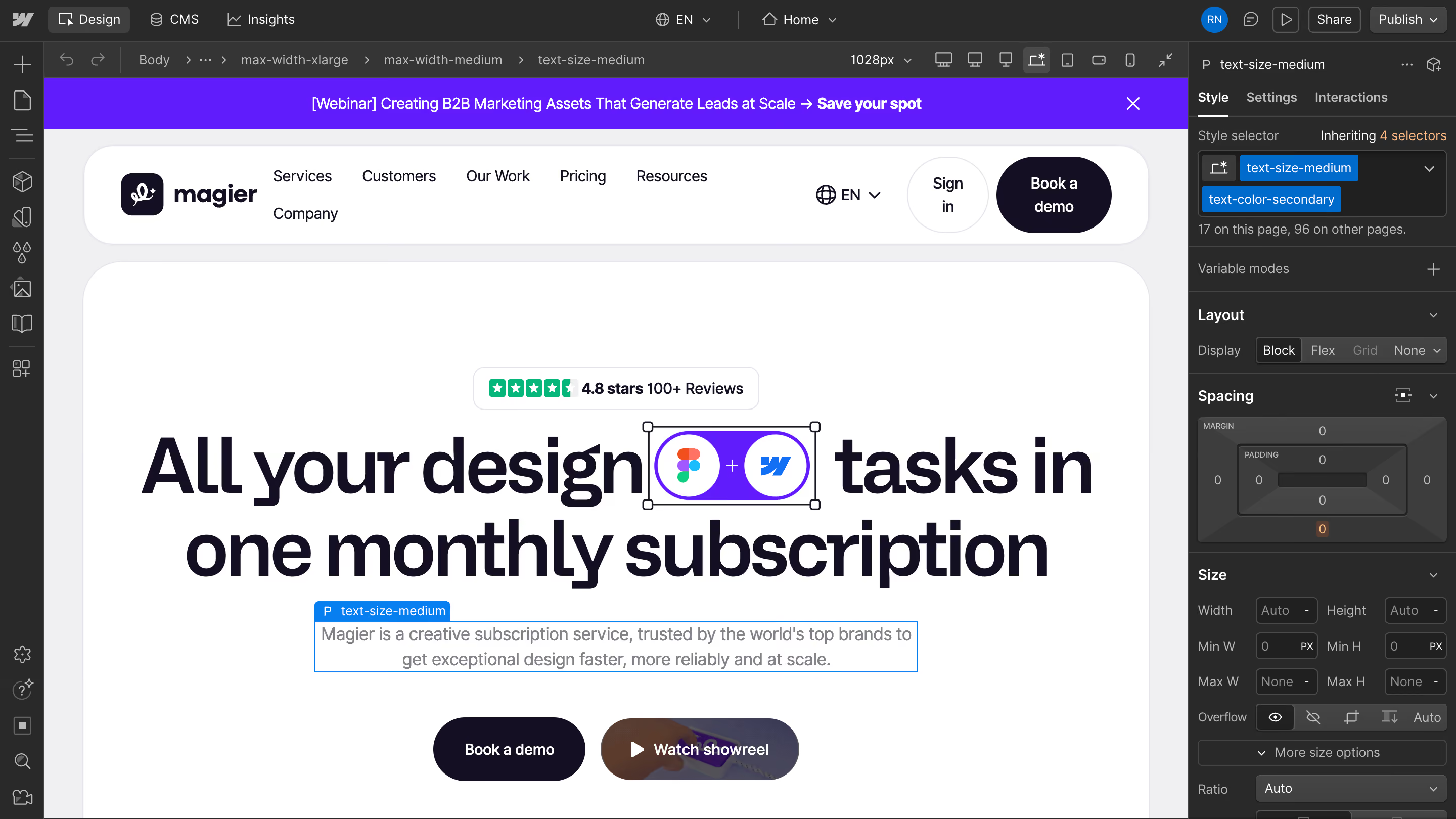
It sits in the no-code and low-code category, which means the technical barrier is lower, but you still get production-ready output. That combination is why it fits brand sites, campaign pages, and SaaS marketing sites so well.

{{freebie}}
What is Contentful?
Contentful is a headless CMS, which means it stores and structures your content but does not give you a front end to display it. It is API-first, so it acts as a single content hub that pushes text and media out to wherever you need them, whether that is a website, a mobile app, a smartwatch, or a digital kiosk. This is often called omnichannel content delivery, and it is the core reason large product teams reach for it.
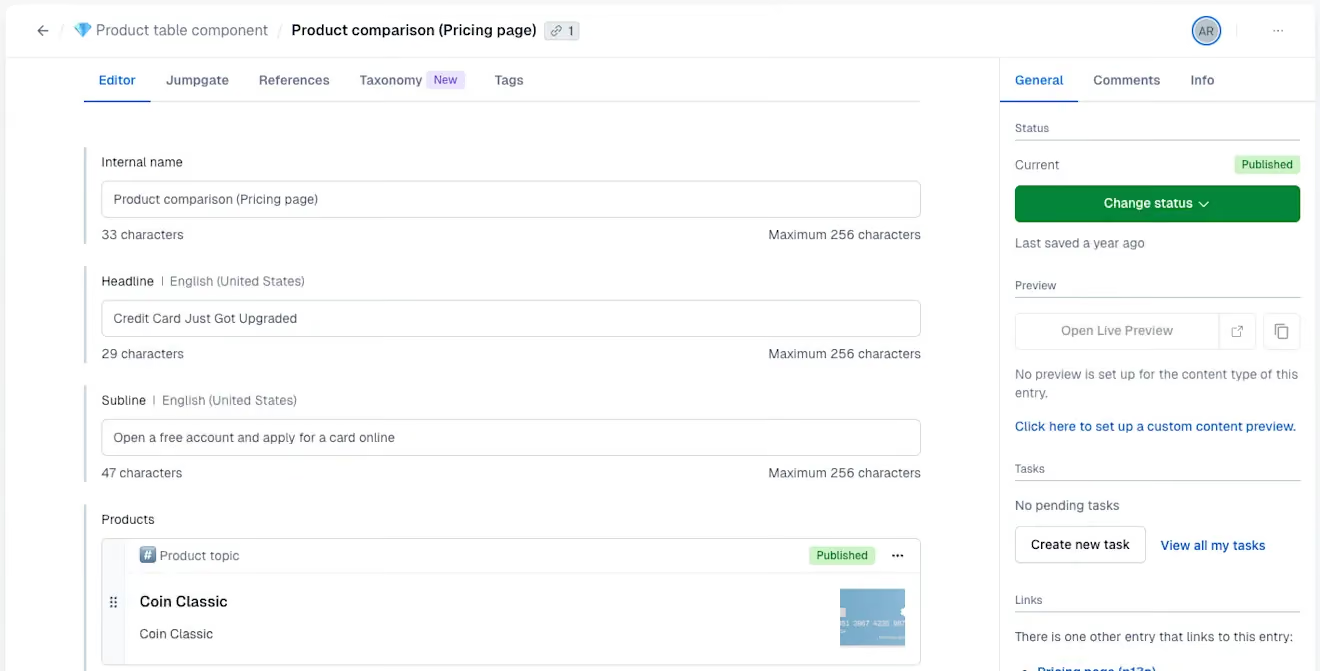
Think of Contentful as content infrastructure rather than a website tool. It is built around content modeling, where you define reusable content types once and serve them to many places. That structure is powerful when the same content has to appear across products, brands, and regions without being rewritten each time.

Headless vs traditional CMS, and what it means for you
So what is the real difference between a headless and a visual builder? A traditional or visual CMS like Webflow combines the content and the presentation, so the thing you edit is the thing your visitor sees. A headless CMS like Contentful separates the two, so your content sits in a structured backend, and your developers build the presentation layer separately using frameworks like React, Vue.js, Angular, or Next.js, often pulling content through GraphQL or a REST API.
That separation is a feature for engineering teams and a hidden cost for marketing teams. Here is the part that the comparison articles tend to skip. With a headless setup, someone has to build and maintain that front end, and that someone is a developer. The benefits and the costs break down like this:

Webflow vs. Contentful: Factors to consider
Design and visual control
Design is where Webflow and Contentful are least alike, so it is worth being clear about what each one does. Webflow gives you direct control over the design on a canvas, where you see exactly how a page looks as you build it, and you can adjust spacing, layout, and animation without code. That immediacy matters for a brand site, because you can iterate on the look quickly and keep the design consistent.
Contentful, by design, has no front end of its own. Your developers build the design in a separate framework, and Contentful feeds content into it through the API. This gives an engineering team total freedom over the presentation, but it also means a design change is a development task rather than a quick edit. If brand polish and fast visual iteration are central to your site, Webflow has the clear advantage here.
While we are talking about design - check out this graphic design style roundup.
Team workflow and who can actually publish
This is the section that decides most marketing-site arguments, so let me be direct about it. Webflow empowers marketers and designers to update blogs, create landing pages, and adjust layouts on their own, with features like visual localization and built-in staging. Contentful requires strong development resources because non-technical editors are mostly limited to filling in data fields, and changing a layout means waiting on engineering.
The cost of that wait is real and measurable. After Rakuten moved from WordPress to Webflow, its marketing operations team reported making changes in about 20 minutes that would have taken an expensive programmer four to five hours, according to a case study cited in Webflow's reporting. When you multiply that gap across every headline tweak and campaign page, the autonomy gap becomes a speed gap, and speed is what marketing teams live on.
Running a simple marketing site on a headless CMS is a bit like buying a cargo van to commute to a desk job. It will get you there, but you are paying to maintain a lot of engine you never actually use. That is the trade many teams make without noticing, and it is why the "who can publish" question deserves more weight than the feature lists suggest.
SEO
Most comparison articles mention SEO in a single line and move on, which does you a disservice when SEO is the whole point of a marketing site. So here is a fuller look at how the two platforms handle it.
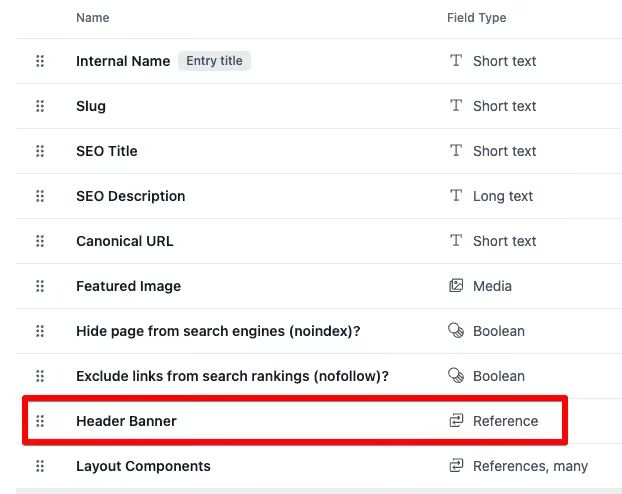
Webflow gives you built-in, visual control over the technical SEO basics, and you can set them without a developer. Contentful can absolutely support strong SEO, but the controls live in the front end your developers build, so the quality depends on how well that front end is implemented. The table below compares the practical reality.
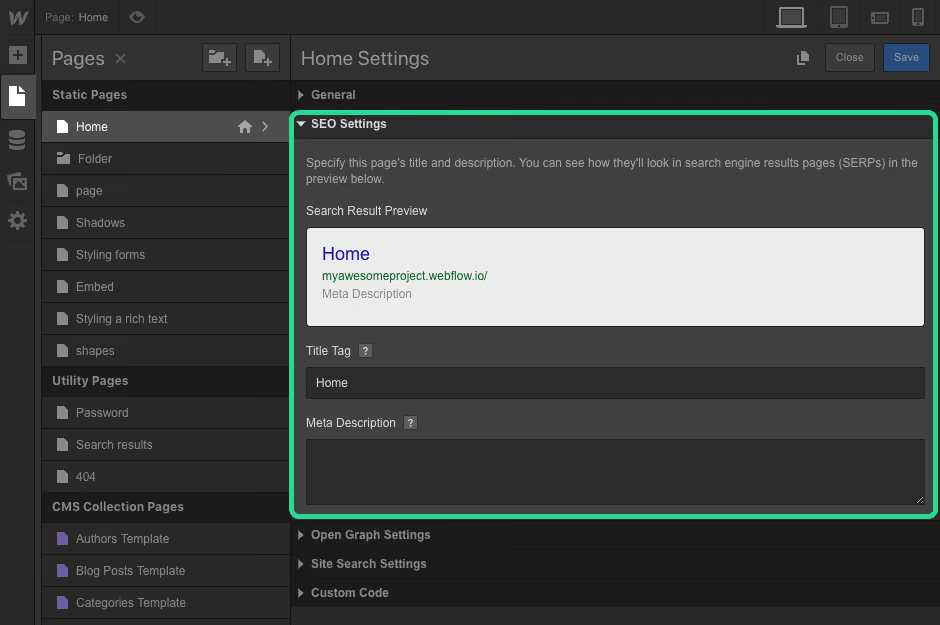
The takeaway is about responsibility, not capability. With Webflow, good SEO is mostly in your hands and built into the tool. With Contentful, good SEO is in your developers' hands, so your results are only as strong as the front end they ship.
Content modeling and multi-channel delivery
Now for the area where Contentful pulls ahead, because a fair comparison gives each tool its due. Contentful is built for content modeling, where you define structured, reusable content types and serve them to many channels through one hub. If your content has to appear on a website, an iOS app, an Android app, and a set of regional sites without being duplicated, that reuse saves enormous effort.
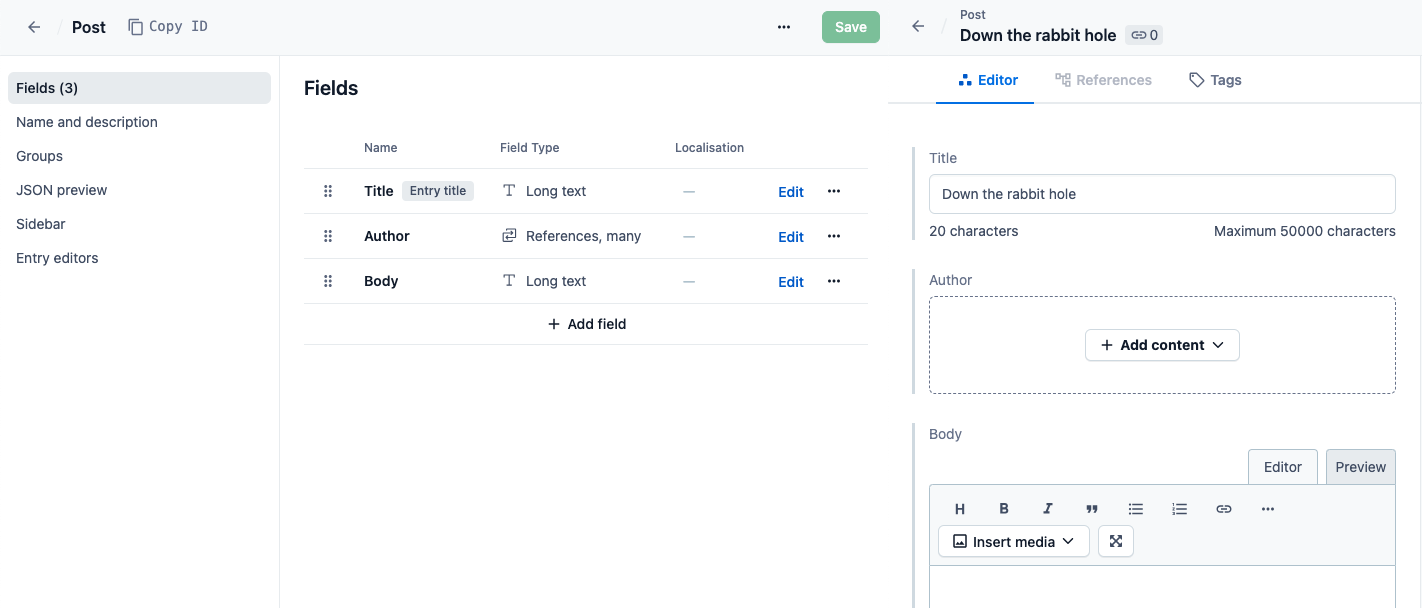
Webflow handles content modeling well for a website, with collections, reference fields, and dynamic templates that suit blogs, case studies, and resource libraries. It is less suited to highly complex content relationships that span many products at once. Contentful also offers flexible multi-language and locale modeling with editorial workflows, which is why product and platform teams with global content lean toward it. If your site is one surface among many, Contentful's structure is the stronger fit.
Pricing and total cost of ownership
Pricing changed recently, so let me give you the current, verified numbers rather than the outdated figures still floating around in older articles. Webflow simplified its plans in May 2026, and Contentful keeps most of its real pricing behind a sales conversation, which makes a clean comparison harder than it should be.
Here is where each platform stands as of June 2026.
A few things deserve a plain explanation. Webflow charges separately for a Site plan and for Workspace seats, which now come as free reviewer seats, limited seats at $15 a month, and full seats at $39 a month. A realistic B2B marketing setup is the Premium plan at $25 a month plus two or three full seats, which lands around $100 to $140 a month on annual billing once the whole team is on it. Contentful's jump is the one reviewers complain about most, since it goes from a free plan straight to Lite at $300 a month with no step in between, which several users on TrustRadius and Reddit call a real frustration.
The number that hides on every pricing page is developer time. A headless setup needs engineers to build and maintain the front end, and that labor is part of your total cost of ownership even though no invoice from Contentful shows it. As a rough illustration, ten hours of developer time a month at $200 an hour is $2,000 a month that never appears in the subscription line, so the cheaper-looking plan can be the more expensive choice once people are counted.
"A free headless tier feels great until you hire the second developer to keep the front end alive, and suddenly the cheapest option is your most expensive one."

Vendor lock-in and your exit options
Lock-in is one of the most common worries in community threads about these tools, and it deserves an honest answer rather than a sales pitch. With Webflow, your design and content live inside the platform, and while paid Workspaces allow code export, moving a full site elsewhere still takes real effort. With Contentful, your content is structured and API-accessible, which makes the content portable, but the front end your developers built does not move with it.
This is also where people start asking what else is out there, and a fair guide names those options instead of pretending they do not exist. If lock-in is your main concern, the alternatives that come up most are:
- Strapi, an open-source headless CMS you can self-host to avoid vendor lock-in
- PayloadCMS, another developer-friendly, code-first option people choose for control
- Sanity, a headless CMS known for flexible, structured content and a strong editor
- Kontent.ai, an enterprise-focused headless CMS often compared with Contentful
- WordPress, still the default for many content sites, though it brings its own maintenance load
None of these changes the core decision, but knowing they exist helps you choose Webflow or Contentful for the right reasons rather than out of fear of being trapped.
Security, compliance, and governance
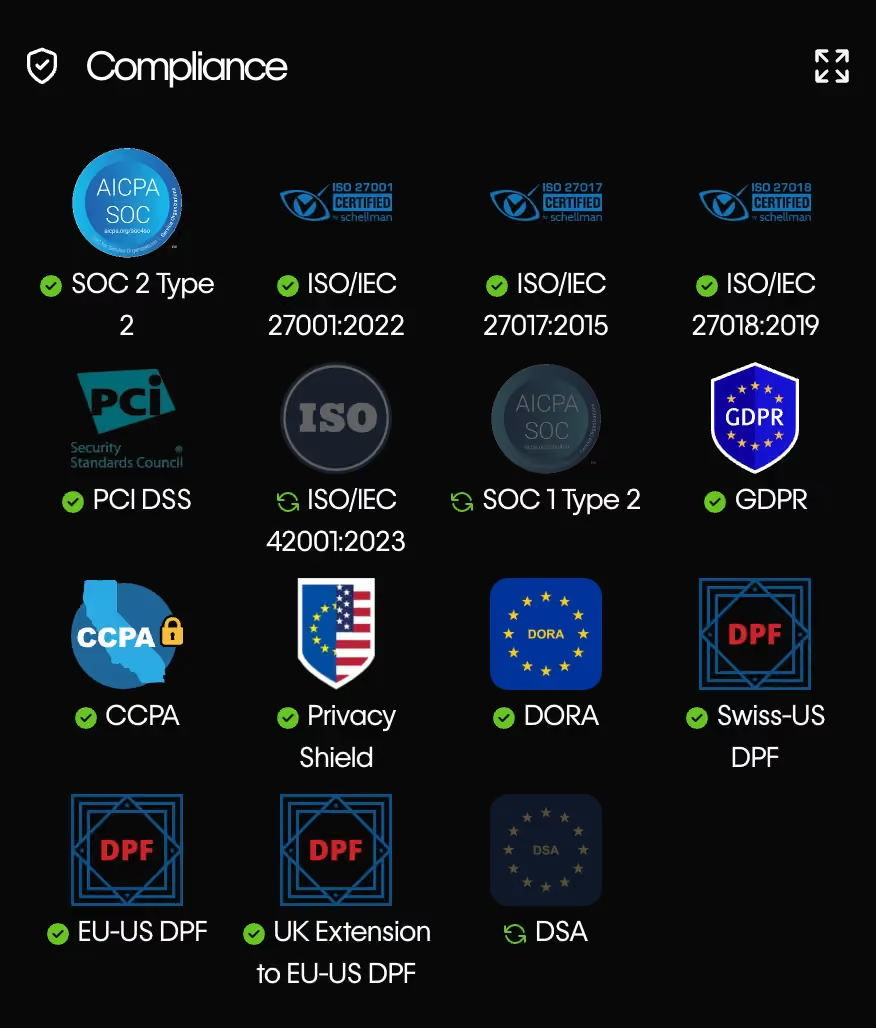
As your team grows, the boring details start to matter, so it is worth a short word on security and governance. Both platforms take this seriously, and both can satisfy the requirements most growing companies face. Contentful offers stronger enterprise governance, with granular permissions, multiple environments, SSO, and standards like SOC 2 Type II and ISO 27001, which is part of why larger organizations choose it.
Webflow's governance is adequate for many teams and gets stronger on its higher tiers, with role controls and publishing workflows that suit most marketing operations. For a mid-market team that mainly needs reliable hosting, sensible roles, and GDPR and CCPA compliance, Webflow covers the essentials. If you operate in a regulated industry with complex permission needs across many teams, Contentful's controls give you more room.
If you want more options, check out this blog on Contentful alternatives.
Migrating between Webflow and Contentful
People searching for this comparison are often already on one platform and wondering whether to switch, yet almost no competitor explains the move. So if you are weighing a migration in either direction, here is how to approach it without nasty surprises.
Before the steps, one framing point. People move in one direction far more often than the other, so it helps to know which path you are on before you start.
From Contentful to Webflow: the most common move
This is the move we see most, usually because a marketing team wants to publish without waiting on developers. Most teams budget a weekend for it and then meet the content model, which tends to have opinions of its own, so plan for the structure work rather than just the file moving. The short version looks like this:
- Audit your Contentful content types, entries, and pages
- Map each content type to a Webflow CMS collection
- Rebuild the design on Webflow's canvas, since you are dropping the separate front end
- Import content through the API or a structured export rather than copying by hand
- Redirect old URLs to the new ones so you keep your SEO value
- Test across devices and search settings, then point your domain
From Webflow to Contentful
This move is less common, and it usually means your site has become one channel among many, so you need content that several front ends can reuse. The trade is that you now need developers to build and maintain that front end, which is the headless cost we covered earlier. The steps run like this:
- Audit your Webflow collections, pages, and static content
- Model those as structured content types in Contentful
- Build a new front end in your chosen framework, like React or Next.js
- Export your Webflow content and import it through Contentful's API
- Redirect old URLs to the new ones so you keep your SEO value
- Test the new front end thoroughly, then cut over your domain
The migration that hurts is the one where you skip the content model step and discover halfway through that your old structure does not fit the new tool. That is where most timelines slip, so front-load the planning and the rest gets much smoother.
"The migrations that go smoothly are the ones where we delete half the old content instead of dragging all of it across."
Which one should you choose: a framework by team and company size
Most articles end with a generic verdict, but you did not come here for "it depends," you came here to decide. So here is a framework that sorts the answer by who you are and what you have, because the right tool depends on your team far more than on a feature checklist.
Start with two quick checklists.
Choose Webflow if most of these sound like you:
- You need a marketing website, not a multi-product content platform
- Your marketing or design team should publish and edit without waiting on developers
- Brand design and fast page iteration matter to your business
- You want hosting, SEO, and the CMS handled in one tool
- You do not have, or do not want to dedicate, engineers to maintain a front end
Choose Contentful if most of these sound like you instead:
- Your content has to power several products or channels at once
- You have a development team that owns the front end already
- You need highly structured, reusable content across brands or regions
- Complex editorial workflows, environments, and granular permissions are requirements
- You are building a platform, and the website is only one part of it
For a quick read by company stage, the table below shows where most teams land.
For more decision-making frameworks like this, check out magier's resources page.
The hybrid approach: using both
Here is the option almost no one mentions, even though plenty of larger companies end up there. You do not have to pick only one. A sensible split is to run Contentful as the content infrastructure for your product and apps, while running Webflow for the marketing site your team needs to update quickly.
This works because the two tools are good at different jobs, so you let each do the one it is built for. Your product content stays structured and reusable in Contentful, and your marketing team keeps its autonomy and speed in Webflow. The rule of thumb is simple. If you need a better website and marketing has to ship fast, go Webflow, if you are building a digital platform with several front ends, go Contentful, and if you have both, a split is reasonable.
If you're comparing between Framer and Webflow, we recommend you read this comparison blog.
Is Webflow still relevant in 2026, and will AI replace it?
People ask whether Webflow still makes sense in 2026 and whether AI will make tools like it obsolete, so it is fair to address the doubt head-on. Webflow is not only still relevant, it is growing, with usage around 0.8% of all websites and a higher share of CMS-powered sites according to W3Techs, plus steady year-over-year revenue growth. A platform expanding this much is not one you need to worry about betting on.
AI is changing how sites get built, but it is changing the inside of these tools rather than replacing them. Webflow has added AI features for site generation, content, and SEO work, so AI is becoming a way to work faster inside Webflow, not a reason to abandon it. For the foreseeable future, you still need a place to design, manage, and host your site, and that is exactly what these platforms provide.
Final verdict
The choice between Webflow and Contentful is really a choice about who runs your site day to day. Webflow gives a marketing team speed, design control, and independence in one tool, while Contentful gives an engineering team a flexible content hub for many channels, so the right answer follows your team rather than a feature list.
Whichever you pick, running a site on a new platform takes real work, especially if your team is already stretched thin. Migrating content, rebuilding pages, and keeping your SEO intact is a project, not an afternoon, and it pays to plan it properly. That is where a team that does this every day can take the load off yours, and it is what magier exists to help with, so if you want a Webflow marketing site built or migrated without slowing your team down, take a look at how magier works.
For your next step, pick the section above that matches your situation most closely, whether that is the decision framework, the migration steps, or the pricing breakdown, and start there. A clear decision today saves you months of regret later.
FAQ
Contentful can support strong SEO, but the controls live in the front end your developers build rather than in the CMS itself. That means your SEO results depend on how well that front end is implemented, unlike Webflow, where SEO controls are built in and visual.
Webflow is usually cheaper for a marketing site, with paid Site plans starting at $15 to $25 per month annually. Contentful has a free tier but jumps to a much higher first paid plan, and its real cost rises further once you add the developer time needed to build a front end.
Webflow is not a traditional headless CMS, it is a visual builder with a built-in CMS and hosting. It does offer APIs so you can use its content in other places, which gives you some headless capability without the full headless setup.
Yes, you can migrate from Contentful to Webflow, and many teams do when they want marketing autonomy. The main work is remapping your content model and rebuilding the design on Webflow's canvas, then importing content and setting up redirects to protect your SEO.
No, AI is being built into Webflow rather than replacing it. Webflow now offers AI features for generating sites and content, so AI is changing how you work inside the platform instead of removing the need for it.
Contentful competes with other headless and enterprise content platforms, including Sanity, Strapi, Kontent.ai, and Adobe Experience Manager. It also competes with Webflow when a team is deciding between a headless CMS and an all-in-one visual builder.
There is no single better tool, only a better fit for your situation. Among Webflow alternatives, Framer suits simple visual sites and Squarespace suits quick brochure sites, while Contentful, Sanity, or Strapi fit teams that need a headless CMS feeding multiple channels.
.avif)

.webp)