Webflow vs Adobe Experience Manager (AEM): Which CMS Should You Choose in 2026?
Plenty of marketing and engineering teams compare notes on Webflow vs Adobe Experience Manager (AEM), and a lot of that conversation boils down to one blunt question: are we paying for capability we actually use, or for a name on an enterprise contract?
Webflow and AEM solve the same basic problem, running a website, in very different ways, and this comparison only a small piece of a much bigger enterprise CMS landscape where WordPress alone still powers roughly 43% of the web. AEM implementation often runs $250,000 to over $1 million, while a comparable Webflow build typically lands between $25,000 and $100,000, so this isn't a small decision to get wrong. Cherry on top: there isn’t enough resources available to help you make that decision.
That’s why, we decided to create one. This guide is for marketing and web teams comparing Webflow and AEM, and to help you pick the right one for your actual scale and budget. Here's what this guide covers.
- What Webflow and AEM actually are, in plain language
- Why "Adobe Experience Manager" and "Adobe Experience Platform" get confused, and what the real difference is
- A full side-by-side comparison across cost, setup time, features, and governance
- The real cost numbers, not just vague labels like "expensive" and "affordable"
- Where AEM actually wins, and where it doesn't
- Whether migrating from AEM to Webflow makes sense for your team
- A step-by-step path for that migration if it does
- Why AI search readiness matters for this decision too
- Two questions worth answering before you choose either platform
Quick comparison: Webflow vs AEM at a glance
| Category | Webflow | Adobe Experience Manager |
|---|---|---|
| Best for | Marketing sites, SaaS, startups, SMBs | Large enterprises with complex digital ecosystems |
| Ease of use | Marketers and designers can work independently | Usually requires developers for changes |
| Setup time | 12 to 20 weeks | 6 to 12 months |
| Typical cost | $25,000 to $100,000 | $250,000 to over $1,000,000 |
| Content modeling | Strong for most marketing needs | Excellent, built for massive scale |
| Scale | Up to 1 million CMS items in Webflow Enterprise, with richer data modeling than earlier versions | Built for effectively unlimited scale across global enterprise sites |
| Personalization | Relies on third-party integrations | Native, deep integration with Adobe Target and Analytics |
| Digital asset management | Basic asset library | Enterprise-grade DAM with AI tagging |
| Governance and compliance | Managed hosting, SSL, enterprise options | Granular permissions, audit trails, compliance certifications |
{{freebie}}
What is Webflow?
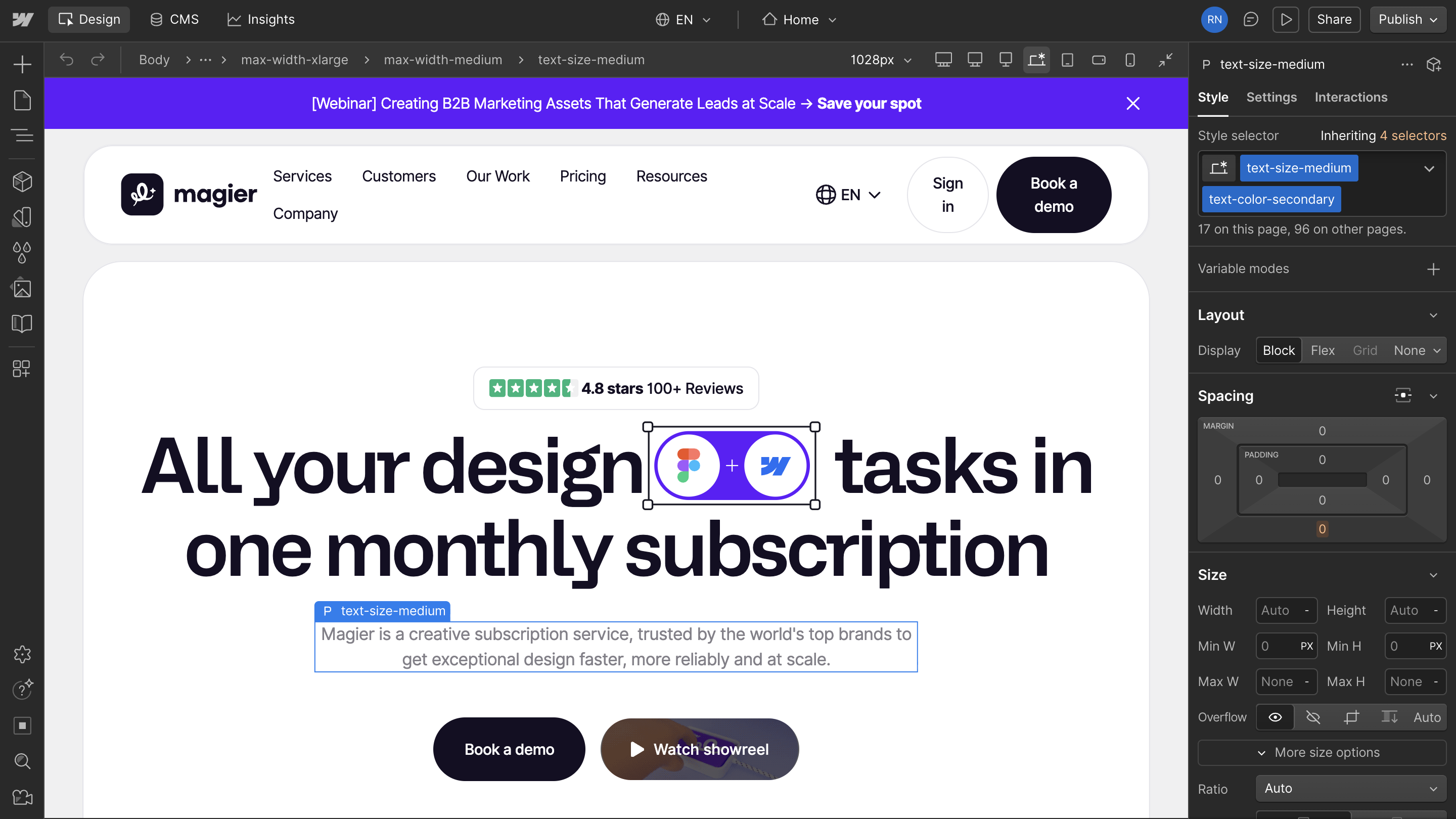
Webflow is a visual website platform that combines a design tool, a CMS, hosting, and SEO features in one place. It's built so marketers and designers can launch and edit pages without waiting on a developer for every change, which is why smaller teams, startups, and SaaS companies tend to gravitate toward it.
You can learn more about the pros and cons of using Webflow here.
{{cta}}
What is Adobe Experience Manager (AEM)?
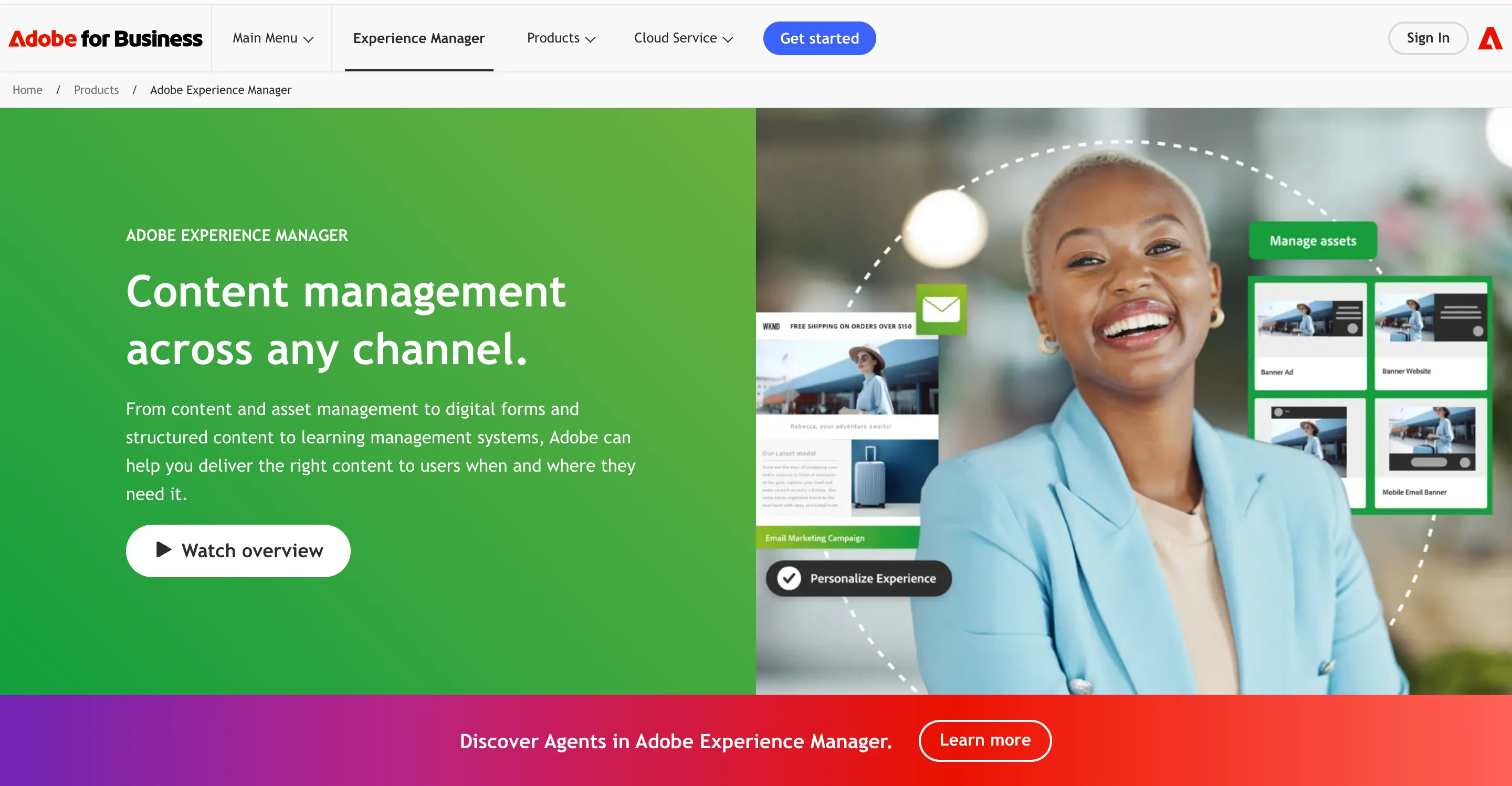
Adobe Experience Manager (AEM) is an enterprise digital experience platform inside the broader Adobe Experience Cloud. It's built for large organizations running dozens of sites across multiple languages, tied into deep personalization and asset management systems, which is why it shows up most often at large, multi-brand enterprises rather than smaller marketing teams.
Put simply, Webflow trades some enterprise depth for speed and independence, while AEM trades speed for depth and control at scale.
Adobe Experience Manager vs Adobe Experience Platform
Before going further, it's worth clearing up something that trips up a lot of searchers.
| Adobe Experience Manager (AEM) | Adobe Experience Platform | |
|---|---|---|
| What it is | The actual CMS, the tool you use to build and manage pages | A separate, broader data and personalization layer |
| Relationship | AEM can connect to Adobe Experience Platform | Not a CMS on its own, works alongside AEM |
| What to compare against Webflow | This one, since it's the actual CMS | Not this one, it's a different layer entirely |
If you're comparing Webflow against "Adobe," make sure you're actually comparing it against AEM specifically, since Adobe's naming makes this easy to get wrong.
Ease of use and setup time
This is usually the first thing a team notices once they've actually started building.
Webflow
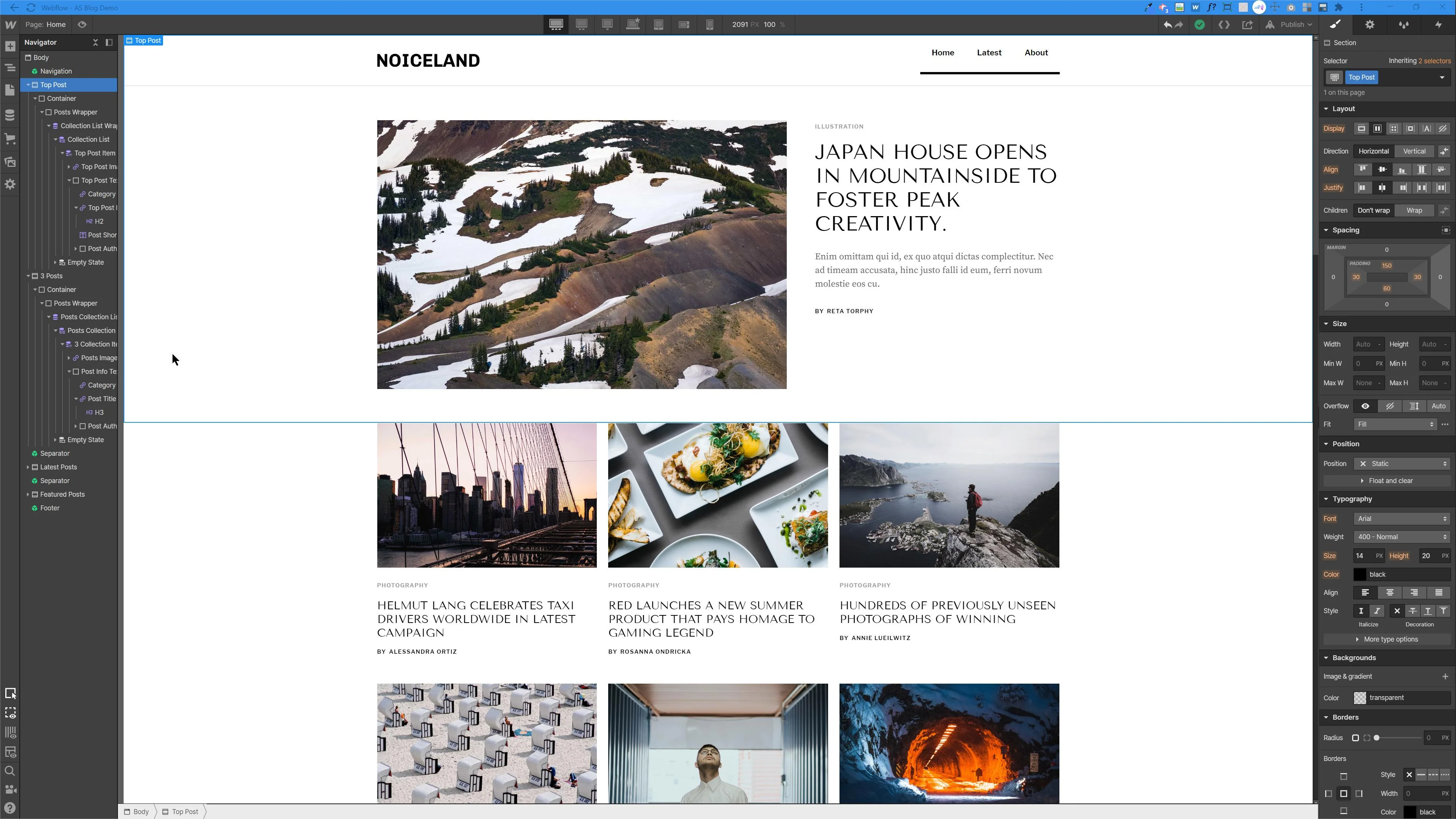
Webflow's visual editor lets marketers build landing pages, edit content, and launch campaigns directly, without opening a developer ticket for every change. That independence is a big part of why smaller and mid-sized teams choose it in the first place.
AEM
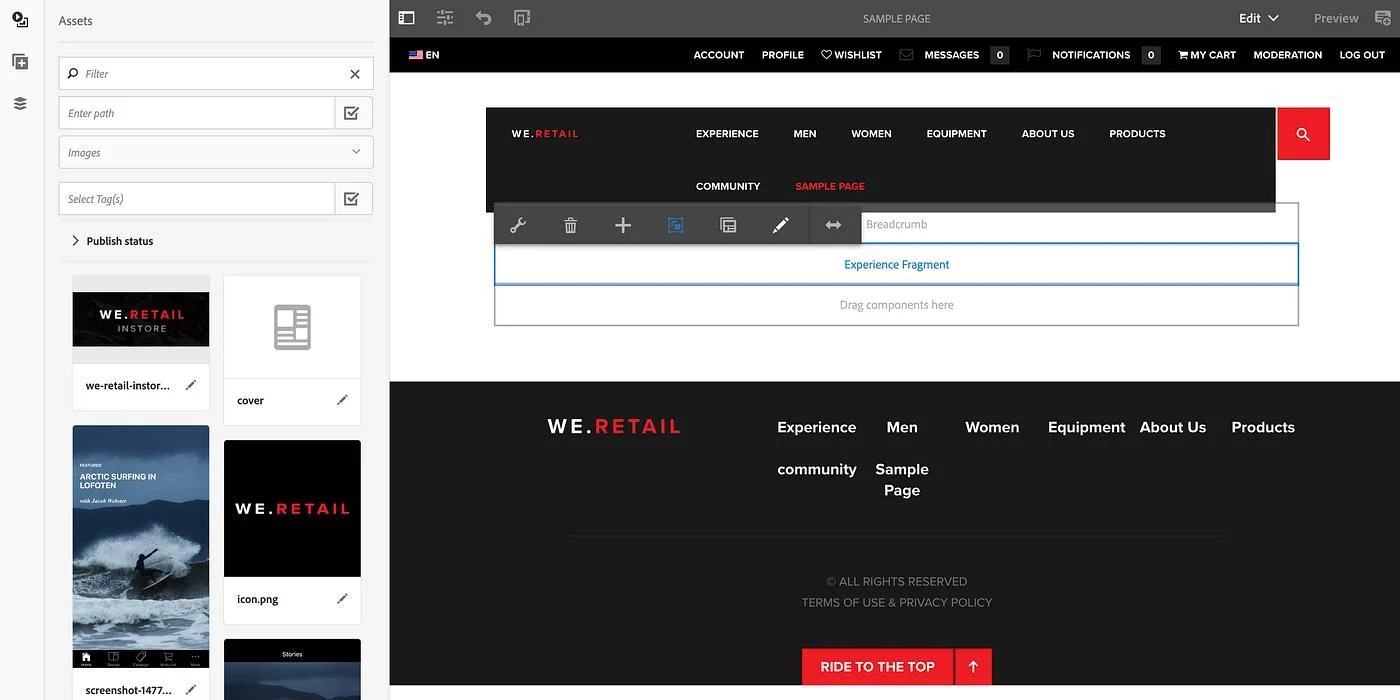
AEM's component-based authoring can handle real content updates, but structural changes usually route back to a developer. That's not a flaw so much as a tradeoff for the platform's depth, but it does mean a marketing team rarely operates fully on its own.
| Feature | Webflow | AEM |
|---|---|---|
| Who makes changes | Marketers and designers | Usually developers |
| Typical build timeline | 12 to 20 weeks | 6 to 12 months |
| Learning curve | Low to moderate | High |
"If your team can't ship a landing page without a developer, you don't have any issue with the CMS. You have a workflow problem, and the CMS is just where it shows up."

Cost
Most comparisons stop at calling AEM "expensive" and Webflow "affordable," which is true but not very useful when you're the one building a budget.
Webflow
Webflow's cost mostly stays inside the platform's own subscription and build fees, which keeps budgeting predictable from year to year.
AEM
AEM's cost typically includes implementation partners, ongoing developer support, and the broader Adobe Experience Cloud subscription, which is why the total often runs far past the software license alone.
| Cost factor | Webflow | AEM |
|---|---|---|
| Typical implementation cost | $25,000 to $100,000 | $250,000 to $1,000,000+ |
| Ongoing licensing | Predictable subscription tiers | Enterprise licensing, often negotiated separately |
| Estimated TCO reduction when migrating from AEM | Up to 50 to 80 percent lower over several years, based on industry migration benchmarks | Baseline enterprise cost |
Content management and scale
Webflow
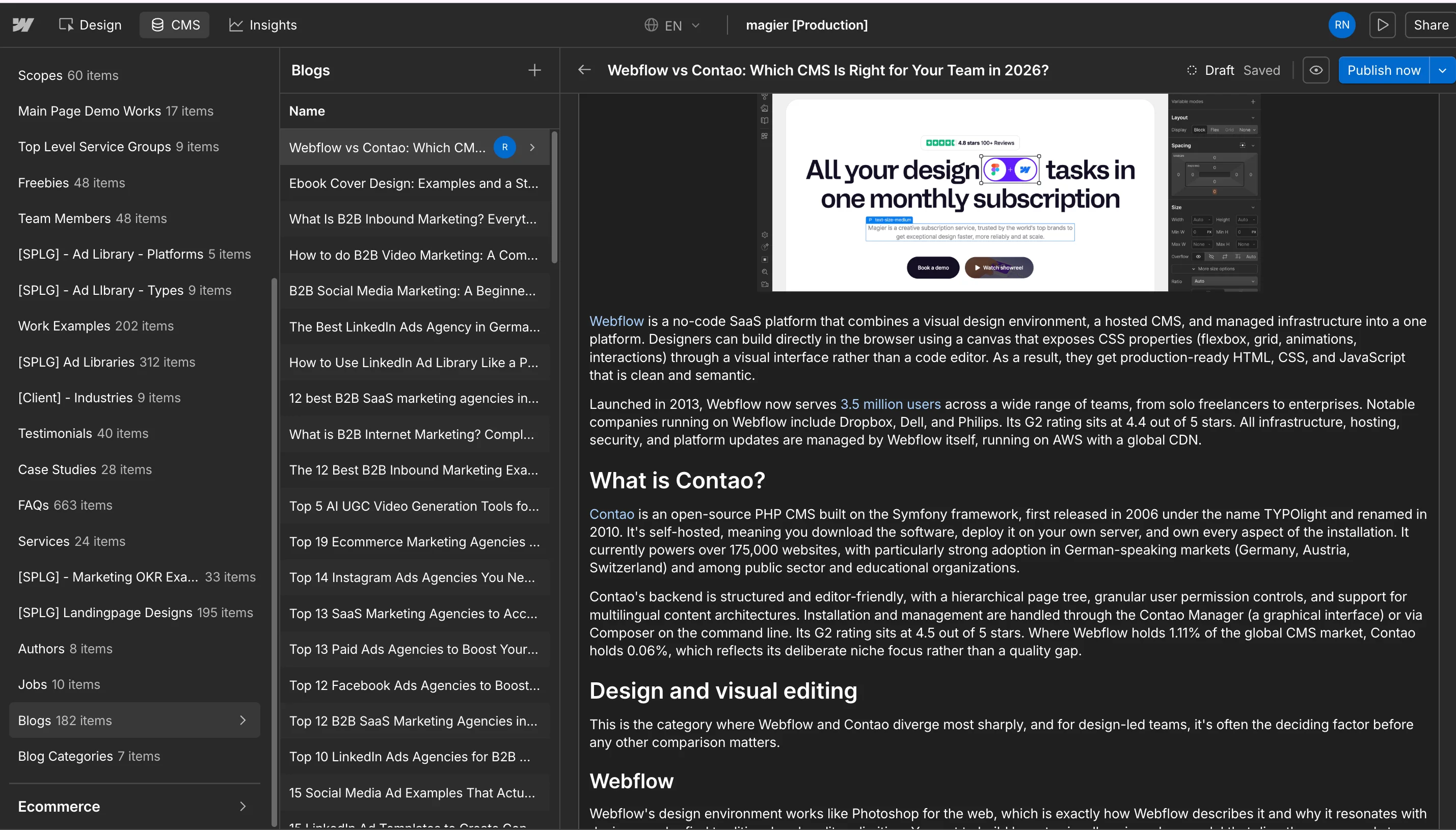
Webflow Enterprise supports up to 1 million CMS items with richer data modeling than earlier versions, which covers the vast majority of marketing sites and even fairly large content operations.
AEM
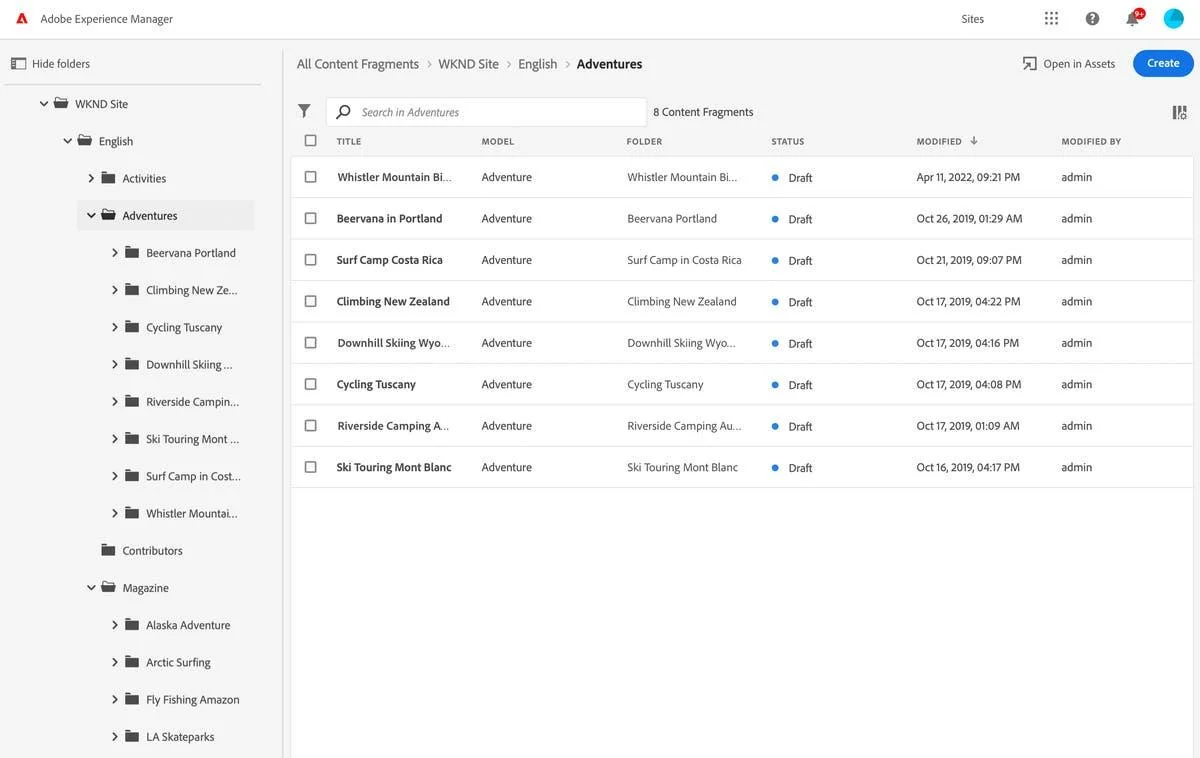
AEM is built for effectively unlimited scale across global enterprise sites, with content fragments and reusable components designed specifically for coordinating dozens of properties at once.
| Feature | Webflow | AEM |
|---|---|---|
| Practical scale | Up to 1 million CMS items | Effectively unlimited, built for global site networks |
| Best fit | Single or handful of sites | Dozens of sites, brands, or regions |
Personalization
Webflow
Webflow relies on third-party integrations like Optimizely or Adobe Target itself to deliver personalized experiences, which works well but adds a tool to manage outside the core platform.
AEM
AEM integrates natively with Adobe Target and Adobe Analytics, which lets teams tailor experiences by user segment and behavior without stitching together separate systems.
| Feature | Webflow | AEM |
|---|---|---|
| Native personalization | No, relies on integrations | Yes, built in through Adobe Target |
| Best fit | Teams with lighter personalization needs | Teams running deep, segment-based personalization |
By the way, if you need graphic design inspiration for your site, check out our blog on affordable website design services. And for free illustrations, this is the guide for you.
Digital asset management
Webflow
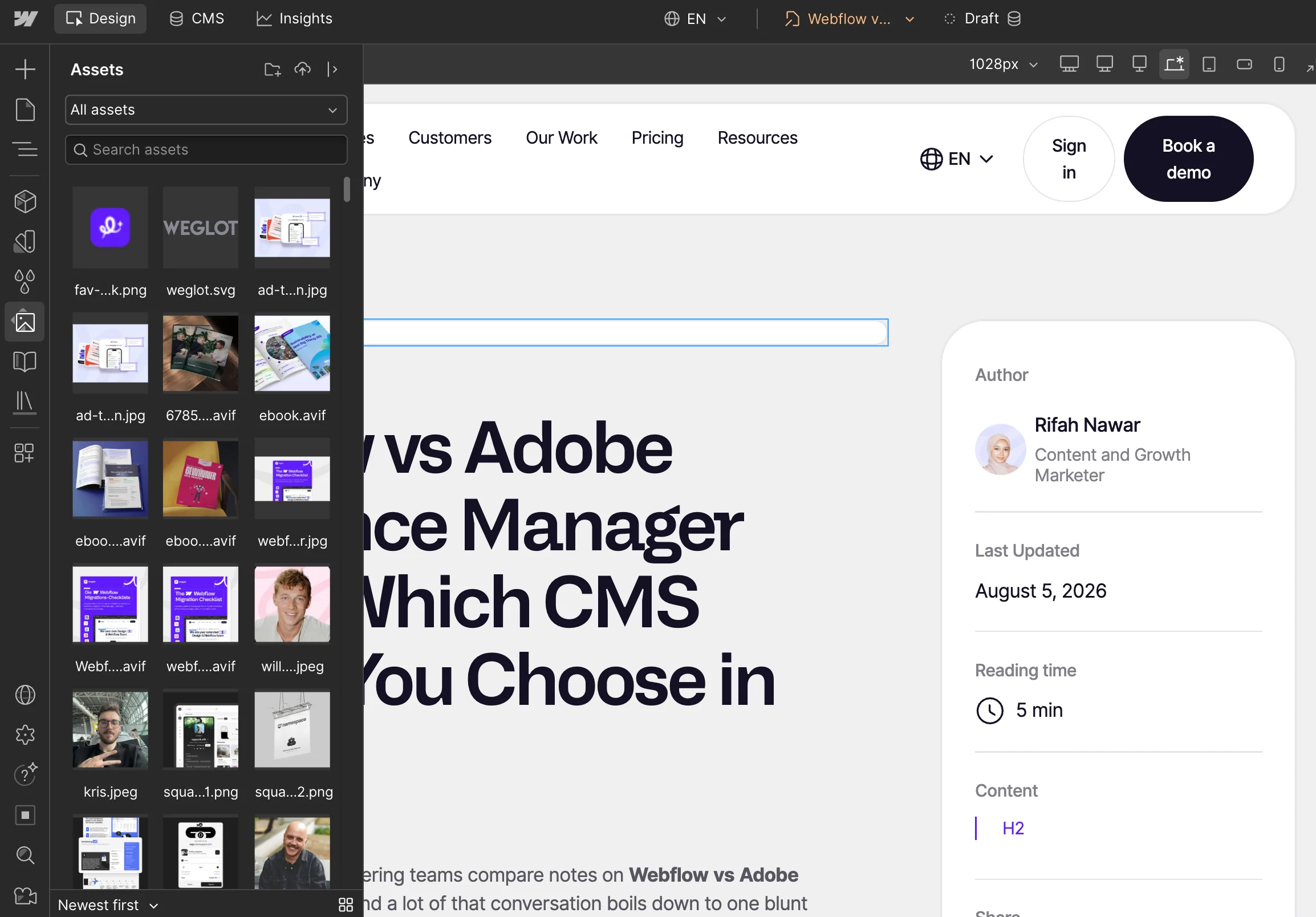
Webflow ships with a basic asset library covering folders, reusable assets, and image optimization, which is enough for most marketing teams managing a reasonable volume of media.
AEM
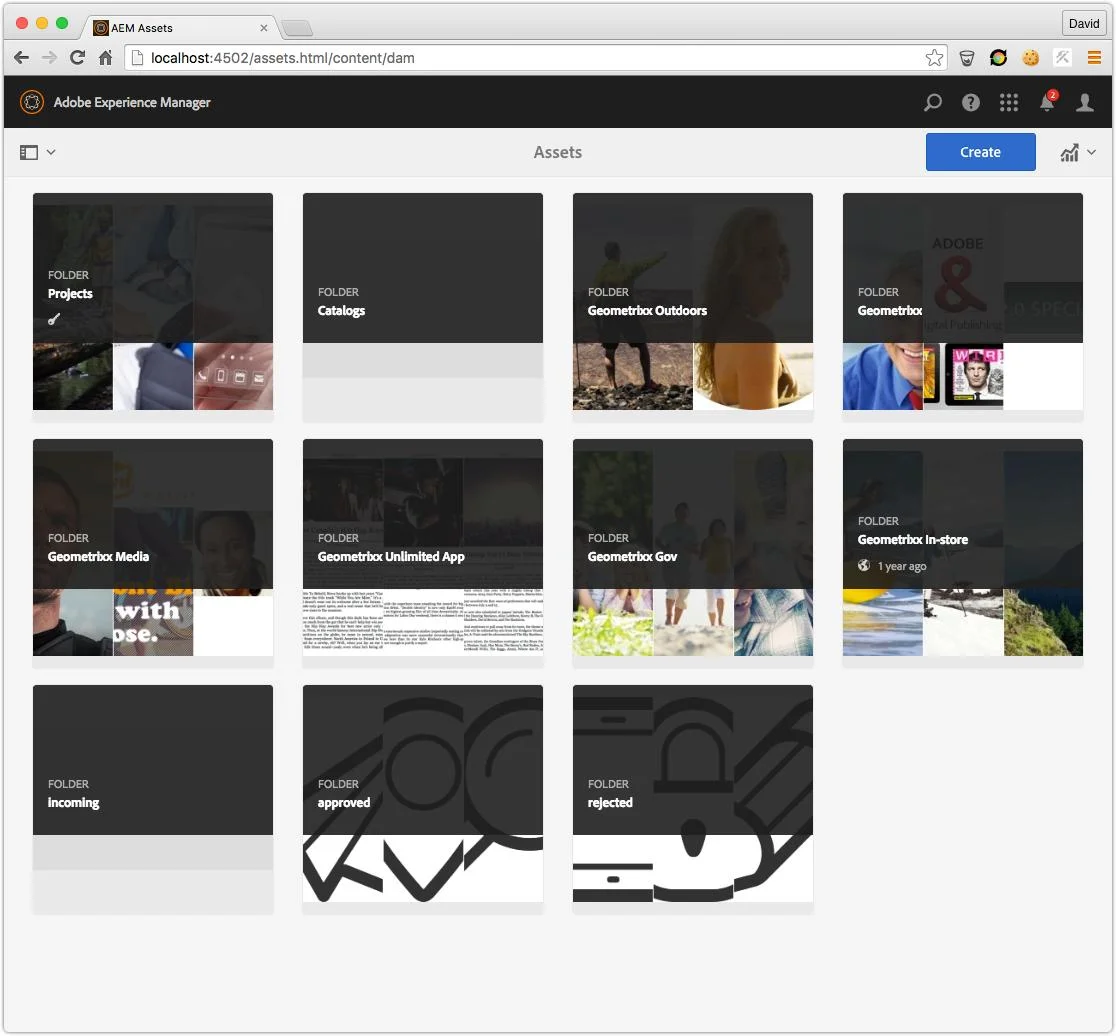
AEM Assets includes AI tagging, licensing controls, approval workflows, and global asset distribution, built for teams managing large libraries across many brands and regions at once.
| Feature | Webflow | AEM |
|---|---|---|
| Asset library | Basic, folder-based | Enterprise-grade, AI-tagged |
| Best fit | Smaller media libraries | Large, multi-brand asset operations |
If you need royalty free videos for your website, check out this listicle full of free sources.
Governance and compliance
Webflow
Webflow offers managed hosting, SSL, and enterprise-tier options, which cover the compliance needs of many organizations without additional configuration.
AEM
AEM supports granular permissions, audit trails, and certifications like SOC 2 Type II, HIPAA, GDPR, or FedRAMP, often alongside other Adobe Experience Cloud products like Adobe Commerce and Adobe Campaign for teams already standardized on Adobe.
| Feature | Webflow | AEM |
|---|---|---|
| Governance depth | Standard enterprise options | Granular permissions, audit trails |
| Compliance certifications | Enterprise-tier support | SOC 2 Type II, HIPAA, GDPR, FedRAMP |
When to choose Webflow
- Marketing teams without a dedicated developer: Independence to launch and edit pages directly is the single biggest reason smaller teams pick Webflow.
- Fast-moving startups and SaaS companies: A 12 to 20 week build timeline lets teams ship and iterate on positioning without waiting on a long development cycle.
- Teams that want predictable costs: A $25,000 to $100,000 implementation range is easier to budget against than AEM's enterprise licensing model.
- Organizations running a single site or a handful of properties: Webflow's CMS scale comfortably covers this without needing AEM's broader coordination tools.
When to choose AEM
- Large enterprises running dozens of sites, brands, or regions: AEM's content fragments and reusable components are built specifically for that kind of coordination.
- Organizations that need deep, native personalization: Direct integration with Adobe Target and Adobe Analytics removes the need to stitch together separate tools.
- Teams managing large, complex asset libraries: AEM Assets' AI tagging and approval workflows are built for scale that a basic asset library isn't designed to handle.
- Regulated industries with strict compliance requirements: Certifications like SOC 2 Type II, HIPAA, and FedRAMP matter for organizations where that isn't optional.
As Shadow Digital put it: "If you're questioning whether you need AEM, you probably don't." AEM earns its cost for organizations with a level of complexity that actually justifies it, not as a default enterprise choice.
Should you migrate from AEM to Webflow, and how
If your team spends more time managing AEM's complexity than benefiting from it, that's usually a sign migration is worth exploring seriously. Here's a clear path to plan around if you decide to move forward.
- Audit your existing content and URLs: List every page, template, and content type currently live in AEM before you touch anything else.
- Plan your redirects and SEO preservation: Map old URLs to new ones and preserve metadata, since losing search rankings is the most common migration mistake.
- Rebuild your design system as Webflow components: Translate existing templates into reusable Webflow elements rather than recreating pages one by one.
- Migrate content in stages: Start with lower-traffic sections so you can catch problems before your most important pages move.
- Run a safe-cut launch: Keeping the AEM site accessible as a fallback until the new Webflow site is fully verified.
- Monitor performance after launch: Checking load times, search rankings, and conversion rates for at least a few weeks post-migration.
Why platform choice affects your AI search visibility
Cost and setup time are the obvious factors, but there's a newer one that changes how a platform's technical output matters. Answer engines like ChatGPT and Perplexity, along with AI-generated search summaries, now answer a large share of queries before anyone clicks through to a website at all. Industry estimates put the conversion rate for traffic that does arrive from these answer engines several times higher than typical search traffic, since that visitor already had their question partly answered and clicked through with real intent.
What actually determines whether a platform helps or hurts here comes down to a few concrete things:
- Clean, semantic HTML that an AI crawler can parse without extra rendering work
- Fast load times since crawlers deprioritize slow pages
- Structured content with clear headings that map well to how answer engines extract information.
Webflow outputs clean static HTML by default, which gives it a natural head start on all three. AEM can produce the same quality output, but its component-based architecture often adds JavaScript rendering steps that require deliberate optimization work to reach the same baseline.
Webflow vs AEM: Two questions that determine which platform is for you
Before comparing feature lists further, these two questions cut through most of the decision on their own.
How many websites or pages do you actually need to manage?
A single marketing site, or even a handful of campaign microsites, rarely generates enough coordination overhead to justify AEM's governance tooling. The math changes once you're running content across 10 or more properties, especially across different regions or brand teams, since that's the scenario AEM's content fragments and reusable components were actually built to solve.
What's your approximate budget and team size?
A team of 5 to 15 marketers without dedicated developers gets more real value from Webflow's independence than from AEM's depth, since nobody on the team would use most of AEM's advanced tooling day to day. A team with an existing developer bench, a compliance function, and a budget north of $250,000 is closer to the profile where AEM's cost actually buys something the team will use.
What actual companies experienced on each platform
Garret Voorhees at Virta Health described his team's Webflow site as having "loaded literally twice as fast" after switching, without needing to rigorously optimize every single image first. That's a useful data point specifically because it came from a real switch, not a vendor benchmark, and it lines up with what a clean, managed hosting setup should deliver by default.
On the enterprise side, AEM's public case study list includes names like Dropbox, NCR, Rakuten, and Dell, and what they have in common is the profile AEM is actually built for: multiple regional sites, multiple brand teams, and content operations large enough that coordination tooling matters more than any single team's editing speed. That's a different problem than the one most Webflow customers are solving, which is part of why the same platform doesn't work equally well for both groups.

Other CMS options worth knowing
Webflow and AEM aren't the only two names in this conversation, and it's worth a quick gut check before you commit budget to either one.
| Platform | What it's for |
|---|---|
| Contentful | Headless, developer-first CMS built for delivering content across multiple channels rather than just a single website |
| Storyblok | Headless CMS with a visual editing layer, aimed at teams who want developer flexibility without losing a content editor's interface |
| Sanity | Headless CMS built around structured content and real-time collaboration, popular with teams running custom frontends |
| Sitecore | Enterprise CMS competing directly with AEM, often at a lower licensing cost for similarly complex deployments |
| Drupal | Open-source enterprise CMS with deep customization options, common in government and large institutional sites |
| WordPress VIP | Enterprise-grade, managed version of WordPress, built for large content operations that still want WordPress's familiarity |
| HubSpot CMS | CMS bundled with HubSpot's marketing and CRM tools, useful for smaller marketing teams already in that ecosystem |
| Shopify Plus | Commerce-first platform, the stronger choice when the site's primary job is selling product rather than general content |
| Framer | Design-first site builder similar to Webflow but leaning more into motion and interactive prototyping |
Which of these makes sense depends mostly on two things: whether the site needs to push content to more than just a website, and how commerce-heavy or motion-heavy the actual build needs to be.

Final thoughts
The right platform here depends on how many sites you actually manage, how much governance your industry requires, and how much your team is willing to spend maintaining that complexity. Neither migration nor a fresh build happens without real planning, so treat whichever path you choose as a project, not a quick swap.
If you want a team that has actually built and migrated real Webflow sites rather than just written about it, check out magier's Webflow development and design services. With a 48-hour turnaround, a fixed monthly fee, multiple revisions, and qualified designers, we can help you scope what a move actually looks like before you commit to it.
If you're still deciding, start with the two questions above about scale and budget, since your honest answers there will point you toward the right platform faster than any feature comparison will. That's a better starting point than picking whichever platform your industry talks about most.
{{cta}}
FAQ
Webflow offers managed hosting, SSL, and enterprise-tier options suitable for many organizations, though it doesn't match AEM's depth of granular permissions and compliance certifications for the most heavily regulated industries.
Timelines vary by site size and complexity, but a staged migration following an audit, redirect plan, and phased content move typically takes a similar range to a fresh Webflow build, often several weeks to a few months.
Adobe Experience Manager is the actual content management system, while Adobe Experience Platform is a separate data and personalization layer that AEM can connect to. They work together but are not the same product.
Webflow implementations typically run $25,000 to $100,000, while AEM implementations commonly run $250,000 to over $1,000,000, largely due to the added implementation partners, developer support, and Adobe Experience Cloud licensing AEM projects usually require.
Adobe Experience Manager and AEM are the same product, AEM is simply the common abbreviation. Webflow is a separate, visual-first platform built for faster, more independent website management.
It depends on your scale. Webflow is generally the stronger choice for marketing sites, SaaS companies, and small to mid-sized teams, while AEM is built for large enterprises managing many sites, brands, or regions at once.
.avif)



.avif)