Webflow vs Drupal (2026): The Complete Guide to Choosing the Right Platform
Since you’ve landed in this blog, it’s most probably because your Drupal 7 site is running on unsupported software, maybe because your marketing team has hit the wall with developer dependency, or maybe because someone in leadership has finally asked the question out loud.
These are some serious concerns that can slow down your brand’s growth. As of January 2025, Drupal 7 officially reached end of life, meaning no more security patches, no more bug fixes, and no more community support. In September 2024, Drupal's own usage data showed roughly 291,000 Drupal 7 websites still active. By mid-2026, a significant portion of those sites are running with known, unpatched vulnerabilities and no official remediation path.
So for a lot of readers, this isn't a theoretical CMS comparison. It's a ticking clock, and as a web development agency (not a Webflow development agency), we felt that this is our responsibility to come up with a knowledgebase that will help you take a decision.
This guide gives you what most Webflow vs Drupal (and Drupal vs Webflow) comparison articles don't: real three-year cost data, honest limitations on both sides, a migration SEO risk framework, and a decision table that handles the in-between cases that generic "marketers choose Webflow, enterprises choose Drupal" advice never touches.
Here's what this guide covers:
- What each platform is and who it's actually built for
- A side-by-side feature comparison with third-party G2 user scores
- Honest limitations of both platforms, not just token bullet points
- Three-year total cost of ownership with line-item breakdowns
- Who should choose Webflow and who should stay on Drupal
- The headless hybrid option for teams that can't choose one
- How to migrate from Drupal to Webflow without losing organic traffic
- A decision framework for every team type, including the ones that don't fit the standard categories
Webflow vs Drupal: side-by-side comparison
Here's how the two platforms compare across the dimensions that matter most for most organizations. The ease of use, mobile responsiveness, content management, customization, and customer support scores come from G2, sourced from real user reviews, not vendor claims.
Neither platform dominates on every dimension. Drupal scores marginally higher on content management, which reflects its stronger editorial workflow capabilities. Webflow wins on ease of use, mobile responsiveness, customization, and customer support. The market share figures from 6Sense are close enough that neither platform can claim overwhelming adoption over the other in their respective segments.
{{freebie}}
What is Webflow?
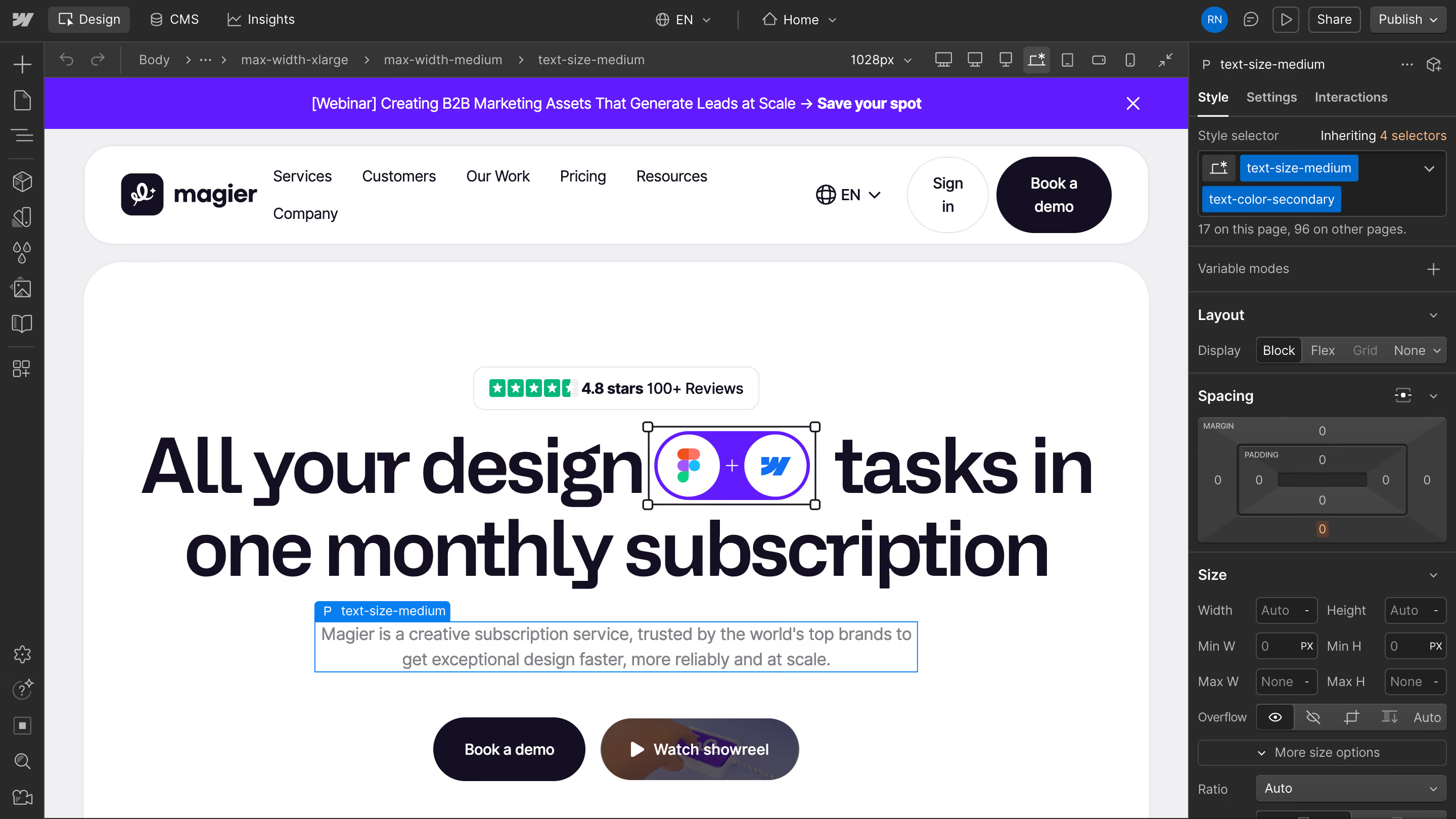
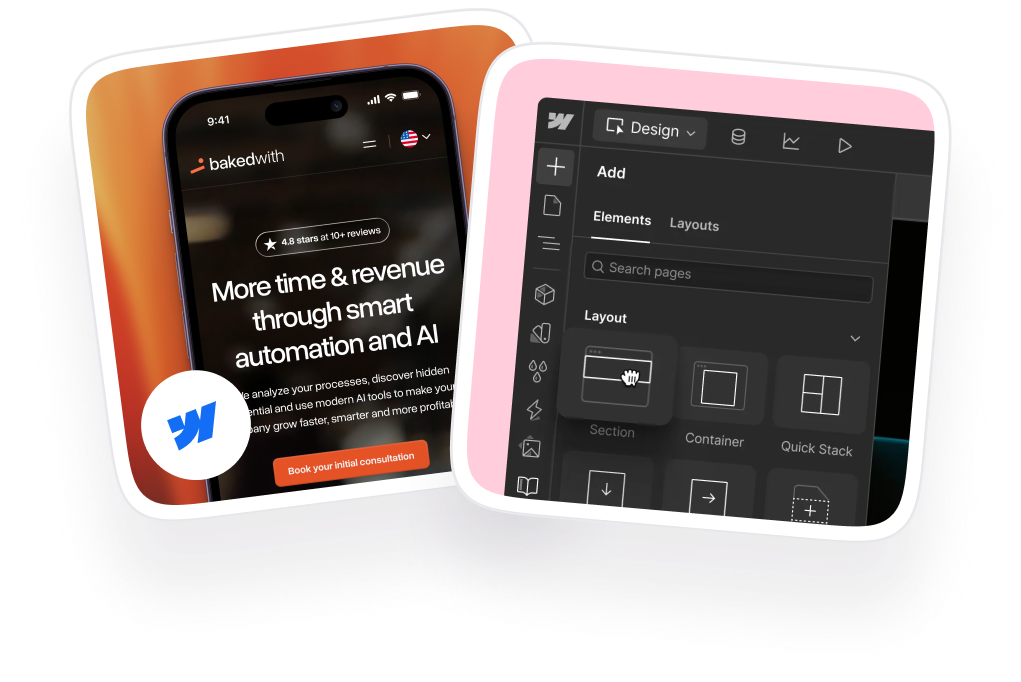
Webflow is a visual website platform that combines design, CMS, hosting, and publishing into a single managed environment. You design visually on a canvas, and Webflow generates clean HTML, CSS, and JavaScript behind the scenes. Marketing teams can publish, update, and optimize content without touching code or opening a support ticket with a developer.
It launched in 2013 and has grown to power over 960,000 websites. Its core users are marketing teams, designers, B2B SaaS companies, agencies, and startups. But Webflow has pushed meaningfully into enterprise territory since 2023, and in 2026 the platform includes SOC 2 Type II compliance, SSO/SCIM integration, custom roles and permissions, staging environments, and branching workflows at its higher plan tiers.
What's included in every Webflow plan is worth noting because it changes the cost comparison: managed hosting on the Fastly CDN, SSL, automatic platform updates, global performance optimization, and built-in SEO tools. Marketing teams can manage metadata, canonical tags, redirects, and sitemaps without developer involvement, and the platform includes native A/B testing and personalization at enterprise level.
One thing that reduces the adoption cost for non-designers is Webflow University, a free learning platform with courses covering everything from basic site building to advanced interactions. Design teams already using Figma tend to find the transition particularly smooth, since the Figma-to-Webflow workflow (prototype in Figma, build in Webflow) is well established and eliminates most context-switching between design and production.
Notable Webflow enterprise users include The New York Times, Dropbox, and IDEO, which gives you a sense of what the platform handles at the high end.
What is Drupal?
Drupal is an open-source content management framework built primarily for developers. Unlike Webflow, it's not a website builder in the way most people picture one. It's a flexible content platform written in PHP that developers use to build virtually any type of content-driven application, from government portals to enterprise publishing platforms to complex multi-site networks.
Drupal's version history matters for this comparison, so here's a quick orientation:
One development worth noting for the 2026 comparison is Drupal CMS (formerly called Starshot), which adds a drag-and-drop page building interface similar to WordPress. This makes Drupal meaningfully more accessible to non-developers than it was in previous versions, though it doesn't eliminate the underlying complexity of managing a Drupal deployment.
Drupal is very much alive for the audiences it was built for. The Australian Meteorological Service handles 500 million requests per month on Drupal. The Economist runs on Drupal. Dell, the University of Washington, and hundreds of government agencies worldwide use it. For those organizations, the question isn't Webflow vs Drupal. Drupal is the only answer that makes sense. But "does anyone still use Drupal" is a fair question for a B2B startup or a growth-stage marketing team, and the honest answer is: yes, but probably not for you. We'll explain exactly why in the decision framework below.

What Webflow does well (and where it falls short)
Where Webflow wins
- Marketing team autonomy: Content teams can publish pages, update copy, create landing pages, run A/B tests, and manage redirects without opening a developer ticket. For growth-stage B2B companies where marketing is three to six people and engineering is focused on product, that independence is a real operational advantage.
- Production-ready code without a developer: Webflow generates clean, semantic HTML and CSS directly from its visual canvas. Core Web Vitals performance is strong out of the box because hosting, CDN, and optimization are all managed within the same platform. You don't need a separate Cloudflare setup or a caching plugin.
- Smooth Figma handoff: The Figma-to-Webflow workflow, where designers prototype in Figma and marketers or developers build in Webflow, removes the handoff friction that slows most design-to-production cycles. Webflow University reduces the learning curve further for non-designer team members managing the site day-to-day.
- Stronger enterprise capabilities than its reputation suggests: SOC 2 Type II compliance, SSO/SCIM integration, custom roles and permissions, branching workflows, and staging environments make Webflow a credible option in 2026 for organizations that would have defaulted to Drupal five years ago.
Where Webflow falls short
- Limited editorial workflows: Webflow doesn't support native content approval workflows with draft, review, and publish states at the depth Drupal does. If your site requires multiple editors, content reviewers, and publisher roles with granular permissions across a large content team, you'll hit friction quickly.
- SOC 2 compliance headers require an expensive upgrade: A G2 reviewer flagged that adding security headers required by SOC 2 compliance standards is blocked on standard Webflow plans, with Enterprise Lite ($15,000/year) required for that functionality. For any regulated industry company evaluating Webflow, this is a real budget line item, not a footnote.
- CMS item limits on lower plans: Content-heavy sites will hit CMS item caps on lower tiers, and scaling up adds cost that should be factored into any TCO comparison from the start.
- Vendor lock-in risk: Webflow is a hosted platform, which means your infrastructure, pricing, and options are all tied to Webflow's decisions. For any organization making a five-year platform commitment, that dependency is worth thinking through carefully.
- Not the right tool for certain use cases: Government portals, complex multi-site enterprise networks, large publishing platforms with custom editorial governance, and sites requiring deep infrastructure-level custom integrations are all better served by Drupal. Knowing this upfront saves a painful migration later.
By the way, if you're looking for graphic design inspiration for your website, check out this article.
What Drupal does well (and where it falls short)
Where Drupal wins
- Unlimited content architecture flexibility: You can model any content structure, create any relationship between content types, and build any editorial workflow your organization requires. Governments use Drupal because they need exactly this level of control over compliance, accessibility, and content governance. Universities use it to manage thousands of pages across dozens of departments with separate editorial teams and publishing rules.
- Enterprise-grade editorial workflows: Draft, review, and publish states with custom approval chains, revision history, content scheduling, and multi-user governance are all native capabilities. For a large news organization or a government communications team, these aren't nice-to-haves. They're the reason Drupal exists.
- Native multilingual support: Webflow requires workarounds for multi-language sites. Drupal supports multiple languages natively with separate editorial workflows per language, which matters considerably for international organizations managing content across regions.
- Headless capabilities via JSON:API and GraphQL: Organizations that want to decouple content management from their presentation layer can run Drupal as a backend content API and serve that content to any front end, including Webflow, custom React applications, or mobile apps.
- No vendor lock-in: You own your infrastructure, your data, and your codebase. For organizations with long institutional memory of platform vendor changes, the open-source model is a meaningful structural advantage.
- Actively modernizing: Drupal CMS (formerly Starshot), launched as part of the Drupal 11 release, adds a drag-and-drop editing experience that makes content editing more accessible to non-developers. Drupal is not stagnating. It's adding usability without sacrificing depth.
Where Drupal falls short
- Hard to use for non-developers: Drupal's G2 ease of use score of 6.8 out of 10 reflects a real organizational problem. Marketing teams that need to launch a campaign landing page can wait days or weeks for a developer, because the Drupal editing experience, even with Drupal CMS improvements, still requires more technical understanding than most marketing teams have or want.
- Deep developer dependency: Tasks a marketing team member can handle in Webflow in 20 minutes, such as creating a new page template, adjusting a layout, or adding a content section, typically require a Drupal developer. That dependency has a cost, and it compounds across every campaign, every update, and every quarter.
- Module management overhead: Drupal's module library is extensive, but modules become abandoned, compatibility breaks between core updates, and security patches require immediate action when they land. Each module adds a potential failure point, and maintaining a complex Drupal installation over time requires active, skilled management that doesn't come cheap.
- The Drupal 7 upgrade path is a full rebuild: Drupal 7 to Drupal 10 or 11 is not a version upgrade. It's a complete platform rebuild. The architecture changed fundamentally between Drupal 7 and Drupal 8, which means every custom module, theme (including Twig template rewrites from PHPTemplate), and integration needs to be rebuilt or replaced from scratch. Organizations still sitting on Drupal 7 are accumulating technical debt that gets more expensive to address with every month that passes.
Total cost of ownership: what you'll actually spend over three years
Pricing comparisons that stop at "Webflow starts at $15/month, Drupal is free" are doing you a disservice. The real question is what the platform costs your organization over three years when you factor in everything: hosting, developer time, security maintenance, module costs, training, and agency fees.
Here's how the two platforms compare on a like-for-like basis:
For enterprise organizations, the cost differential is significant. For small teams running simple marketing sites, both platforms are far cheaper than these enterprise ranges. A Webflow CMS site can run under $500/year in subscription fees plus a one-time build cost, and a small Drupal site managed by an experienced in-house developer costs relatively little to operate.
One data point that specifically applies to teams comparing Drupal 7 migration paths: migrating off Drupal entirely to a platform like Webflow or WordPress typically costs $5,000–$20,000 less than an equivalent Drupal 7 to Drupal 10/11 migration. That's because destination platforms like Webflow require less specialized engineering than rebuilding a Drupal codebase from the ground up.
Who should choose Webflow
Webflow is the right choice when your website is primarily a marketing and conversion tool managed by a team that doesn't have deep developer resources, or when developer resources are better deployed on your product than your website.
These are the situations where Webflow makes the most sense:
- Your marketing team is the primary content publisher and currently waits on a developer queue for every page update
- You're a startup or growth-stage B2B company whose website is primarily a marketing and lead generation tool
- You're migrating off Drupal 7 and your site is primarily a marketing website, not a complex publishing or content governance platform
- You want predictable, all-in hosting costs with zero infrastructure overhead
- Your design team uses Figma and wants a direct visual-to-production workflow without managing a separate design-to-code handoff
- You need fast A/B testing and landing page iteration without engineering involvement
- Your compliance requirements stop at SOC 2 Type II (or you're prepared to budget for Enterprise Lite)
- You're a mid-market B2B company with a three-to-five person marketing team and no in-house Drupal developers
Who should choose Drupal
Drupal is the right choice when your website is a content platform that requires enterprise-grade governance, complex architecture, or compliance at a depth that a managed SaaS platform can't provide.
These are the situations where Drupal makes the most sense:
- You're a government agency, university, or healthcare system with compliance requirements that include FedRAMP, HIPAA at the backend level, or WCAG 2.2 AA at scale
- You need native multilingual support across 10 or more languages with separate editorial workflows per language
- Your content architecture involves complex entity relationships, custom taxonomies, and thousands of interconnected content items
- You have a dedicated in-house development team with Drupal expertise and the budget to maintain it
- You run a multi-site network (10 or more sites managed from a single Drupal installation)
- You're a large news organization or publishing platform with complex editorial workflows and content governance requirements
- Infrastructure control and freedom from vendor lock-in are non-negotiable requirements for your organization
If you're actually making a switch and want a team to handle it for you under budget, check our blog on affordable webdesign and development services.
The decision framework: matching your situation to the right platform
Most comparison guides give you two buckets: marketers use Webflow, enterprises use Drupal. The table below handles the cases that don't fit neatly into either bucket.
If your situation still isn't clear after this table, the tiebreaker question is: who manages your website day-to-day, and what does it cost when they can't? If the answer is "our marketing team, and every delay costs us pipeline," Webflow. If the answer is "our development team, and we need architectural flexibility that no SaaS platform provides," Drupal.
"The question we ask every Drupal team before a migration is: who is actually managing your site day-to-day, and what does it cost them when they can't make a change without opening a ticket? Nine times out of ten, the honest answer to that question tells you everything about whether Webflow is the right move."

The headless hybrid option: using both together
There's a path that most comparison guides ignore entirely: using Drupal as a headless content backend while Webflow or another front end handles the presentation layer.
This works because Drupal's JSON:API and GraphQL capabilities let it serve content as a structured API. A front-end application, including a custom Webflow build or a React application, can consume that API and render the content however it needs to. The result is that your content team gets Drupal's powerful editorial workflows and content governance, while your marketing team gets Webflow's design flexibility and publishing speed for the public-facing side of the site.
When this is worth considering: if your organization has an existing Drupal deployment with years of structured content and complex workflows that would be painful to rebuild, but your marketing team is being blocked by the front-end development dependency, a headless separation can give marketing teams publishing speed without requiring a full Drupal migration.
When it isn't: this configuration is significantly more complex than either platform alone. It requires developer expertise on both sides, ongoing maintenance of the API layer between them, and careful coordination between content management and front-end publishing. Most teams that pursue this approach underestimate the operational overhead. For the majority of organizations, choosing one platform cleanly is simpler, cheaper, and easier to maintain than running both.
A note on WordPress
Any honest comparison of Webflow and Drupal should acknowledge that WordPress exists and that many teams evaluating this comparison should also be considering it. WordPress sits between the two philosophically: more accessible than Drupal, more extensible than Webflow, with a plugin library that covers most marketing and content needs at a lower entry cost than either.
If your primary reason for considering Webflow is marketing team autonomy and your primary reason for considering Drupal is content management depth, WordPress can often satisfy both at a lower total cost for mid-sized organizations with some technical resources. This blog focuses on the Webflow vs Drupal comparison specifically because they represent the two poles of modern CMS thinking, and understanding the tradeoffs between them clarifies what you actually need, even if you ultimately choose something in between.
Migrating from Drupal to Webflow: what to know before you start
If you've decided Webflow is the right direction, the migration itself deserves careful planning. Rushed migrations are where most of the organizational pain lives.
On timeline: Migration timelines scale with complexity. Small Drupal sites under 100 pages typically take 4-8 weeks. Medium sites with custom content types and 100-500 pages usually take 2-4 months. Large enterprise Drupal sites with extensive customization can take 4-6 months or more, plus at least two weeks of post-launch monitoring. Drupal's own Migrate API handles structured content transfer between Drupal versions, but moving to Webflow is a different process that involves exporting content, rebuilding templates visually, and recreating integrations from scratch. Migrating off Drupal entirely to Webflow also typically costs $5,000-$20,000 less than rebuilding on Drupal 10 or 11, because Webflow requires less specialized engineering.
The SEO risk of migration (and how to avoid it)
Here's where most migration guides fail their readers. Website migrations, when handled poorly, can cause a 30-60% drop in organic traffic. The average recovery time after a poorly managed migration is 523 days, and roughly 17% of sites never recover their organic traffic, even after 1,000 days. Only around 1 in 10 migrations actually improve rankings.
These numbers aren't meant to scare you out of migrating. They're meant to explain why migration SEO is not an afterthought. The traffic loss happens for predictable, preventable reasons: URL structure changes without redirects, metadata that doesn't get migrated, internal linking that gets broken, and crawl errors that aren't caught before launch.
SEO migration checklist for Drupal to Webflow
Follow these steps in order. Skipping any of them is where traffic losses happen.
- Audit your current site before anything else: Export a complete list of every indexed URL using Google Search Console or Screaming Frog. Identify your top 20% of pages by organic traffic. These are your non-negotiable priorities during migration.
- Map every old URL to its new URL equivalent: Build a redirect spreadsheet before any development work starts. Every single Drupal URL needs a corresponding new Webflow URL, written down and confirmed before a line of code is written.
- Preserve your URL structure wherever possible: If your Drupal site used
/blog/post-title, replicate that structure in Webflow. Changing URL formats is the single most damaging SEO decision in a migration and is usually done for convenience rather than necessity. - Implement 301 redirects on day one: Every old URL must redirect to its new equivalent the moment the new site goes live. A redirect map that isn't fully implemented at launch is the most common cause of post-migration traffic drops.
- Migrate your metadata, not just your content: Export title tags, meta descriptions, canonical tags, and alt text from Drupal and recreate them in Webflow for every page. Content without metadata loses search equity.
- Rebuild your internal linking structure: Audit which pages link to which on the old site and recreate those connections on the new site. Internal links carry ranking signals that are easy to lose in a migration.
- Test on staging before you go live: Run the full new site through Screaming Frog on staging to catch crawl errors, broken links, and missing metadata before any of it reaches a live environment.
- Submit your new sitemap to Google Search Console immediately after launch: Don't wait for Google to discover the new site organically. Submit the sitemap, request indexing for your highest-priority pages, and monitor for crawl errors within the first 48 hours.
- Monitor organic traffic weekly for the first 90 days: Set up Google Search Console alerts for crawl errors and traffic drops. Problems caught at week two are far easier to fix than problems caught at month three.
- Keep your Drupal site accessible on staging for at least 30 days after launch: You will need to cross-reference content, diagnose redirect issues, and verify metadata during the post-launch period. Don't take the old site fully offline on launch day.
Is Drupal 7 still safe to run in 2026?
Let's be direct: no. Drupal 7 reached end of life on January 5, 2025. Since that date, the Drupal Security Team no longer provides security patches for Drupal 7 core or contributed modules. New vulnerabilities continue to be discovered and published as CVEs. They accumulate without remediation.
The compliance problem is separate from the security problem and compounds it. Frameworks like GDPR, HIPAA, and SOC 2 don't explicitly prohibit end-of-life software, but they do require organizations to maintain supported and secure systems. Running Drupal 7 in 2026 makes it increasingly difficult to pass a security audit without a documented migration plan, and "we're planning to migrate" only goes so far with auditors who can see active CVEs on your platform.
There are three commercial vendors offering extended security support as a bridge while you plan your migration: HeroDevs (Never-Ending Support), Tag1, and Dropsolid. These programs provide patches for newly discovered vulnerabilities in Drupal 7 core and widely used modules. They are a legitimate short-term option for organizations that need more time before a full migration, but they're a bridge, not a destination. They don't resolve the PHP compatibility issues, the module abandonment problem, or the growing cost of maintaining an aging platform.
The honest recommendation is this: if you're still running Drupal 7 in 2026, you need an active migration plan with a defined timeline, not a general intention to migrate eventually. The longer the delay, the more technical debt accumulates, the harder the migration becomes, and the higher the risk of a security incident that forces a reactive migration under pressure.
Final thoughts: The choice comes down to who manages your website and what they need
Webflow and Drupal are both strong platforms. They're not competing for the same audience, which is why most comparisons feel unsatisfying: the right answer depends entirely on who your team is and what your website does.
If your website is a marketing and conversion tool and the people managing it day-to-day are marketers, Webflow is almost certainly the better choice. The productivity gains from marketing team autonomy, faster iteration, and lower maintenance overhead add up to a real business advantage over time.
If your website is a content platform, a government service, a publishing infrastructure, or a compliance-sensitive application where editorial governance and architectural flexibility are core requirements, Drupal is the right foundation. It's harder to operate, but it's built for the problems it solves.
And if you're on Drupal 7 right now, the decision can't stay theoretical much longer. The EOL risk is live, the migration cost only grows with delay, and the comparison you're doing today is the first step in a process that deserves a concrete timeline.
If you're evaluating a move to Webflow or need a team to handle the migration without losing organic traffic, magier works with brands on exactly this kind of transition. We build and migrate websites for 150+ brands with a 48-hour turnaround, fixed monthly fee, and unlimited revisions.
Use the decision table in this guide as your starting point. Then validate it against your team's real constraints: developer resources, compliance requirements, content complexity, and how much time your marketing team currently loses to development queues. The platform that removes the most friction for your specific team is the right one.
FAQ
Yes, within limits. Webflow offers SOC 2 Type II compliance, 99.99% uptime SLAs, SSO/SCIM integration, custom roles and permissions, staging environments, and branching workflows. It powers enterprise sites for The New York Times and Dropbox. It is not designed for the scale of content governance, multi-site management, and regulatory compliance that Drupal provides for governments and universities.
Drupal's software is open source and free to download. The true cost includes hosting (typically $100-$1,000/month for managed hosting), specialized PHP developer time, security maintenance, and infrastructure management. Enterprise-level Drupal deployments can cost $350,000-$1,000,000 or more over three years when those costs are properly accounted for.
Migration timelines depend on site size and complexity. Small sites under 100 pages typically take 4-8 weeks. Medium sites with 100-500 pages and custom content types usually take 2-4 months. Large enterprise Drupal sites may need 4-6 months or more, plus at least two weeks of post-launch monitoring.
Both platforms support strong SEO when properly configured. Webflow has built-in SEO tools that marketing teams can use without developer help. Drupal requires modules like Metatag, Pathauto, and Redirect, but offers deeper control for complex multilingual and enterprise SEO strategies. For most marketing websites, Webflow's built-in SEO capabilities are sufficient and easier to use.
Webflow's main limitations are that it requires an Enterprise Lite plan ($15,000/year) for full SOC 2 compliance header configuration, has limited native support for complex multi-user editorial workflows, and is a vendor-hosted platform that carries lock-in risk. It's also not designed for the complex content architectures, multi-site management, or regulatory compliance workflows that Drupal handles well.
Tesla has used Drupal for parts of its web infrastructure. Drupal is common among large enterprise organizations that need a flexible, scalable content platform they can fully control. Whether any specific organization currently uses a particular CMS can change as companies re-platform over time.
Yes, extensively. Drupal powers websites for governments, universities, large enterprises, and major news organizations worldwide, including sites handling hundreds of millions of monthly requests. The Australian Meteorological Service processes 500 million requests per month on Drupal. It remains the platform of choice for organizations that need complex content architectures, multi-site management, and enterprise-grade editorial workflows.
.avif)


.avif)